

NemoVideo vs Vimeo Create: Which Tool Actually Scales Ads?
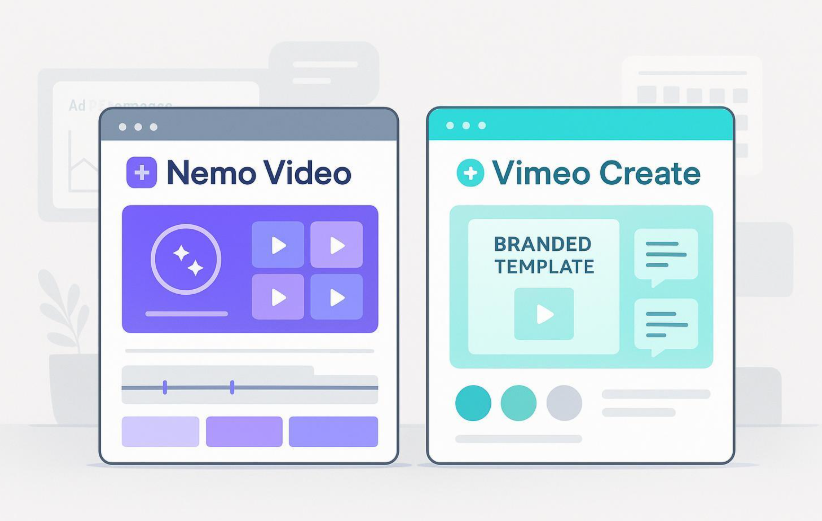
Choosing between NemoVideo and Vimeo Create isn't about feature checklists—it's about which tool removes your agency's biggest bottleneck. If you need to ship 10+ platform-ready variants per campaign without adding editors, you need AI-powered bulk versioning and viral structure replication. If you need branded templates, team approvals, and straightforward publishing, you need template-driven workflows with integrated collaboration. This guide breaks down exactly which tool accelerates your specific workflow, so you can stop researching and start delivering client results faster.
See how agencies use NemoVideo's workspace to generate dozens of platform-ready variants from a single concept in hours, not days.
Who This Comparison Is For
This comparison is written for three specific agency types:
Performance marketing agencies running frequent A/B tests across TikTok, Meta, and YouTube Shorts, where creative testing velocity and ROAS drive profitability. Your bottleneck is turning ideas into many effective variants fast.
Creative studios and brand agencies prioritizing on-brand consistency, client approvals, and straightforward publishing workflows. You need templates, brand kits, and review features that keep outputs aligned without micromanagement.
Social and content agencies managing multiple clients with varying brand guidelines, where collaboration, templates, and platform publishing speed up delivery without sacrificing quality.
Disclosure: NemoVideo is our product. We'll stay scenario-first, cite official sources, and maintain editorial honesty about what each tool does best.
How we evaluated: We examined official product pages, pricing documentation, and public announcements. For Vimeo Create, we referenced Vimeo Create's product page and Vimeo's pricing page for collaboration, brand kits, and publishing features. Public 2024 interviews and announcements discuss Vimeo's enterprise AI direction but don't confirm Create-level bulk automation capabilities. For NemoVideo's capabilities—viral structure replication, bulk versioning, and AI-powered creative automation, see the NemoVideo homepage.
Quick Verdict by Scenario
Best for performance marketing agencies: NemoVideo. It's built for native bulk generation of multi-audience, multi-platform variants with AI-powered viral structure replication and automated pacing—designed to accelerate ROAS testing through rapid creative iteration.
Best for branded content and collaboration: Vimeo Create. It's designed for template-driven workflows with brand kits (logos, colors, fonts), team review features, and integrated publishing to social platforms—ideal for maintaining brand consistency across client outputs.
Side-by-Side Comparison Table
Criteria | NemoVideo | Vimeo Create |
Best For | Performance marketing agencies scaling ad variants and A/B tests for ROAS optimization | Creative studios and brand agencies prioritizing templates, approvals, and branded content consistency |
Core Strength | AI viral structure replication + native bulk multi-platform/audience variant generation | Template-driven creation with brand kits, team collaboration, and integrated publishing |
Pricing | Custom pricing. Business Plan: priority processing, customized credits/seats, dedicated storage, enterprise security, account manager, early feature access. See pricing | Plans vary by tier. See Vimeo pricing for collaboration, publishing, and analytics features included in business tiers |
Bulk Versioning | Native bulk generation for multi-audience, multi-platform variants in single workflow | Resizing/aspect ratios via templates; no confirmed native bulk multi-variant automation (teams typically duplicate templates manually) |
Viral Structure Replication | AI analyzes successful viral videos to replicate proven hooks, pacing, and structure | Template-driven approach focuses on brand consistency and speed; no official viral-structure replication claim |
Collaboration Features | Team workflows (details require demo confirmation) | Templates, brand kits (logos/colors/fonts), commenting, review features in Vimeo's business tiers |
Publishing & Analytics | Not publicly documented (confirm during trial/demo) | Publishing to social platforms and analytics integrated in Vimeo's ecosystem; depth varies by plan |
Brand Governance | Not fully documented publicly (confirm during trial) | Brand kits and template libraries maintain consistency across client outputs |
Ideal Use Case | Launch 20+ ad variants per campaign, rapid A/B testing, viral hook replication across platforms | Create on-brand content with client approvals, maintain consistent templates, streamlined publishing |
Pros | ✅ Native bulk variant generation for multi-platform rollouts ✅ Viral structure replication accelerates performance learnings ✅ AI-powered pacing and key visual detection ✅ Built for rapid A/B testing workflows | ✅ Templates and brand kits for consistent outputs ✅ Team review and collaboration aligned with business tiers ✅ Integrated publishing and platform analytics ✅ Part of Vimeo's trusted hosting ecosystem |
Cons | ❌ Pricing requires sales contact ❌ Publishing/analytics not fully documented publicly | ❌ No confirmed native automated bulk multi-variant generation ❌ Variants typically created by duplicating templates manually ❌ Advanced AI automation scope unclear at Create level |
Deep Dive: NemoVideo for Performance Marketing Agencies
NemoVideo is an AI-powered creative automation platform designed to help performance marketing agencies ship more effective variants faster with less manual work. When you're optimizing ROAS, you win by testing more creative more often. NemoVideo's edge is automation at the point of creation, it generates many platform-ready cuts in one workflow without babysitting every timeline.
Workflow Example (Bulk Variant Production for A/B Testing)
Identify viral patterns using the Viral+ Studio to analyze successful viral videos and replicate proven hooks, pacing, and structure.
Generate viral hooks and scripts with the Inspiration Center to give your concepts a proven backbone instead of reinventing the wheel.
Automate key visual detection using Smart Pick, which identifies the strongest shots and sets AI-powered pacing to hold attention.
Polish talking-head content with the talking-head editor that removes filler words and adds B-roll automatically.
Generate native bulk variants in the workspace—spin out platform-ready versions for YouTube Shorts, Reels, TikTok, and feed videos with swapped hooks, CTAs, subtitles, or offers across dozens of variants in a single pass.
Add viral-style captions with Smart Caption in one click.
Launch rapid A/B tests across platforms, measure CTR/CVR/ROAS, and iterate based on performance data.
Why Performance Marketing Agencies Choose NemoVideo
Native bulk generation makes rapid A/B testing practical. Instead of manually creating 20 separate edits, the workspace handles multi-audience, multi-platform variants in one workflow. Swap hooks, CTAs, subtitles, or offers across dozens of variants in a single pass—this is the difference between testing 3 concepts versus 30.
Viral structure replication accelerates performance learnings. The Viral+ Studio analyzes successful viral videos to identify what makes them work—hooks, pacing, structural patterns—then applies those to your content. You start from formats the audience already responds to rather than guessing what might work.
AI automation turns iteration into a lever. From key visual detection to filler word removal, NemoVideo handles repetitive edits so your team focuses on creative strategy, not timeline babysitting.
Speed equals more learning cycles. When your biggest constraint is hands-on editing time, automation converts labor into testing capacity. Your fastest path to learnings doesn't sacrifice quality.
Constraints to Note
Collaboration, publishing, and analytics features are not fully documented in public materials—confirm these during trial or demo. Brand governance workflows should be validated during evaluation if you work with heavily governed brands. Pricing is custom based on volume and team size, contact sales for details. Your creative strategy still matters—automation speeds you up but doesn't replace strategic thinking.
🚀 Scale Creative Testing Without Scaling Headcount
Stop manually duplicating timelines for each variant. Use NemoVideo's AI automation to replicate viral structures, generate bulk platform variants, and test faster.
✅ Build 20+ ad variants in one workflow
✅ Auto-detect key visuals and optimize pacing
✅ Test hooks, CTAs, and offers across platforms simultaneously
👉 Start your free trial | See pricing
Deep Dive: Vimeo Create for Branded Content and Collaboration
Vimeo Create is Vimeo's template-driven creation tool designed for quick, on-brand videos with integrated review, publishing, and analytics through the Vimeo platform. If your day-to-day looks like "make it on-brand, add client notes, export everywhere," Vimeo Create provides familiar and practical strengths for maintaining brand consistency.
Workflow Example (Template-Driven Branded Content)
Select a template from Vimeo Create's template library aligned with your content type.
Apply brand kit (logos, colors, fonts) to maintain consistent client branding across outputs.
Customize template content with your footage, copy, and messaging.
Configure aspect ratios for different platforms (square, vertical, horizontal).
Share for team review using commenting and collaboration features.
Incorporate client feedback through Vimeo's review workflow.
Publish to social platforms directly from Vimeo's integrated publishing tools.
Track analytics within Vimeo's ecosystem for performance monitoring.
Why Creative Studios and Brand Agencies Choose Vimeo Create
Templates and brand kits maintain consistency. Brand kits keep fonts, colors, and logos aligned across client outputs without requiring a style police. Template libraries standardize production without starting from scratch.
Team review and collaboration support quick approvals. Commenting features and team access make it easy for non-editors to provide feedback and approve content within familiar workflows.
Publishing and analytics integrate with Vimeo's ecosystem. Final videos roll into a hosting and distribution stack that clients may already trust, with platform publishing and performance tracking built in.
Familiar workflows for creative teams. For agencies already using Vimeo for hosting or collaboration, Create extends that ecosystem into production.
Constraints to Note
No confirmed native automated bulk multi-variant generation, variants are typically created by duplicating templates manually. This works for smaller sets of variants but isn't the same as native, automated multi-variant generation.
Advanced AI automation scope at the Create level is not clearly documented in public materials. Depth of collaboration, publishing, and analytics varies by Vimeo plan tier, validate specific features on Vimeo's pricing page before committing budget. Some workflows may depend on manual steps or external integrations.
Public 2024 interviews and announcements describe Vimeo's enterprise AI direction but don't confirm Create-level bulk automation capabilities.
Pricing and Plan Transparency
NemoVideo Pricing
NemoVideo offers custom pricing tailored to agency volume and creative output needs.
Business Plan includes:
Priority project processing
Customized credits and team seats
Dedicated storage
Enterprise-level security
Dedicated account manager
Early access to new product features
Contact sales for custom pricing | View pricing overview
The fastest evaluation path is starting a free trial from the NemoVideo homepage and benchmarking bulk variant production speed against current workflows.
Vimeo Create Pricing
Vimeo Create's capabilities vary by Vimeo plan tier. Collaboration features, publishing tools, analytics depth, and seat limits depend on whether you're on Starter, Standard, Advanced, or Enterprise tiers.
For current plan details, feature availability, and pricing, see Vimeo's official pricing page. Validate collaboration, publishing, and analytics features for your specific plan before committing.
How Agencies Should Decide
Choose the tool that removes your biggest bottleneck and accelerates your core KPI.
Map your next 90 days of output. How many variants per concept, per platform, per client? If that number is high (10+ variants per campaign), favor native automation. If it's low (2-3 variants) with heavy brand governance, favor templates and review workflows.
Define "proof" for your agency type:
Performance teams: Faster learning cycles and better ROAS from rapid A/B testing → Choose NemoVideo
Brand studios: On-brand delivery and smoother client approvals → Choose Vimeo Create
Trial with a real sprint brief. Don't test theory—test your actual workflow:
Can you create 20+ variants starting from one storyboard in NemoVideo?
Can non-editors review easily and leave actionable comments in Vimeo Create?
Which tool gets you to "campaign-ready" faster with fewer revision cycles?
Validate plan gates. Confirm collaboration, publishing, analytics, and seat limits on vendor pricing pages before committing budget. Some features may be tier-restricted.
Consider both for larger teams: Use automation-first creation (NemoVideo) for performance experiments and templates/brand kits (Vimeo Create) for downstream content and client-friendly approval flows.
Frequently Asked Questions
Q: What is the main difference between NemoVideo and Vimeo Create? NemoVideo is an AI-powered platform for native bulk variant generation with viral structure replication designed for rapid A/B testing, while Vimeo Create is a template-driven tool with brand kits, team collaboration, and integrated publishing for maintaining branded content consistency.
Q: Which tool is better for creating multiple ad variants for TikTok and Meta? NemoVideo is better for variant production because it generates native bulk variants across platforms in one workflow and uses viral structure replication to accelerate testing. Vimeo Create requires manually duplicating templates for each variant.
Q: Does Vimeo Create support automated bulk variant generation? No, Vimeo Create does not have confirmed native automated bulk multi-variant generation documented in public materials. Teams typically create variants by duplicating and adjusting templates manually. See Vimeo Create for current capabilities.
Q: Can NemoVideo handle brand governance and client approvals? Brand governance workflows and collaboration features are not fully documented in public materials. Confirm these capabilities during trial or demo if brand approvals are critical to your workflow.
Q: How does NemoVideo's viral structure replication work? NemoVideo's Viral+ Studio analyzes successful viral videos to identify structural patterns—hooks, pacing, visual anchors, payoffs—then applies those proven formats to your content automatically without manual analysis.
Q: What collaboration features does Vimeo Create offer? Vimeo Create includes brand kits (logos, colors, fonts), templates, team review, commenting features, and publishing tools integrated with Vimeo's platform. Feature depth varies by plan tier, see Vimeo pricing for details.
Q: Which tool should agencies use for both performance ads and branded content? Consider using both: NemoVideo for performance testing and rapid variant generation, and Vimeo Create for branded content workflows requiring templates and client approvals. Many larger agencies use specialized tools for different workflow types.
Q: Does NemoVideo integrate with Vimeo for hosting and publishing? Publishing and integration features are not publicly documented. Confirm during trial or demo if Vimeo integration is required for your workflow.
Final Thoughts and Next Step
Both tools excel for different agency workflows. If you're a performance marketing team measuring success by testing velocity and ROAS, NemoVideo's viral structure replication and native bulk versioning give you a faster path to learning cycles with a smaller team. If you're a creative studio focused on brand consistency, client approvals, and straightforward publishing, Vimeo Create provides template-driven workflows within a trusted ecosystem.
The fastest way to validate fit is running a real sprint brief through both tools: test your actual workflow with your actual client requirements and let the time-to-campaign-ready metrics decide.
Dominate Testing Cycles. Ship More Winners.
The best performance marketing agencies don't let manual variant production slow down learning cycles—they use NemoVideo to replicate viral structures, automate creative decisions with Smart Pick, and launch dozens of platform-optimized variants in hours.
✅ Generate 20+ ad variants in a single workflow ✅ Auto-remove filler words and apply viral captions ✅ Test hooks, CTAs, and offers across TikTok, Reels, and Shorts simultaneously ✅ Convert editing labor into strategic testing capacity
👉 Start your free trial now | See pricing | Contact sales for custom plans