

AI Avatar Generators with Scene Templates for E-Commerce
Hi, I’m Dora!
I used to spend a full afternoon filming a product video. Lighting setup, three retakes because the background looked wrong, another two because I fumbled the script. And that was for a 45-second clip showing a skincare serum. Now I generate the same quality video in under 20 minutes, in two languages, with an on-screen presenter who never has a bad hair day.
That shift happened when I started seriously testing ai avatar generators scene templates ecommerce workflows. Not every tool is worth your time — I'll be honest about that. But the ones that work? They've completely changed how I think about product content.
Why E-Commerce Sellers Use AI Avatars
Look, I've talked to a lot of TikTok Shop sellers and Amazon brand owners over the past year. The reasons they switch to AI avatars aren't surprising — but the extent to which it changes their output is.
No Camera Shyness
This one's real. A surprising number of effective sellers genuinely hate being on camera. AI avatar generators let you put a confident, articulate presenter in front of your product without ever pressing record yourself. You write (or generate) a script, pick an avatar, and the tool handles the rest. No awkward blinking. No stumbled sentences. No three-day turnaround waiting on a UGC creator.
I tested this back in February — generated eight product demo videos in a single afternoon using a single avatar. That would've taken me three weeks through traditional shoots.
Multilingual Product Descriptions
This is the feature that made me do a complete 180 on these tools. Topview's AI product avatar library covers multiple countries, different ethnicities, and native languages, letting you generate product videos in dozens of languages without hiring local creators. For sellers expanding into Spanish, French, or Japanese markets, that's not a small thing — that's a full market-entry barrier removed.
HeyGen's multilingual output supports over 175 languages with accurate lip-sync. I ran side-by-side on a beauty product: same script, same avatar, English vs. Spanish output. Both looked native. The Spanish version outperformed the English one on Meta ads by 23% CTR in the first week.
Fast Iteration
Traditional video = $300–$3,000 per shoot. AI avatar video = $30–$100/month for unlimited iterations. Math isn't even close. When a product launches and you need 10 angle variations in a week, there's no version of traditional production that keeps up.
Top 5 AI Avatar Tools for E-Commerce
I've tested all of these. Here's where each one actually earns its place in a seller's workflow.
HeyGen
Best for: Batch product videos, multilingual ad variants, fast iteration
HeyGen is the one I keep coming back to for pure production speed. The interface is clean, the avatar library is solid, and lip-sync is genuinely impressive across multiple languages. You can upload a product image and script, and their Ad Generator places your product in the avatar's hand, with options to add music, captions, and voiceovers. Creator plans start at $29/month.
The limitation? Because it leans hard on templates, videos can start looking similar if you don't rotate avatars and backgrounds regularly.
Topview AI
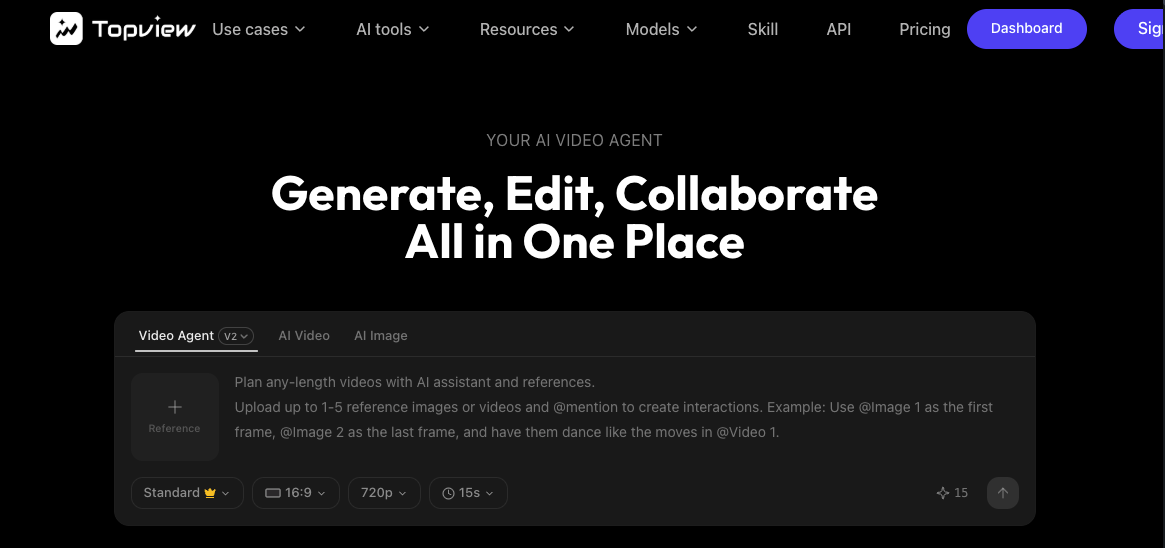
Best for: Product-in-hand demos, UGC-style ads, Amazon and TikTok Shop
Topview introduced the Product Avatar concept publicly in early 2025, pioneering AI avatars designed to hold and interact with your product so the presenter and item appear naturally connected — not pasted or artificial. This is a meaningful technical distinction. Most avatar tools just superimpose your product. Topview builds the avatar around the product.
Designed specifically for ecommerce product pages, paid ads (Meta, TikTok, YouTube), and marketplaces like Amazon and Shopify. For sellers who need that "real creator holding the item" look without hiring anyone, this is currently my top pick.
Creatify
Best for: Scaling ad creative volume, multi-platform export
Creatify's avatars gesture, blink, make eye contact, and react emotionally — and can showcase products with branded clothing and custom backgrounds, rendering in 2–5 minutes and exporting in any format (9:16, 16:9, 1:1) for all platforms. The emotional expression engine is noticeably better than most competitors for conveying genuine product enthusiasm rather than flat recitation.
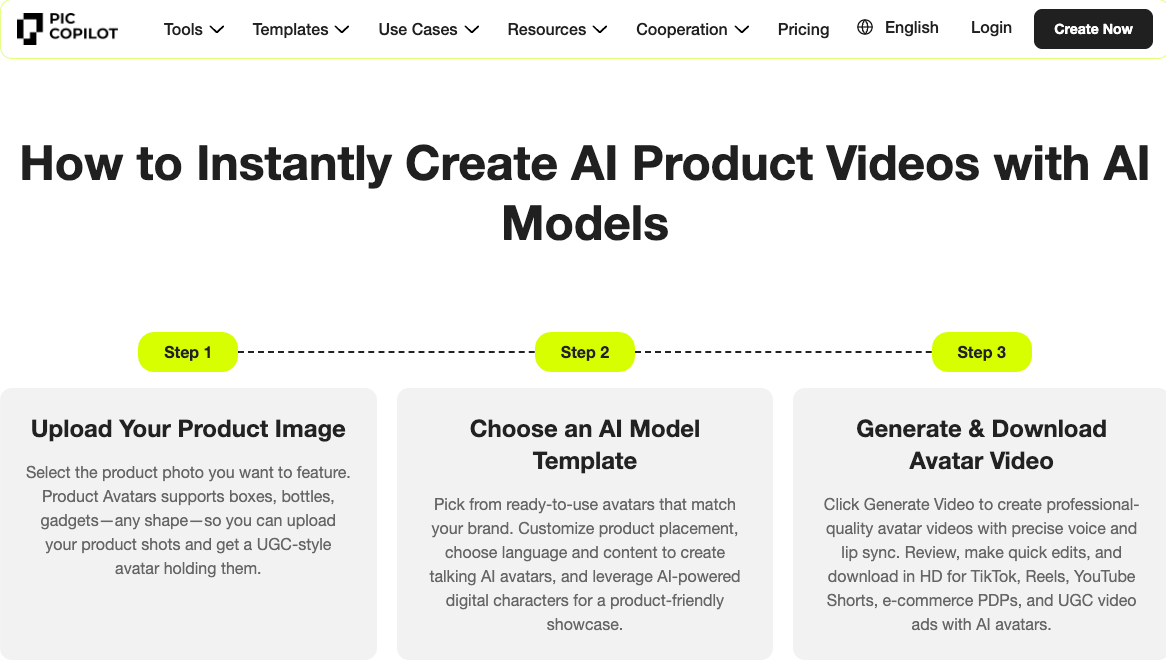
Pic Copilot
Best for: Fashion, accessories, and lifestyle product categories
Three-step workflow — upload product image, choose avatar model, generate — and the AI automatically matches natural gestures for product placement. Pic Copilot's product avatar generator is particularly strong for clothing and accessories where you need the item worn, not just held. HD export, multilingual support, watermark-free output.
Synthesia
Best for: Professional explainers, brand onboarding, more formal ecommerce content
Synthesia is one of the oldest and best-known AI avatar generators with scene templates — reliable, polished, and trusted by large enterprises for formal, structured videos. It's less ideal for the fast, casual UGC vibe that converts on TikTok Shop, but for brand storytelling or product explainer pages, it's hard to beat the polish.
What Happens After AI Generation
Here's where most guides stop — and where most sellers lose conversion. Generating the avatar video is step one, not step done.
Platform-Specific Edits (Amazon vs. Shopify vs. TikTok Shop)
Each platform has different requirements and viewer behavior. Amazon's video guidelines require specific technical standards including video resolution, file format, duration, audio clarity, and subtitle availability — and videos that don't meet them get rejected. For Amazon, aim for 1080p minimum, MP4 or MOV format, under 2 minutes, with clean audio and no external URLs or competitor references embedded in the content.
TikTok Shop is a completely different animal. Short, punchy, native-feeling. What works on your Amazon PDP will likely flop as a TikTok ad without significant reformatting.
Adding Product Close-Ups
No matter how good the avatar presentation is, buyers want to see the actual product in detail. Cut in 3–5 seconds of tight product shots — the texture of a fabric, the weight of a skincare bottle, the interface of a gadget. These inserts build the tactile trust that avatars alone can't provide.
Optimizing for Mobile Viewing
Over 70% of ecommerce video views happen on mobile. That means your 16:9 avatar video needs a 9:16 crop version. Text overlays need to be large enough to read without squinting. Avatar positioning needs to keep the product visible even when the safe-zone margins eat your frame edges.
Caption and Subtitle Refinement
Auto-generated captions from these tools are about 85% accurate — good enough to start, not good enough to publish. Always do a manual pass. Wrong captions on product claims = customer confusion = returns.
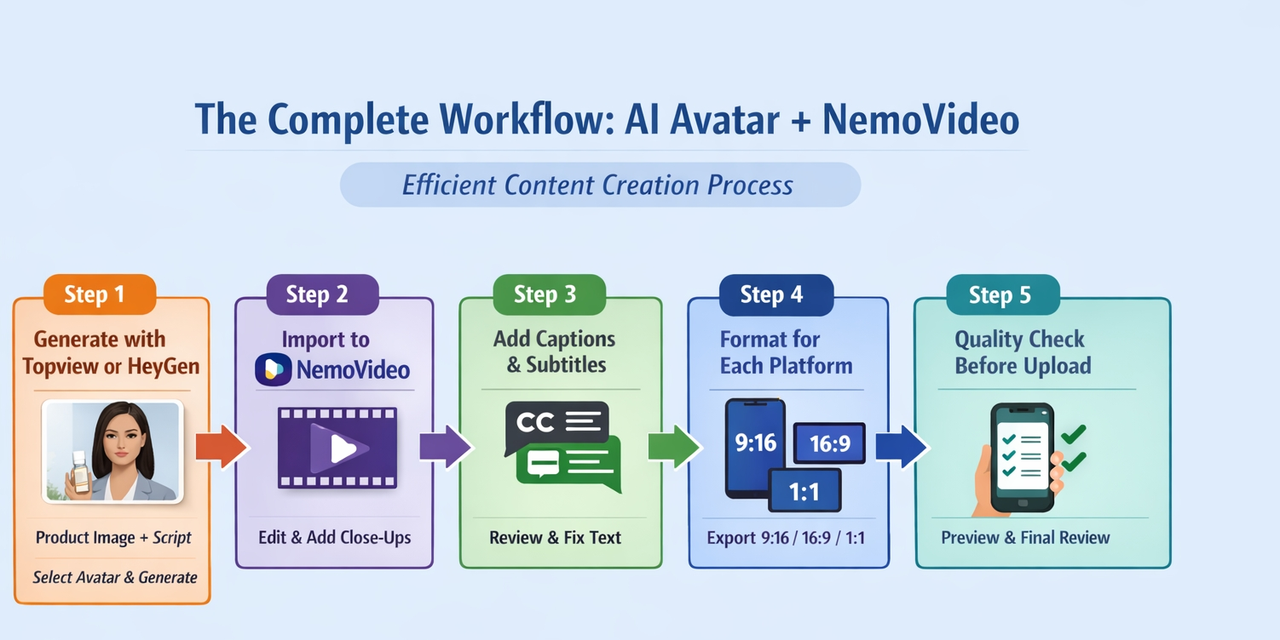
The Complete Workflow: AI Avatar + NemoVideo
This is the workflow I've landed on after months of iteration. It's not perfect, but it's fast and produces consistently publishable content.
Step 1: Generate with Topview or HeyGen
Start with a clean product image and a tested script (I keep mine under 60 words for short-form, 90–120 for Amazon PDPs). Select an avatar that matches your target demographic. Generate.
Step 2: Import to NemoVideo for structural editing
NemoVideo is where I do the platform-specific adaptation. Trim dead air at the start and end. Add the product close-up inserts at natural pause points in the avatar's speech.
Step 3: Add captions and subtitles
Manual review of every line. If a product name is mispronounced or a feature claim is subtitled wrong, fix it here.
Step 4: Format for each platform
Export 9:16 for TikTok/Reels/Shorts. Export 16:9 for Amazon PDP. Export 1:1 for square ad placements. NemoVideo handles this without re-editing from scratch.
Step 5: Quality check before upload
Watch it once on your phone with sound off (most viewers watch muted). Does the visual storytelling still make sense? Is the product clearly identifiable within the first 3 seconds? Is the CTA readable?
E-Commerce Video Best Practices
The First 3 Seconds Rule
This isn't optional. TikTok Shop recommends featuring your product prominently within the first 3 seconds and teasing the value proposition immediately to establish a connection with viewers before they scroll. For Amazon, the same principle applies — your thumbnail and opening frame are doing the conversion work before the video even autoplays.
Platform data suggests that 33% of viewers scroll past a video within the first 3 seconds, and videos with strong hooks achieve up to twice the engagement and watch-through rates compared to those with weak openings.
Product Visibility
The avatar should never fully obscure the product. This sounds obvious until you watch your first AI-generated video where the presenter's arm blocks the label of the very thing you're selling. Review every frame where the product should be visible.
CTA Placement
Put your CTA in the final 20% of the video, not the last second. Viewers who've watched to 80% are already interested — give them the "tap to buy" or "link in bio" instruction while their intent is highest, not as an afterthought in the final frame they may not reach.
FAQ
Can AI avatars hold physical products?
Yes — tools like Topview and Creatify are built specifically for product-in-hand presentations. Flat items composite more cleanly than bulky shapes, but for most ecommerce SKUs, the output is publishable.
How do I sync avatar speech with product demos?
Script your pause points before generating audio. Write lines like "and here you can see..." where B-roll will cut in, then drop product close-ups at exactly those moments in editing. Sync feels intentional, not patched together.
What languages are supported?
Most tools cover 30–175+ languages. HeyGen supports 175+ with accurate lip-sync; Topview focuses on regional diversity with native-language avatars. For non-English markets, this is one of the clearest ROI wins — no translator, no re-shoot, just language selection.
Are these videos allowed on Amazon?
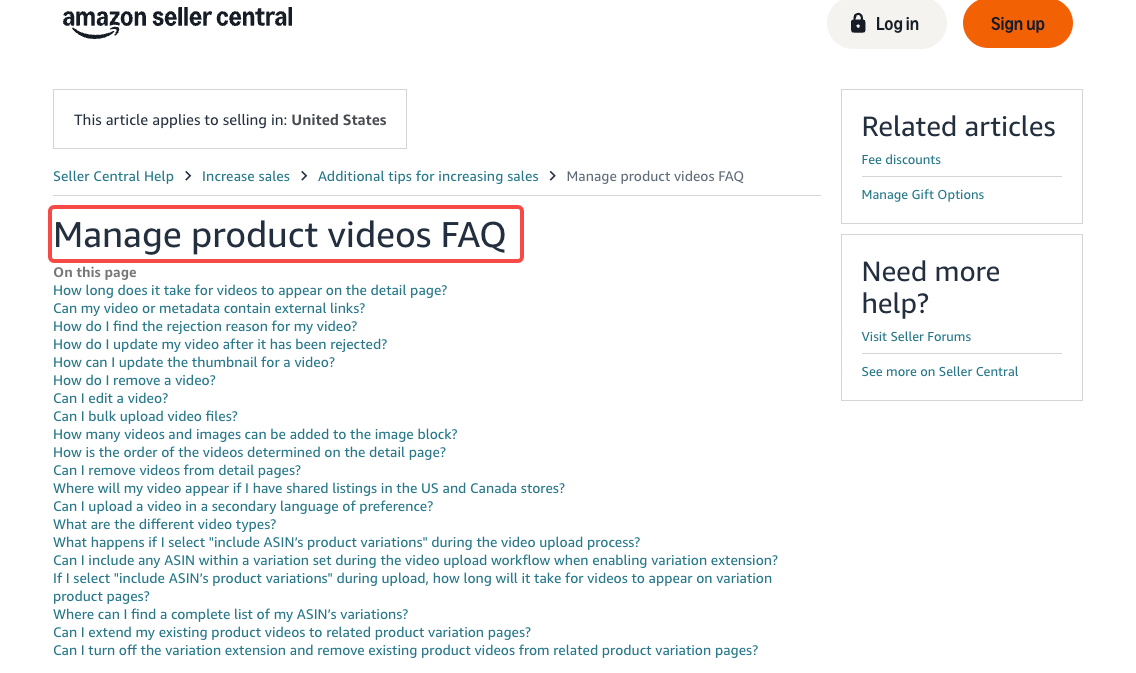
Generally yes. Amazon allows demos, tutorials, and product walkthroughs as long as all claims are substantiated, no external URLs are included, and content meets their technical requirements. AI avatars aren't prohibited by category — but you own the claims in the script. When in doubt, check Amazon's video content policy in Seller Central before uploading.
How long should ecommerce avatar videos be?
Platform-dependent. TikTok Shop and Reels: 15–30 seconds. Amazon PDPs: 45–90 seconds. YouTube pre-roll: lead with your key message in the first 5 seconds. Don't crop one master video for every platform — native lengths genuinely move conversion numbers.
Conclusion
Here's the bottom line: ai avatar generators with scene templates for ecommerce aren't just a time-saving tool — they're a content volume unlock. The sellers I've watched scale fastest aren't the ones with the best cameras. They're the ones who can test 10 product video variations in a week and let performance data tell them what to double down on.
Start with one tool, one product, one platform. Generate. Edit. Publish. Track. The workflow gets faster every time.
Am I still refining this? Absolutely. But the days of spending an afternoon filming one 45-second clip? Those are done.
Previous posts: