

Best AI Agents for Video Creators in 2026
Have you, like me, felt that the process of editing and managing videos is extremely time-consuming?
I'm Dora. I tried the shiny stuff, CapCut templates, "auto" cutters, but everything felt rigid. When I finally rebuilt my workflow with AI agents doing the boring parts, my output jumped to 5–10 videos daily. If you're curious what a modern AI video workflow actually looks like, this guide explains how creators move from raw footage to finished shorts with far less manual editing. That shift, from content executor to content operator, is why I test tools the way I do.
This is my honest take on the best AI agents for content creators right now. I'm writing for people who are buried in edits. If you are currently facing any difficulties in this area, just keep reading.
What Makes an AI Agent Useful for Video Work
Video-native vs general-purpose
I didn't get leverage until I stopped forcing general chatbots to act like video editors. A useful AI agent for video is video-native: it "thinks" in timelines, scenes, beats, and deliverables (9:16, 1:1, 16:9). Here's the difference I felt in practice:
General-purpose agent: understands tasks, but needs babysitting. Example from my test on Feb 17: I asked a general agent to "pull 5 hooks from this 2-minute clip and add captions in bold for the first 3 seconds." It gave me text hooks, but no timing or style. I still spent 22 minutes cleaning it up in CapCut.
Video-native agent: speaks timecodes. On Feb 24, a video-focused agent took the same clip, returned hooks with exact in/out points (0:00–0:03, 0:08–0:11), auto-styled captions to brand colors, and exported SRT + XML for timeline import. Cleanup time: 7 minutes. That's a 15-minute savings on a single short.
Creator-friendly vs enterprise-first
I'm not managing call centers: I'm managing drafts, cuts, and deadlines. Creator-friendly means:
Setup in under an hour. Not a week of API keys.
Works with tools you already touch: CapCut, Premiere Pro, Final Cut, DaVinci Resolve, Google Drive, Notion.
Clear logs. If something fails, I need to see which clip or step broke, not a vague "automation error."
Pricing that scales with outputs, not seats.
Red flags of enterprise-first agents (I hit these on Feb 19 while testing a connector stack):
Requires admin roles or OAuth scopes you don't have
"Agents" are actually just workflows with fancier UI
No timeline-aware actions: everything is file-in/file-out blobs
Bottom line: pick video-native and creator-friendly. If the agent can't talk in timecodes and batch outputs, it's a helper, not an operator.
The Main Options
OpenClaw, strengths, video fit, risks
What I tested: three runs on Feb 24, 27, and Mar 3, 2026. Workflows: rough cut + hook highlights + styled captions + 3 aspect ratios + auto descriptions.
What surprised me:
Timeline literacy: OpenClaw returned a cut list (12 cuts) with confidence scores and reason lines like "cut at 0:21.4, dead air > 600ms." This matched how I already edit. I imported the EDL into Premiere and the cuts landed close enough that I only nudged two of them.
Hook drills: I gave it a 2:10 talking head. It surfaced three hook options with stamps and suggested B-roll moments (e.g., "show before/after screen at 0:46"). Took 4m12s processing on a MacBook Air M2. My manual baseline for the same flow was ~28 minutes.
Batch formats: In one pass, I got 9:16 and 1:1 SRTs, plus a 16:9 timeline XML. This kind of agent-driven editing pipeline is similar to the workflow described in this OpenClaw + AI video automation guide.
Measured time savings (average over 3 runs):
Rough cut: 18–22 min saved
Caption prep: 7–10 min saved
Descriptions/hashtags draft: 4–6 min saved
Total per video: about 32–36 minutes saved. At 6 videos/day, that's 3+ hours back.
NemoClaw, worth watching, not ready yet
What I tried: one guided demo on Mar 1, 2026, plus sandbox access for 24 hours. The pitch: multi-agent collaboration (one agent for hook mining, one for cut logic, one for metadata) that "argues" to reach a better edit.
What worked:
The hook agent was decent at finding strong openers from long podcasts (it highlighted a contrarian line at 1:14: "Stop doing X, try Y").
Where it fell down:
Handoff drift. The cut agent ignored one of the hook timestamps, so the opening line missed the impact word. Fixable, but it defeats the point of autonomous agents.
Export gaps. I couldn't get a stable XML that Premiere liked: DaVinci was closer, but markers came in off by 2–3 frames.
Verdict: Interesting architecture, but I wouldn't put a client project through it yet. Keep an eye on it: not production-ready.
Zapier, n8n, and general stacks
Sometimes the "best AI agent" is your own simple stack. I run two dependable automations:
Idea-to-cutlist prep (Zapier + Whisper API + Notion). I drop a voice memo of hooks into Google Drive → Zap transcribes → a small script enforces my beat template (Hook 0:00–0:03, Context 0:03–0:07, Payoff 0:07–0:12) → Notion page appears with timestamps. Setup took 52 minutes. Saves ~10 minutes per short.
Caption QA (n8n + LLM). After I export SRTs, n8n scans for reading speed over 180 wpm and flags lines to split. Saves 4–6 minutes per video and reduces re-exports.
Pros:
Transparent and cheap at scale. You know exactly what each step does.
Tool-agnostic: works with CapCut, Premiere, or Resolve.
Cons:
Not truly timeline-aware unless you build it. Most steps are file-level.
Breaks when file naming is messy. You need discipline in folders.
If you're allergic to black-box agents, a Zapier or n8n backbone is predictable and well-documented. See the official docs: Zapier documentation and n8n docs.
Honest Comparison Table
Maturity / Video fit / Cost / Best for
Option | Maturity | Video fit | Cost (est.) | Best for |
OpenClaw | Early but usable (tested Feb–Mar 2026, 3 projects) | Strong: timecodes, EDL/XML, batch captions | Usage-based: unclear caps under heavy load | Creators shipping 5–10 shorts/day who need rough cuts + captions fast |
NemoClaw | Very early (demo + sandbox) | Promising, but exports unreliable | Unknown | Explorers/tech tinkerers, not client work yet |
Zapier stack | Mature | Medium: file-level, not timeline-native | Low to medium (tasks/invocations) | Solo creators who want control and reliability |
n8n stack | Mature (self-host option) | Medium: flexible with custom scripts | Low (self-host) | Teams comfortable maintaining their own flows |
How I graded:
Maturity = how many broken edges I hit in real tasks
Video fit = timeline/timecode literacy and multi-aspect handling
Cost = what I paid or estimated from usage during tests
Best for = where I'd trust it on paid deadlines
How to Choose and What to Expect
By creator type
Use this quick picker. I wrote it for my past self who was drowning in drafts:
TikTok sellers (product demos, UGC): Go OpenClaw or a Zapier stack. Priority: speed to captions + clean hooks. Recipe I use: agent rough cut → batch 9:16/1:1 SRTs → n8n reading-speed check → manual 5-minute polish.
Mid-tier influencers (talking head, thought pieces): Start with an agent for hook mining + cut list, finish in your NLE. Keep pacing rules explicit: "don't cut breaths that bridge transitions: allow 250–280 wpm for urgency, 180–220 for story."
Freelance editors (agency overflow): Pair n8n with a video-native agent. Let the agent do the first pass and compliance checks (logos, safe margins), then you take creative. This kept me sane in a 14-video delivery week.
Small business owners (no editor, all-in-one person): Zapier/n8n first. They won't wow you, but they won't break under a sale-week rush. Layer an agent later for rough cuts.
A simple structure you can copy this week:
Ingest: drop raw into a "01_inbox" folder. Auto-transcribe on upload.
Structure: agent generates cutlist + 3 hook options with timestamps.
Caption: agent applies your brand style: export SRT + XML.
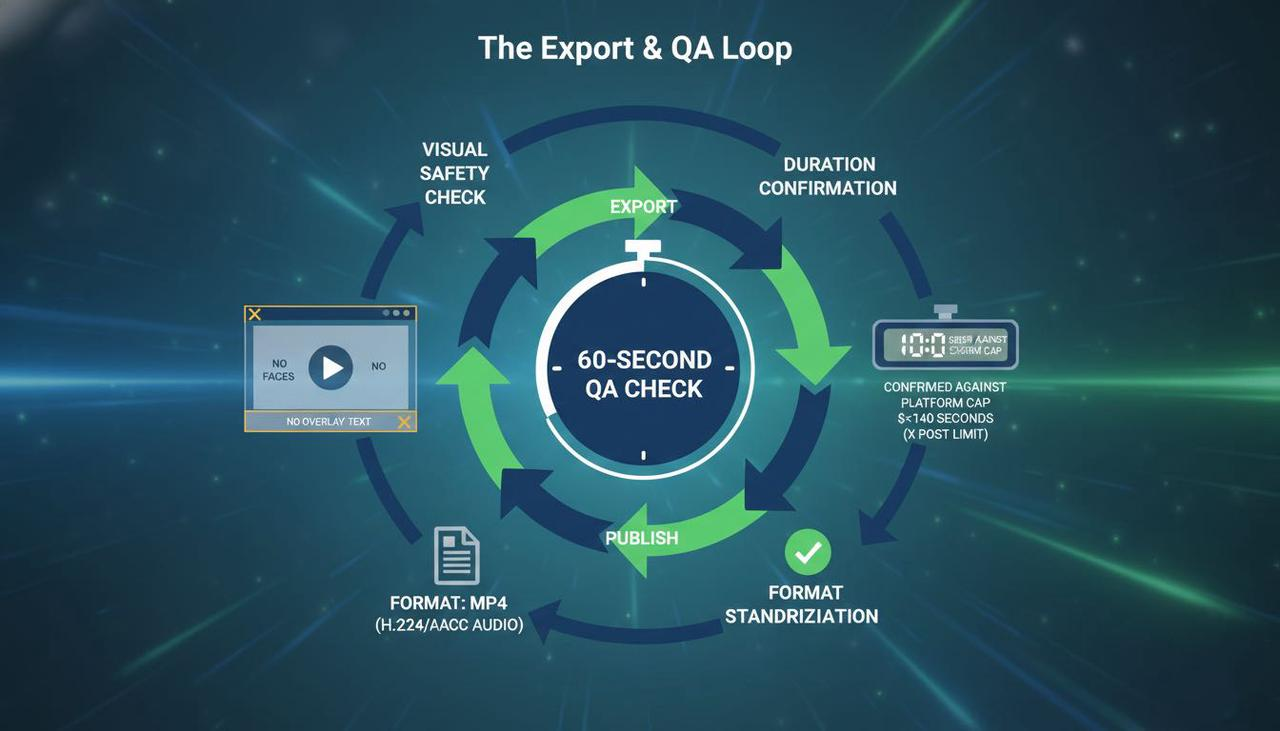
QA: n8n flags too-fast lines (>180 wpm) and missing keywords.
Publish: Zap autofills descriptions/hashtags in a spreadsheet: you paste and post. Total human time per short: ~12–18 minutes for me (down from ~45). If you're trying to scale posting across multiple platforms, this AI multi-platform video workflow shows how creators batch produce and publish variations without extra editing time.
Ready-made hooks to test (fill the blank):
"I stopped doing [common advice]. Here's what I do instead."
"You're wasting time on [task]. Try this 3-step workflow."
"If I had to post 10 videos today, I'd do this."
Agents save operations time, not creative judgment
My biggest mistake early on was expecting an agent to "find the story." It doesn't. It finds beats you can shape into a story faster.
Where I actually save time:
Rough cuts and structural automation (32–36 minutes per video, measured over 3 runs)
Caption formatting and reflow (7–10 minutes)
Draft descriptions/hashtags (4–6 minutes)
Where I still step in:
Pacing for tension and release
Which hook fits the channel's arc this week
Visual choices that signal brand (type, color, texture)
If you're in the same grind I was, stuck at 1–2 videos/day, these setups are worth trying. Not perfect, but actually useful.