

InVideo Alternatives in 2026: Which Tool Actually Fits Your Workflow?

I've been tracking this one for a while now. Last November, three different creators in my DMs asked the same question within the same week: "Dora, I keep hitting my InVideo limit before the month's done — what do I switch to?"
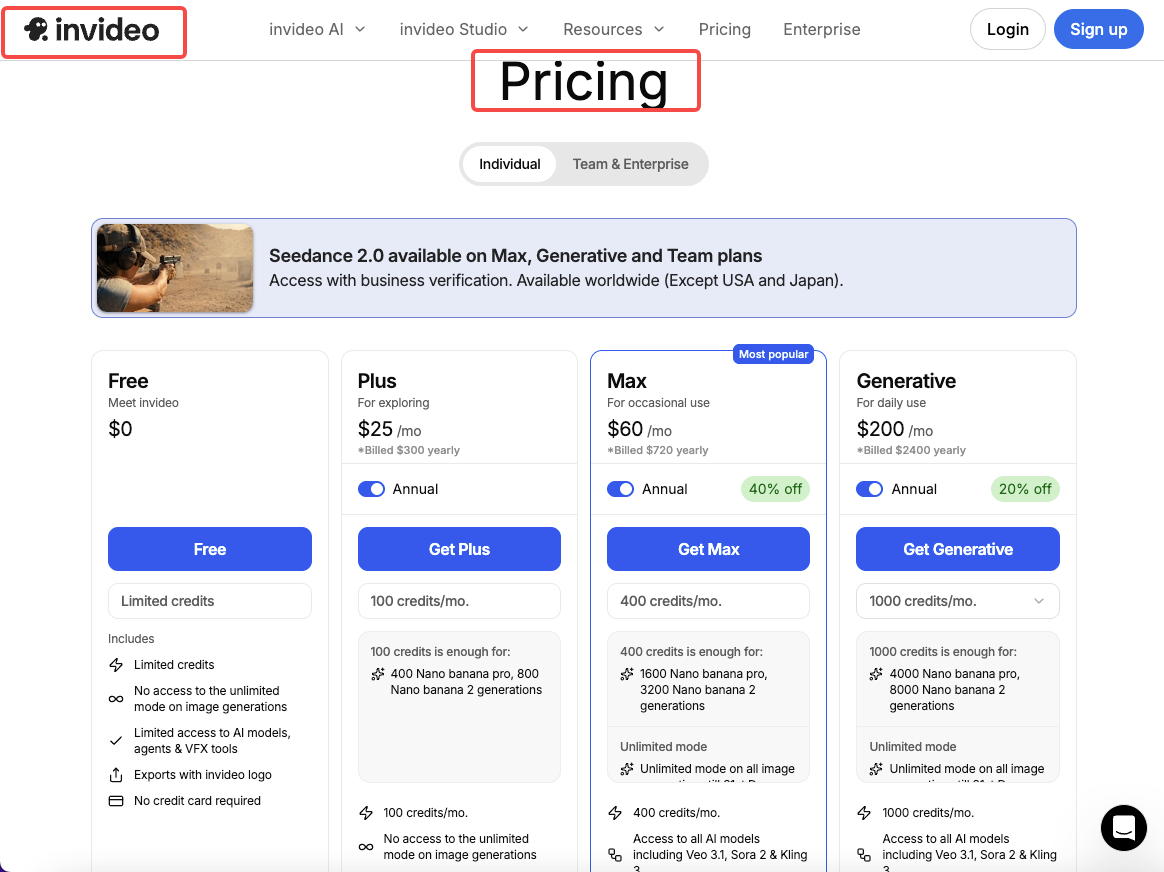
That's not a coincidence. That's a pattern.Here's the situation: InVideo's paid plans now run from $28 to $899 per month depending on tier, and the credit-based model means your generation quota resets on a fixed schedule — if you exhaust your weekly minutes, you wait for the reset or upgrade; there's no way to buy top-ups incrementally as of early 2026. For creators producing 5–10 videos a day, that ceiling hits faster than the billing cycle does.
The tool still works well for certain things. But if your production volume has grown, or if you've run into one of its documented limitations, you're in the right place. This article covers the tools I've actually tested as replacements — not a ranked list of features, but a match-by-use-case breakdown.
Why People Look for InVideo Alternatives
Pricing changes and feature gaps
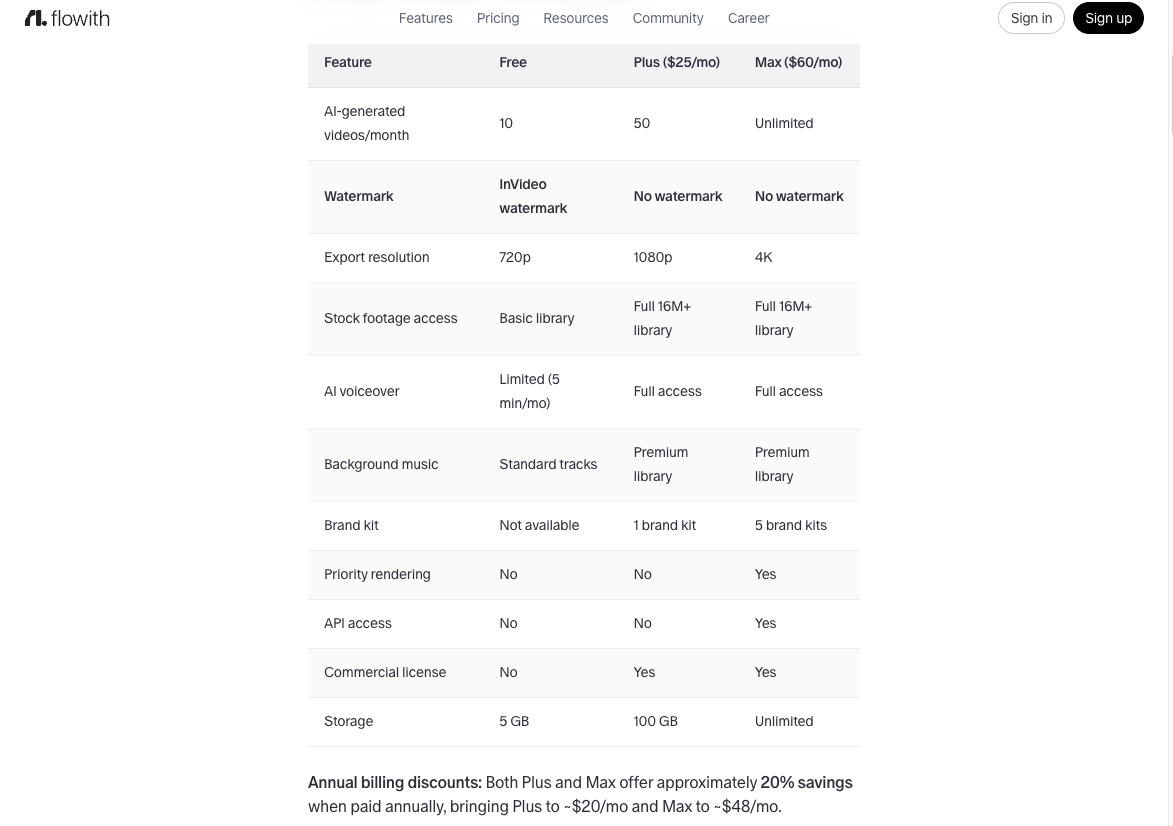
The newer credit model is the most common friction point. InVideo's free plan limits exports to 720p with a visible watermark, making it unsuitable for professional or commercial use. Upgrade to Plus and you get 50 AI-generated videos per month; Max gives you 200. Those numbers sound reasonable until you're five days into a content sprint.
There's also the issue of output feeling templated. Multiple reviews flag the same thing: the stock footage matching can be generic, and videos generated from different scripts start looking like variations of the same video. That's not a fatal flaw for bulk e-commerce content. But if brand distinctiveness matters to you, it's a problem.
When InVideo works well (and when it doesn't)
InVideo is the right call when:
You need text-to-video output fast, with no existing footage
Your use case is simple product or social content with flexible visuals
You're on the Max plan and volume isn't a constraint
InVideo is probably the wrong tool when:
You produce 8+ videos daily and hit quota before month-end
You need granular editing control after generation
Your team needs brand kit consistency across multiple accounts
You're doing talking-head or presenter-style content
Best Alternatives by Use Case
For solo creators making daily Shorts
CapCut is the answer here, and I'm not saying that because it's popular — I'm saying it because I timed it. CapCut's AI auto-captions, background removal, and beat-matching handle the mechanical parts of a short-form video in under 3 minutes on a mobile device. CapCut's free tier includes AI auto captions, background removal, text-to-speech, and 1080p export — more capable than InVideo's free tier on almost every dimension.
The tradeoff: CapCut doesn't generate video from text prompts. If you have raw footage, it's exceptional. If you need to generate footage from scratch, you'll need to pair it with something else.
One real limitation worth naming: CapCut is owned by ByteDance. The app was briefly removed from US stores in January 2025 during TikTok-related regulatory action, making it a genuine business continuity risk for creators who depend on it for income. If that's a concern, VEED.io is a solid fallback with comparable AI features at $12/month.
For marketing teams needing brand control
Descript is the tool I keep recommending to marketing teams, and the reason is simple: it treats video editing like document editing. You edit the transcript, the video updates. Cut a sentence, the clip disappears. This works surprisingly well for talking-head and interview content.
For end-to-end workflow — generation, editing, captions, collaboration, and publishing — Descript is the best choice because it's the only tool that combines all of those steps in a single interface. It starts at $16/month, with a free tier that includes 60 minutes of media per month.
The limitation: Descript is built around footage you already have. If you need to generate video from a text prompt with no existing clips, it's the wrong starting point.
For e-commerce sellers needing product videos

Pictory is the tool I'd reach for here. Its core workflow — paste a script or URL, let the AI select stock footage, add captions and voiceover — takes under 2 minutes for a standard product video. The blog URL-to-video assembly feature is the standout capability, and for content marketers with existing written assets, it's the fastest path from text to publishable video.
Pictory's pricing starts at $19/month on annual billing, with a Starter plan covering 30 videos per month and a Professional plan at $29/month for 60 videos. There's no permanent free tier, but the 14-day trial gives you 3 full projects to test the actual workflow before paying.
The honest limitation: Pictory's voice quality ranges from serviceable to robotic depending on which voice you select, and preview loading after scene changes can run 30 seconds or more — which kills the speed advantage the tool promises. If voice quality is critical, budget for the ElevenLabs add-on.
Quick Comparison Table
Tool | Best for | Starting price | Free tier | Key AI feature |
InVideo | Text-to-video, no footage | $28/mo | Yes (watermarked, 720p) | Chat-based video generation |
CapCut | Daily Shorts from footage | $0 | Yes (full features) | Auto-captions, beat sync |
Descript | Talking-head, team editing | $16/mo | Yes (60 min/mo) | Transcript-based editing |
Pictory | Blog/script-to-video | $19/mo (annual) | Trial only (3 projects) | URL-to-video automation |
Runway | Cinematic AI generation | $12/mo | Yes (125 credits) | Gen-4 text-to-video |
How to Pick the Right Fit
Decision checklist (5 questions)
Before you sign up for anything, run through these:
Do you have existing footage, or do you need to generate it from scratch? If you have footage → CapCut or Descript. If you're generating from text → InVideo, Pictory, or Runway.
How many videos are you producing per week? Under 10/week → almost any tool works. Over 40/week → check the quota math carefully before committing to a credit-based model.
Does voice quality matter for your audience? If yes: budget for ElevenLabs integration (Pictory Professional) or use Descript's overdub feature. Base AI voices on most tools are still noticeably synthetic.
Do you need team collaboration and brand kit control? Descript and Pictory's Teams plans support this. CapCut and InVideo's lower tiers don't.
Is your content primarily footage-based (real clips) or concept-based (generating from prompts)? Footage-based → CapCut or Descript. Concept-based → InVideo or Runway. For purely cinematic quality from text prompts, Runway Gen-4 is the strongest option if you're willing to handle editing elsewhere.
FAQ
Is there a free InVideo alternative?
Yes. CapCut is the strongest free alternative — it offers 1080p export, AI captions, and background removal at no cost. Runway also has a free tier with 125 generation credits per month. Both are genuinely usable, not just demo tiers.
Which InVideo alternative is best for TikTok?
CapCut, by a wide margin, for creators editing existing footage. It's built natively for 9:16 short-form video, with TikTok-specific templates and trend-syncing features. For generated content going to TikTok, InVideo or Pictory both export in the right format.
Can I import my InVideo projects elsewhere?
Not directly — there's no universal project format between platforms. Your best path is to export finished videos from InVideo (MP4), then bring those clips into Descript or CapCut for further editing. Scripts and text assets can be copy-pasted into Pictory or other generation tools.
What's the cheapest InVideo replacement?
CapCut at $0 if you have your own footage. Pictory at $19/month (annual) if you need text-to-video with watermark removal. Descript starts at $16/month and covers text-based editing, captions, and repurposing in a single workflow — strong value for the price.
Which tools support team collaboration?
Descript's paid plans and Pictory's Teams plan ($99/month) both support multi-user collaboration with role-based access. InVideo's Team plan handles it too, but at $899/month it's priced for agencies rather than small teams. For most content teams of 2–4 people, Descript's business plan is the most practical option.
The bottom line isn't "InVideo is bad." It's that InVideo is built around a specific model — credit-based AI generation, templated outputs, chat-based editing — and if your workflow has outgrown that model, no amount of upgrading changes the underlying constraint.
Test with your actual content before committing. The free tiers and trials are generous enough that you shouldn't be paying for a tool you haven't broken yet.
Previous posts: