

NemoVideo vs AutoPod: The Definitive Agency Comparison Guide
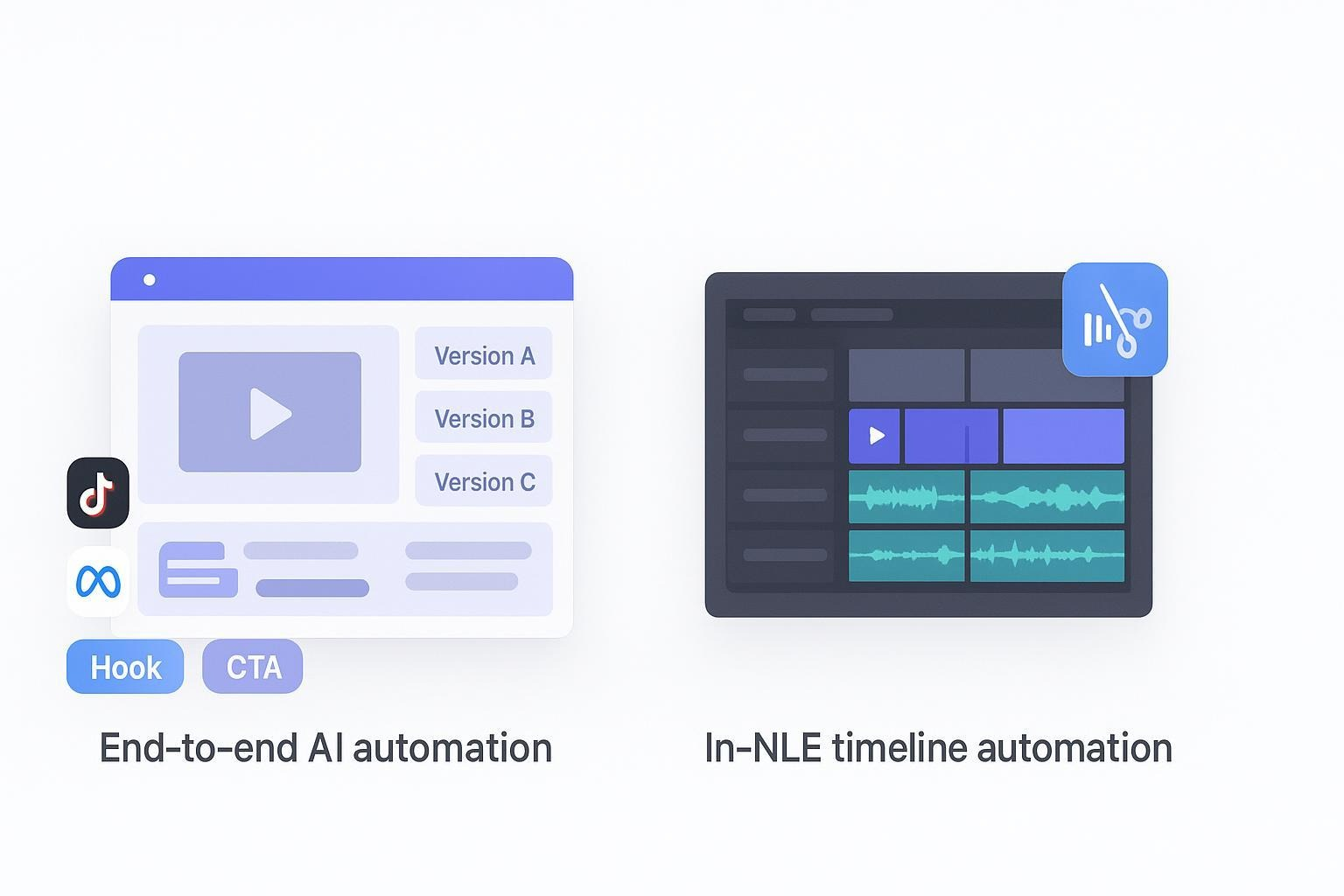
Choosing between NemoVideo and AutoPod isn't about which tool is "better"—it's about which accelerates your specific workflow. If you're scaling ad variants and A/B tests for performance marketing, you need AI creative automation with viral structure replication. If you're cutting multicam podcasts inside Premiere Pro, you need timeline automation for camera switching and jump cuts. This guide breaks down exactly which tool fits your agency's KPIs, so you can stop researching and start delivering results.
See how agencies use NemoVideo's workspace to generate 10+ platform-ready ad variants per campaign in hours, not days.
Who This Comparison Is For
This comparison is written for two distinct agency types:
Performance marketing and creative teams producing short-form ad content at scale, where testing velocity and ROAS drive success. You live in platforms like TikTok, Meta Ads, and YouTube Shorts, and your bottleneck is creative throughput.
Podcast and video production teams cutting multicam talking-head content inside Adobe Premiere Pro, where turnaround time on rough cuts and hours saved per episode determine profitability.
Disclosure: NemoVideo is our product. We'll stay scenario-first, cite primary sources, and maintain editorial honesty about what each tool does best.
How we evaluated: We examined official product pages, pricing documentation, practitioner reviews, and third-party tutorials. For AutoPod, we referenced AutoPod Pricing, AutoPod's Privacy Policy, Jonny Elwyn's 2024 roundup on AI video editing tools, a 2025 Cutback.Video comparison of silence-removal plugins, and Jamie Owers' tutorial. For NemoVideo's capabilities—viral structure replication, bulk versioning, and AI-powered creative automation, see the NemoVideo homepage.
Quick Verdict by Scenario
Best for performance marketing teams: NemoVideo. It's built as an end-to-end AI creative automation platform to replicate viral structures, detect key visuals with Smart Pick, and generate multiple platform-specific versions in one workflow, all designed for faster A/B testing and ROAS optimization.
Best for podcast/video production in Premiere: AutoPod. It's a Premiere Pro extension that automates multicam camera switching, removes silence for jump cuts, and generates social clips—directly on your existing timeline, saving hours on rough cuts.
Side-by-Side Comparison Table
Criteria | NemoVideo | AutoPod |
Best For | Performance marketing agencies scaling ad variants and A/B tests across platforms | Podcast/video production teams cutting multicam talking-head content in Premiere Pro |
Core Strength | End-to-end AI creative automation: viral structure replication + bulk platform versioning | In-NLE timeline automation: auto camera switching, silence removal, social clip generation |
Pricing | Custom pricing. Business Plan: priority processing, customized credits/seats, dedicated storage, enterprise security, account manager, early feature access. See pricing | $29/month with 30-day free trial. See AutoPod pricing |
Workflow Locus | SaaS platform for concept-to-output automation | Adobe Premiere Pro extension accessed via Extensions panel |
Primary Automation | Viral pattern analysis, AI pacing, key visual detection, bulk versioning | Multicam camera switching, silence removal (jump cuts), social clip creation |
Speed-to-Output | Bulk generation of platform-ready versions for TikTok, Reels, Shorts in single workflow | Fast rough-cut creation via automated camera switching and silence removal |
Quality Controls | Viral structure templates, AI-powered pacing, caption generation | Editor-grade timeline control within Premiere Pro |
Collaboration/Scale | Team workflows with bulk distribution emphasis | Per-seat extension; accelerates editors already in Premiere |
Learning Curve | SaaS UI designed for creative ops teams | Familiar to Premiere editors; plugin-style onboarding |
Ideal Use Case | Launch 10+ ad variants per campaign, test viral hooks across platforms, automate creative iteration | Cut multicam podcasts, remove silence for pacing, generate social clips from long-form content |
Pros | ✅ Reverse-engineers viral content patterns ✅ Generates platform-specific variants in bulk ✅ Saves hours on repetitive creative tasks ✅ Built for A/B testing velocity | ✅ Massive time savings on multicam rough cuts ✅ Native to Premiere Pro workflow ✅ Affordable monthly pricing ($29/mo) ✅ Proven in podcast production |
Cons | ❌ Pricing requires sales contact for custom plans ❌ Not built for Premiere Pro integration | ❌ Limited to Premiere Pro (not native DaVinci Resolve plugin) ❌ Best results require separate mic tracks per speaker ❌ Per-seat pricing model |
Deep Dive: NemoVideo for Performance Marketing Teams
NemoVideo is an AI-powered creative automation platform built for agencies that measure success by variants per week, speed-to-test, and ROAS. It analyzes high-performing videos to identify winning patterns, then applies those structures to your content while automating the tedious editing that slows creative teams down. Think of it as shifting your team's effort from manual timeline work to strategic iteration and distribution.
Workflow Example (Ad Creative Production)
Identify proven formats using the Viral+ Studio to reverse-engineer viral hooks, pacing patterns, and visual anchors from high-performing content.
Generate viral hooks and scripts with the Inspiration Center to match your product story to winning structures.
Automate rough cuts and highlight extraction using Smart Pick, which detects key visuals and sets AI-powered pacing.
Polish talking-head content with the talking-head editor that automatically removes filler words and adds B-roll.
Generate platform-specific variants in the workspace—tailored versions for TikTok, Meta Reels, YouTube Shorts, and different audience segments in a single workflow.
Add viral-style captions with Smart Caption in one click.
Launch A/B tests, measure CTR/CVR/ROAS, and iterate quickly based on data.
Why Performance Marketing Teams Choose NemoVideo
Viral structure replication solves the problem of guessing what works. The Viral+ Studio identifies patterns in successful content—hooks, pacing, payoff moments—and applies them to your campaigns without manual frame-by-frame analysis.
Bulk versioning eliminates manual resizing and re-editing. Instead of cutting different versions for each platform and audience segment, the workspace handles versioning in one pass. For teams running 10+ tests per week, this is the difference between hitting deadlines and missing opportunities.
Automation removes creative bottlenecks. From filler word removal to viral caption generation, NemoVideo handles repetitive tasks so strategists can focus on angles, hooks, and distribution.
End-to-end platform approach means no juggling multiple tools. From concept to platform-ready output, everything happens in one system designed for creative ops workflows.
Constraints to Note
NemoVideo is not built for Premiere Pro integration or LMS-centric workflows. It's a standalone platform optimized for performance marketing, not long-form editing inside traditional NLEs. Pricing is custom based on volume and team size—contact sales for details. The fastest way to validate fit is through a hands-on trial. Visit the NemoVideo homepage to get started.
🚀 Ready to automate your ad creative workflow? Stop spending hours on manual edits. Use NemoVideo's AI creative automation to replicate viral structures, generate bulk platform variants, and ship tests faster. ✅ Build 10+ ad variants in one workflow ✅ Auto-detect key visuals and optimize pacing ✅ Test hooks across TikTok, Reels, and Shorts simultaneously 👉 Start your free trial | See pricing
Deep Dive: AutoPod for Podcast and Video Production in Premiere
AutoPod is an Adobe Premiere Pro extension designed to save hours on multicam podcast and talking-head edits. It automates camera switching based on layout and audio, removes silence to create jump cuts, and helps generate social clips—all directly on your existing Premiere timeline. Editors report significant time savings on rough cuts, especially when each speaker has a separate mic track.
Workflow Example (Multicam Podcast Editing)
Import multicam footage into Adobe Premiere Pro with each speaker on a separate audio track.
Launch AutoPod from the Extensions panel and configure camera layout (2-camera, 3-camera, etc.).
Run auto camera switching to create dynamic cuts based on who's speaking.
Apply silence removal to generate jump cuts and tighten pacing automatically.
Generate social clips from key segments for platform distribution.
Fine-tune manually using Premiere's full editing capabilities for final polish.
Why Podcast Production Teams Choose AutoPod
Massive time savings on rough cuts. Practitioners report reducing multicam editing time from hours to minutes. Jonny Elwyn's 2024 roundup and Jamie Owers' tutorial both highlight the speed gains, particularly on episodes with consistent camera layouts.
Native Premiere integration means no learning curve for teams already in Adobe's ecosystem. AutoPod works inside the timeline you're already using, maintaining your existing shortcuts, effects, and workflow preferences.
Affordable pricing at $29/month with a 30-day free trial makes it accessible for small production teams and freelancers. No enterprise-level commitment required. See AutoPod pricing.
Proven in real production environments with documented case studies and tutorials showing practical implementation in podcast workflows.
Constraints to Note
AutoPod is positioned primarily for Adobe Premiere Pro—it's not a native DaVinci Resolve plugin per first-party documentation. Best results require each speaker to have a separate mic track; mixed audio can reduce accuracy. As the 2025 Cutback.Video comparison notes, silence removal settings matter—thresholds for pre/post-speech gaps affect both speed and accuracy, so plan to tune settings for your specific content and room tone.
Pricing and Plan Transparency
NemoVideo Pricing
NemoVideo offers custom pricing tailored to agency volume and creative output needs.
Business Plan includes:
Priority project processing
Customized credits and team seats
Dedicated storage
Enterprise-level security
Dedicated account manager
Early access to new product features
Contact sales for custom pricing | View pricing overview
The fastest path to evaluate fit is starting a free trial from the NemoVideo homepage and benchmarking speed-to-output against your current workflows.
AutoPod Pricing
$29/month with a 30-day free trial
No per-seat minimums or enterprise commitments. Pricing is straightforward and documented on AutoPod's pricing page. Ideal for production teams, podcast editors, and freelancers working inside Adobe Premiere Pro.
How Agencies Should Decide
Choose the tool that accelerates your core KPI and removes your biggest bottleneck.
If your success metrics are:
Variants shipped per week
Speed-to-test on ad platforms
CTR, CVR, and ROAS lift
Creative throughput for multi-platform distribution
Prioritize: NemoVideo. It's built for viral format replication, bulk versioning, and automated creative ops workflows that maximize testing velocity.
If your success metrics are:
Turnaround time on multicam episodes
Hours saved per rough cut
Consistent output inside Premiere Pro
Cost-effective per-editor automation
Prioritize: AutoPod. It's built for timeline automation inside Adobe Premiere, with proven time savings on multicam camera switching and silence removal. See pricing.
If you do both: Consider pairing them. Use AutoPod for long-form rough cuts in Premiere, then feed highlight exports into NemoVideo to create platform-ready short-form ad variants and social clips at scale.
Ask yourself: Which bottleneck costs you more today—slow ad iteration and testing velocity, or long turnaround times on multicam podcast edits?
Frequently Asked Questions
Q: What is the main difference between NemoVideo and AutoPod? NemoVideo is an end-to-end AI creative automation platform for scaling ad variants and A/B tests, while AutoPod is a Premiere Pro extension that automates multicam editing, camera switching, and silence removal for podcast production.
Q: Which tool is better for creating short-form ads for TikTok and Meta? NemoVideo is better for short-form ads because it replicates viral structures, generates platform-specific variants, and automates tasks like caption generation and filler word removal to accelerate testing.
Q: Does AutoPod work with DaVinci Resolve? AutoPod is positioned as an Adobe Premiere Pro extension per first-party documentation. While some third-party workflows may show Resolve-adjacent usage, it's primarily designed for Premiere Pro users.
Q: Can NemoVideo edit inside Adobe Premiere Pro? No, NemoVideo is a standalone SaaS platform for creative automation, not a Premiere extension. It's designed for end-to-end workflows from concept to platform-ready output.
Q: How does NemoVideo's viral structure replication work? NemoVideo's Viral+ Studio analyzes high-performing videos to identify winning hooks, pacing patterns, and visual anchors, then applies those structures to your content automatically without manual frame-by-frame work.
Q: What is AutoPod's pricing? AutoPod costs $29/month with a 30-day free trial. No minimum seats or enterprise commitments required. See current pricing.
Q: Which tool should agencies use for both podcast editing and ad creative? Use AutoPod for multicam podcast rough cuts in Premiere, then export highlights to NemoVideo for generating platform-ready short-form variants—this pairing covers both long-form production and short-form distribution.
Q: Does AutoPod require separate audio tracks for each speaker? AutoPod delivers best results when each speaker has a separate mic track. Mixed audio or shared tracks can reduce automation accuracy in camera switching and silence removal.
Final Thoughts and Next Step
Both tools excel in their respective lanes. If you're a performance marketing team measuring success by ad variants, testing velocity, and ROAS, NemoVideo is built for your workflow. If you're a podcast production team focused on turnaround time and rough-cut efficiency inside Premiere, AutoPod delivers proven time savings.
The fastest way to know which fits your agency is to run a practical test: either trial NemoVideo on your next campaign to measure variant output and speed-to-test, or use AutoPod's 30-day free trial on your next multicam episode to track hours saved.
Scale Your Creative Output. Dominate Your Testing Cycles.
The best performance marketing teams don't waste time on manual versioning—they use NemoVideo to replicate viral structures, automate edits with Smart Pick, and launch platform-optimized variants in hours.
✅ Generate 10+ ad variants in a single workflow ✅ Auto-remove filler words and apply viral captions ✅ Test hooks across TikTok, Reels, and Shorts simultaneously ✅ Shift creative effort from editing to strategy
👉 Launch your pilot campaign now | See pricing | Contact sales for custom plans