

OpenClaw vs Zapier / Make for Content Ops (2026): Which One Saves More Time?
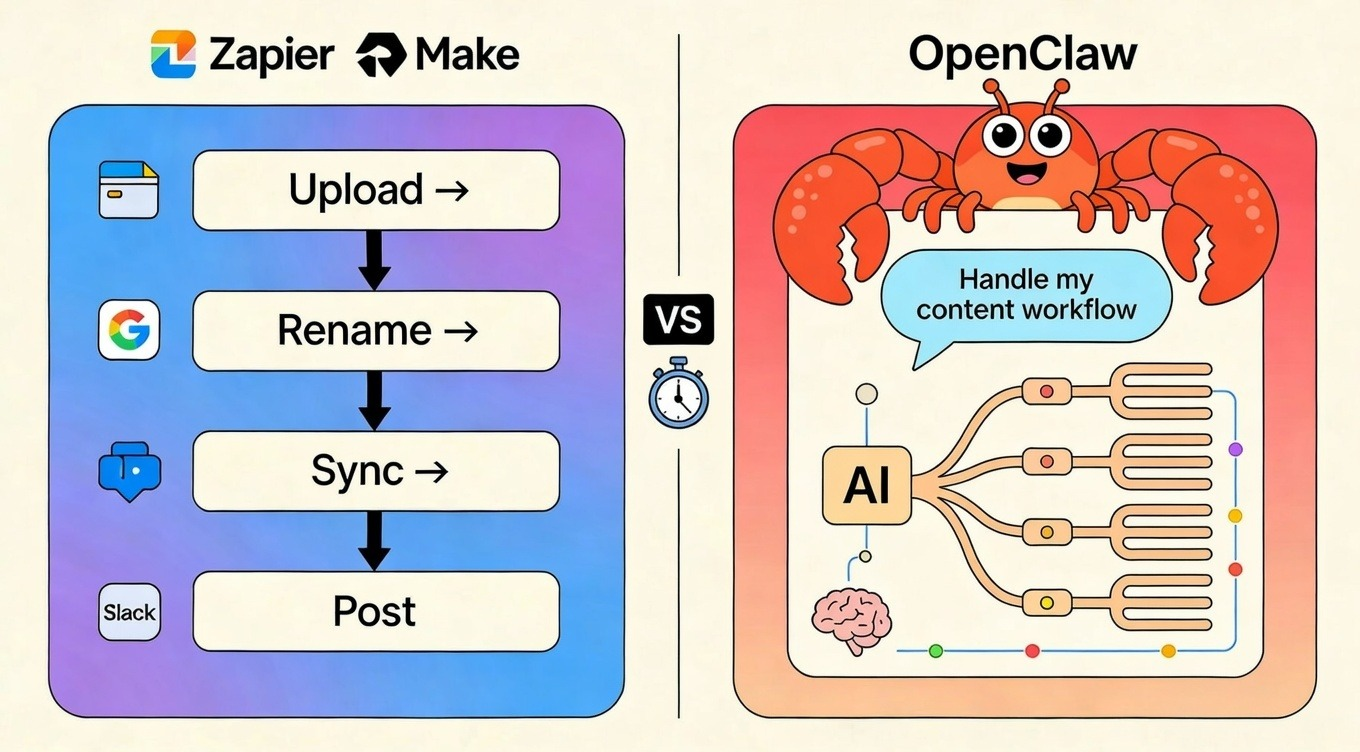
You've heard the hype: OpenClaw is the viral AI agent that "actually does things," Zapier connects everything under the sun, and Make gives you total visual control. But when you're trying to ship 20 videos this month, the last thing you need is another tool to learn, especially if you pick the wrong one and end up rebuilding everything two weeks later.
This guide cuts through the noise. We'll show you exactly when OpenClaw's AI agent approach beats traditional triggers, where Zapier and Make still dominate, and the realistic cost and setup time for each. Plus, you'll see how smart creators combine automation with NemoVideo to turn raw footage into publish-ready videos without touching a timeline.
👉 See how creators ship faster in Nemo Workspace
The real difference (AI agent vs workflow automation)
Here's what most people get wrong: they think OpenClaw, Zapier, and Make are all "automation tools" competing for the same job. In reality, they're solving fundamentally different problems.
By 2026, automation has split into two camps: Workflow Automation (the Muscle) and Agentic AI (the Brain).
Zapier and Make (formerly Integromat) are deterministic workflow engines. You build a flowchart: "When a new file hits Google Drive, rename it, upload to Dropbox, post to Slack." It runs the exact same sequence every time—100% predictable, zero interpretation.
OpenClaw (formerly Moltbot/OpenClaw) is an autonomous AI agent. You message it via WhatsApp: "Organize today's raw footage." It uses an LLM (Claude, GPT-4, or DeepSeek) to reason toward the goal—checking filenames, dates, and formats—then decides which folders to create and which files need flagging.
For many creators, this is where agents stop—and tools like NemoVideo take over for actual editing.
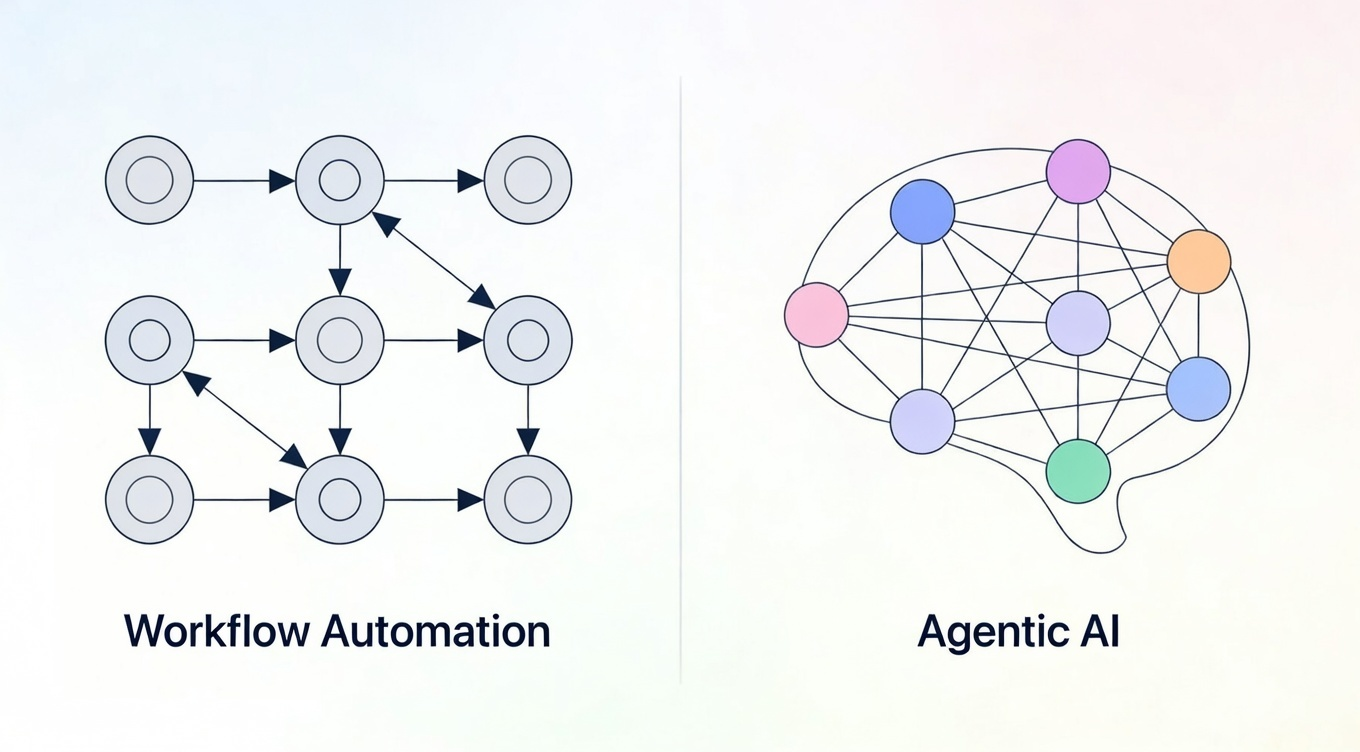
Deterministic flows vs "agent decisions"
The choice between these determines whether your workflow stays stable or scales your creative intent.
Editing is often the breaking point—many teams automate everything else and scale output inside NemoVideo.
Deterministic Flows (Zapier/Make): Best for repetitive, high-volume tasks where the input structure never changes. Need to sync 1,000 form submissions to your CRM? You want the rigid reliability of Make's visual canvas or Zapier's linear steps.
Agent Decisions (OpenClaw): Built for flexible, messy tasks that require human-like judgment. Your editor sends a ZIP with 47 random clips—mixed formats, inconsistent naming? OpenClaw interprets "organize these by scene" without you mapping every edge case. Because it has system-level access, it adapts when folder structures shift or file types vary.
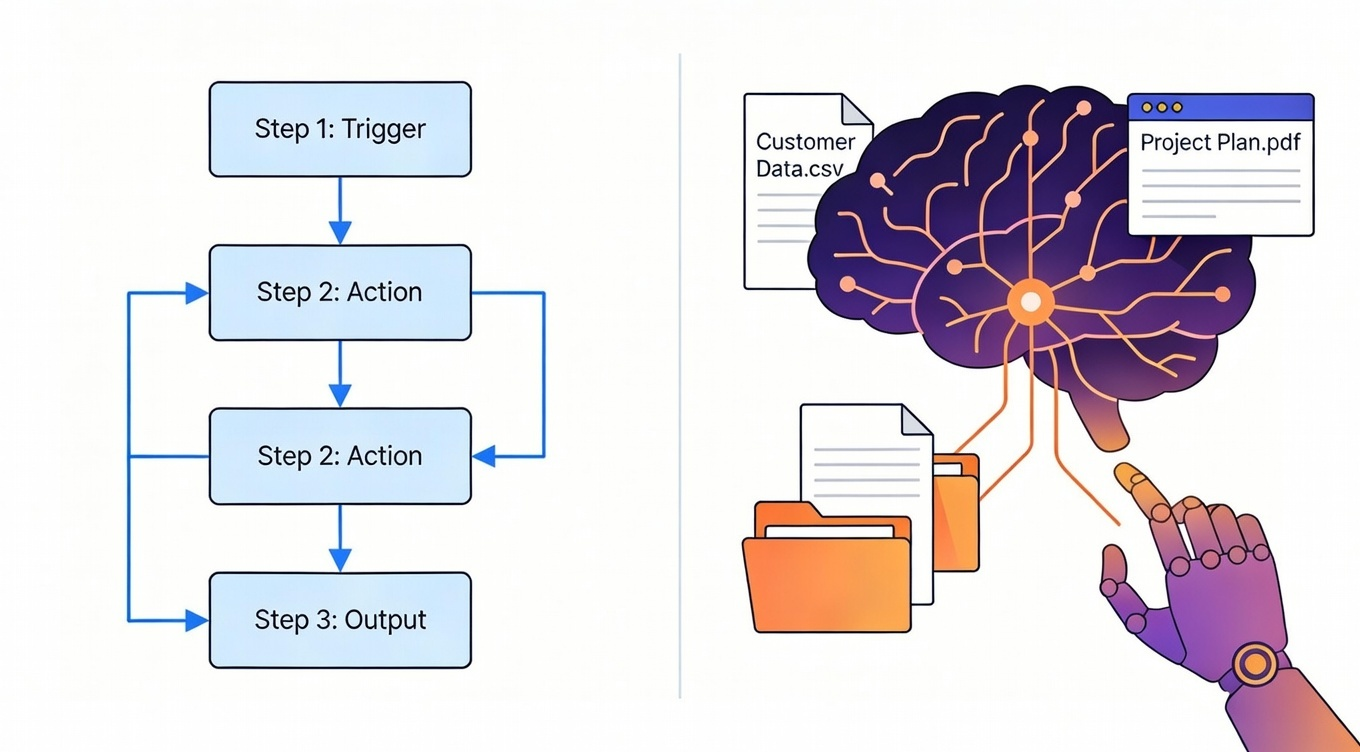
Best Use Cases: When to Use OpenClaw vs Zapier/Make
OpenClaw = Flexible Tasks (The "Thinking" Assistant)
OpenClaw thrives in the gray area, tasks where the steps might change depending on what the AI finds. Because it has full system access (files, shell, browser), it functions as a "digital employee" that can navigate uncertainty.
Proactive Trend Scouting: Instead of waiting for a trigger, OpenClaw can scan Reddit, X, and industry blogs to find three viral hooks for your next video.
Messy Data Research: Use OpenClaw to "research Tesla's stock performance, summarize the findings, and save a PDF to my desktop"—all in one conversational command.
Local File Management: It can autonomously organize your raw B-roll footage into folders based on content or metadata without you opening a single window. Once files are clean, creators typically use specialized OpenClaw skills designed specifically for video workflows to move straight into NemoVideo to actually cut and publish.
Inbox & Community Triage: It can read unread emails or Discord threads and draft personalized replies that sound like your brand.
Zapier/Make = Repeatable Triggers (The "Fixed" Plumbing)
Zapier and Make are your reliability engines. They are best for tasks that are linear and structured, where "triggers" (like a new sale or a form fill) start a predictable chain reaction.
CRM & Lead Syncing: When a new lead fills out a form, Zapier is the king of instantly moving that data to your CRM or sending a Slack alert.
Structured Social Posting: Once your video is finalized in your editor like NemoVideo, it outputs platform-ready formats by default, then use Make to trigger a multi-path workflow that uploads it to YouTube, LinkedIn, and Instagram simultaneously.
Heavy Data Processing: If you need to sync 1,000 invoices or log every Shopify transaction, Make offers superior visual logic (branching/loops) at a lower cost than agent-based models.
Simple Alerts: Use Zapier for "set it and forget it" notifications, such as "Text me when my calendar is 90% full for the week".
Cost & Setup Time Reality Check
When you’re shipping 20 videos a month, you need tools that work for you, not tools that become a second job. Here is how the big three compare when it comes to getting your hands dirty and reaching that "first win."
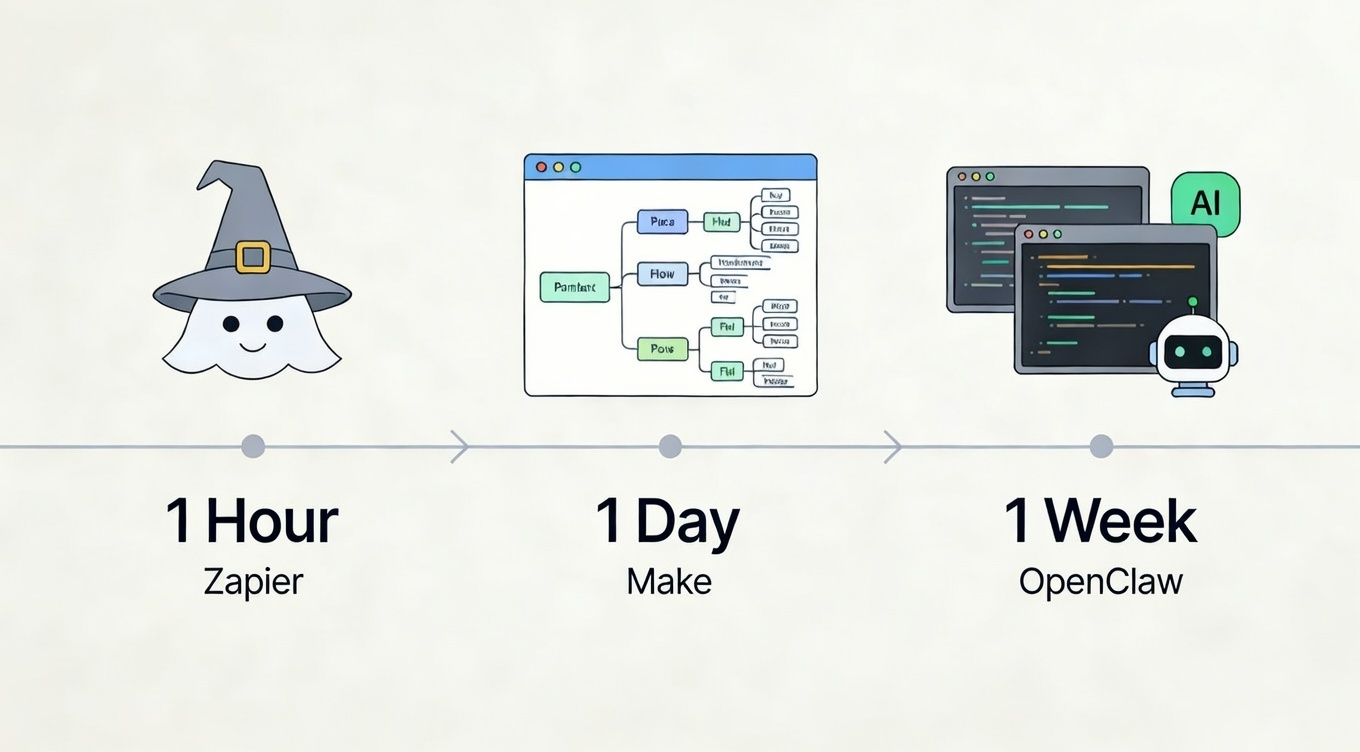
Time-to-First-Win (1 Hour / 1 Day / 1 Week)
Zapier (The 1-Hour Sprint): Zapier is the "Apple" of automation—polished, guided, and built for speed. If you can follow a no-code wizard, you can have a "Quickstart" Zap live in under an hour. It’s the fastest route for non-technical teams to sync a lead to a spreadsheet or trigger a simple alert.
Make (The 1-Day Deep Dive): Make requires more upfront patience due to its visual canvas and advanced logic concepts like routers and iterators. While its AI assistant helps, expect to spend a full day mastering how modules talk to each other before your first complex, multi-path workflow is stable.
OpenClaw (The 1-Week Evolution): While technical users can run a 15-minute "One-click" install, most creators will spend a week "breaking it in". You’ll need time to configure API keys, refine agent prompts, and test "skills" before it behaves like a reliable digital employee rather than a curious hobby project.
Setup & Subscription Cost Comparison (2026)
Feature | Zapier | Make | OpenClaw |
Setup Difficulty | Low (No-code wizard) | Moderate (Visual logic) | High (Terminal/Docker) |
Starting Cost | Free ($0) for 100 tasks | Free ($0) for 1k operations | Free (Open-source software) |
Pro Pricing | ~$19.99/mo (billed annually) | $9/mo (10k operations) | Usage-based (API tokens) |
Hidden Costs | Expensive high-task fees | Extra operations credits | Hosting ($5-$24/mo) |
Best For | Beginners & simple flows | Power users & agencies | Developers & AI explorers |
The smart move: Start with Make or Zapier for structured tasks (scheduled posts, webhook triggers). Add OpenClaw only if you need flexible interpretation (messy file cleanup, email triage).
If you want AI power without the setup headache, there's a middle path: use automation tools for the prep work and let an AI-powered editor handle the creative heavy lifting. Tools like NemoVideo give you conversational AI editing (no learning curve, free to try with transparent pricing) without requiring you to configure servers or manage API keys.
🚀 Skip the setup and see how editing works in NemoVideo
Reliability Check: What breaks most often (and how you notice)
Automation only saves time if it actually runs. Here's what breaks most often with each platform—and more importantly, how you find out (because silent failures are the worst kind).
Zapier: API changes and rate limits
The most common Zapier failure? An app updates its API, and your Zap stops working. You'll get an email notification, but if you're in production mode, you might not notice until you realize 20 videos didn't get posted to LinkedIn.
Make: Timeout errors and mapping issues
Make workflows fail when external APIs take too long to respond (timeout errors) or when data structures change (your source app added a new field, breaking your mapping). Make shows errors in the execution history, but you need to actively check it—there's no automatic alert unless you configure one.
OpenClaw: Prompt misinterpretation and permission errors
OpenClaw's biggest risk? It does something you didn't intend. You ask it to "clean up my Drive," and it archives files you still needed because the LLM interpreted "cleanup" differently than you meant. You'll notice when a file is missing—not before.
The other failure mode: permission errors. OpenClaw tries to access a folder or service it doesn't have credentials for, and the task silently fails unless you're watching the logs.
The reliability hierarchy:
For mission-critical tasks (publishing videos on a deadline), Zapier/Make win because they fail predictably and loudly. For flexible tasks where "good enough" is fine (organizing rough footage), OpenClaw's variability is acceptable.
The best setup? Use deterministic tools for the critical path and agents for the cleanup, which is exactly how smart creators pair automation with editing tools. Let's look at that stack.
Recommended Creator Stack: Automation + NemoVideo
Here's the secret the productivity gurus won't tell you: the goal isn't to automate everything. It's to automate the non-creative busywork so you can focus on what actually requires your judgment—the story, the pacing, the hook that makes people stop scrolling.
That's the division of labor that works: automation handles prep, AI editing handles creation.
Suggested split: automate prep → edit & publish in NemoVideo
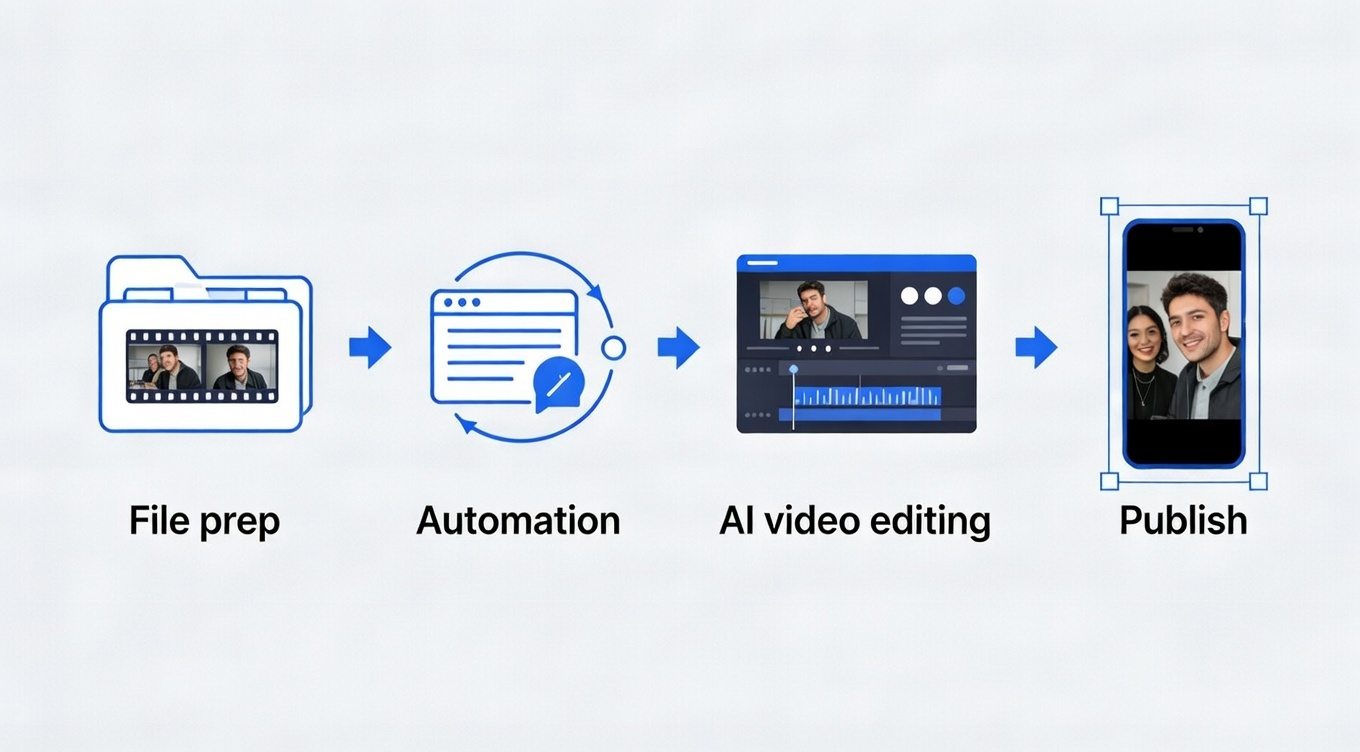
Use Make or Zapier for the repetitive triggers:
New file uploaded to Google Drive → auto-rename with [Project]_[Date] format
Scheduled job every Monday → pull last week's analytics into a tracker
Webhook from your transcription service → drop the SRT file into the correct folder
Use OpenClaw (optional) for messy cleanup:
"Organize this week's raw footage by project"
"Check my email for client feedback and flag urgent changes"
"Scan this folder and delete duplicate files"
If you're exploring how to integrate OpenClaw with your video production workflow, many creators report the biggest efficiency gains come from letting the AI agent handle pre-production organization while dedicating their creative energy to the editing phase.
Use NemoVideo for everything creative:
Here's where NemoVideo changes the game. Instead of wrestling with timelines and manual edits, you talk to it. "Add captions in the style of top-performing TikToks." "Remove the boring parts and tighten the pacing." "Generate three hook variations for A/B testing."
NemoVideo's AI understands creative intent—not just technical commands. It handles frame-by-frame editing, auto-generates platform-specific formats (9:16 for Reels, 16:9 for YouTube), and produces publish-ready videos in minutes. No learning curve. No subscription to multiple tools. Just results.
The workflow in practice: Automation preps your files and metadata. NemoVideo turns raw footage into viral-ready content. You hit publish. That's it.
If you're wondering how creators are cutting editing time from 3 hours down to 15 minutes, the answer isn't more complex workflows, it's conversational AI that eliminates the technical busywork entirely.
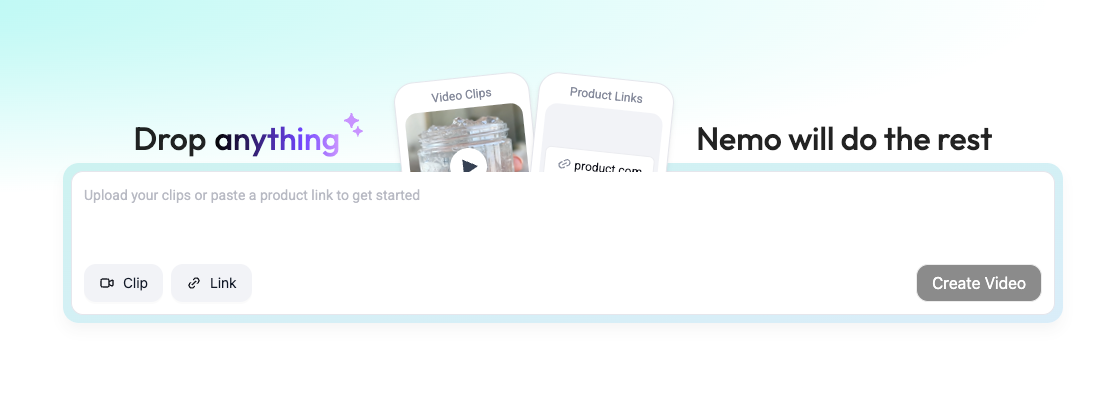
Ready to stop the tool-juggling nightmare?
Don't let your creativity get buried under broken workflows or complex server setups. Experience how NemoVideo combines smart automation with conversational AI to cut your production time in half—without the debugging headache.
⚡ Start NemoVideo Free Trial (No Credit Card)
Ready to ship? See how NemoVideo scales your production →