

Seedance 2.0 Prompt Guide: How to Write Prompts That Work Every Time
If your Seedance 2.0 generations are failing, getting stuck, or coming out distorted — the prompt is almost always the problem.
This is the definitive Seedance 2.0 prompt guide: covering Text-to-Video, Image-to-Video, camera motion keywords, safety filter avoidance, and the exact prompt formula that produces clean, high-quality output every time.
Whether you're hitting generation failed errors or just want better results from every generation, this guide gives you the complete framework.
Why Prompts Are the #1 Cause of Seedance 2.0 Errors
Most Seedance 2.0 errors are not platform bugs.
They are prompt problems in disguise.
Understanding the connection between prompt quality and generation outcome is the single fastest way to improve your results — and avoid the frustrating cycle of retrying failed jobs.
If you're already hitting errors, start with the Seedance 2.0 not working fix guide — it maps every common error to its root cause.
Start here: Seedance 2.0 Not Working — Full Fix Guide
How Bad Prompts Cause Generation Failed
The generation failed error is Seedance 2.0's catch-all failure state. It fires when the model cannot parse, process, or safely complete a request.
Bad prompts trigger this in three ways:
Overloaded prompt length — Too many instructions and the model can't resolve a coherent visual path
Conflicting directives — Telling the model to be cinematic AND animated AND photorealistic AND abstract simultaneously
Ambiguous subject references — "a person doing something" gives the model nothing concrete to anchor motion to
Fix: Use the structured prompt formula in the next section. Short, specific, and sequential always wins.
Related: Seedance 2.0 Generation Failed — Full Fix Guide
How Bad Prompts Cause Stuck Processing
Stuck processing is different from generation failed — the job starts but never completes.
This typically happens when:
The prompt is so complex that render time exceeds timeout thresholds
You've requested too many subjects with independent motion paths
The scene has conflicting physics (e.g., "heavy rain indoors in bright sunlight")
Complex prompts don't just lower quality — they can halt processing entirely.
Related: Seedance 2.0 Stuck Processing — Fix Guide
How Bad Prompts Trigger Safety Filters
Seedance 2.0 has a content policy filter that runs before generation begins.
Prompts that include:
Real person names or celebrity references
Trademarked brand names or logos
Violence, harm, or explicit content keywords
Politically sensitive subject matter
...will be rejected silently or return a failed state without explanation.
The fix is almost always rewriting the prompt to describe the visual rather than referencing a specific person, brand, or concept by name.
The Seedance 2.0 Prompt Formula
The single most reliable prompt structure for Seedance 2.0:
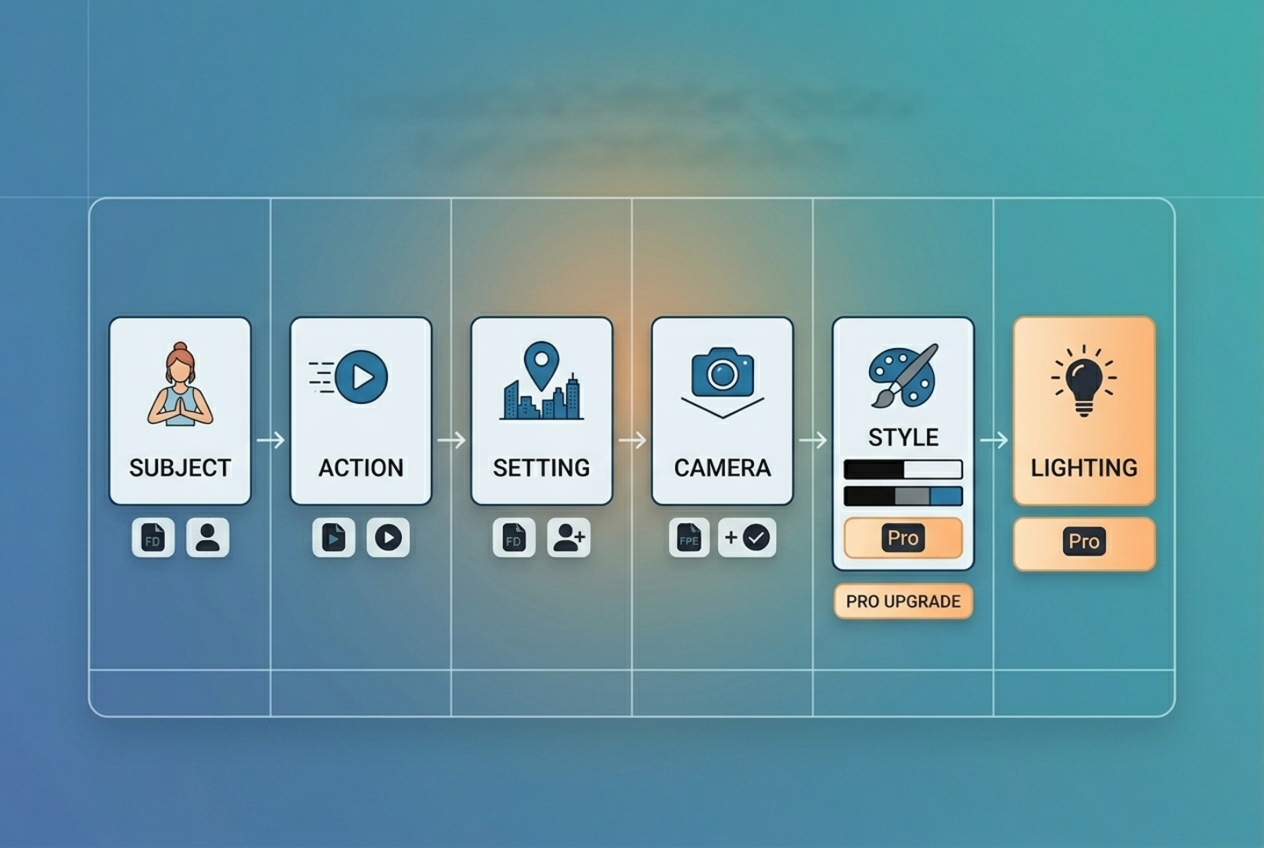
[Camera movement] + [Subject] + [Action] + [Setting] + [Style] + [Lighting]
Every component is optional — but the more you include in the right order, the more predictable and high-quality your output becomes.
Component 1 — Subject
Define what the camera is looking at. Be specific.
❌ a person
✅ a young woman in a red coat
The subject sets the anchor point for all motion generation. Vague subjects produce distortion.
Component 2 — Action / Motion
What is the subject doing? What is moving?
❌ doing something cool
✅ walking forward through falling leaves
Motion language is the core instruction Seedance uses to generate frame-to-frame movement. Be precise.
Component 3 — Environment / Setting
Where is this happening? What surrounds the subject?
❌ outside
✅ on a cobblestone street in a European city at dusk
Environment controls depth, background generation, and atmospheric coherence.
Component 4 — Camera Movement
This is where most users leave quality on the table. Seedance 2.0 supports specific camera directives — see the Camera Motion Prompt Keywords section below.
❌ moving camera
✅ slow dolly forward
Component 5 — Style / Mood
The visual treatment. Think cinematography + genre.
❌ cinematic
✅ cinematic, warm color grade, shallow depth of field
Component 6 — Lighting
Lighting is one of the most underused prompt components — and one of the highest-impact.
❌ nice lighting
✅ golden hour backlight with long shadows
TEMPLATE BOX [Camera movement], [Subject] + [Action] in [Setting], [Style], [Lighting] Example: Slow dolly forward, a young woman in a red coat walking through falling leaves on a cobblestone street, cinematic warm color grade, golden hour backlight |
Text-to-Video (T2V) Prompt Guide
T2V Prompt Structure
T2V prompts start from scratch — no reference image. The model must infer everything from text alone. This means specificity is non-negotiable.
T2V prompts should be:
20–60 words for optimal reliability
Single scene — one continuous visual environment
One primary subject with one primary action
Grounded in physical reality unless intentionally stylized
5 Working T2V Prompts with Breakdown
Product shot:
Slow dolly in, a glass perfume bottle on a marble surface, mist rising around it, studio lighting with soft shadows, luxury product aesthetic, white background
✅ Clear subject, defined motion, controlled environment
Nature scene:
Wide establishing shot, golden wheat field swaying in wind, late afternoon sun, soft bokeh background, cinematic, warm earth tones
✅ No characters = no content risk, strong atmospheric cue
Urban B-roll:
Overhead drone shot, busy city intersection at night, car light trails, rain-soaked streets, neon reflections, high contrast cinematic grade
✅ Camera movement + setting + lighting fully specified
Abstract brand video:
Camera push through floating geometric shapes, deep blue and gold tones, particles drifting, luxury motion graphics aesthetic, smooth slow motion
✅ No characters, no content risk, strong style anchoring
Talking head B-roll:
Medium close-up, professional woman gesturing while speaking at a desk, modern office background slightly blurred, soft window light, documentary style
✅ Grounded, realistic, clear depth of field instruction
5 T2V Prompts That Commonly Fail — and How to Fix Them
Failing Prompt | Why It Fails | Fixed Version |
Make a video of someone running | No subject, no setting, no style | Slow tracking shot, athletic man in grey running gear sprinting through a foggy forest path, cinematic, cool morning light |
Epic cinematic battle scene with explosions | Violence risk + complexity overload | Wide drone shot of a dramatic mountain landscape at dusk, fog rolling in, cinematic color grade, slow motion |
A viral TikTok video about coffee | No visual instruction — platform intent, not scene | Close-up of espresso pouring into a white cup, steam rising, warm tones, slow motion, cafe background softly blurred |
Realistic video of [Celebrity Name] | Content policy trigger — named person | Medium shot, confident presenter in a navy blazer speaking to camera, professional studio lighting |
Ten different scenes showing our product features | Multi-scene = generation fail | Slow push into a smartphone screen showing a clean app interface, tech product aesthetic, studio lighting |
Image-to-Video (I2V) Prompt Guide
How I2V Prompting Differs
I2V starts with a reference image. The prompt's job is not to describe the scene — the image already does that.
Instead, the I2V prompt should instruct:
What should move (and how)
Camera direction
What should stay static
Describing the scene in the prompt again often confuses the model and reduces coherence.
For a full walkthrough of Image-to-Video generation, see the Seedance 2.0 I2V guide.
Image Quality Requirements
The quality of your source image directly limits the quality of your output. Use images that are:
Minimum 720p resolution
Unambiguous subject framing — subject clearly separated from background
No heavy watermarks or compression artifacts
Consistent lighting — avoid mixed light sources in the source image
Low-quality input images cause distortion, flickering, and failed generations even with perfect prompts.
5 Working I2V Prompts
These prompts assume a clean, well-composed source image:
Slow zoom in, hair and clothing moving gently in breeze, everything else static
Camera slowly orbits left, foreground elements have subtle parallax movement
Dolly forward, subject remains still, background slightly defocuses as camera moves closer
Gentle camera push, steam rises from the cup, no other movement
Slight camera tilt upward, clouds moving slowly overhead, trees swaying lightly
Notice the pattern: one or two movements, specified precisely, with clear instructions about what stays still.
Common I2V Failure Causes
Uploading a low-res or heavily compressed image — Seedance cannot reconstruct quality that isn't there
Describing the image in the prompt — redundant scene description conflicts with image input
Requesting movement that contradicts the image physics — asking for rain in an obviously sunny photo
Multi-subject motion requests — "everyone moves differently" causes frame-to-frame inconsistency
Prompts That Always Fail in Seedance 2.0
Content Policy Triggers
These prompt elements will reliably cause rejection:
Real names of living public figures, celebrities, or politicians
Brand names, logos, or trademarked product names
Explicit or suggestive content keywords
Violence, weapons, or harm language — even described indirectly
Politically charged phrases or ideology references
The rule: Describe what you want to see visually, not who or what it represents. "A confident presenter in a navy suit" works. "[Famous Presenter's Name]" does not.
Prompt Length Traps
More words does not equal better output.
Prompts over 100 words frequently cause generation failed errors because the model cannot resolve conflicting instructions into a coherent visual path.
Optimal prompt length: 20–60 words.
If your concept requires 200 words to describe, break it into separate generations.
Complexity Traps
Seedance 2.0 handles one primary motion path reliably. These patterns regularly cause failures:
Multiple subjects with independent actions: "the man walks left while the woman dances and the dog runs"
Simultaneous contradictory environments: "indoors but also on a rooftop"
Scene transitions within one prompt: "starts in a kitchen then cuts to a beach"
For multi-scene work, generate each shot separately and edit in post — or see the Seedance 2.0 multi-scene storyboard guide for the full workflow.
Vague Prompts That Cause Distortion
When the model has nothing specific to anchor to, it hallucinates — producing distorted faces, melting objects, and physically impossible motion.
Vague | Specific Fix |
a person | a 30-year-old man in a dark grey hoodie |
outside somewhere | on a rain-wet city sidewalk at night |
moving camera | slow dolly left |
cool lighting | single-source rim light from the right, dark background |
Camera Motion Prompt Keywords
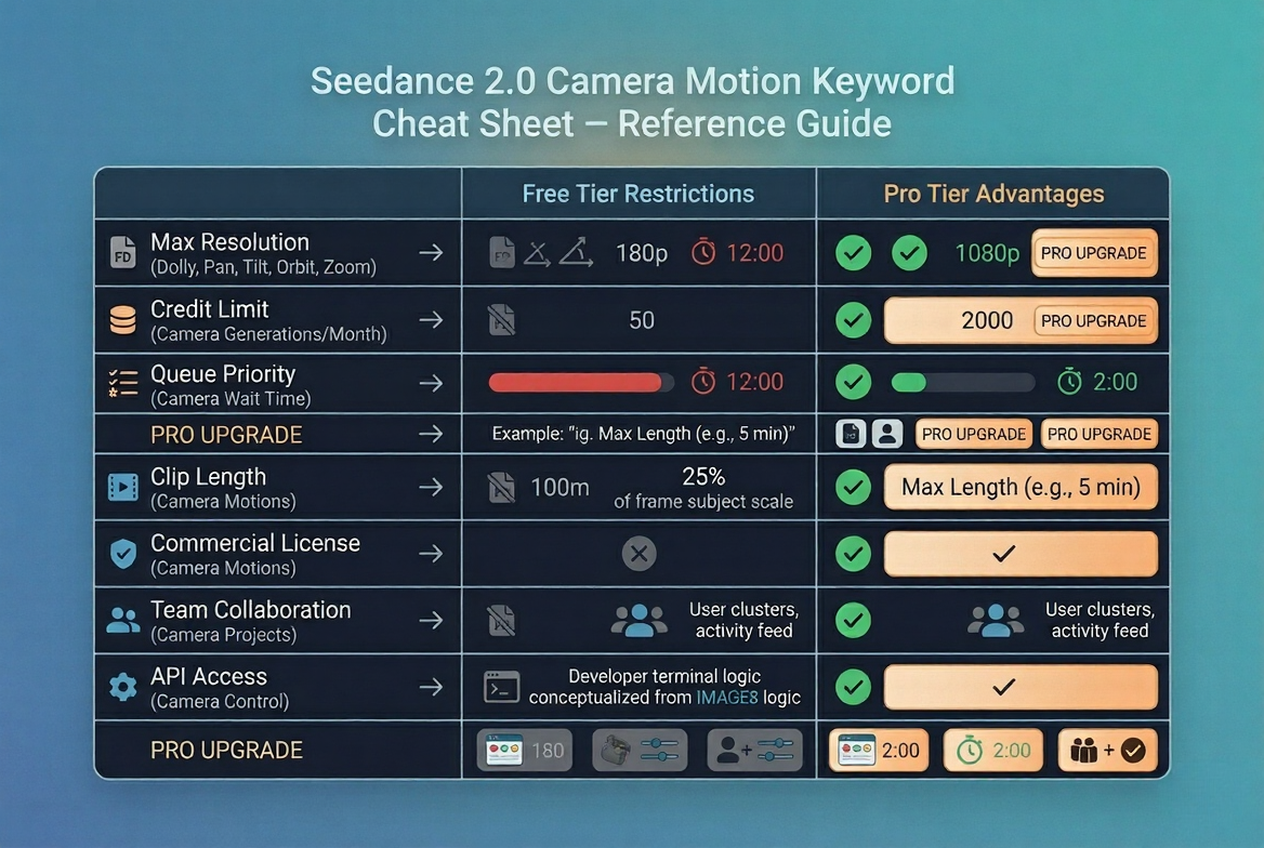
Dolly, Pan, Tilt, Orbit, Zoom — Exact Phrases That Work
Motion Type | Working Prompt Keywords |
Push toward subject | slow dolly forward, gentle push in, camera move in |
Pull away from subject | dolly back, slow pull out, camera retreat |
Horizontal sweep | slow pan left, pan right across scene |
Vertical sweep | slow tilt up, tilt down to reveal |
Circular motion | orbit left around subject, slow 360 orbit |
Zoom (lens, not movement) | slow zoom in, gradual zoom out |
No movement | static camera, locked off shot, no camera movement |
Aerial perspective | overhead drone shot, bird's eye view, slowly descending |
Important: Don't combine more than two camera motions in a single prompt. "Slow dolly forward with pan right and tilt up" will likely fail or produce erratic motion.
For advanced motion control techniques, see the Seedance 2.0 reference video motion guide.
Static vs Dynamic — When to Use Each
Use static camera when:
The subject has strong, interesting motion of its own
You're shooting a product or hero object
You want cinematic restraint and a composed look
Use dynamic camera when:
The scene is otherwise still (landscape, architecture)
You want to create energy and momentum
You're shooting B-roll that needs pace
Combining high subject motion + high camera motion almost always produces unstable, distorted output. Pick one to lead.
Advanced Tips — Control Quality and Speed
Short Prompts Generate Faster and Fail Less
Generation time scales with prompt complexity.
If speed matters — for iteration, testing, or production deadlines — shorter prompts consistently outperform longer ones on both speed and reliability.
A 30-word precision prompt will almost always outperform a 120-word exhaustive one.
Build up, don't strip down. Start with your core subject + action + setting. Add one element at a time until you hit the quality threshold you need.
Use Reference Images to Reduce Ambiguity
When a prompt concept is abstract or difficult to describe precisely, a reference image anchors the generation and reduces hallucination.
Even a rough visual reference — a style frame, a mood board image, a sketch photograph — dramatically increases output consistency.
This is especially effective for:
Specific lighting setups
Unusual environments or compositions
Product shots requiring exact framing
Regeneration Strategy — When to Retry vs Rewrite
Not all failures are equal.
Retry (same prompt) when:
The generation failed immediately with no partial output
The job got stuck before 10% completion
You believe it may be a temporary platform issue
Rewrite the prompt when:
You got output but it's distorted or off-brief
The motion doesn't match your camera instruction
The same prompt has failed 2+ times consecutively
Retrying a bad prompt three times returns the same bad result. If the output is consistently wrong, the prompt is the variable — change it.
If errors persist after rewriting, check the full Seedance 2.0 troubleshooting hub to rule out platform-level causes.
Prompt Quick Reference Cheat Sheet
Category | ❌ Bad Prompt | ✅ Good Prompt |
Subject | a person | a woman in a white linen jacket |
Action | doing stuff | pouring coffee into a white ceramic cup |
Setting | outside | on a sunlit cafe terrace in southern France |
Camera | moving camera | slow dolly forward |
Style | cinematic | cinematic, warm color grade, shallow DOF |
Lighting | nice lighting | soft diffused window light from the left |
Length | 200+ words | 25–55 words |
Subjects | 3+ subjects with different actions | 1 primary subject, 1 primary action |
Policy | Celebrity name, brand name | Descriptive visual alternative |
I2V | Re-describe the image | Describe motion + camera only |
From Prompts to Production — Where NemoVideo Comes In
Writing a good prompt is step one.
But getting from a single Seedance 2.0 generation to a complete, distribution-ready video is a different problem entirely.
NemoVideo is the official integration layer for Seedance 2.0 — giving creators a complete production environment that goes beyond generation.
With NemoVideo you can:
Generate Seedance 2.0 clips and sequence them into full videos — use the Viral+ Studio to reverse-engineer high-performing content structures and apply them to your generations.
Add platform-native captions automatically with Smart Caption — trending styles, one click, ready for TikTok and Reels.
Develop and iterate scripts before you generate a single frame using the Inspiration Center — AI-generated hooks, trending ideas, and optimized scripts.
The gap between "generation complete" and "ready to post" is where most creators lose time. NemoVideo closes that gap.
Access NemoVideo + Seedance 2.0 — Free via the Workspace |
Frequently Asked Questions
Q: How long should a Seedance 2.0 prompt be?
A: For Text-to-Video, aim for 20–60 words. Prompts under 20 words are often too vague, producing distorted or inconsistent output. Prompts over 100 words frequently trigger generation failed errors because the model cannot resolve conflicting instructions. For Image-to-Video, keep prompts shorter — 10–30 words focused on motion and camera direction only.
Q: Can I use celebrity names in Seedance prompts?
A: No. Seedance 2.0's content policy blocks prompts referencing real, identifiable individuals — including celebrities, public figures, and politicians. Prompts using these names will either be silently rejected or return a failed state. Instead, describe the visual characteristics you want: age range, clothing, demeanor, and setting. This approach produces better results anyway, since descriptive prompts give the model more useful visual instructions than a name.
Q: Why does the same prompt sometimes work and sometimes fail?
A: AI video generation has inherent non-determinism — the same prompt can produce different results across runs due to model sampling variance. However, consistent failures on the same prompt almost always indicate a prompt issue (ambiguity, complexity, or policy trigger) rather than platform instability. If a prompt fails more than twice consecutively, treat it as a prompt problem and rewrite rather than retry.
Q: What camera movements does Seedance 2.0 support?
A: Seedance 2.0 supports dolly (push in/out), pan (left/right), tilt (up/down), orbit/arc, zoom, and static locked shots. Each requires specific keyword phrasing for reliable results — for example, "slow dolly forward" works consistently, while "move camera toward the subject" is ambiguous and may produce unpredictable motion. See the Camera Motion Prompt Keywords section above for the complete list of working phrases.
Conclusion — Better Prompts, Better Results, Every Time
The Seedance 2.0 prompt guide framework reduces every generation challenge to a single question: Is my prompt specific enough for the model to make confident visual decisions?
When the answer is yes — clear subject, defined action, grounded setting, explicit camera instruction, and a style reference — Seedance 2.0 delivers high-quality output reliably.
When the answer is no, the model fills in the gaps with hallucination, and you get distortion, stuck jobs, or failed generations.
Master the prompt formula. Use the cheat sheet. Keep prompts 20–60 words. One subject, one action, one camera instruction.
That's the complete Seedance 2.0 prompting guide in a single rule.
Ready to Put These Prompts to Work?
NemoVideo gives you the full Seedance 2.0 production environment — from generation to final distribution-ready video — in one workspace.
Free access. No setup required.
Explore Seedance 2.0 with NemoVideo 🔧 How |