

Seedance 2.0 Rate Limits and Generation Delays: Complete Guide
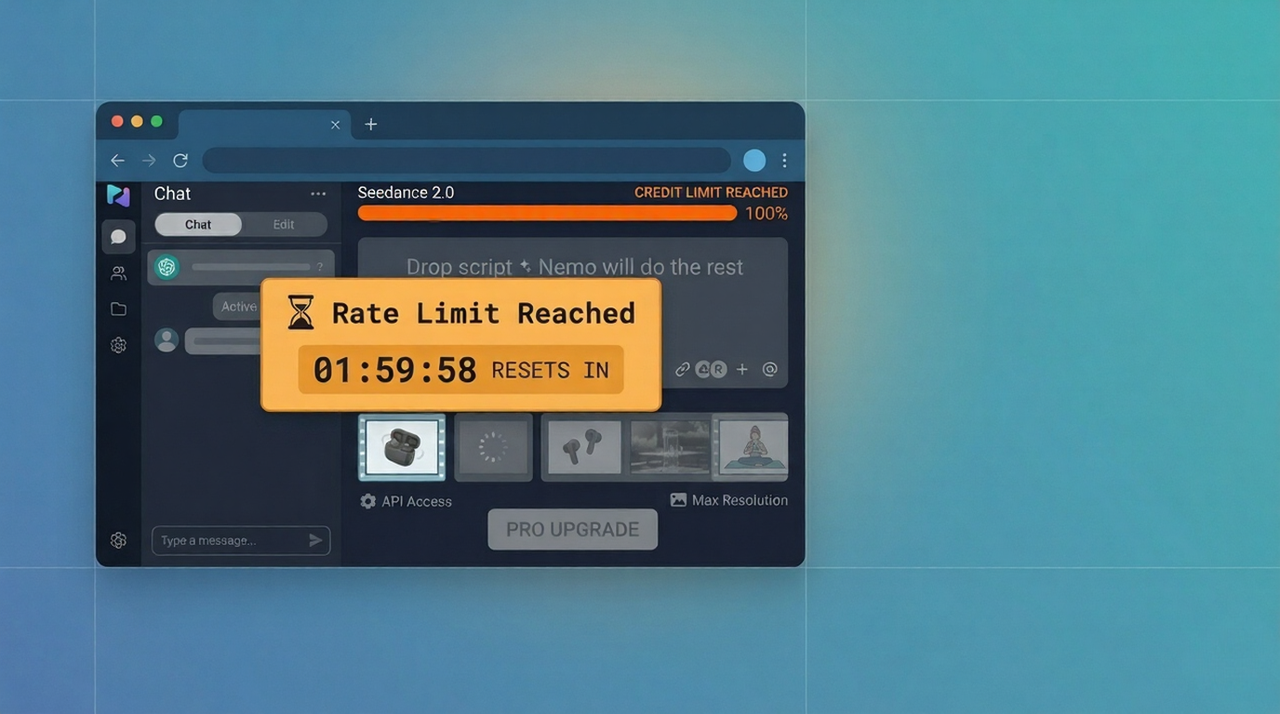
Quick Answer: Seedance 2.0 rate limits cap how many video generations you can submit within a given time window — typically per hour or per day depending on your tier. Free users face the tightest caps. When you hit a limit, requests are rejected (not queued) until the window resets. Generation delays are a separate issue caused by server load, not your account limits.
You've been generating steadily, and then — nothing. Either you're getting a rate limit error, or your generations are crawling along at half the speed they were an hour ago.
These are two different problems with two different fixes.
Seedance 2.0 rate limits are account-level caps on how many requests you can make. Generation delays are infrastructure-level slowdowns caused by server load. Mixing them up leads to the wrong fix and more frustration.
This guide breaks down both: what Seedance 2.0's rate limits actually are by tier, what's causing your slow generations, and exactly how to work around both — whether you're a solo creator or a developer hitting the API.
If you're getting a different error entirely, start at the Seedance 2.0 troubleshooting hub for the full error index.
What Are Seedance 2.0 Rate Limits?
How Rate Limiting Works in AI Video Generation
Rate limiting in AI video platforms is a server-side mechanism that caps how many generation requests an account can submit within a defined time window. When you hit the cap, subsequent requests are rejected outright — they don't queue up and wait.
This is different from what happens when the platform is busy. A busy server slows everyone down equally. A rate limit is specific to your account and resets on a fixed schedule.
Why do rate limits exist? AI video generation is computationally expensive. Without per-account limits, a small number of heavy users could exhaust GPU capacity that's meant to serve thousands of concurrent users. Rate limits are the platform's way of ensuring fair access at scale.
The Difference Between Rate Limits and Server Overload
Issue | Cause | What You See | Fix |
Rate limit | You've exceeded your account quota | "Rate limit exceeded" error, 429 status | Wait for reset or upgrade |
Server overload | Too many users at once | Slow generation, increased queue times | Generate off-peak or retry later |
Stuck processing | Job lost in queue handoff | Spinner frozen indefinitely | Cancel and retry |
Rate limits and server overload from too many users look similar from the outside but require completely different responses. Always check for an explicit error message first.
The Difference Between Rate Limits and Generation Delay
A rate limit stops you from submitting. A generation delay lets you submit but makes you wait longer for results. Both are frustrating. Neither is the same as your job being stuck.
If you can still click Generate and the job enters a queue — you haven't hit a rate limit. You're experiencing a delay. If clicking Generate returns an immediate error — you've hit a rate limit.
Seedance 2.0 Rate Limit Tiers
Note: Seedance 2.0 is a rapidly evolving platform. The figures below reflect current understanding based on community reports and documented behavior — always verify against Seedance's official documentation for the most current limits.
Rate Limit Overview by Tier
Tier | Generations / Hour | Generations / Day | API Access | Priority Queue |
Free | ~5–10 | ~20–30 | No | No |
Starter / Basic Paid | ~20–30 | ~100 | Limited | Standard |
Pro | ~50–100 | Uncapped or high cap | Full | Priority |
API (pay-per-use) | Governed by credits | Governed by credits | Full | Standard |
Free Tier Limits
Free users operate under the tightest constraints. Estimates from community reports suggest 5–10 generations per hour and a daily ceiling around 20–30 generations. These limits exist to make the platform financially viable while allowing evaluation.
If you're on free tier and hitting limits regularly, you're using Seedance 2.0 at a volume it's not designed to support without a subscription. See the Seedance 2.0 free tier overview for what's actually included.
Paid Tier Limits
Paid tiers increase hourly limits substantially and often remove or dramatically raise daily caps. The specific numbers vary by plan and are subject to change — check Seedance's pricing page and NemoVideo's pricing tiers for current figures.
API Tier Limits
API access ties limits to credits rather than fixed request counts. You can make more requests than a free user, but each generation debits your credit balance. Running out of credits functions identically to hitting a rate limit — requests are rejected until you top up.
For detailed API rate limit behavior, see the dedicated Seedance 2.0 API delay guide.
How Limits Reset
Hourly limits: Reset at the top of each clock hour, not 60 minutes after your first request. If you hit the limit at 2:47 PM, it resets at 3:00 PM — 13 minutes later, not 60.
Daily limits: Reset at midnight UTC in most implementations, not 24 hours after your first generation of the day.
Practical implication: If you're close to your hourly cap at 2:55 PM, waiting 5 minutes is more efficient than retrying immediately.
Why Is My Seedance 2.0 Generation So Slow?
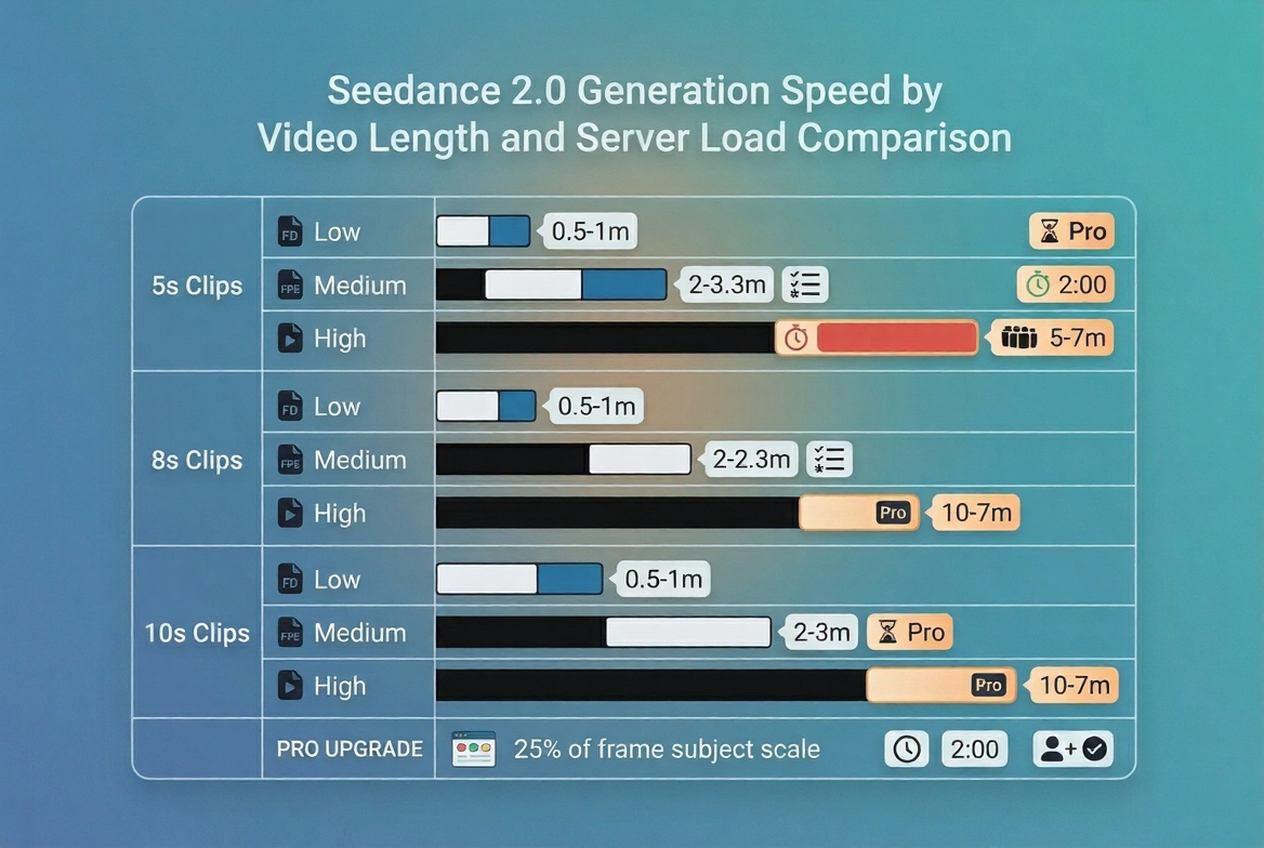
Expected Generation Time by Video Length
Clip Length | Low Load | Medium Load | High Load |
5 seconds | 60–90 sec | 2–3 min | 4–6 min |
8 seconds | 2–3 min | 4–5 min | 6–8 min |
10 seconds | 3–4 min | 5–7 min | 8–12 min |
These are estimates based on observed behavior. Complex prompts add time at every clip length. If you're consistently hitting the high-load column, you're generating during peak demand windows.
Slow Generation vs. Rate Limit — Tell the Difference
Rate limit: Generation rejected immediately. Error message appears. No spinner.
Slow generation: Generation accepted. Spinner appears. Job takes longer than expected to complete.
These are different failure modes. Slow generation doesn't mean you've hit a cap — it means the render workers are busy. The fix is timing-based, not account-based.
Peak Hours Impact on Speed
Seedance 2.0's infrastructure serves a global user base. Certain time windows create predictable slowdowns:
Window (UTC) | Load Level | Expected Speed Impact |
13:00–17:00 | 🔴 Peak | +50–100% slower |
17:00–22:00 | 🟠 High | +30–50% slower |
05:00–08:00 | 🟡 Medium | +10–20% slower |
22:00–04:00 | 🟢 Low | Fastest generation |
If you need consistent speed, shift your generation workflow to the UTC overnight window.
Prompt Complexity Impact on Speed
Prompt complexity is a direct multiplier on generation time. Every additional element in your prompt — extra characters, motion descriptors, environmental detail — adds compute load.
High-speed prompt signals: single subject, clean background, minimal motion, short duration High-delay prompt signals: multiple subjects, crowds, rapid camera movement, complex lighting, detailed environments
For a complete breakdown of prompts that generate faster and more reliably, the Seedance 2.0 complete guide covers prompt structure in depth.
How to Avoid Hitting Rate Limits
Strategy 1 — Space Out Generations Across the Hour
Don't batch-generate. If your hourly limit is 10 generations, submitting all 10 in 8 minutes will exhaust your quota for the rest of that hour.
Instead, space them at 5–6 minute intervals. You hit the same daily total but never exhaust the hourly window at once.
Strategy 2 — Use Shorter Clips (5s vs 10s = 2× More Generations)
Each generation request counts as one request regardless of clip length. A 5-second clip uses the same quota as a 10-second clip — but generates twice as fast, costs less compute, and gives you the same number of "shots" for your limit.
Build longer sequences by chaining 5-second clips. This is also a better creative strategy — see the Seedance 2.0 multi-scene storyboard workflow for how to produce multi-scene narratives from short, reliable clips.
Strategy 3 — Use Multiple Platforms to Stack Free Limits
Seedance 2.0 is accessible through multiple surfaces — the native interface, and integrated platforms like NemoVideo. Each platform may have its own generation allocation.
If you're on a free tier and hitting limits, generating through NemoVideo's Seedance 2.0 integration gives you access to a managed pipeline that handles rate limit routing automatically — so you're not manually tracking your own quota.
Strategy 4 — Upgrade to Paid Tier
The most direct solution for creators who generate regularly. Paid tiers multiply your hourly limits and often remove daily caps entirely.
Before upgrading Seedance directly, it's worth comparing what you get through NemoVideo's integrated workflow — which includes Seedance 2.0 generation access alongside the full production suite (scripting, captioning, hook optimization, platform adaptation) in one tool. See NemoVideo pricing for current tiers.
Strategy 5 — Use Separate Accounts for Team Members
If you're managing video production for a team, each team member should have their own Seedance account rather than sharing one. Shared accounts hit shared limits — one heavy user can exhaust the day's quota for everyone.
For team-scale production workflows, NemoVideo's Workspace is built to handle multi-user project management and bulk generation across a team without the account-sharing problem.
Rate Limit Fix for Developers (API)
Implement Request Queuing
Never fire API requests as fast as your application generates them. Implement a client-side queue that controls the rate of outgoing requests:
class RateLimitedQueue {
constructor(requestsPerMinute) {
this.interval = (60 / requestsPerMinute) * 1000;
this.queue = [];
this.processing = false;
}
add(requestFn) {
return new Promise((resolve, reject) => {
this.queue.push({ requestFn, resolve, reject });
if (!this.processing) this.process();
});
}
async process() {
this.processing = true;
while (this.queue.length > 0) {
const { requestFn, resolve, reject } = this.queue.shift();
try {
resolve(await requestFn());
} catch (err) {
reject(err);
}
await new Promise(res => setTimeout(res, this.interval));
}
this.processing = false;
}
}
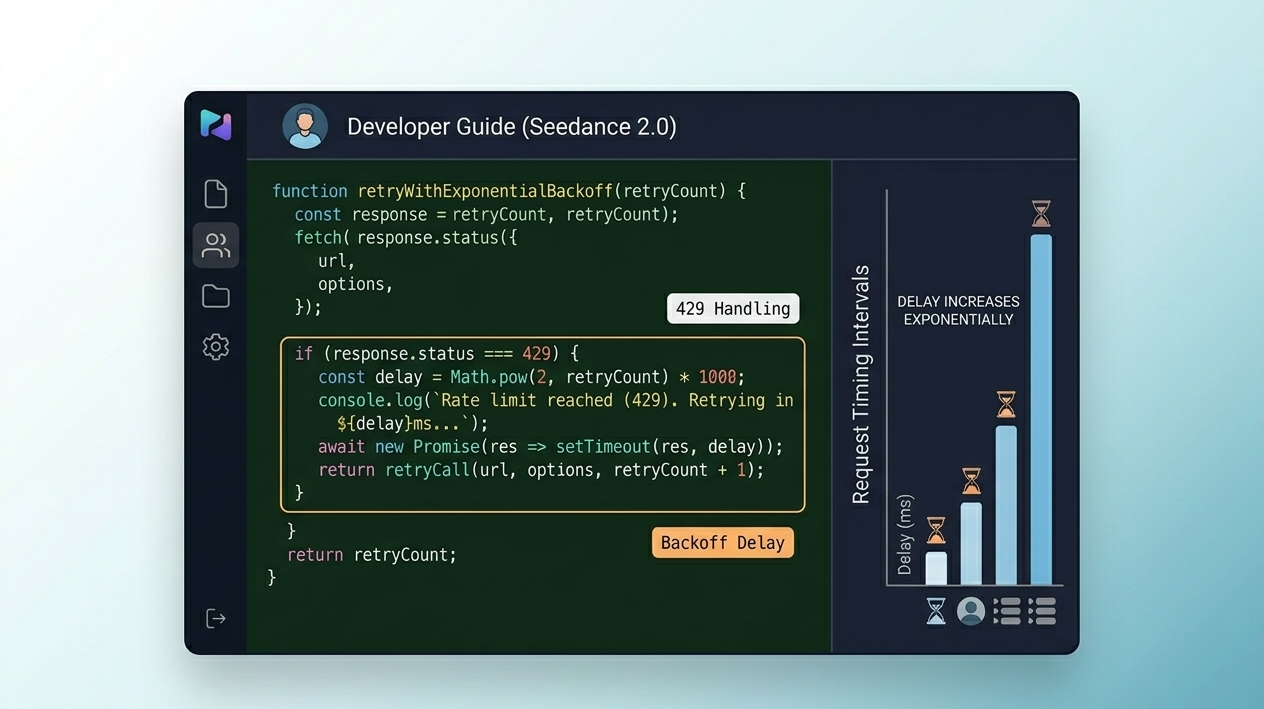
Exponential Backoff on 429 Errors
When you receive a 429 Too Many Requests response, retry with increasing delay:
async function withBackoff(requestFn, maxRetries = 4) {
for (let attempt = 0; attempt < maxRetries; attempt++) {
try {
return await requestFn();
} catch (err) {
if (err.status !== 429 || attempt === maxRetries - 1) throw err;
const delay = Math.pow(2, attempt) * 1000; // 1s, 2s, 4s, 8s
await new Promise(res => setTimeout(res, delay));
}
}
}
Rate Limit Headers to Monitor
Seedance's API (and most REST APIs) returns rate limit state in response headers. Log these on every response:
X-RateLimit-Limit — your total allowed requests per window
X-RateLimit-Remaining — requests remaining in current window
X-RateLimit-Reset — Unix timestamp when the window resets
Retry-After — seconds to wait after a 429 (when present)
Monitoring X-RateLimit-Remaining lets you proactively throttle before hitting the limit, rather than reacting to rejections.
Multi-Key Rotation (Risks)
Rotating between multiple API keys to multiply effective rate limits violates most platform Terms of Service and risks account termination. It's mentioned here to flag what not to do — not as a recommendation.
If you need higher API throughput legitimately, contact Seedance directly about enterprise limits or use an integrated platform like NemoVideo that manages the API layer for you.
For a complete look at how NemoVideo connects Seedance 2.0 with Grok, Gemini, OpenAI, and Whisper in a unified pipeline, see the NemoVideo multi-model integration guide.
How Long Until Rate Limits Reset?
Hourly Reset vs. Daily Reset
Hourly limits reset at the top of the clock hour — not 60 minutes after your first request. This is a critical distinction.
Example: You hit your hourly limit at 3:44 PM. The reset is at 4:00 PM — 16 minutes away. If you instead assumed a rolling 60-minute window, you'd wait unnecessarily until 4:44 PM.
Daily limits typically reset at midnight UTC. If you're in UTC+9 (Korea/Japan), your daily reset is at 9:00 AM local time. In UTC-5 (US East Coast), it's at 7:00 PM the previous day.
How to Check Your Current Usage
Most platforms surface usage data in the account dashboard:
Navigate to your Seedance account settings or billing page
Look for a "Usage," "Quota," or "Generation Credits" section
Check remaining requests for the current window alongside the reset timestamp
If no usage dashboard is available, monitor the X-RateLimit-Remaining header (API users) or test by submitting a low-cost generation and observing whether it's accepted or rejected.
When Rate Limits Become a Workflow Bottleneck
If you're hitting Seedance 2.0 rate limits regularly, the issue isn't just the cap — it's that your production volume has outgrown what a single platform's free or entry-tier limits can support.
At that point, you have two realistic options:
Option 1: Upgrade your Seedance plan — higher limits, faster queue access, Pro tier priority.
Option 2: Move to a production-grade workflow — one that manages generation across multiple AI models, handles rate limit routing automatically, and adds the production layers (scripting, hooks, captions, platform adaptation) that raw Seedance access doesn't include.
NemoVideo is built for option 2. It integrates Seedance 2.0 alongside the full production pipeline, so you're not just getting more generations — you're getting videos that are scripted, optimized, captioned, and platform-adapted automatically.
Key production features that pair with Seedance 2.0 generation:
Viral+ Studio — analyses high-performing content patterns and builds your generation prompts around proven hooks, so every video you generate has structural advantages from the start
Smart Caption — auto-captions your Seedance-generated clips in platform-native styles in one click, so generated videos are immediately distribution-ready
Inspiration Center — eliminates the blank-page problem between generations, keeping your generation queue fed with optimized ideas and scripts
🎯 Free Access — No Waitlist NemoVideo has officially integrated Seedance 2.0. Access Seedance 2.0 generation inside a production pipeline that handles rate limit routing, retry logic, and post-generation editing automatically. Get Free Access to NemoVideo Workspace →
FAQ
Q: What is the Seedance 2.0 free tier rate limit?
A: Based on current community reports, Seedance 2.0 free tier limits are approximately 5–10 generations per hour and 20–30 per day. These numbers are subject to change as Seedance scales its infrastructure. Free tier is designed for evaluation, not production use. If you're regularly hitting free limits, a paid tier or integrated platform like NemoVideo will serve your volume better.
Q: Do rate limits reset every hour or every day?
A: Both — there are two separate limit windows. Hourly limits reset at the top of each clock hour (e.g., 3:00, 4:00, 5:00 PM) — not 60 minutes after your first request. Daily limits reset at midnight UTC. Understanding this distinction matters: if you hit your hourly limit at 3:50 PM, you only need to wait 10 minutes, not a full hour.
Q: Does Seedance 2.0 Pro have higher rate limits?
A: Yes. Pro tiers consistently provide significantly higher hourly limits and often remove or dramatically raise daily caps compared to free and starter tiers. Pro users also typically receive priority queue placement, which reduces generation time independently of rate limits. See the Seedance 2.0 Pro tier overview for current specifics.
Q: How do I know if I've hit a rate limit vs. a server error?
A: Rate limits produce an immediate rejection — you click Generate and receive an error instantly, with no spinner or queue state. Server errors and overload produce different symptoms: the job is accepted, enters a queue, but generates slowly or gets stuck mid-processing. If you see an immediate "rate limit exceeded" or "too many requests" message — that's a quota issue. If the generation spinner appears but progress is slow or frozen — that's a server-side issue. See the Seedance 2.0 not working troubleshooting guide for the full error reference.
Q: Can I use multiple Seedance accounts to avoid rate limits?
A: Creating multiple accounts to circumvent rate limits typically violates Seedance's Terms of Service and risks account termination on all associated accounts. The legitimate approach for teams is having each team member use their own account — this is fair use. For higher individual limits, upgrade your plan. For production-scale workflows, use an integrated platform that manages the API layer and generation routing for you.
The Bottom Line
Seedance 2.0 rate limits and generation delays are separate problems that look similar from the outside.
Rate limit = immediate rejection, account-level quota, resets on a schedule
Generation delay = slow processing, server-level load, improves at off-peak hours
The fixes are equally different:
For rate limits: space out requests, use shorter clips, upgrade your tier, or use a platform that manages quota automatically
For generation delays: shift to off-peak hours, simplify prompts, target 5-second clip lengths
If you're hitting both problems regularly, the underlying issue is that your production volume has outgrown what the raw Seedance inter