

Seedance 2.0 'Too Many Users' Error: Causes, Fixes & Priority Access
Getting locked out of Seedance 2.0? You're not alone — and it's not your connection.
The "too many users right now" error is one of the most searched Seedance 2.0 issues in 2025, and it's happening to thousands of creators every day. This guide explains exactly why it happens, how to fix it fast, and how to skip the queue entirely.
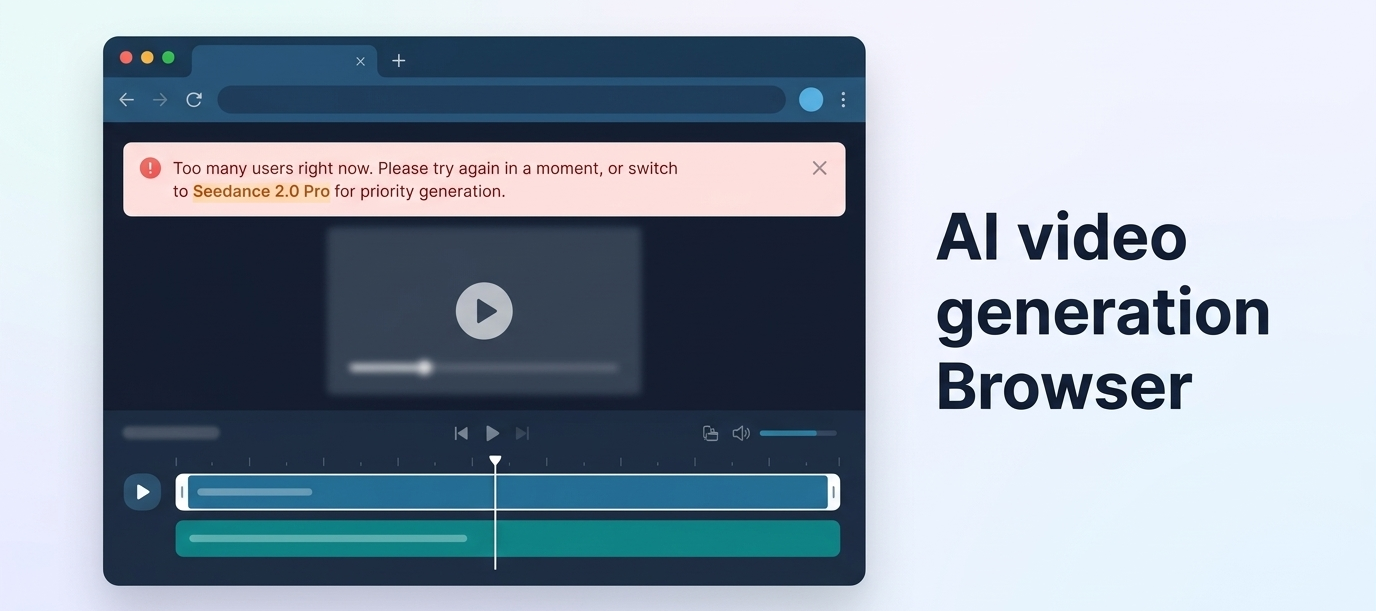
Quick Answer: The "Too many users right now. Please try again in a moment, or switch to Seedance 2.0 Pro for priority generation" error means Seedance 2.0's servers are over capacity. Fix it by retrying during off-peak hours, refreshing your session, using an alternative platform, or upgrading to Seedance 2.0 Pro for priority queue access.
What Is the "Too Many Users" Error?
The Exact Error Message Explained
The full error string you're seeing reads:
"Too many users right now. Please try again in a moment, or switch to Seedance 2.0 Pro for priority generation."
This is a server-side rate limit response — not a bug in your browser, your account, or your prompt. Seedance 2.0 is actively returning this message when its inference queue is saturated and cannot accept new generation requests.
What "Switch to Seedance 2.0 Pro for Priority Generation" Actually Means
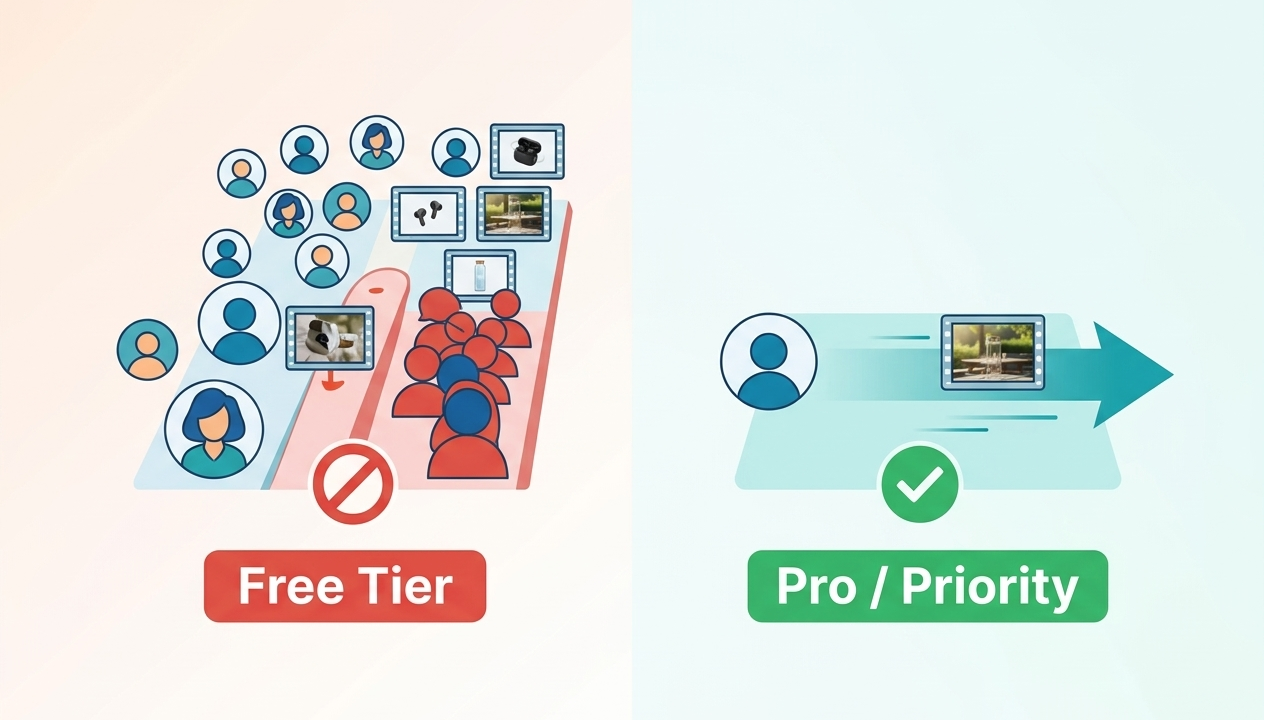
ByteDance built a two-tier queue system into Seedance 2.0:
Free tier users enter a shared queue that fills up quickly during high-traffic periods
Pro tier users bypass that shared queue entirely and are routed to dedicated generation capacity
The error message isn't just an explanation — it's a direct call to action embedded in the system. When free-tier capacity is exhausted, the model tells you exactly how to skip it.
Why This Error Exists — Server Capacity Explained
Seedance 2.0 is a video diffusion model running on GPU clusters. Unlike text models, video generation is computationally expensive — a single 5-second clip can require hundreds of GPU seconds to render.
When demand spikes (new feature drop, viral social post, creator tutorial goes wide), the number of concurrent users attempting generation exceeds available GPU capacity. The queue fills. New requests are rejected until slots open up.
This is an infrastructure constraint, not a product flaw. It's the same pattern seen with every major AI model at launch scale — the demand curve outpaces infrastructure provisioning.
For a deeper look at everything Seedance 2.0 can do, see the Seedance 2.0 overview.
When Does the "Too Many Users" Error Happen Most?
Peak Hours (US/EU Daytime = Worst)
Seedance 2.0's heaviest traffic correlates with North American and European daytime hours:
Worst: 9 AM – 6 PM EST / 2 PM – 11 PM GMT
Moderate: Early morning EST (6–9 AM) / Late evening GMT
Best for free tier: 11 PM – 5 AM EST (off-peak globally)
If you're in Asia-Pacific, your timezone often aligns with global off-peak hours — which gives you a structural advantage on free tier.
Post-Viral Content Waves
Every time ByteDance drops a new Seedance 2.0 feature — reference video motion, audio-music sync, multi-scene storyboard generation — social media amplifies the announcement, tens of thousands of new users flood the platform simultaneously, and the queue instantly saturates.
If you noticed the error spiking recently, check whether a new Seedance feature just dropped. It almost certainly did.
Free Tier vs. Paid Tier — Who Gets Affected Most
User Tier | Queue Priority | Impact of Overload |
Free | Shared queue, lowest priority | Blocked during peak hours |
Seedance 2.0 Pro | Dedicated capacity, priority routing | Minimal disruption |
Enterprise / API | Reserved infrastructure | Near-zero impact |
Free tier users bear 100% of the congestion burden. That's by design.
Fix 1 — Wait and Retry (Timing Strategy)
Best Times to Generate (Off-Peak Hours by Timezone)
Your Timezone | Recommended Generation Window |
EST (US East) | 11 PM – 6 AM |
PST (US West) | 8 PM – 3 AM |
GMT (UK/EU) | 12 AM – 7 AM |
IST (India) | 4 AM – 11 AM |
JST/KST (Japan/Korea) | 9 AM – 4 PM local |
If your workflow allows flexibility, scheduling generation tasks for early morning local time will dramatically reduce how often you hit the "too many users" wall.
How Long to Wait Before Retrying
Short retry (1–2 min): Only worth it if the error just appeared — queue may clear fast after a burst
Hard retry (30+ min): If the error persists across multiple attempts, you're in a sustained peak. Come back later or switch platforms
Signs the Queue Has Cleared
The generation progress bar appears immediately after submission
Preview thumbnails start rendering within the first 10 seconds
No spinner delay on the "Generating..." status
If you're seeing a spinner for 60+ seconds with no progress, the queue hasn't cleared — you're in a holding pattern, not an active generation slot.
Fix 2 — Refresh Session and Clear Cache
Step-by-Step Browser Refresh
Sometimes the "too many users" message persists because your client-side session state is stale — the browser is holding an expired request token or a cached error response.
Close the Seedance 2.0 tab completely
Open a new tab and navigate directly to the platform URL
Log out and log back in
Submit your generation request fresh
Clearing Session Cookies
For a more thorough reset:
Open browser DevTools (F12 or Cmd+Opt+I)
Go to Application → Cookies
Clear cookies for the Seedance domain
Hard-refresh (Ctrl+Shift+R / Cmd+Shift+R)
Re-authenticate and retry
Try Incognito Mode
Incognito windows start with a completely clean session state — no cached cookies, no stored tokens.
Open an incognito/private window, navigate to Seedance 2.0, log in, and attempt generation. If it works in incognito but not your regular browser, you have a session/cache issue, not a capacity issue.
Fix 3 — Switch Platforms (Fastest Alternative)
This is the highest-leverage fix if you're on a deadline.
Seedance 2.0 is available through multiple platforms — not just ByteDance's own interface. If one endpoint is overloaded, others may not be.
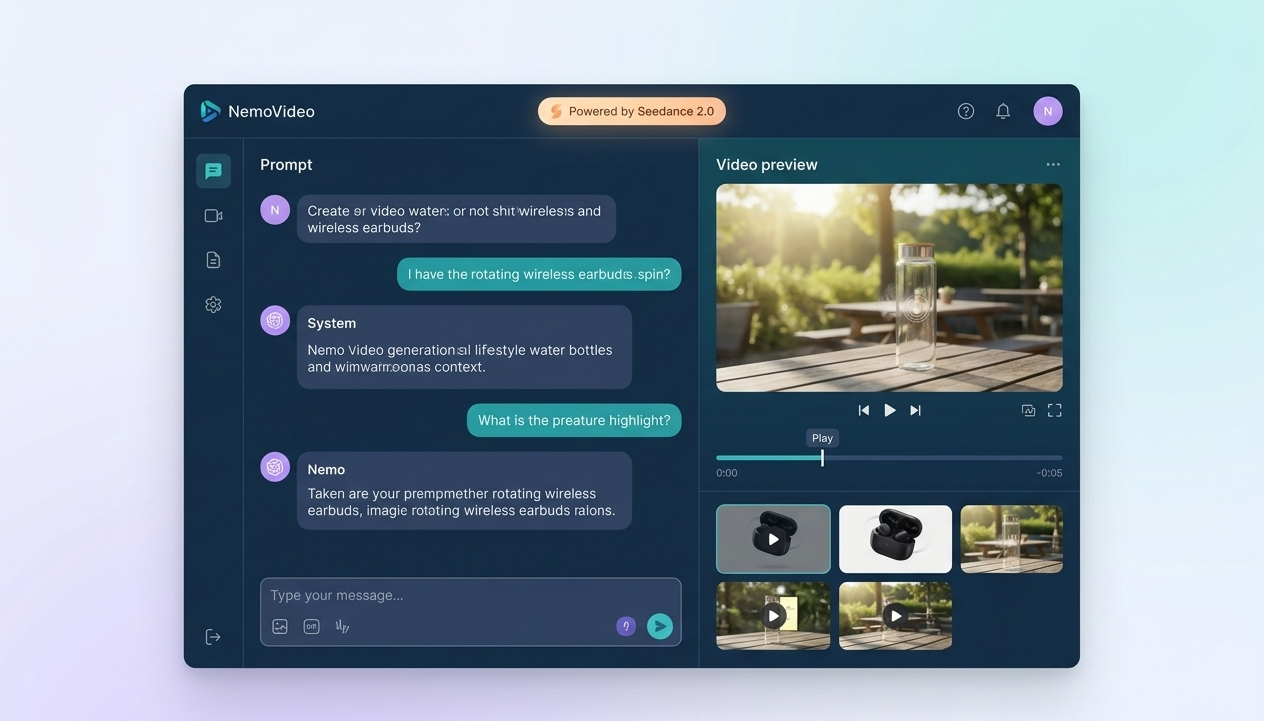
NemoVideo — Seedance 2.0 Without the Queue
NemoVideo is the official integration partner for Seedance 2.0 — and its infrastructure is separate from ByteDance's consumer-facing queue.
When Seedance 2.0's public interface is overloaded, NemoVideo users are often unaffected because the platform routes through a dedicated API layer with its own capacity allocation.
Beyond queue avoidance, NemoVideo is a fundamentally different product: it's an AI video agent, not just a generator. It handles scripting, hook optimization, retention structure, brand templating, and multi-platform adaptation — all in a chat-based interface.
If you're hitting the Seedance 2.0 error while trying to produce content for TikTok, Reels, or YouTube Shorts, NemoVideo's Workspace is worth trying immediately. Sign up to get access and see if it resolves your capacity issue.
The Viral+ Studio is particularly useful here — it reverse-engineers high-performing content patterns so you can replicate viral structures while the generation itself runs through a less congested pipeline.
Dreamina — Alternative Access
Dreamina (by ByteDance) also offers Seedance model access via its own interface. Because it runs on a separate product stack, it may have available capacity when the primary Seedance interface is blocked. Queue behavior varies — but it's worth checking if you need a quick workaround.
Rita.ai — Another Seedance Endpoint
Rita.ai provides another access point to Seedance-family models. The capacity pool is independent, and during peak hours on one platform, others are often running normally. Check availability directly on the platform.
Fix 4 — Upgrade to Seedance 2.0 Pro for Priority Access
What Seedance 2.0 Pro Priority Generation Actually Means
The error message itself tells you: Pro users get priority generation. This isn't marketing language — it's a technical designation.
When you're on Seedance 2.0 Pro:
Your requests enter a separate, higher-priority queue
That queue has dedicated GPU allocation that isn't shared with free-tier traffic
During peak hours when free users see the "too many users" error, Pro users continue generating without interruption
This is the only permanent, reliable fix for the capacity problem on ByteDance's own platform. For a full breakdown, read the Seedance 2.0 Pro priority guide.
Is the Upgrade Worth It?
That depends entirely on your production volume and time sensitivity.
If you're generating videos occasionally and can tolerate off-peak scheduling, the free tier with strategic timing is workable. But if Seedance 2.0 is part of a real production workflow — content calendars, client deliverables, scheduled posts — being blocked during peak hours is a genuine cost.
Cost of Pro vs. Cost of Lost Time
Scenario | Free Tier | Seedance 2.0 Pro |
Casual creator (5–10 vids/week) | Manageable with timing strategy | Likely not necessary |
Active creator (20+ vids/week) | Significant friction, lost hours | Strong ROI |
Agency / client work | Unacceptable downtime risk | Required |
Time-sensitive campaigns | High risk of missed windows | Required |
The math is simple: if you lose more in productivity per month than Pro costs, the upgrade pays for itself.
Skip the queue entirely. NemoVideo's Workspace gives you Seedance 2.0 access through a dedicated integration — no shared consumer queue, no peak-hour lockouts. Sign up free →
Will This Error Go Away?
ByteDance's Infrastructure Roadmap
ByteDance has not published a specific timeline for expanding Seedance 2.0's free-tier capacity. Based on the pattern with previous ByteDance AI products (including earlier Seedance versions), capacity tends to expand gradually over 3–6 months post-launch as infrastructure provisioning catches up with demand.
However, each new feature release creates a new demand spike. Capacity expansion and demand growth tend to race each other — which means the "too many users" error is likely to remain a recurring issue for free-tier users throughout 2025.
Long-Term Capacity Plans
The structural answer is the two-tier system: ByteDance is explicitly incentivizing Pro upgrades by making the free tier capacity-constrained. This is intentional product design, not a temporary oversight.
For creators who need consistent, reliable access, the practical long-term strategies are:
Pro tier on ByteDance's platform — removes queue friction entirely
Third-party integrations like NemoVideo — dedicated API allocation, separate from consumer queue
Off-peak scheduling — sustainable for lower-volume creators willing to adjust their workflow
For everything you need to know about Seedance 2.0 errors and fixes, see our full Seedance 2.0 troubleshooting guide.
FAQ
Q: How long does the "too many users" error last?
A: The error typically resolves within 5–30 minutes during brief peak bursts. During sustained high-traffic periods (US/EU daytime, post-feature launches), it can persist for 2–4 hours. The most reliable fix is retrying during off-peak hours or switching to a platform with dedicated Seedance 2.0 capacity.
Q: Does Seedance 2.0 Pro really skip the queue?
A: Yes. Seedance 2.0 Pro users are routed to a dedicated priority generation queue that is separate from the free-tier shared queue. During periods when free users see the "too many users" error, Pro users continue generating without interruption. This is a technical routing difference, not just a marketing claim.
Q: Is there a Seedance 2.0 status page?
A: ByteDance does not maintain a public real-time status page for Seedance 2.0 at this time. The most reliable way to check current platform status is community channels (Reddit, Twitter/X) or checking if the error is affecting multiple users simultaneously. You can also check our Seedance 2.0 down tracker for aggregated status updates.
Q: What's the best time to use Seedance 2.0 for free?
A: 11 PM – 5 AM EST is consistently the lowest-traffic window globally. For US West Coast users, this means evenings after 8 PM PST. Asia-Pacific users are often generating during this global off-peak window by default, which gives them a structural advantage on the free tier.
Q: Can I use Seedance 2.0 features on NemoVideo without hitting the queue error?
A: NemoVideo integrates Seedance 2.0 through a dedicated API layer with separate capacity allocation. This means NemoVideo users are generally unaffected by the consumer queue congestion that triggers the "too many users" error on ByteDance's own platform. Start free on NemoVideo →
Q: Are there other Seedance 2.0 errors I should know about?
A: Yes. The "too many users" error is the most common, but not the only one. For a full breakdown of Seedance 2.0 errors and fixes — including generation failures, blank output issues, and prompt rejection errors — see the complete Seedance 2.0 error guide.
Conclusion
The Seedance 2.0 "too many users" error is a capacity problem, not a technical bug — and it has a clear hierarchy of solutions.
For occasional creators: time your generations during off-peak hours and use browser session refresh techniques to clear stale states. For active creators and production workflows: the free tier's shared queue is a structural bottleneck that will consistently interrupt your work during peak hours.
The fastest permanent fix is accessing Seedance 2.0 through a platform that isn't connected to the consumer queue. NemoVideo offers exactly that — dedicated Seedance 2.0 integration, built for production, with a chat-based AI agent that handles scripting, optimization, and distribution alongside generation.
If you're using Seedance 2.0 to create video content at scale, you shouldn't be fighting the queue. Set up your free NemoVideo Workspace and generate without interruption.
Related guides: