

Is Seedance 2.0 Down? How to Check Status and What to Do
Seedance 2.0 not loading? Generation stuck? Interface not responding?
Before you spend 20 minutes debugging your browser, your VPN, or your account — the first question to answer is simple: is Seedance 2.0 down right now, or is it just you?
This page gives you a fast, structured way to find out — and tells you exactly what to do either way.
Quick Answer: To check if Seedance 2.0 is down: visit the ByteDance status page, check the official Seedance Discord or X/Twitter account, or try generating a test video. If all attempts fail within 10 minutes, Seedance is likely experiencing an outage or server overload.
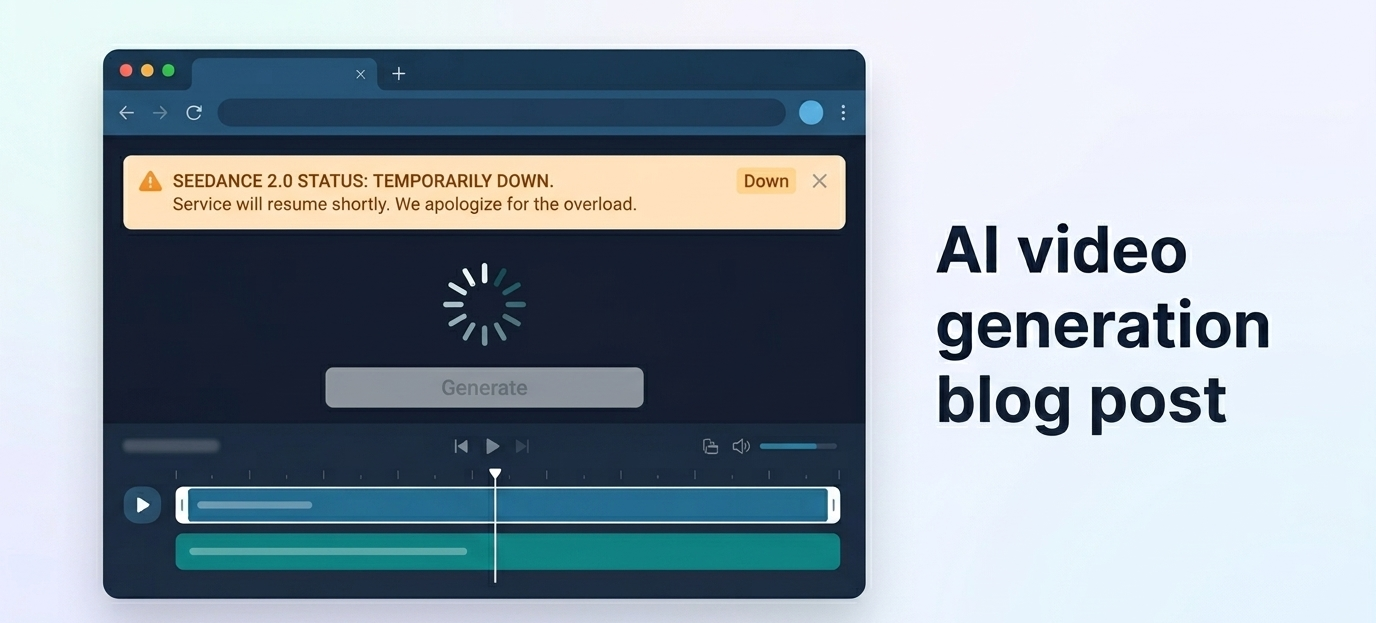
How to Check if Seedance 2.0 Is Down Right Now
Method 1 — Try a Test Generation (Fastest Check)
The fastest diagnostic is a live test. Submit a simple, low-complexity prompt — a single scene, short duration, minimal detail. If the generation doesn't initiate within 60 seconds and you see no progress indicator, something is wrong.
What to look for:
Progress bar never appears → likely a queue or server issue
"Too many users" error → server overload, not a full outage (see the too many users error guide for specific fixes)
Blank screen / infinite spinner → possible full outage or API failure
502 / 503 error codes → server-side failure confirmed
If your test generation fails outright with no error message, move to Method 2.
Method 2 — Check Seedance's Official Status Channels
ByteDance does not currently maintain a dedicated public status page for Seedance 2.0. The most reliable official channels for outage information are:
X/Twitter: Search @Seedance or Seedance 2.0 — ByteDance teams often post about service disruptions here first
Official Discord: The Seedance Discord server is where the team posts maintenance windows and incident updates
ByteDance developer portal: If you're using the API, check the developer dashboard for status flags
If no official communication exists but you're experiencing failures, you're likely in the early window of an undisclosed incident.
Method 3 — Community Reports (Discord, Reddit, X/Twitter)
Community channels often surface outages faster than official communications. If you're seeing failures, search:
Reddit: r/aivideo, r/singularity — search "Seedance down" with a date filter
X/Twitter: search "Seedance 2.0" down sorted by Latest
Discord: the Seedance and NemoVideo communities both surface platform issues in real time
If multiple users are reporting the same symptoms simultaneously, it's a confirmed platform-wide issue.
Method 4 — Third-Party Uptime Checkers
Tools like isitdownrightnow.com or downdetector.com can confirm whether Seedance 2.0's domain is resolving and responding. Enter the Seedance URL and check for HTTP response status.
These tools won't tell you whether generation is working — only whether the web interface is reachable. A positive result here means the site is up but the generation infrastructure may still be degraded.
Seedance 2.0 vs. Just Your Connection — Tell the Difference
Signs It's a Seedance Outage (Affects Everyone)
Multiple users reporting the same issue on Reddit/Discord simultaneously
Official channels post a maintenance notice
The interface loads but every generation attempt fails
API returns 500-level errors across different accounts and networks
Signs It's Your Account or Connection
You see errors but no community reports exist
Incognito mode or a different browser resolves the issue
Other platforms and sites work normally
Your account shows a specific error (rate limit, payment issue, ban notice)
Quick Diagnostic Steps
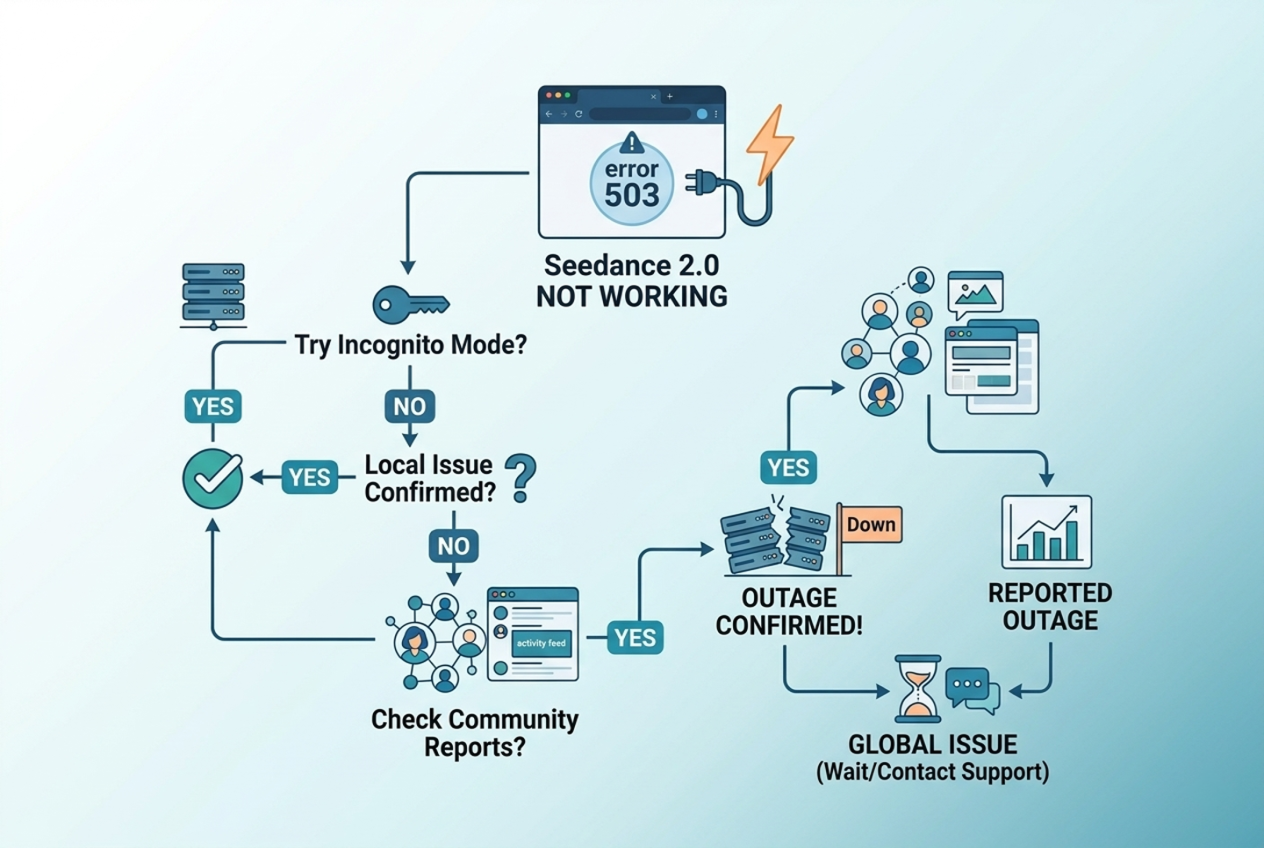
Open an incognito window and try again
Disable your VPN if active
Try on a different network (switch from WiFi to mobile data)
Check community channels for simultaneous reports
Clear browser cache and cookies for the Seedance domain
If it works in incognito or on a different network — the problem is local, not platform-wide. If it fails across all environments and others are reporting the same thing, Seedance 2.0 is down.
Recent Seedance 2.0 Outages and Incidents
Known Outage Patterns
Based on observed community reports, Seedance 2.0 experiences two distinct types of service disruption:
Demand-driven overload — the most frequent type. Triggered by viral feature announcements, new model releases, or social media coverage. The "too many users" error is the surface symptom. These are not true outages — the platform is running, but free-tier capacity is exhausted. See the complete Seedance 2.0 error guide for the full breakdown.
Infrastructure incidents — less frequent, but affect all tiers. These include API layer failures, model deployment rollouts, and datacenter-level issues. During these events, even Pro users experience degraded or unavailable service.
Average Downtime Duration
Incident Type | Typical Duration | Who Is Affected |
Demand overload / queue full | 30 min – 4 hours | Free tier primarily |
Planned maintenance | 1–3 hours | All users |
API infrastructure incident | 2–8 hours | All users |
Major outage | Rare; 12–24 hours | All users |
How to Get Notified When Service Resumes
Follow the official Seedance X/Twitter account
Join the Seedance Discord and enable notifications for the #announcements channel
Set a Google Alert for "Seedance 2.0 down" or "Seedance status" to receive email notifications when coverage appears
Check NemoVideo's blog — we monitor and publish status updates for platforms we integrate with
Why Does Seedance 2.0 Go Offline?
Server Overload (Most Common Cause)
Seedance 2.0 is a computationally intensive video diffusion model. Generating a 5-second clip requires significantly more GPU resources than a text or image request. When user demand spikes — particularly after a feature announcement or viral moment — the server infrastructure hits capacity and begins rejecting new requests.
This is the cause behind the majority of "Seedance 2.0 not working today" reports. The platform is technically operational, but overloaded. For a full explanation of this specific error, see the too many users error guide.
Planned Maintenance Windows
ByteDance periodically takes Seedance 2.0 offline for infrastructure maintenance. These are typically scheduled during low-traffic hours (late night UTC) and announced via Discord and social channels in advance. Duration is usually 1–3 hours.
API Infrastructure Updates
When ByteDance pushes significant API-layer changes — new model versions, endpoint migrations, authentication updates — brief service interruptions can occur even without a scheduled maintenance window. These are often unannounced and resolve within a few hours.
Model Version Deployment
Major Seedance model updates (like the Seedance 1.5 Pro release) sometimes involve a brief cutover period where the previous version is deprecated and the new version is being provisioned. During this window, generation may fail or return unexpected results.
What to Do When Seedance 2.0 Is Down
Option 1 — Wait (How Long Is Typical)
If community reports confirm a platform-wide issue, the most passive option is waiting. Based on observed patterns:
Demand overload: 30 minutes to 2 hours. Try again during off-peak hours.
Maintenance window: 1–3 hours. Check the official Discord for an ETA.
Infrastructure incident: 2–8 hours. Monitor official channels.
Waiting is only a viable option if your production timeline allows it. If you're on a deadline, move to Option 2.
Option 2 — Use an Alternative Platform Now
Seedance 2.0 is available through multiple platforms beyond ByteDance's consumer interface. Third-party integrations often have independent infrastructure that isn't affected by ByteDance's consumer-facing outages.
This is the highest-leverage move during a confirmed Seedance 2.0 outage. See the alternatives section below.
Option 3 — Save Your Prompts for When It's Back
If you were mid-workflow when the outage hit, don't lose your work. Save your prompts, scene descriptions, reference inputs, and any partial outputs to a document. When Seedance 2.0 comes back online, you can resume immediately without reconstructing your creative context from scratch.
Don't wait out the outage. NemoVideo's Workspace gives you Seedance 2.0 access through a dedicated integration layer — separate from ByteDance's consumer queue and outage events. Start free →
Best Alternatives When Seedance 2.0 Is Down
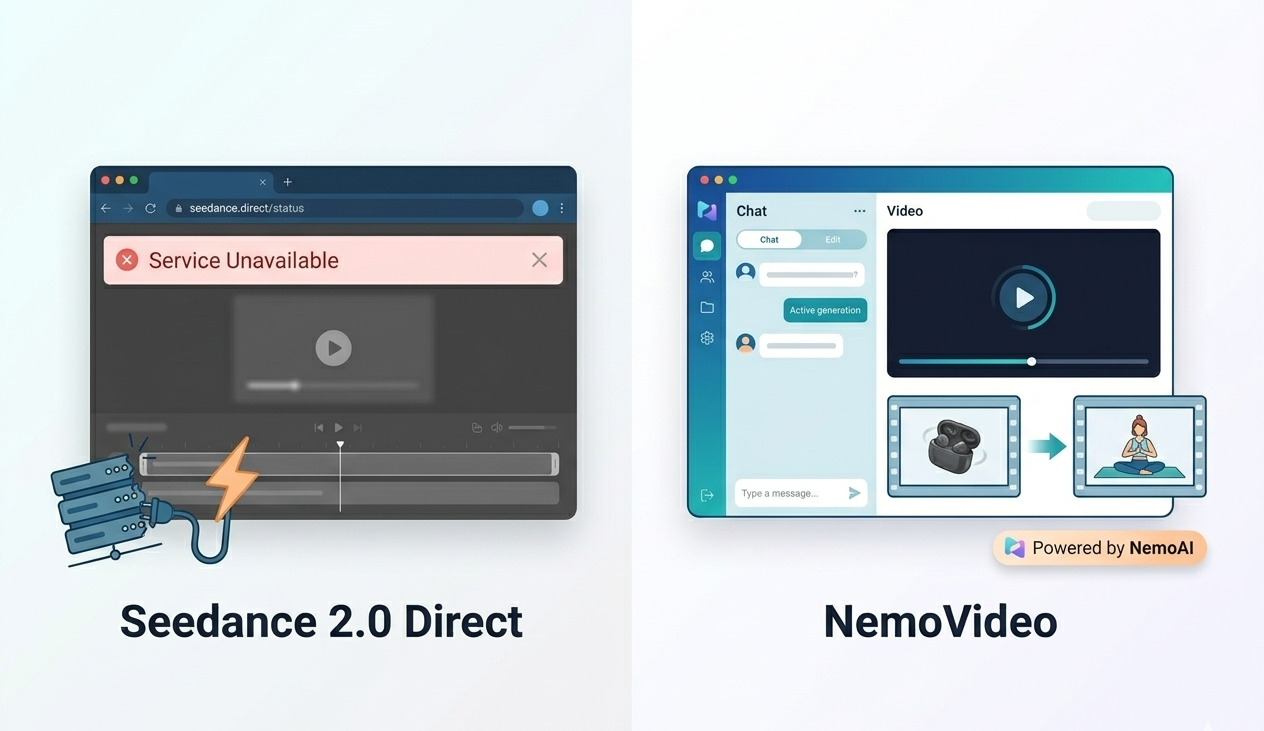
NemoVideo — Seedance Integrated, Handles Outages
NemoVideo is the official Seedance 2.0 integration partner — and it routes through a dedicated API layer that operates independently of ByteDance's consumer-facing infrastructure.
When Seedance's public interface is down or overloaded, NemoVideo users are often unaffected. The platform maintains its own capacity allocation separate from the public queue.
Beyond outage protection, NemoVideo is a fundamentally different product. It's an AI video agent — it handles scripting, hook optimization, retention structure, and multi-platform distribution alongside generation. You're not just switching to an alternative generator; you're upgrading to a production workflow.
The Inspiration Center keeps your creative work moving even when generation is temporarily unavailable — generating scripts, hooks, and content structures you can queue up immediately when service resumes. The Viral+ Studio then helps you turn those assets into platform-optimized video at scale.
Sign up for the NemoVideo Workspace to get access.
Dreamina
Dreamina (by ByteDance) offers access to Seedance-family models via its own product stack. Because it runs on separate infrastructure, it may have available capacity during Seedance 2.0 consumer-interface outages. Availability is not guaranteed — but it's a fast first alternative to check.
Kling AI
Kling AI is a capable alternative for AI video generation when Seedance 2.0 is unavailable. For a direct capability comparison, see Seedance 2.0 vs Kling for creators. Feature sets differ, but for short-form and social content, Kling covers most use cases.
How to Get Seedance 2.0 Outage Alerts
Official Channels to Follow
X/Twitter: Follow the official ByteDance AI and Seedance accounts
Discord: Join the official Seedance server and enable notifications for #status and #announcements
Discord Communities
Community-run Discord servers around AI video production surface outage reports faster than official channels. The NemoVideo community in particular monitors Seedance 2.0 availability because of the direct integration dependency.
Set Up Google Alerts
Go to google.com/alerts
Set alert for: "Seedance 2.0" down OR offline OR outage
Set frequency to "As it happens"
Receive email notifications when new coverage appears
This is the lowest-friction passive monitoring setup — no app required.
FAQ
Q: How long do Seedance 2.0 outages usually last?
A: Most demand-related disruptions resolve within 30 minutes to 2 hours. Planned maintenance windows typically last 1–3 hours. True infrastructure incidents are less common but can persist for 2–8 hours. If a major incident is declared, ByteDance typically posts updates to their official Discord with ETAs.
Q: Is there an official Seedance status page?
A: ByteDance does not currently maintain a dedicated public status page for Seedance 2.0. The most reliable real-time sources are the official Seedance Discord #announcements channel and the Seedance X/Twitter account. Community platforms like Reddit and Downdetector also surface incident reports quickly.
Q: What's the difference between Seedance 2.0 being down and the "too many users" error?
A: They are distinct issues. "Too many users" means Seedance 2.0 is operational but its free-tier generation queue is full — the platform is running, just at capacity. A true outage means the platform itself is unreachable or failing across all tiers. The "too many users" error can be addressed with timing strategy or a Pro upgrade. A real outage requires waiting or switching platforms. See the full breakdown in the too many users error guide.
Q: Does Seedance 2.0 Pro avoid outages?
A: Pro priority generation helps bypass queue congestion — it does not protect against true infrastructure outages. During a full platform outage, Pro users are affected equally. Pro's advantage is specifically during demand-overload scenarios where free-tier capacity is exhausted but the infrastructure itself is operational.
Conclusion
If Seedance 2.0 is down, the first step is confirming whether it's a platform-wide issue or a local one. Use the diagnostic steps above, check community channels, and determine which type of disruption you're dealing with.
For demand overload: timing and alternative platforms resolve it. For true outages: the only reliable solution is switching to an integration with independent infrastructure.
NemoVideo is the most practical answer to both problems. As the official Seedance 2.0 integration partner, it gives you dedicated access that sidesteps both queue congestion and most consumer-side outages — while adding a full AI production layer on top of generation.
Set up your free Workspace and keep your video production moving regardless of platform status.
Related guides: