

Top-Rated UGC Video Makers for Social Ads 2026
Hi, I’m Dora!
Last month I was staring at a folder of 40 raw clips and a client deadline in 48 hours. My usual workflow — chop, caption, export — was starting to crack. Not because the tools were bad. Because I was using the wrong tools for the wrong platforms, and I hadn't figured that out yet.
That confusion is what sent me down a rabbit hole testing every ugc video maker for social ads I could get my hands on. Six tools. Real ad campaigns. Actual export times measured with a stopwatch on my phone. Here's what I found.
What Social Ad Teams Actually Need from UGC Video Tools
Before I get into rankings, let me save you from a mistake I kept making: conflating "good video editor" with "good ad tool." They're not the same thing.
Platform Spec Compliance (TikTok vs IG vs FB)
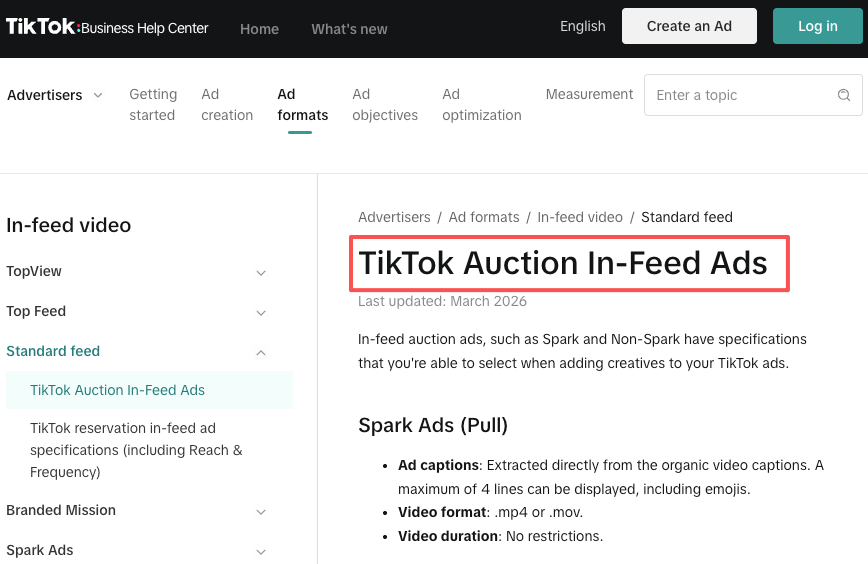
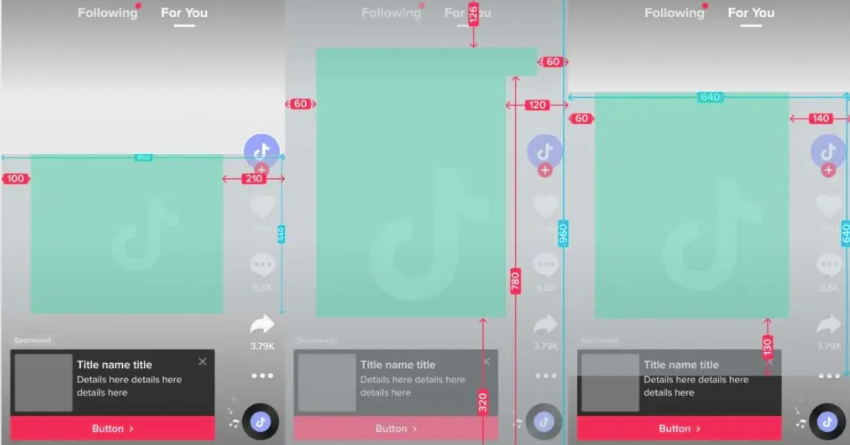
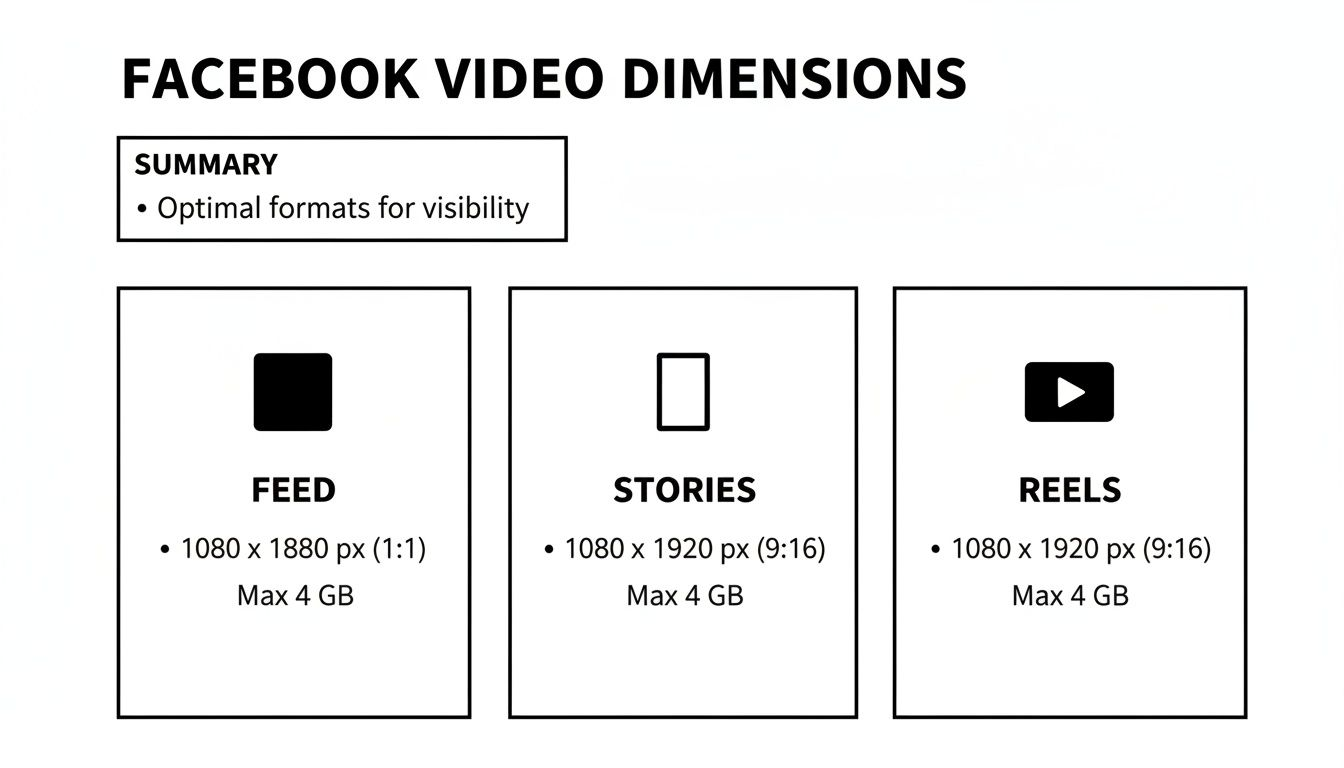
This sounds boring. It isn't. I've had creatives rejected by TikTok Ads Manager because my safe zone margins were off by 12 pixels. According to TikTok's official in-feed ad specifications, the safe zone dimensions shift depending on caption length and placement type — and downloadable safe zone templates are available directly in Ads Manager. Instagram Reels prefers the same 9:16 frame but punishes videos over 60 seconds in feed placement. Facebook in-feed still performs with square (1:1) and 4:5 crops in ways TikTok never would.
A tool that auto-resizes without respecting these safe zones actively costs you money. Most don't warn you.
Fast Export and Re-editing
When you're split-testing three hooks for the same ad set, you need to swap the first 3 seconds and re-export in under two minutes. Any tool that re-renders the entire timeline for a caption change is a time sink dressed up as a feature.
Caption and Hook Testing
The first 1.5 seconds determine everything. Tools that let you swap hook text without re-uploading the base clip are worth double what they charge.
Top 6 UGC Video Makers for Social Ads
Here's the comparison I wish existed before I started:
Tool | TikTok 9:16 | IG Reels | FB Feed | Caption Editor | Starting Price |
NemoVideo | ✅ Native | ✅ | ✅ 4:5 crop | AI auto-gen | Free / $19/mo |
CapCut for Business | ✅ | ✅ | Partial | Manual | Free |
Mango AI | ✅ | ✅ | ✅ | Template-based | $35/mo |
Creatify | ✅ | ✅ | ✅ | AI auto-gen | $39/mo |
Limited | ✅ | ✅ | Static only | $29/mo | |
Runway Gen-3 | ✅ | ✅ | ✅ | Manual | $15/mo |
NemoVideo
Okay, I'll be upfront — I was skeptical. Another "AI video tool" promising to save hours? I've heard that pitch before.
But here's what actually happened: I uploaded a 90-second raw UGC clip into NemoVideo, typed in my target platform (TikTok), and within four minutes had a trimmed, captioned, hook-forward version ready to export. The auto-caption accuracy on the first pass was around 92% — I had to fix six words across a 47-second video. That's genuinely usable.
What caught me off guard was the hook recut feature. You mark a section as "hook candidate," and NemoVideo generates three alternate intros from different moments in your footage. That's the workflow I didn't know I needed.
Limitation: The AI voice-over options still sound slightly synthetic if you push them past 30 seconds. For short punchy ads, fine. For longer brand stories, do your own VO.
Best for: TikTok Spark Ads, Instagram Reels ads, anyone batch-producing 5+ videos a day.
CapCut for Business
Free, fast, and the templates are genuinely good for TikTok because ByteDance built it. CapCut for Business adds brand kits, commercial-use templates, and removes watermarks — a real upgrade over the personal version for ad production. The catch? Everything collaborative is clunky and the export queue can lag during peak hours.
Best for: Solo creators who already live in CapCut and need a simple upgrade.
Mango AI
Strong template library. Weaker on customization. If you need to stay strictly on-brand with specific fonts and colors, you'll fight the interface. But for clients who just need volume, it delivers.
Creatify
The UGC avatar feature is what people buy it for. You pick an AI spokesperson, feed it your script, and get a talking-headed video without filming anything. Quality has improved a lot. Still not quite real — but for direct response ads where performance > polish, it works.
AdCreative.ai
More of a static-first tool that added video. The AI scoring for ad performance is interesting but the video capabilities feel bolted on. Skip it unless you're already using it for image ads.
Runway Gen-3
Best raw generation quality of the six. Also the steepest learning curve. Not designed for social ad workflows. Specifically, — you'll spend time adapting it to that use case. Worth it if you're doing high-production creative. Overkill for daily content ops.
Platform-Specific Requirements
TikTok Ads
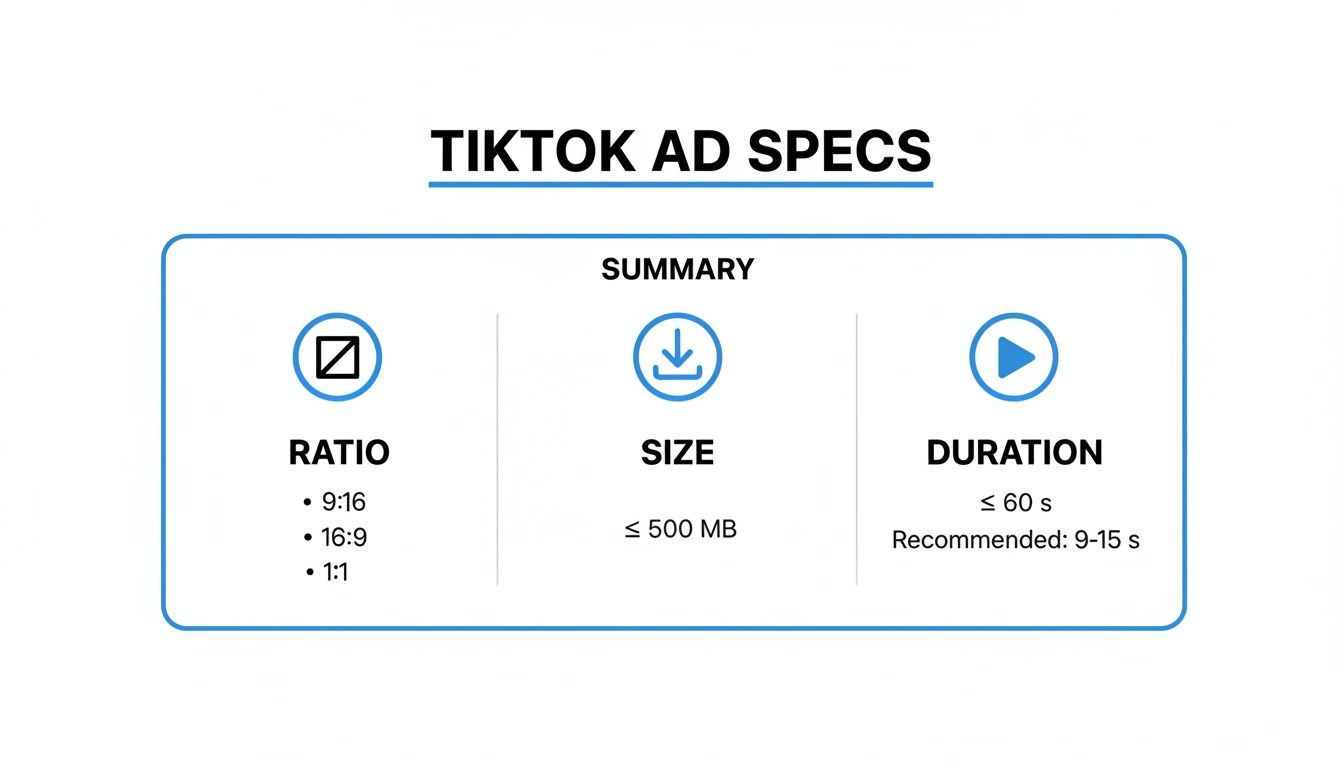
Vertical 9:16, under 60 seconds for standard in-feed placement. High-energy hooks within the first 1.5 seconds are non-negotiable — TikTok's own creative data confirms the scroll decision happens before second two. Captions aren't optional; a significant portion of TikTok users watch with sound off. One thing worth flagging: Non-Spark In-Feed Ads now technically support up to 10 minutes, but keeping it tight (under 30 seconds) still drives far better completion rates in practice.
Instagram Reels Ads
Same 9:16 frame, but Instagram's algorithm favors 7–15 second clips in Reels placement for ads. Longer cuts (30–60s) still work in Stories. Safe zones matter more here than on TikTok — as Meta's official Instagram Reels ad specs note, you should leave roughly 14% at the top, 35% at the bottom, and 6% on each side free from text or logos to avoid UI overlap with the profile icon and CTA button.
Facebook In-Feed Ads
The only platform where 4:5 (portrait but not fully vertical) consistently outperforms 9:16 in my tests. Meta's video ad format guide covers every Facebook Feed placement with exact specs and recommended aspect ratios — worth bookmarking before your next campaign. Facebook audiences also tolerate slightly slower hooks — you have closer to 3 seconds before the scroll. That said, don't waste it.
How to Adapt One Video Across Platforms
This is the workflow that actually saved me time.
Step 1: Shoot or sauce at 9:16. Start vertical. It's much easier to crop down than to add bars or lose resolution going up.
Step 2: Edit your master in the tool of your choice at full length (up to 60s).
Step 3: Export your TikTok version first — trim to under 60s, check safe zones, add captions.
Step 4: Duplicate and crop to 4:5 for Facebook. Adjust your safe zone accordingly (the top and bottom margins shift).
Step 5: Create a 15s cut for Instagram Reels ad placement. Pull your strongest 15 seconds — usually hook + proof + CTA.
Step 6: Swap hooks. Use your tool's hook-testing feature (NemoVideo, CapCut for Business, or Creatify all support this) to generate two alternate openers. Test them as separate ad variants in the same ad set.
Total extra time for steps 4–6 after your first export: about 20 minutes, once you have the workflow down.
Common Social Ad Video Mistakes
Starting with your logo. Nobody cares in the first second. Lead with the problem or the payoff.
Captions that sit in the safe zone danger area. Test your export in TikTok Ads Manager preview before going live. Same goes for Instagram — the UI overlay eats more screen than most people expect.
Re-editing the whole video to test one hook. You shouldn't need to. If your tool requires a full re-render for a caption change, it's the wrong tool for ad production.
Treating Facebook and TikTok as the same audience. The pacing, tone, and hook style that crushes on TikTok often underperforms on Facebook. They're different behavioral contexts, and the platform specs reflect that.
FAQ
Which tool is best for TikTok Spark Ads?
NemoVideo for speed and caption automation. CapCut for Business if you want more template control and you're already in that ecosystem — and since ByteDance owns both CapCut and TikTok, the native integration is real.
Can I auto-generate captions for ads?
Yes — NemoVideo, Creatify, and CapCut for Business all do this. Accuracy varies: expect 88–93% on the first pass for clear audio. Always proofread before publishing ads.
How do I test different hooks quickly?
Shoot or cut three different first-3-second options when you're editing. Export each as a separate file with identical middles and CTAs. Run them as creative variants in the same ad set with equal budget. Let it run 48–72 hours before reading results.
Are there templates for each platform?
NemoVideo and Creatify have platform-specific templates. CapCut for Business has the largest library but you'll need to filter manually by aspect ratio.
What is the best UGC video maker for TikTok Spark Ads?
NemoVideo is highly recommended for TikTok Spark Ads due to its speed, automatic captioning, and platform-native exports. CapCut for Business is also a solid choice, especially if you're already using the platform and need more template control.
Conclusion
If you're producing social ads at any kind of volume, the bottleneck isn't creativity — it's the mechanical work between idea and export. The right ugc video maker for social ads removes that friction without removing your voice from the content.
After testing six tools, NemoVideo is the one still open in my browser. Not because it's perfect — the voice-over ceiling is real — but because it fits the actual workflow: fast hooks, solid caption automation, and platform-native exports that don't get flagged at the Ads Manager gate.
Try it on your next campaign. Measure the time. See if math works for you.
Previous posts: