

Long time no see, I'm Dora. I almost waited for Veo 3.1 to fully roll out before writing this Veo 3 review. But creators are making decisions right now - picking tools, committing to workflows, budgeting for the quarter. You don't have time to wait for the next update when you need to ship content this week.
So here's the honest version: Veo 3 is impressive in ways that genuinely matter. It's also frustrating in ways that most review roundups won't tell you. I've been generating clips, testing prompt adherence, and comparing outputs against Seedance 2.0 and Runway Gen-4 for the past several weeks. This is what I found.
What Is Veo 3? Google DeepMind's AI Video Generator Explained
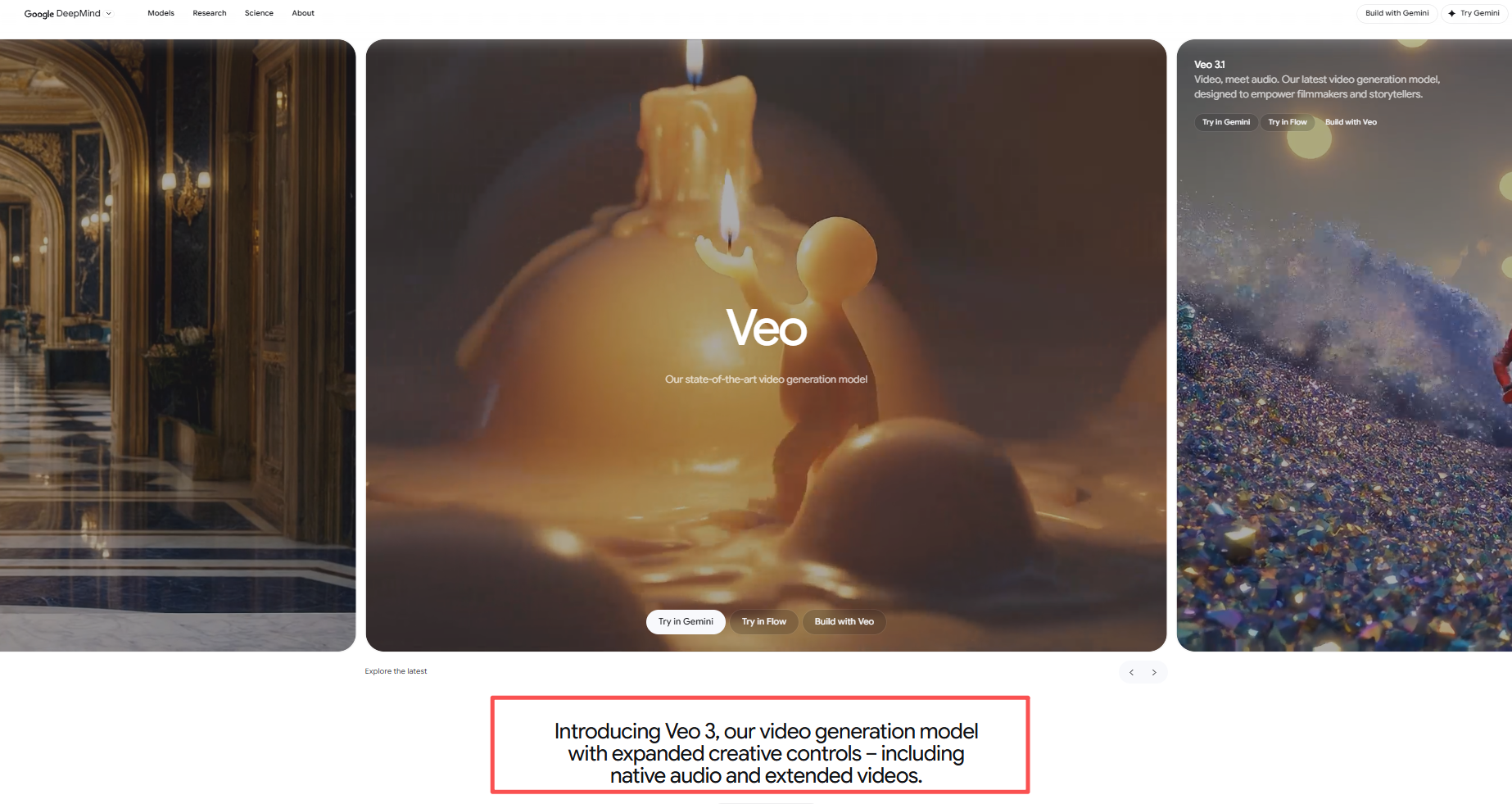
Veo 3 is Google DeepMind's latest AI video generation model. It launched as the successor to Veo 2, and the most recent iteration - Veo 3.1 - is already live in several products.
The headline feature is native audio generation. Veo 3 doesn't just make video - it generates synchronized sound effects, ambient noise, and even dialogue directly from your text prompt. No separate audio tool needed. That's a genuine first at this level of quality.
You can access Veo 3 through Google AI Studio, Gemini, Google's dedicated Flow filmmaking tool, and even through third-party platforms like Runway, which added Veo 3 and Veo 3.1 to its Standard plan and above.
What Veo 3 Actually Does Well
Native Audio Is the Real Differentiator
This isn't a gimmick. Veo 3 generates audio that's synchronized to the visual action - footsteps match walking, ambient city noise matches street scenes, and dialogue actually lines up with lip movements. On Google DeepMind's benchmarks using 527 prompts from Meta's MovieGenBench dataset, human raters preferred Veo 3.1's audio-video alignment over every competing model tested.
For creators making short-form content for TikTok or YouTube Shorts, this removes an entire post-production step. You don't need to layer in audio from a separate tool or sync sound effects in Premiere Pro. The output comes ready.
Prompt Adherence Is Best-in-Class
I fed Veo 3 detailed prompts - specifying camera angles, lighting conditions, character descriptions, ambient mood - and it followed instructions more accurately than any other model I've tested. Google's own evaluations on 1,003 MovieGenBench prompts confirm this: Veo 3.1 scored highest on text alignment across both text-to-video and image-to-video tasks.
This matters because bad prompt adherence wastes credits and time. If you describe a "slow dolly shot of a woman in a red coat walking through rain" and the model gives you a static wide shot of someone in blue, you just burned a generation for nothing.
Physics and Visual Realism
Water flows correctly. Fabric drapes the way it should. Lighting interacts with surfaces realistically. Veo 3.1 outperformed competitors on the physics-specific subset of MovieGenBench evaluations. If you're generating product shots, lifestyle content, or anything where realism matters, this is noticeable.
Where Veo 3 Falls Short
8-Second Clip Ceiling
Here's the catch nobody emphasizes enough: Veo 3 generates clips that are approximately 8 seconds long. Google's own benchmark documentation confirms this - "Veo videos are 8 seconds long" while competitor clips ran 10 seconds in the same tests.
Eight seconds is fine for a single shot. It's not fine for a complete short-form video. If you're building a 30-60 second TikTok, you're stitching together 4-8 separate generations and hoping the visual style stays consistent across all of them. That's a workflow problem, not a creative one.
Character Consistency Across Multiple Clips
This is where things get painful. Generate one clip of a character - looks great. Generate a second clip of the same character in a different scene - and suddenly their face has shifted, their outfit changed slightly, or the lighting doesn't match. Veo 3 doesn't have a built-in mechanism for maintaining character identity across separate generations.
For anyone building narrative content, explainer videos, or serialized social media series, this is a dealbreaker. You spend more time trying to prompt-engineer consistency than you do actually creating.
No Integrated Editing Workflow
Veo 3 generates raw clips. That's it. There's no built-in caption generation, no audio editing tools, no automatic BGM syncing, no rough cut assembly. You generate, download, and then open a separate editor - whether that's Premiere Pro, CapCut, or something else - to actually build your video.
For creators who need to publish frequently, this gap adds up fast.
Veo 3 vs Seedance 2.0 vs Runway Gen-4: Full Comparison for Creators
NemoVideo integrates Seedance 2.0 for video generation, while handling all post-production workflows such as editing, captions, audio cleanup, and multi-platform export.
Where Veo 3 Wins
Resolution and native audio. If you need a single 4K cinematic shot with synchronized dialogue, Veo 3 is genuinely unmatched right now. The audio generation alone saves time that would otherwise go into sourcing SFX libraries and syncing in a DAW.
Where Seedance 2.0 Wins
Everything after the raw clip. Seedance 2.0's One-Shot consistency means your character looks the same from the first frame to the last — even in extended videos that break the 15-second barrier. And through NemoVideo's editing workflow, you get automatic captions, smart rough cuts, BGM syncing, and platform-optimized exports without leaving the tool.
⚡️**The best way to access Seedance 2.0 right now is through NemoVideo. Free to try with 100 credits, plans start from $4.17/month.
Where Runway Gen-4 Fits
Runway occupies interesting middle ground. Its Gen-4 model produces high-quality image-to-video results, and Runway has actually added Veo 3 and Veo 3.1 as model options on its Standard plan ($12/month). So if you want access to multiple generation models - including Veo - under one subscription, Runway gives you that flexibility. The tradeoff: no post-production workflow built in, and credits disappear fast at higher quality settings.
Who Should (and Shouldn't) Use Veo 3?
Veo 3 Is a Good Fit If You:
-
Need single cinematic shots with audio - product reveals, mood pieces, ad B-roll where synchronized sound elevates the clip
-
Already have an editing workflow - you're comfortable in Premiere Pro, DaVinci Resolve, or Final Cut and just need raw AI-generated footage to cut into a larger project
-
Want the best prompt adherence - you write detailed, specific prompts and expect the model to follow them precisely
-
Are experimenting - the free tier through Google AI Studio lets you test without financial commitment
Veo 3 Is Not the Right Choice If You:
-
Publish high-volume short-form content - the 8-second clip limit and lack of character consistency make batch production painful
-
Need end-to-end video creation - if you want to go from idea to published video in one tool, Veo 3 doesn't offer captioning, hook generation, audio editing, or multi-platform export
-
Rely on character continuity - serialized content, recurring characters, or brand mascots will break across separate Veo 3 generations
-
Work on tight deadlines - generation times vary, and the lack of batch processing means you're generating one clip at a time
For high-volume creators who need viral-ready videos with consistent characters and automated post-production, NemoVideo with Seedance 2.0 is the more practical choice. One prompt, one result, done - no AI gacha, no stitching six clips together and hoping they match.
Final Verdict
Veo 3 is the best single-clip AI video generator available in 2026. Native audio generation is a legitimate breakthrough. Prompt adherence and physics realism are ahead of Sora, Kling, and most of the competition. Google DeepMind built something technically excellent.
But "technically excellent single clips" is not the same as "useful for creators who need to publish." The 8-second duration limit, the absence of character consistency tools, and the zero post-production support mean Veo 3 is a generation engine - not a creation platform.
-
If your workflow looks like: generate raw footage then import into editor then manually add captions, audio, transitions then export - Veo 3 gives you the best raw footage on the market.
-
If your workflow looks like: describe what I want then get a complete, publish-ready video with captions, BGM, and consistent characters - that's where NemoVideo's Seedance 2.0 pipeline delivers what Veo 3 currently can't.
-
My recommendation: try both. Veo 3 is free to test through Google AI Studio. NemoVideo is free to try with 100 credits. Use Veo 3 for your hero shots and cinematic B-roll. Use NemoVideo for the actual videos you need to publish. That's the 2026 workflow that actually works.