Zorq AI Pricing 2026: Plans, Credits & Hidden Costs
Hey, I'm Dora. Last month I almost pulled the trigger on Zorq AI's Unlimited plan — $299/month sounded like a steal for "unlimited" AI video generation. Then I did the math on credits, and the number that came back stopped me cold.
I’m a creator first, not an engineer, and I only keep tools that help me post faster without a "credit-anxiety" headache. If you're comparing AI video tool subscriptions right now — whether it's Zorq AI vs. Kling vs. a workflow-first solution like NemoVideo, this teardown will help you decide with your wallet open and your eyes wide.
If you’re exploring how multi-model workflows replace credit-based systems, the NemoVideo integration of Grok, Gemini, OpenAI, Whisper, and Seedance shows what that shift actually looks like in practice.
How Zorq AI's Credit System Works
Every generation on Zorq AI — image or video — costs credits. Your plan gives you a monthly pool, and each output deducts from it.
The cost per generation isn't flat. It depends on three things:
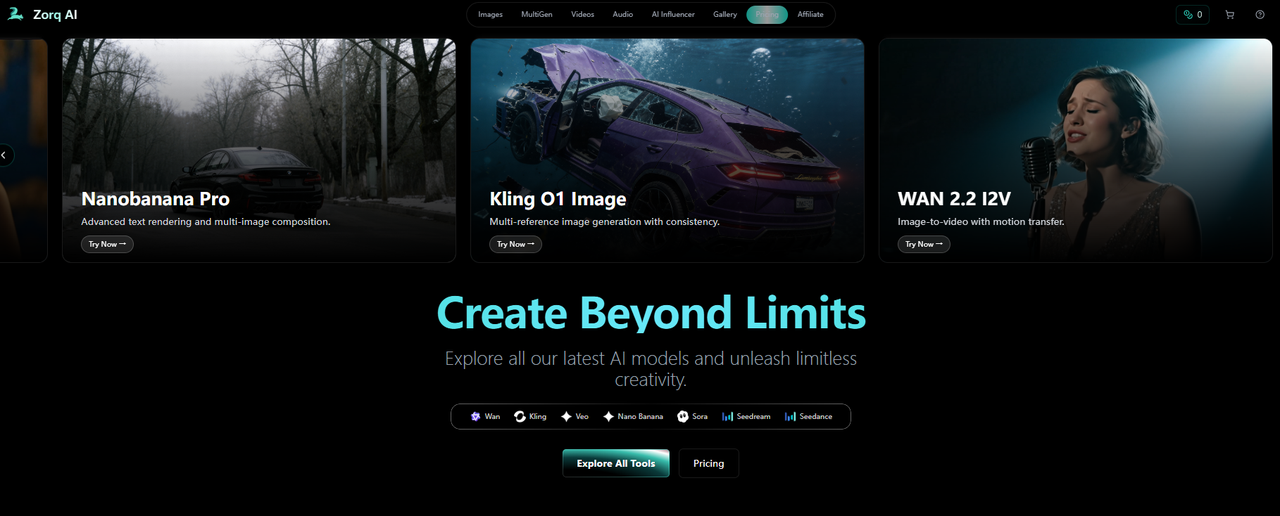
Which AI model you pick (Sora 2, Kling 2.6, Seedream, etc.)
Quality tier you select (Standard, High, or Ultra 4K)
Output type — image vs. video
When a plan says "500 credits/month," the real question is: how fast do those credits disappear based on what you're actually making?
Credits per Generation by Model and Quality
Images are cheap. A standard Seedream 4.0 image costs roughly 1 credit. Seedream 4.5 at higher detail bumps to about 1.5 credits.
Video is where credits drain fast. Depending on the model, resolution, and clip length, a single video generation can cost anywhere from 5 to 30+ credits.
If you're working with Seedance-style outputs, the complete Seedance 2 guide breaks down how generation cost and output quality scale together.
Here's a quick mental model:
Output Type | Quality | Estimated Credit Cost |
Standard image (Seedream 4.0) | Basic | ~1 credit |
High-detail image (Seedream 4.5) | High | ~1.5 credits |
Short video (standard model, 720p) | Basic | ~5–10 credits |
Video (Kling 2.6 Pro / Sora 2, 1080p) | High | ~15–30+ credits |
MultiGen (4 batch variations) | Any | 4× the single cost |
Key detail most people miss: MultiGen charges per variation, not per batch. Four variations = four separate credit deductions. This applies even on the Unlimited plan.
For the exact per-model rates, check zorqai.com/credits — these shift as models get updated.
What Resets Monthly vs. What Carries Over
Two things to know here:
Credits reset every billing cycle. You get your full monthly allocation on renewal day.
Unused credits do not roll over. 150 credits left when your cycle resets? Gone. You start fresh at zero plus your plan's allocation.
This means you pay the same whether you use 100% or 30% of your credits.
One more cost detail that's easy to miss: Zorq AI runs introductory pricing on your first billing cycle — lower than the standard renewal rate. After month one, you're billed at the regular price. The gap between intro and renewal isn't always obvious on the checkout page.
Rule of thumb I use: always check your renewal rate before subscribing, not after. That's the difference between "this feels affordable" and a surprise on your credit card statement.
This is exactly where workflow-based tools start to matter. Instead of managing credits manually, I now just drop projects into the Nemo workspace and generate multiple versions in one place without thinking about per-output cost.
Zorq AI Pricing Plans Breakdown
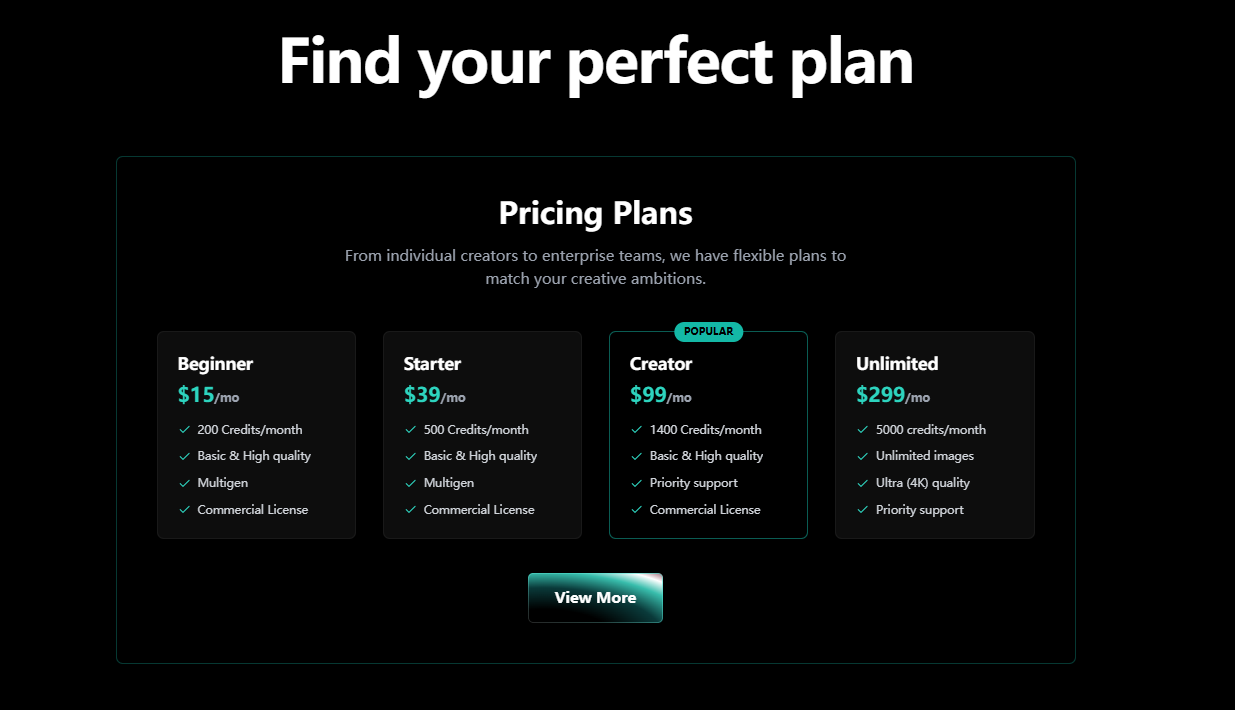
Zorq AI currently offers four paid tiers. There is no permanent free plan — though some sources indicate new accounts may receive a small number of signup credits to preview the platform.
If you're comparing alternatives, the NemoVideo vs CapCut breakdown helps frame where workflow-based tools outperform template or credit-based systems.
The biggest trap with Zorq AI pricing isn't the monthly fee. It's not calculating how far your credits actually go based on your output type.
Starter / Creator / Unlimited Plan Comparison Table
Features | Beginner | Starter | Creator | Unlimited |
Monthly Price | $15 | $39 | $99 | $299 |
Credits/Month | 200 | 500 | 1,400 | 5,000 |
Quality Tiers | Basic + High | Basic + High | Basic + High | Basic + High + Ultra 4K |
MultiGen | ✓ | ✓ | ✓ | ✓ (still burns credits) |
Commercial License | ✓ | ✓ | ✓ | ✓ |
Priority Support | ✗ | ✗ | ✓ | ✓ |
Always verify the latest pricing and credit allocations at zorqai.com before subscribing.
What this means in real video output:
If you're generating high-quality video (roughly 15–30 credits per clip), here's a rough monthly estimate:
Beginner (200 credits): ~7–13 clips
Starter (500 credits): ~17–33 clips
Creator (1,400 credits): ~47–93 clips
Unlimited (5,000 credits): ~167–333 clips
These numbers shift based on model, resolution, and clip length. But they give you a far more honest picture than just reading "5,000 credits."
The name "Unlimited" is misleading. You still have a 5,000-credit cap. The only thing truly unlimited is image generation — video, MultiGen, and premium model outputs all still consume credits.
First Billing Cycle vs. Renewal Pricing
This catches people off guard.
Zorq AI offers discounted introductory pricing on your first billing cycle. After that, your subscription renews at the standard rate, which is higher.
What to watch for:
The price you see in marketing may be the intro rate, not your ongoing cost.
Auto-renewal kicks in at the standard rate unless you cancel before the cycle ends.
A 7-day money-back guarantee is mentioned on some plan pages — confirm it's still active for your tier before relying on it.
Hidden Costs to Know Before Subscribing
The pricing table tells you what you're paying. This section covers what the table doesn't say.
MultiGen Still Burns Credits on Unlimited
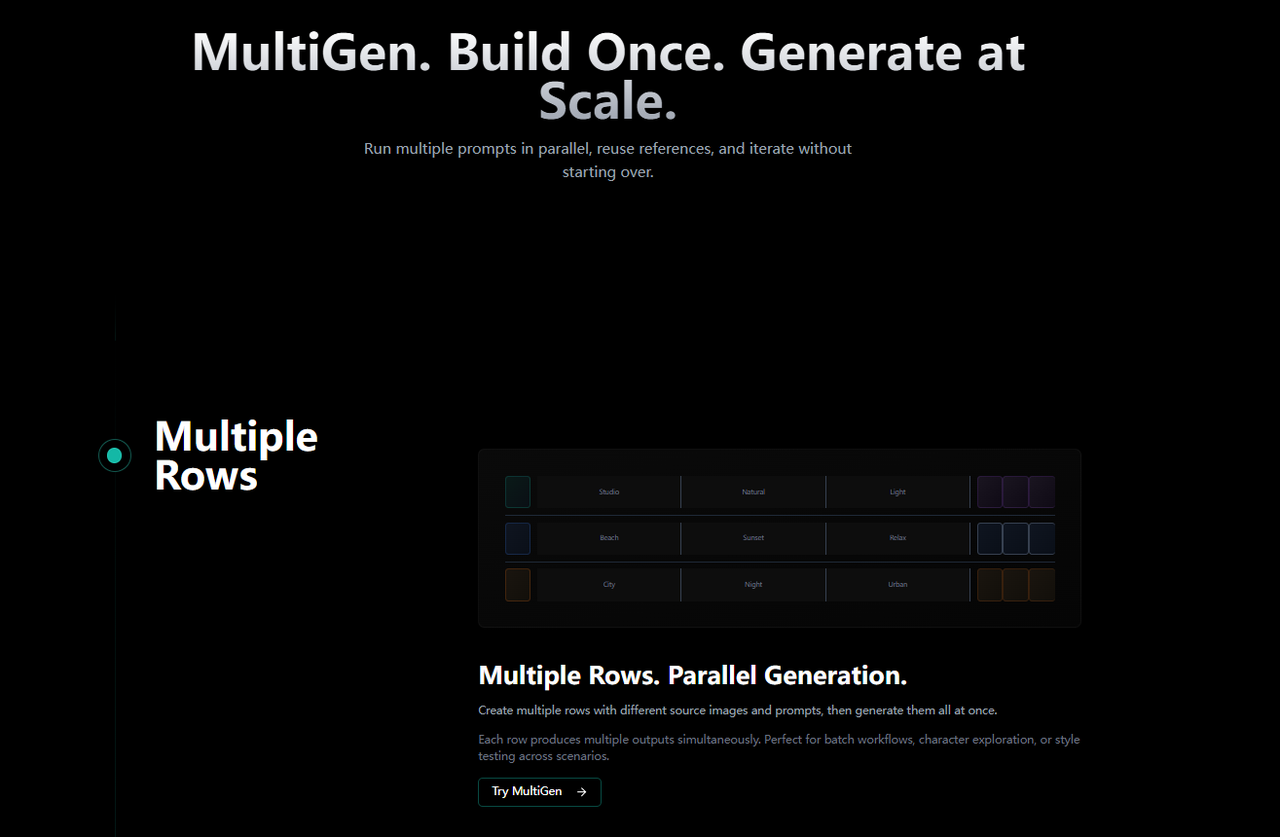
MultiGen lets you batch-generate multiple variations of the same prompt — useful for A/B testing ad creatives. Every plan includes it.
The catch: each variation is a separate credit charge. Four variations = four deductions, not one.
On the Unlimited plan at $299/month, many creators assume batch creation is "free." It's not. Your 5,000-credit cap still applies.
Quick math: run MultiGen with 4 high-quality video variations (~20 credits each) ten times a week, and you've burned 3,200 credits in a month — on testing alone, before any final production work.
I ended up switching my A/B testing workflow to NemoVideo for this exact reason. Its Batch Creation generates multiple platform cuts (9:16, 1:1, 16:9) and hook variations in one pass — no per-variation credit penalty.
Last month I produced 8 ad variants across 3 platforms in about 12 minutes, which would have cost me roughly 160–240 credits on Zorq AI's system.
That difference adds up fast if you're running weekly creative refreshes.
Higher-Resolution Outputs Cost More
Zorq AI offers three quality tiers: Basic (720p), High (1080p), and Ultra 4K (Unlimited plan only). Each step up costs meaningfully more credits.
Basic = lowest credit cost. Fine for drafts and quick tests.
High = roughly 2–3x the cost of Basic. Where most creators default.
Ultra 4K = premium rate. Great quality, fast credit drain.
Rule of thumb I use: draft at Basic, finalize at High. That single habit can stretch your credit budget by 30–40% over a billing cycle.
When I finalize videos now, I rely on Smart Caption to automatically generate platform-native subtitles instead of spending extra credits regenerating for readability improvements.
Is Zorq AI Free?
Short answer: not really.
Unlike tools that let you continuously refine content, Zorq AI is essentially a paid-first system.
If you want a full workflow without credit limits, the guide on how to use Seedance 2.0 inside Nemo workflows shows how creators are moving away from credit-based generation entirely.
No Free Signup Credits — What You Can Preview
There's conflicting information online about this. Some affiliate sites and the zorq-ai.net landing page mention 10 free credits on signup with no credit card required.
Here's what I can confirm from available data:
Even if the 10-credit signup offer exists, 10 credits gets you very little — maybe a handful of standard images or one short video clip at basic quality.
There is no permanent free plan with a monthly credit refresh. Once any signup credits are used, you need a paid subscription to keep generating.
Unlike some competitors that offer a meaningful free tier (Pika gives free credits with watermarks, Luma has an unlimited plan at $29.99/month), Zorq AI is essentially a paid-first platform.
Bottom line: if you want to seriously evaluate whether Zorq AI fits your workflow, expect to spend at least $15 on the Beginner plan. The 7-day money-back guarantee is your real safety net — not a free tier.
Who Gets Good Value from Each Plan
Not every creator needs the same plan. Here's how I'd break it down based on actual output volume.
Where I personally saw the biggest shift wasn’t just pricing, it was output speed. Instead of manually testing variations, I now use Smart Pick to automatically extract the best moments from raw footage and build rough cuts instantly.
Light User vs. Power Creator Breakdown
Beginner ($15/month · 200 credits) — best for:
Creators experimenting with AI video for the first time
Occasional image generation for thumbnails or social posts
Testing whether Zorq AI's models fit your visual style before committing more budget
Realistic output: ~7–13 short video clips or ~130–200 images per month
Starter ($39/month · 500 credits) — best for:
Solo creators publishing 2–3 short-form videos per week
Marketers who need a steady flow of visual assets but aren't batch-testing
Realistic output: ~17–33 video clips at high quality
Creator ($99/month · 1,400 credits) — best for:
Creators running a consistent content calendar across multiple platforms
Small teams doing regular A/B testing on ad creatives
Realistic output: ~47–93 video clips — enough for daily production if you manage quality tiers carefully
Unlimited ($299/month · 5,000 credits) — best for:
Agencies or power users generating high volumes of video + image content weekly
Teams that need Ultra 4K output
But be honest with yourself: if you're not consistently using 1,400+ credits per month on the Creator plan, jumping to Unlimited is overpaying
Rule of thumb: start one tier lower than you think you need. If you consistently hit your credit cap before the cycle resets, upgrade. Downgrading from overspend is harder psychologically than upgrading from a real need.
Where I truly save time on the batching side — producing multiple platform cuts and hook variations — I use NemoVideo instead of burning Zorq AI credits on MultiGen. Last month that split workflow saved me roughly 800–1,000 credits I would've spent on variation testing alone. Worth considering if batch output is a big part of your workload.
FAQ
Q: Does Zorq AI offer a free trial?
A: There's no traditional free trial with full access. Some sources mention 10 free credits on signup (no credit card required), but that's only enough for a few basic generations. A 7-day money-back guarantee is mentioned on certain plan pages — confirm it's still active at zorqai.com before treating it as your trial window.
Q: Do unused credits roll over?
A: No. Credits reset on your billing renewal date. Any unused balance is forfeited. If you're consistently leaving 30%+ of your credits untouched, you're likely on a higher tier than you need.
Q: Can I downgrade or cancel anytime?
A: Based on available information, you can cancel before the next billing cycle to avoid auto-renewal. Downgrading between tiers should take effect at your next renewal.
Q: Is Zorq AI cheaper than subscribing to Sora and Kling separately?
A: It depends on volume. Subscribing to Sora and Kling individually can easily run $40–$60+ per month combined, with two dashboards and two billing cycles to manage. Zorq AI bundles multiple models starting at $15/month in one interface. For light users, it's likely cheaper. For power users who rely heavily on one specific model, a dedicated subscription might give you more credits per dollar.
Q: What happens when I run out of credits mid-month?
A: You wait until your next billing cycle resets your balance — or upgrade to a higher-tier plan. Based on current plan documentation, there's no option to purchase one-time credit top-ups. Running out mid-month = no generation until renewal, so plan your output around your credit budget, especially if you have deadlines.
What I do as a backup: I keep a NemoVideo free account active for exactly this scenario. When my credits run dry elsewhere mid-month, I can still drop in raw footage and get a finished video out — no credits needed, no watermark.
The Bottom Line
Zorq AI is a powerful sandbox, but you pay for every handful of sand.
Draft at Basic, finalize at High: This habit can stretch your budget by 30%.
Check the renewal rate: Don’t get blinded by the Month 1 discount.
Focus on Workflow: If you want to ship "viral-ready" content daily without doing a credit-check at 3 AM, NemoVideo’s "Conversational Editing" approach might save you more in time and sanity than any credit plan.
Now I finish my rough cuts in just 3 steps most days:
Drop the script or product link into the workspace.
Select a "Rule of Thumb" hook from the Inspiration Center.
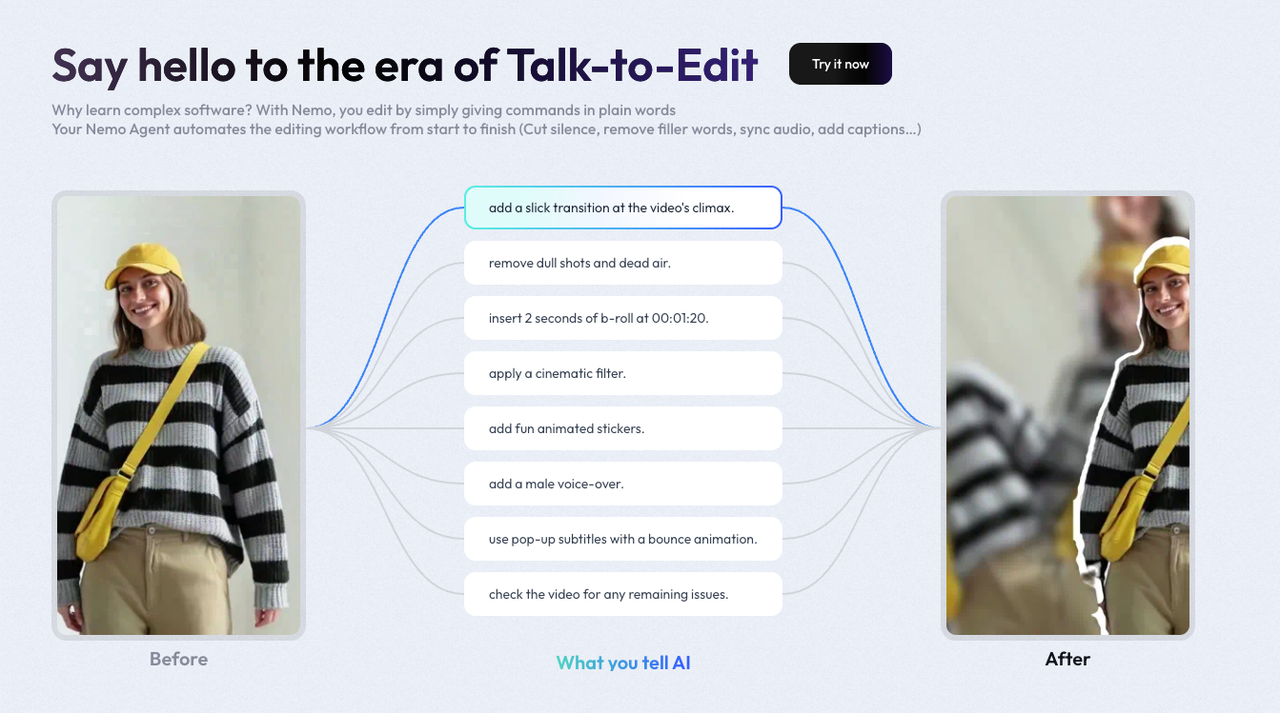
Use Talk-to-Edit to let the AI handle the rhythm and captions.
If you want to explore this workflow deeper, start with the Seedance 2.0 overview, then check what Seedance 2.0 actually is and the common creator FAQs around Seedance 2.0.
👉 Or go straight to the Nemo workspace and start building your next video.