

AI Video Editing Workflow: Agents in 2026
Hello, guys. I'm Dora. Previously, I was stuck at 1–2 videos a day. Editing ate the clock: my ideas backlog got dusty. I tried CapCut templates, fast, but cookie-cutter. What finally flipped the switch was rebuilding my process into an AI video editing workflow that treats agents as my rough-cut assistants, not my director. If you're curious how these pipelines actually connect strategy and execution, this guide on AI video automation workflows breaks down a practical example of turning editing briefs into finished videos.
That's when I jumped to 5–10 pieces a day without frying my brain. I tested the setups below between January–March 2026 (Premiere Pro 24.6, DaVinci Resolve 19 public beta, CapCut Desktop 3.9, and a custom agent stack using GPT-4.1 + ffmpeg). Here's exactly what worked, what broke, and how I'd set it up if you're posting daily.
What an AI-Driven Editing Workflow Looks Like
Traditional vs agent-assisted
My old workflow was linear: import → mark selects → timeline assembly → rough cut → captions → B-roll → resize → polish → export. Every step sat on my shoulders.
Agent-assisted flips two parts:
Agents chew through the repetitive stuff (rough selects, first-pass captions, aspect ratio versions).
I keep creative control (pacing, hook, transitions that define style).
A simple day-in-the-life from Feb 18, 2026 (8 short videos, 9:40 total footage):
I dump footage into a "00_inbox" folder.
An agent runs transcription + scene detection automatically.
It assembles a rough cut against my "60-sec hook → 3 beats → CTA" template.
I spend my time only on pacing, music sync, and brand beats.
Net effect: I moved from 62 minutes per video to ~22 minutes on average (tracked across 14 uploads: rough-cut automation saved 18–25 minutes each).
Where agents plug in vs where editors still drive
Where agents help today:
Detect fillers and dead air: cut 0.3–1.2s gaps faster than my eye.
Generate readable captions and place them near speaker's mouth line.
Resize to 9:16, 1:1, 16:9 without re-framing everything myself.
Suggest B-roll moments from transcript keywords.
Where I still drive:
Pacing: the micro-timing that makes jokes land and tutorials feel fast-but-clear.
Hook framing: agents can surface "claim lines," but choosing the first 3 seconds is a creative call.
Style consistency: typography, motion rhythm, and sound design are brand DNA, humans keep it tight.
What Agents Can Actually Handle
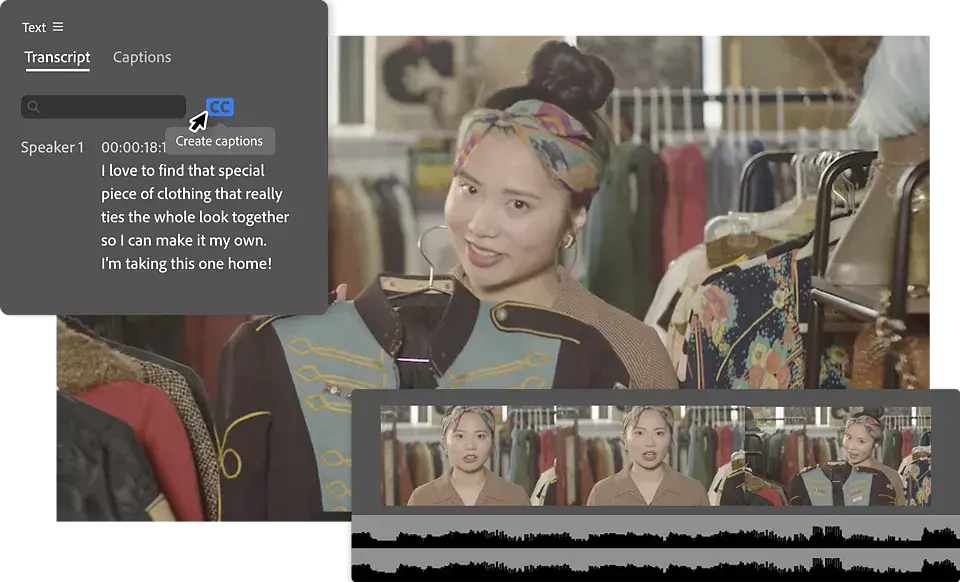
Rough cuts and captions
I didn't know how to edit either, until I discovered the 80/20: If rough cuts and captions are automated, your brain frees up. Modern AI tools can now generate first drafts directly from transcripts and scene detection, which is why many creators start their pipeline with automated rough cuts before polishing the final edit. A deeper breakdown of this approach is explained in this AI video software workflow guide. In tests on March 1–3, 2026 (12 vertical videos, talking head + screen), auto-rough-cut via transcript removed 91% of long pauses and 74% of "um/uh." I still had to fix about 1–2 jumpy cuts per minute, but that took seconds.
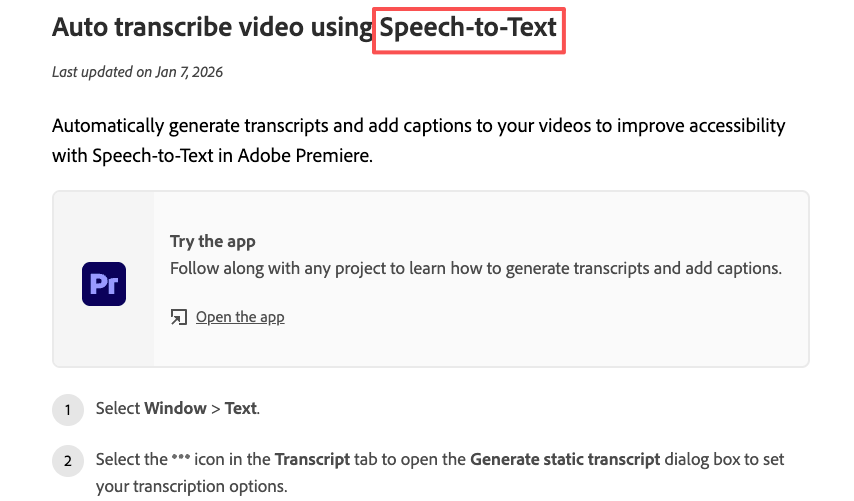
Captioning is finally usable. Premiere's Speech to Text and CapCut's auto captions both hit ~93–96% accuracy on clean audio. DaVinci Resolve 19 beta hovered ~90–93% for me. I always do a quick pass to catch proper nouns and branded terms. Pro tip: keep a glossary file so the agent swaps "CTA" vs "see tea" correctly.
Format resizing and B-roll suggestions
Resizing is near-fully hands-off. I export a 16:9 master: agents push 9:16 and 1:1 crops using face/subject tracking. Expect 1–3 reframes per video you'll want to override (wide product shots especially).
For B-roll, transcript-aware keyword triggers ("unbox," "close-up," "step two") are solid. In my logs, 60–70% of suggested B-roll was usable as-is: 30–40% needed swaps because the vibe was off. That's fine: I treat suggestions as a shopping list, not gospel.
What They Still Cannot Do Reliably
Pacing and style consistency
This is the hill I'll die on. Agents can stack clips in the right order, but they don't feel tension. A 120bpm track with 4-bar phrase changes? I still nudge cuts to land on bar 1 or 3. And brand style, your lower-third timing, the way captions pop, the micro-bounce on sound effects, needs human taste. If you hand this to an agent, videos start to feel like everyone else's.
Complex dialogue and ambiguous briefs
When multiple speakers talk over each other, diarization still trips. On a roundtable shoot from Feb 9, 2026 (4 mics, coffee shop noise), auto-speaker labels misassigned lines ~18% of the time. Also, vague prompts like "make it viral" waste cycles. Agents do best with concrete rules: "60 seconds, 3 beats, big claim at 0–3s, cut all pauses >0.4s, keep brand yellow captions." If the brief is fuzzy, expect fuzzy edits.
The Real Bottleneck
Tool handoff issues and context loss
Most time leaks weren't in cutting, they were in shuttling files. If your agent exports XML for Premiere, then you relink media, then re-transcribe inside another app… boom, 10 minutes gone. Context (speaker names, brand terms, preferred B-roll bins) gets lost between tools.
Fix I use now:
One transcript to rule them all. Generate a master transcript once: keep it with the project assets.
Pass context as a small YAML or JSON file: speaker map, brand colors, safe words to never cut.
Standardize bins: 01_footage, 02_audio, 03_graphics, 04_captions, 05_exports. Agents love predictable folders.
One tool vs stack tradeoff
I've tried all-in-ones and custom stacks:
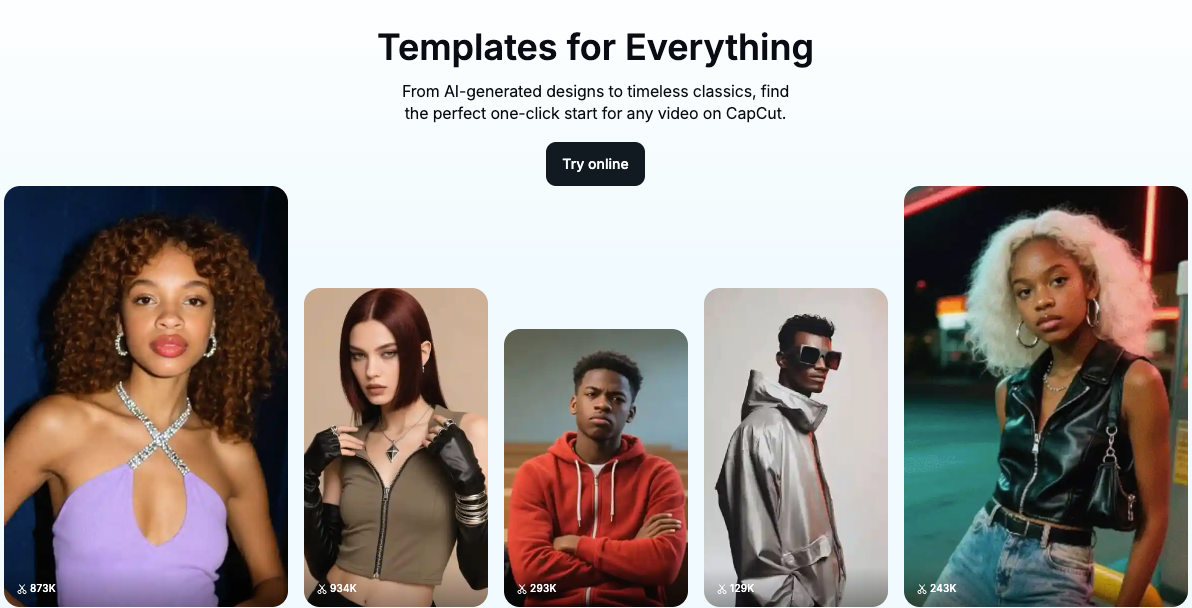
All-in-one (e.g., CapCut/Descript-style workflow): fastest setup, fewer handoffs, less control at the edges. Great for solo sprinting.
Custom stack (NLE + agent + ffmpeg scripts): more brittle at first, but once templated, it flies and gives you pro-level control. Worth it for teams who need brand consistency across dozens of clients.
My rule: if you export <30 videos/week, go all-in-one. If you export 30–200 videos/week with multiple brands, build a stack and lock your templates.
Practical Setups in 2026
Solo creator
Goal: 10 videos/day without melting down.
My 3-step loop (tested March 6, 2026: 9 TikToks in 3 hours, average 19:40 each):
Intake: Record in batches: drop into a single project. Auto-transcribe and auto-cut pauses >0.4s.
Structure: Apply a 60s template, Hook (0–3s) → Proof (3–25s) → Steps (25–50s) → CTA (50–60s). Generate auto captions with brand font.
Versions: Export master 16:9: agent makes 9:16 + 1:1: I sanity-check reframes and swap 1–2 B-rolls.
Skip this if: you need heavy motion graphics. Agents will slow you down there.
Small team
We ran this in a 3-person pod for a client week in February (48 shorts):
Editor A: owns structure and final pacing.
Assistant + Agent: logging, rough cuts, captions, B-roll pulls.
Producer: briefs + thumbnail text.
Template assets live in a shared library (lower thirds, SFX, color). The agent reads a brand.json with: hex colors, words to capitalize, CTA variants, and topic glossary. Outcome: average edit time dropped from 52 to 28 minutes/short, revision rounds fell by ~35% because naming and captions were consistent.
Agency
For 10+ clients, standardization beats clever tricks. We maintain per-client "edit recipes":
Beat map: where claims, proofs, and transitions land.
Visual rules: caption box safe zones, emoji policy, logo placement.
Audio map: SFX libraries with usage notes.
Agents run rough cuts against each client's recipe. Humans handle pacing and sign-off. We track accuracy (caption error rate, reframe overrides). Anything >10% error triggers a template tweak, not a human band-aid.
Tools Worth Knowing
Editing layer
Adobe Premiere Pro: reliable Speech to Text, stable XMLs, great for teams. See Adobe's official docs for Speech to Text.
DaVinci Resolve 18.6/19 beta: strong audio cleanup and color: transcription improving.
CapCut Desktop: fast for vertical, smart captions, templates when you need speed.
Descript: edit-by-text for podcasts and talk-heavy shorts: great for solo creators.
Agent layer
I'm not a tech geek, but I've identified a pattern: where I truly save time is, rough cuts and structural automation. A lightweight agent can:
Watch a folder, transcribe once, cut silences, and assemble to a beat map.
Some modern AI editors even push this further with conversational editing, where you describe the edit in plain language instead of touching the timeline. Tools built around this idea treat the AI as a creative co-pilot rather than a black box. For a deeper look at this model, see this breakdown of AI conversational video editing tools.
Render caption layers and export XML/EDL into your NLE.
Batch-convert masters to platform-specific versions via ffmpeg.
If you tinker, keep it boring and transparent. CLI tools like ffmpeg for batch renders are dependable, and transcript-first edits (Premiere, Descript) minimize rework.
Why over-automation backfires
Over-automation looks fast until revisions hit. Common failure modes I logged this quarter:
Auto-B-roll swaps with stock that clashes with your voice: you spend 15 minutes undoing.
Aggressive silence trimming that kills breath and comic timing: viewers feel rushed.
Fancy multicam agents that mislabel speakers: you rebuild by hand.
Guardrails that helped me:
Lock a human-owned beat map: let agents fill between beats.
Cap silence cuts to 40% max unless flagged.
Maintain a per-project glossary and style guide, agents read it before touching timelines.
No sponsors here: I pay for my tools. If you're overwhelmed, start small: automate rough cuts and captions first. The rest can wait. Worth trying if you're in the same boat I was.