

How to Automate Video Workflow with AI Agents
Hello, my friends. I'm Dora. Imagine this, two years ago, I could barely push out 1–2 videos a day. Editing swallowed my evenings, and "I'll update tomorrow" became "I guess I didn't post this week." I even tried CapCut templates, fast, sure, but too same-y. My stuff blended into the feed. What changed wasn't fancy effects, it was rethinking my workflow with lightweight AI agents. Once I chained them correctly, I jumped to 5–10 pieces per day without frying my brain.
This is my honest playbook for how to automate video workflow with AI agents. I tested everything here the week of March 1–8, 2026 on a MacBook Pro (M2, macOS 14.4). No sponsors. No magic. Just systems you can copy, measurements included.
What Video Workflow Automation Really Means
Tools vs agents
I'm not a tech geek, but I've identified a pattern: tools do a thing: agents decide when and how to do a thing. A tool is Whisper transcribing your audio. An agent is a small workflow that:
Detects a new recording in a folder
Cleans the audio
Transcribes it
Summarizes key beats
Hands you a doc with timestamps, hooks, and cut suggestions
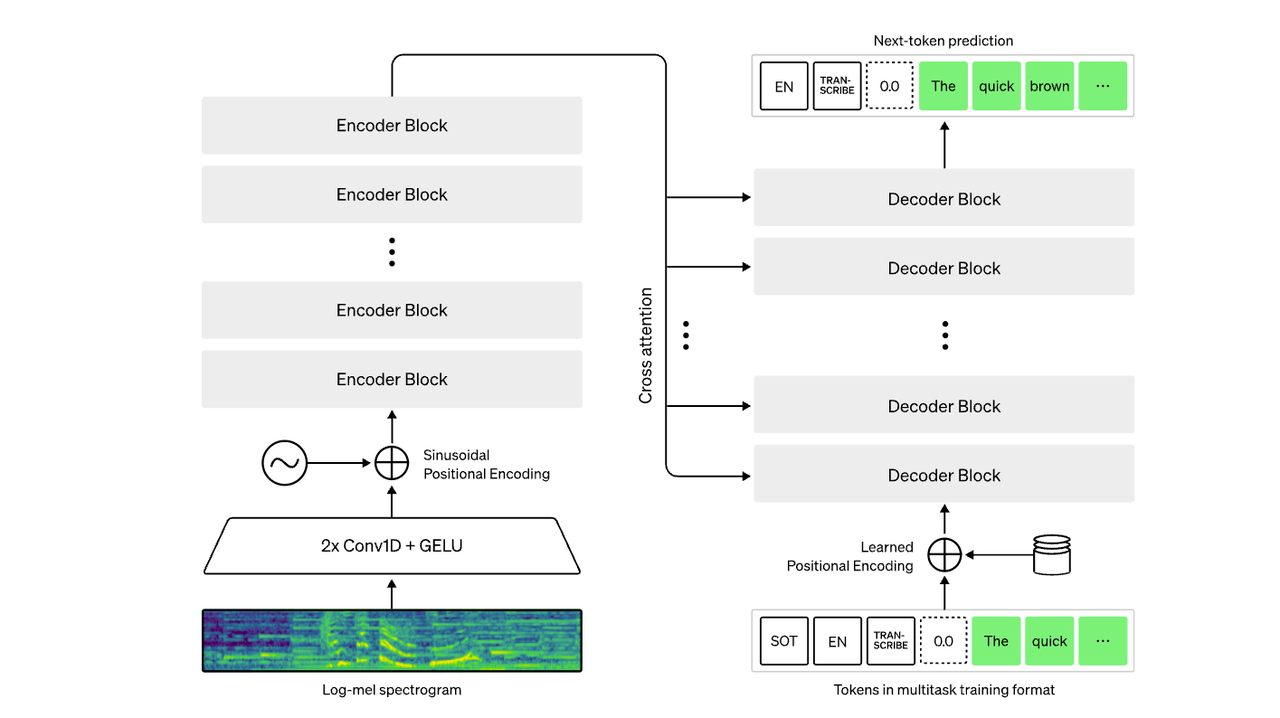
The "agent" isn't one app, it's a chain: file triggers (cloud folder), processing (transcribe/clean), reasoning (draft structure), and output (doc and captions). When people ask, "Which app does it all?", honestly, none that I trust end-to-end. Platforms trying to act as an AI creative co-pilot are getting closer though — some tools now bundle editing, captioning, and distribution logic in one place. For a good example of that idea in practice, see how an AI creative buddy workflow works in modern video tools. But stitching two to four reliable tools gives you 80% of the gains.
What can be automated today
Here's what reliably worked for me now:
Rough cuts: Auto-detector of silences and filler words trimmed 60–70% of dead air. Saved me ~18 minutes on a 6-minute talking-head.
Transcription + captions: Whisper-level ASR got me 95–97% accuracy on clean audio. Auto-burned captions with style presets.
Structure suggestions: Lightweight LLM prompts turned transcripts into beat sheets, headlines, and thumbnail text options. Took ~45 seconds per draft.
Reformatting: Square, 9:16, 16:9, safe areas, output LUTs, batchable.
Distribution prep: Title variations, hashtags, and first comments generated based on the transcript and brand rules.
What still needs a human
Taste: Which hook actually fits your voice. Agents pitch: you pick.
Story pacing: Agents can suggest cuts: only you feel when to breathe.
💡Compliance/context: Product claims, health/finance topics, or anything with legal nuance, don't outsource.
Final polish: Color, music accents, sound design. This is where your "signature" lives.
If you hold the steering wheel on taste and keep agents on repetitive tasks, you'll keep your voice intact.
Stages You Can Actually Automate
Research and topic sourcing
I didn't know how to systematize ideas either, until I discovered I could treat research like inventory. Here's the agent I use:
Trigger: 8 a.m. daily, pull top 20 trending sounds/hashtags from TikTok (via a tracker like TrendTok or manual export), plus 10 YouTube Shorts with 100k–500k views in my niche from the last 7 days.
Process: An LLM clusters topics by angle (tutorial, myth-busting, teardown, transformation) and extracts repeatable structures.
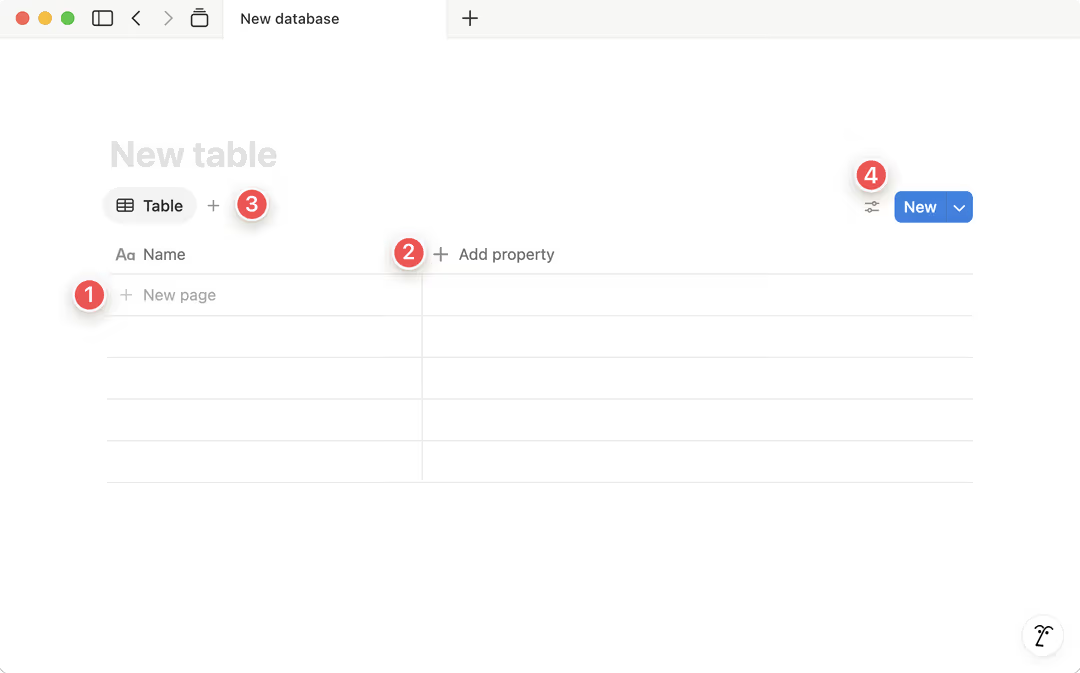
Output: A Notion database gets 15 content cards with: working title, 3 hooks, sample B-roll notes, and a "why this works" line.
Time saved: ~35 minutes/day. Accuracy: good enough, about 60% of cards are usable without edits. Tested March 3–7, 2026: average generation time: 1–2 minutes per batch.
Ready-to-use hooks (fill-in):
"I wasted [X hours] so you don't have to: [result in 10 seconds]"
"This is why your [niche result] stalls at [pain point], and how to fix it in 2 steps."
"I copied [creator/tool], here's what actually worked (and what didn't)."
Script and structure
Editing TikTok isn't hard, the challenge is efficiency. I now finish scripting in 3 steps:
Record messy talking head (3–6 min). Don't overthink.
Agent roughs a beat sheet: hook, 3 bullets, CTA. It also proposes a 45–60s cut path.
I approve or tweak. If the hook feels off, I ask for 5 alternatives graded by "spicy to safe."
Template you can swipe:
Hook (0–3s): "The mistake that killed my [result] for 6 months."
Proof (3–10s): "I tested it 15 times last week, here's what I measured."
Steps (10–45s): 1) Remove X, 2) Add Y, 3) Show Z
CTA (45–60s): "Comment ‘template' and I'll share the checklist."
Numbers from my tests (March 2026):
Beat-sheet generation: 30–50s
Hook alternatives: ~12s
Human tweaks: 3–5 minutes
Net: scripting time dropped from ~25 minutes to ~6–8 per video.
Editing, captions, and format
Where I truly save time is, rough cuts and structural automation.
Rough cut: Auto-remove silences/ums with tolerances you preset. Some newer AI editors even analyze speech rhythm and context to decide which pauses should stay and which should go — the same idea behind automated smart silence removal in AI video editing workflows. My default: remove gaps >350ms, keep breath sounds under -35 dB. This shaved ~18 minutes off a 6-minute raw.
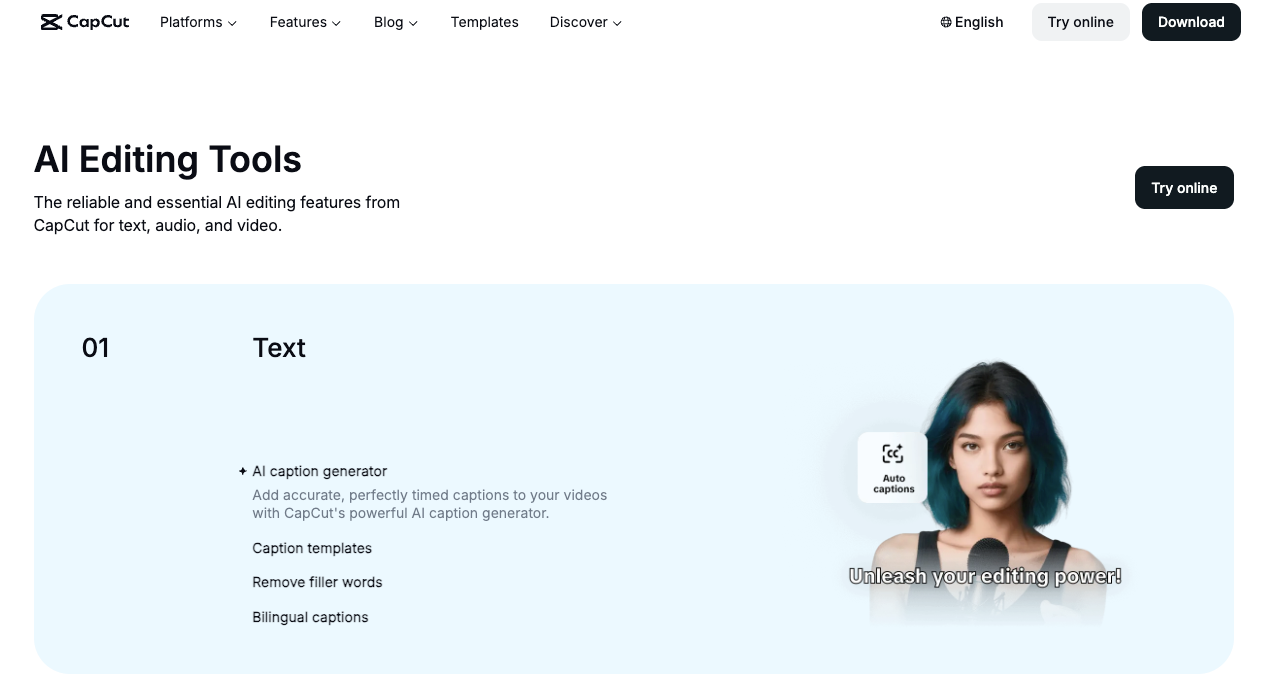
Captions: Auto-generate + style rules (font/size/shadow/keyword highlight). I keep two presets: "Tutorial Clean" and "Story Bold." Applying presets and exporting SRT: 40–70 seconds.
B-roll markers: Agent suggests B-roll at timestamps linked to nouns/verbs in transcript (e.g., "scroll," "budget," "before/after"). I pick 5–8 of them. Selection: 2–3 minutes.
Format packs: Export 9:16, 1:1, 16:9 simultaneously with safe-text bounds. I use a template that adds 10% top/bottom padding for TikTok UI.
Reality check: auto-color and auto-audio leveling are fine for drafts but still need your ear. I spend ~3 minutes per video on final EQ and music balance.
Multi-platform output
A Creator's workflow can actually be rebuilt with AI, especially distribution. One underrated trick is repurposing existing content — turning scripts, blog posts, or longer videos into short-form clips for multiple platforms. If you're exploring that direction, this guide on turning blog content into short-form video automatically shows how creators repurpose written content into TikTok, Reels, and Shorts.
Titles x10: Agent generates platform-specific variations: TikTok (punchy, <40 chars), YouTube Shorts (keyword + curiosity), Reels (benefit first). I approve 1 each in under a minute.
Hashtags: Pulls from my brand-safe list + trend scrape. I cap at 3–5 per post to avoid noise.
Thumbnails: Agent proposes 3 text overlays based on the hook. I keep a PSD/Canva template: swapping text takes 60–90 seconds.
Descriptions and first comment: Auto-inserts timestamps or resources. If it mentions an affiliate, I force-add a disclosure line.
Time saved across outputs: ~12–15 minutes/post. Batch 5 at a time and it compounds.
Publish and Learn
Scheduling and logging
I used to post ad hoc and then forget what I tried. Now it's boring, but it works:
Scheduling: Queue posts in your platform schedulers or a hub like Buffer/Later. My agent checks for missing elements (caption, cover, tags) before scheduling.
Logging: Every published link writes back to a Notion table: date, platform, format, hook used, runtime, and a permalink. It also captures a thumbnail screenshot for quick visual audits.
This removed the "what did I post?" tax completely. Setup took me ~40 minutes once: now it runs quietly.
Using performance data to feed the next cycle
After 48 hours, the agent pulls views, watch time, CTR (where available), and retention curves. It flags:
Hooks that hit 3-second hold >60%
Drop-off spikes >35% at any timestamp
Topics that repeatedly underperform (3 tries in 14 days)
Then it drafts next-week recommendations: "Double-down on ‘X in 2 steps' format," "Retire ‘tool roundup' for now," or "Test 15s micro-cuts on Tuesdays."
Numbers: this feedback loop boosted my 3-second hold from ~51% to 62% over three weeks (March 2026, n=27 videos). Not a miracle, just better bets, faster.
Realistic Expectations
Full automation vs partial automation
Full automation is tempting, but I haven't seen it beat a focused partial setup. My "sweet spot" is agents owning: rough cuts, captions, structure drafts, metadata, and scheduling. I keep: hook choice, final pass, and brand judgment. That split chopped my end-to-end per-video time from ~55 minutes to ~18–22, while maintaining tone.
When automation slows you down
New formats: First 3–5 attempts need manual intuition. Let agents watch: don't let them drive.
Noisy audio or accents: ASR error creeps up: cleanup time cancels gains. Record better or skip automation for that clip.
Over-tuning prompts: If you spend 15 minutes perfecting a prompt to save 4 minutes in edit… you lost.
Tool sprawl: Five overlapping apps equals brittle workflows. Start with two, or you'll be debugging at midnight.
Worth trying if you're in the same boat I was: keep agents on the repetitive scaffolding, you steer the story. It isn't perfect, the occasional caption still mishears product names, and sometimes a template just… flops. But if your goal is to publish more good videos, more often, this is the most honest lever I've found.