

Best AI Music Video Generators in 2026
I almost shipped a lyric video built around the wrong track. Not wrong as in a bad take — wrong as in I didn't own the audio.
The tool accepted the file without a single flag. I spent two hours on it before catching it during export.
That's the kind of thing that doesn't show up in most tool roundups — and it's exactly what this one is about.
Hey there, it's Dora. I've been batch-producing short-form video content under real delivery pressure for over a year — not demo files, not sample tracks.
The tools that actually survive that environment are a short list. Here's what I found.
What Counts as an AI Music Video Generator
The category has a terminology problem. "AI music video generator" describes at least three completely different products — and buying the wrong one wastes more time than it saves.
Lyric Videos vs. Visual Music Videos vs. Visualizers
A lyric video animates your text. Timing, motion style, word-by-word highlighting. The visual is subordinate to the words. Fast to ship, works well for social cuts and YouTube releases where the song does the heavy lifting.
A visual music video analyzes your track — BPM, verse-chorus-bridge structure, energy curves — and generates synchronized scene changes, transitions, and sometimes character performance to match what the music is actually doing. This is the hardest to build and where most tools fall short.
A visualizer maps your audio stems (drums, bass, synth) to abstract animated patterns. No story, no lyrics, no faces. Common for electronic, ambient, and lo-fi channels. Some of the best tools in this category are purpose-built for exactly this workflow and nothing else.
These three categories share a marketing label but are functionally different products. Knowing which one you need before you sign up is the single most useful thing this article can tell you.
Song Input vs. Prompt Input
Song-input tools analyze an audio file or link. The music drives the output.
Prompt-input tools take a text description. "Neon city, night rain, 90s aesthetic." The music becomes background, not a driver.
For indie artists making actual music videos around their own tracks, song-input tools are almost always the right choice. Prompt-input tools suit content creators who need visuals around licensed audio — but aren't trying to build a music-driven narrative.
Best Tools by Workflow
Song-to-Video — Upload Track, Generate Scenes
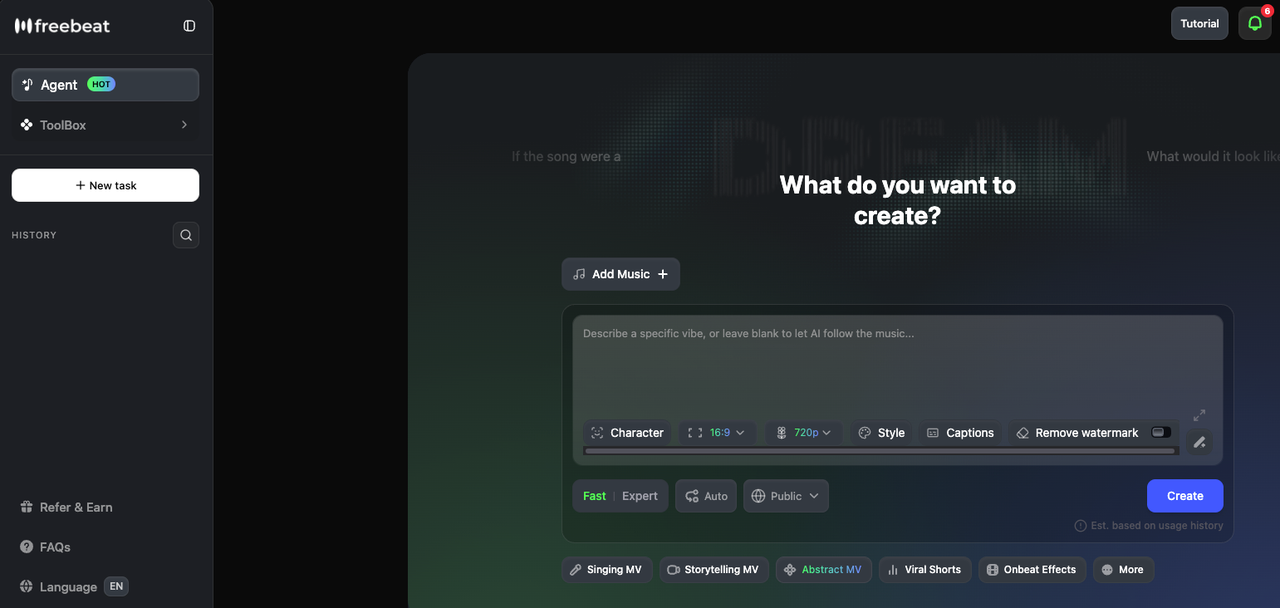
Freebeat is the most complete song-to-video pipeline available right now. According to its February 2026 press release, the platform's proprietary music-vision model — built since 2021 — analyzes BPM, beat grid, verse/chorus/bridge sections, energy curves, and spectral characteristics before rendering a single frame. The storyboard is generated first; you can edit it shot by shot, adjust per-scene prompts, and choose style (cinematic, anime, neon noir) before committing to render. It supports tracks up to 6 minutes, exports in 16:9, 9:16, and 1:1 at 1080p, and integrates directly with Suno — paste a link, it extracts audio and builds a synchronized video without downloading anything. One honest caveat: character consistency across four or five different scenes can be inconsistent as of early 2026, per independent testing.
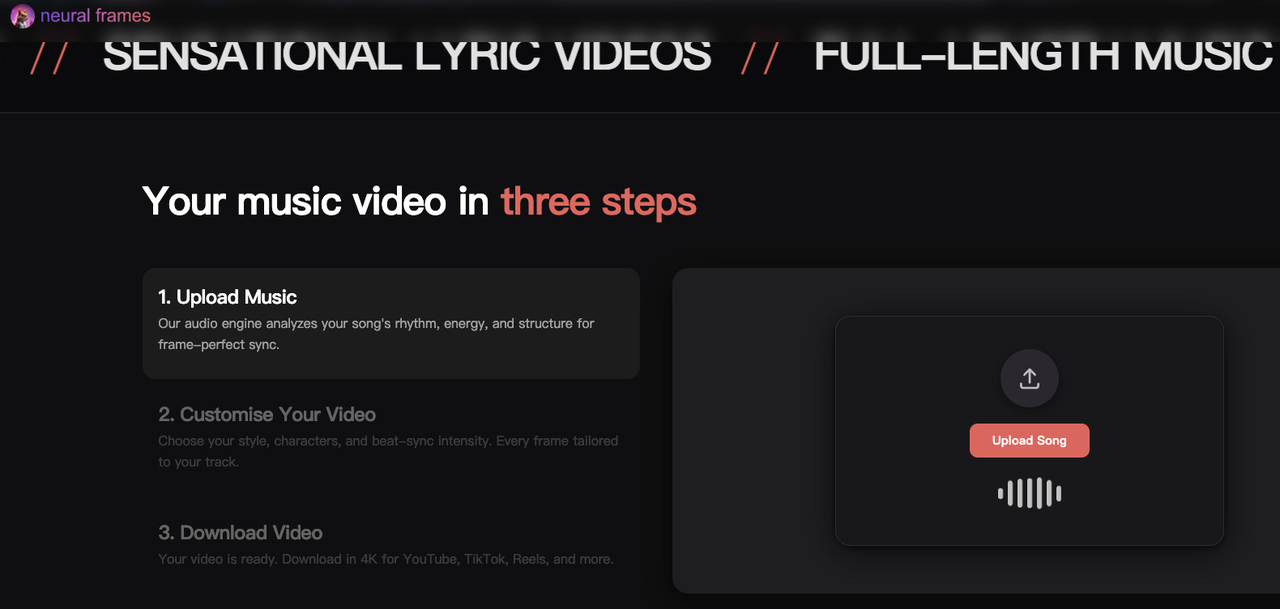
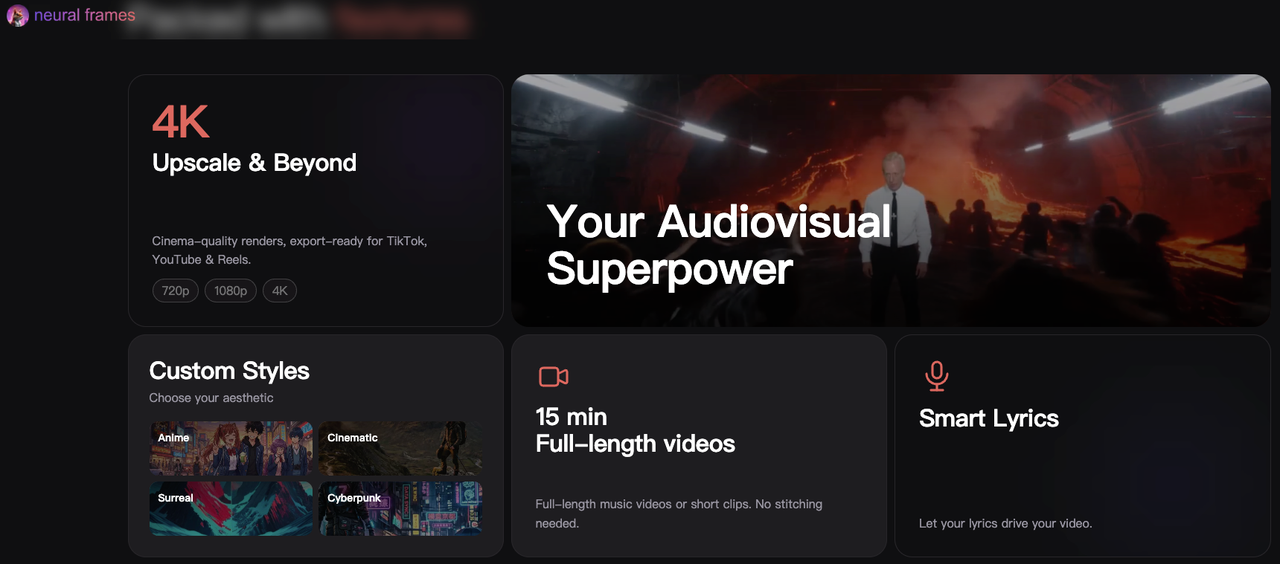
Neural Frames takes a different approach that I find genuinely interesting for more complex production. Rather than BPM-level beat detection, it runs 8-stem analysis — separating vocals, drums, bass, synths, and more — then maps distinct visual behaviors to each frequency layer independently. A hi-hat pattern, a vocal phrase, a bass drop each drive their own visual logic. The result feels engineered for the music in a way that tempo-only sync doesn't. Neural Frames' Autopilot feature goes from upload to complete storyboard in under 10 minutes; the Frame-by-Frame Editor gives DAW-level control for those who want it. Exports at 4K with no additional charge.
Lyric-to-Video — Lyrics + Style → Lyric Video
Neural Frames also handles this category well. Its lyric video maker automatically extracts lyrics from the uploaded track, locks to vocal timing, and renders the words as part of the generated visual scene rather than as a caption overlay — a meaningful distinction for artists who want something that looks designed rather than subtitled. Exports in 4K, supports 16:9 and 9:16, works with non-English lyrics and fast vocal delivery.
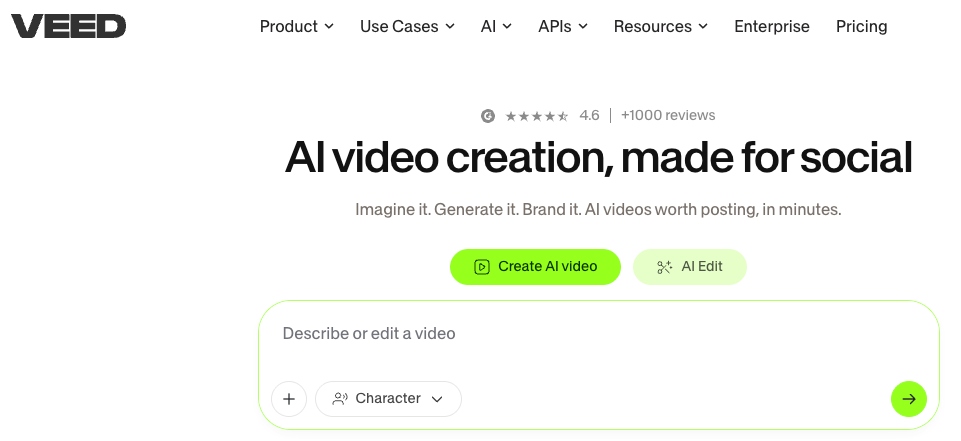
For simpler, faster lyric overlay work: VEED handles standard lyric video needs without the setup cost of a music-specific platform. Drop in lyrics, pick an animation style, adjust timing. No song-structure analysis, but if you know exactly what you want and the song doesn't require a visual narrative, it's faster.
Prompt-to-Music-Video — Concept → Full Scene
Runway Gen-3 produces the most cinematically convincing AI video clips available. Lighting physics, material texture, camera movement — the raw quality is real, and it shows in individual clips. The workflow limitation is equally real: there's zero audio integration. No BPM detection, no song-structure awareness. You generate clips from text prompts, export to a video editor, time cuts to your track manually, overlay lyrics separately, and reformat for each platform yourself. For creators with editing infrastructure who want the highest quality footage, that trade-off is worth it. For anyone who needs an automated pipeline, it isn't.
Kaiber sits between the categories. Its Beat Sync feature reads BPM and aligns visual transitions automatically, with three template options — High Energy, Cinematic, Time Skip — that adjust cut frequency and style. Fast for short-form social content: Spotify Canvas loops, Instagram teasers, single-song promotional clips. The ceiling it hits: audio reactivity is energy-level detection, not structural analysis. Each scene generates independently, so character consistency across a full-length video isn't viable. Good tool, specific brief. Kaiber has been used for Linkin Park's "Lost" anniversary visual, which is a legitimate credibility signal for what it does well.
Comparison Table
Tool | Primary Input | Audio Sync | Lyric Overlay | Max Length | Commercial License | Best For |
Freebeat | Song file / URL | Full structural analysis | Yes (karaoke-style) | 6 min | Yes (paid) | Full MV, lip sync, narrative |
Neural Frames | Audio stems | 8-stem reactivity | Yes (integrated) | Unlimited | Yes (all paid) | Electronic / visualizer / lyric MV |
Kaiber | Audio + prompt | BPM beat sync | No | ~60s/clip | Yes (Pro/Creator) | Short-form, social, Spotify Canvas |
Runway Gen-3 | Text / image prompt | None (manual) | No | Per clip | Yes | Cinematic clips, external editing |
VEED | Lyrics + timing | None | Yes (overlay) | Varies | Yes | Quick lyric video, social cuts |
Confirm current plan terms on each platform before subscribing.
How to Actually Finish a Music Video with AI
The generation step is maybe 30% of the work. The rest is getting it to hold together across platforms.
Beat-Synced Cuts and Transitions
If the tool you're using doesn't handle beat sync natively, you're doing it in an editor. The mechanical version: export your audio, drop it into Premiere or CapCut, use beat detection to mark transients, align cuts to those markers. More control, more time.
For tools with native sync (Freebeat, Neural Frames, Kaiber), automated BPM detection handles tempo accurately. Where it tends to miss: dynamic range. A soft verse and a crashing chorus running at the same cut frequency feels flat. Manually adjust transition density on quiet sections if the pacing reads wrong.
Lyric Overlays and Captioning
Tools like Neural Frames integrate lyrics directly into the generated scene — the words become part of the image, not a caption layer. For everything else, drop your lyrics into a subtitle editor, sync timing to the audio, and overlay in post. The common error: copying a subtitle timing file between platforms without rechecking offsets. TikTok and YouTube process timing slightly differently. Verify on both before posting.
Exporting for YouTube vs. Shorts / Reels
YouTube full video: 16:9, minimum 1080p, H.264. Most tools export this format by default.
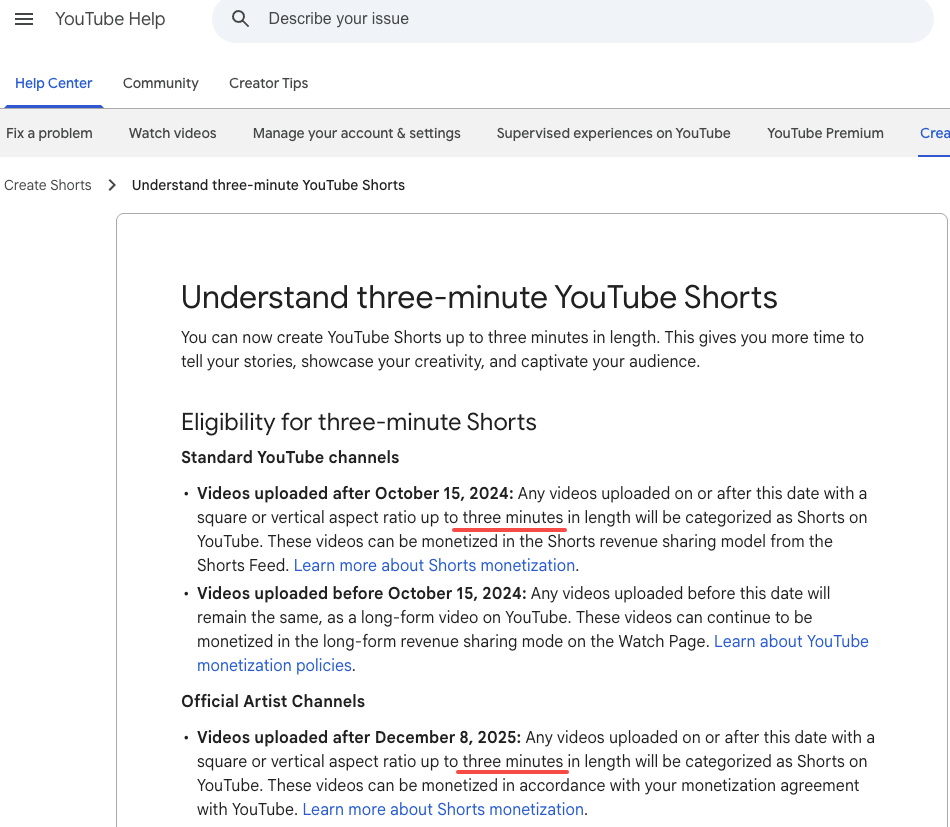
YouTube Shorts, TikTok, Instagram Reels: 9:16, 1080×1920. According to YouTube's official Shorts help page, any vertical or square video up to 3 minutes uploaded after October 15, 2024, is automatically classified as a Short. Music licensing matters here: for Shorts over 60 seconds, you need royalty-free tracks or music from YouTube's Audio Library — licensed commercial music clips are capped at 60 seconds or flagged for a Content ID claim.
Don't crop a 16:9 frame into 9:16 — reframe it. The subject position usually needs to shift, not just get trimmed.
Rights & Licensing Pitfalls
Your Own Song vs. Copyrighted Tracks
One rule: use AI music video tools with music you have rights to.
If you composed the track yourself, you likely own it outright. If you used samples — even royalty-free samples — read the sample license. Some royalty-free licenses cover streaming but not commercial video distribution.
If your music was generated by an AI audio tool: ownership depends on platform and subscription tier. Suno's Pro and Premier plans grant commercial use rights to outputs; free tiers do not. Udio's October 2025 settlement with Universal Music Group changed its download model — as of 2026, paid Udio users can no longer export tracks, so those files can't be used in external video tools. ElevenLabs paid-plan outputs carry perpetual commercial rights.
The practical steps: document your track's provenance, read AI platform commercial rights terms carefully (the marketing page and the terms of service are not always the same), use paid tiers for anything you intend to distribute, and don't run a track you don't own through a video generator and post the result.
FAQ
Can I upload a copyrighted song to an AI music video generator?
Most tools accept any audio file without a licensing check on your end. YouTube's Content ID system flags audio — not AI-generated visuals — so if the underlying track is claimed, the video gets claimed. Use your own music or properly licensed tracks.
What's the best free option?
Neural Frames provides free credits at signup. Runway's free tier covers a few clip generations. Neither is production-ready for commercial release — they're for evaluating workflow fit before paying.
What's the maximum length AI can generate?
Freebeat supports up to 6 minutes. Neural Frames handles full-track generation with no stated cap. Kaiber generates clips in the 5–60 second range that require stitching. Runway generates individual clips at 4–15 seconds. Confirm current limits directly on each platform.
Are beat-synced cuts automatic?
Freebeat and Neural Frames: yes, as a core feature. Kaiber: yes via Beat Sync at BPM level. Runway and VEED: manual. Structural dynamics — verse vs. chorus pacing — usually need manual review even on tools with automatic sync.
Final Picks
For indie artists making a real music video: Freebeat is the most complete workflow in this category. Song-structural analysis, lip sync, narrative modes, 6-minute track support. It's not a one-button tool — there's a learning curve on the storyboard editor — but it's built for this specific problem.
For electronic artists, producers, ambient and experimental: Neural Frames. The 8-stem reactivity produces output that tracks what your music is doing at a frequency level that BPM detection doesn't reach. 4K output, no extra charge, character consistency available across the full project.
For TikTok and social-first creators: Kaiber for distinctive animated styles and fast Beat Sync export. VEED if the primary need is lyric overlay. Both ship faster than the full music video tools.
For creators with editing infrastructure: Runway Gen-3. The highest quality footage per clip of anything in this comparison. The trade-off is manual assembly for everything else.
The distinction that keeps coming up in testing: tools that understand song structure — that map verse, chorus, and drop to different visual logic — produce output qualitatively different from tools that only detect tempo. That gap is visible in the final video. It's worth knowing which category your tool falls into before you start.
Previous Posts: