

Hi, I'm Dora. Last month I repurposed a single 42-minute YouTube interview into 23 short clips for TikTok, Reels, and Shorts. Manually, that job used to eat my entire Monday. With the right AI video repurposing tools, it took under 90 minutes — and three of those clips cracked 100K views within a week.
If you're still manually scrubbing through timelines looking for "the good part," this guide is for you. I tested seven of the best video repurposing software options available in April 2026.
Why Video Content Repurposing With AI Is Non-Negotiable in 2026
Short-form video isn't slowing down. According to Wyzowl's 2025 Video Marketing Survey, 91% of businesses now use video as a marketing tool. But producing one long-form video and calling it a day leaves massive distribution value on the table.
A 30-minute podcast can yield 10-25 short clips. Each platform has different aspect ratios, caption styles, and pacing expectations. Doing that conversion manually means re-editing the same footage four or five times.
What to Look for in the Best Video Repurposing Software
-
Clip detection accuracy — Does the AI actually find your best moments?
-
Multi-platform formatting — Can it export one clip in 9:16 for TikTok, 1:1 for LinkedIn, and 16:9 for YouTube?
-
Caption quality — Auto-generated captions should be 95%+ accurate, word-level synced, and styleable.
-
Post-production features — B-roll, audio cleanup, transitions.
-
Pricing vs. output volume — If you're repurposing 10+ videos a month, per-minute pricing adds up fast.
The 7 Best AI Video Repurposing Tools in 2026
Tool
Best For
AI Clip Detection
Multi-Platform Export
Auto Captions
Starting Price
NemoVideo
Full repurposing + viral optimization
SmartPick (scores every segment)
Platform Intelligence (10+ formats)
SmartCaption (word-level)
Free trial / $4.17 first month
OpusClip
Podcast and interview clipping
ClipAnything
Reframe to vertical
Built-in
Free tier / $15/mo
Descript
Text-based editing workflows
Underlord AI
Manual resize
Industry-leading transcription
Free tier / $24/mo
Vizard.ai
Quick clip generation
Auto-detect highlights
Multi-ratio export
Auto captions
Free tier / $16/mo
Kapwing
Team collaboration + editing
Basic clip suggest
Resize tool
Smart subtitles
Free tier / $16/mo
Quso.ai
Repurposing + social scheduling
AI scene detection
Platform presets
Auto-subtitle
Free trial / $29/mo
Munch
Data-driven clip ranking
Trend-based scoring
Platform-specific outputs
Auto captions
Free trial / $49/mo
-
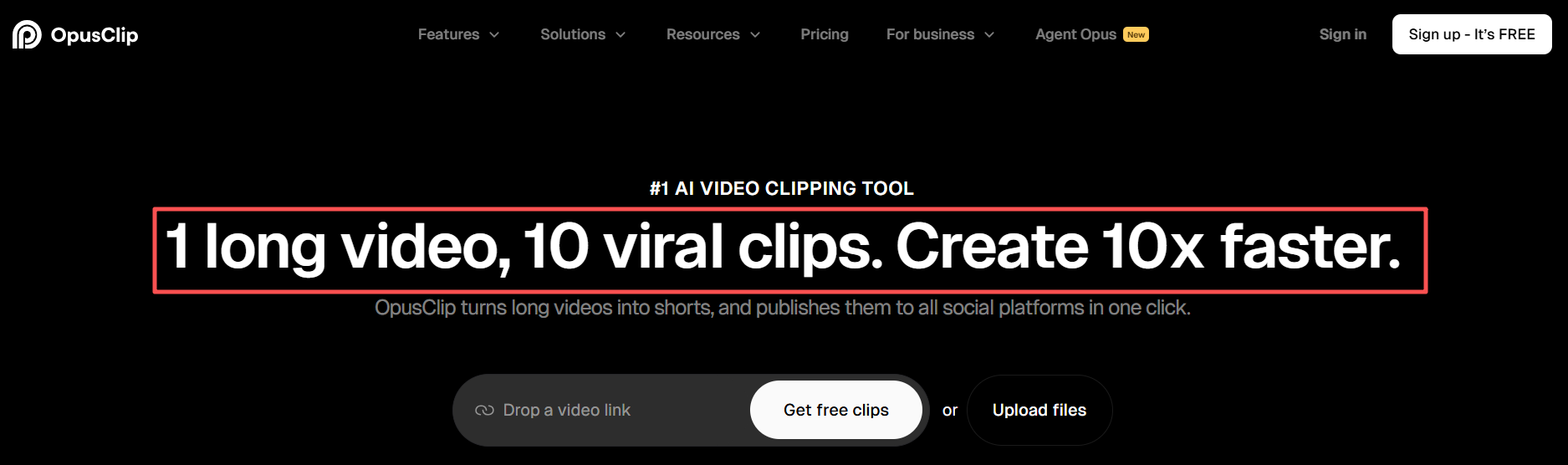
OpusClip has built serious momentum — 16 million users and counting. Their ClipAnything model handles diverse genres well. But it's primarily a clipping tool.
-
Descript remains the gold standard for text-based video editing. Its Underlord AI assistant is genuinely useful. The catch? Multi-platform reformatting requires manual work.
-
Vizard.ai and Kapwing are both solid mid-range options. Vizard leans toward speed — paste a YouTube link, get clips in minutes. Kapwing gives you more creative control.
-
Quso.ai bundles repurposing with social scheduling. Munch uses trend data to score clips — smart, but priciest at $49/month.
How to Repurpose YouTube Videos for TikTok With AI
Step 1: Feed your source video to the AI. Most tools accept a YouTube URL directly.
Step 2: Review AI-selected clips. SmartPick doesn't just find "interesting" moments — it scores every segment based on hook strength, emotional peaks, and information density.
Step 3: Choose your target platforms. Platform Intelligence auto-adapts aspect ratio, safe zones, and caption placement for each destination.
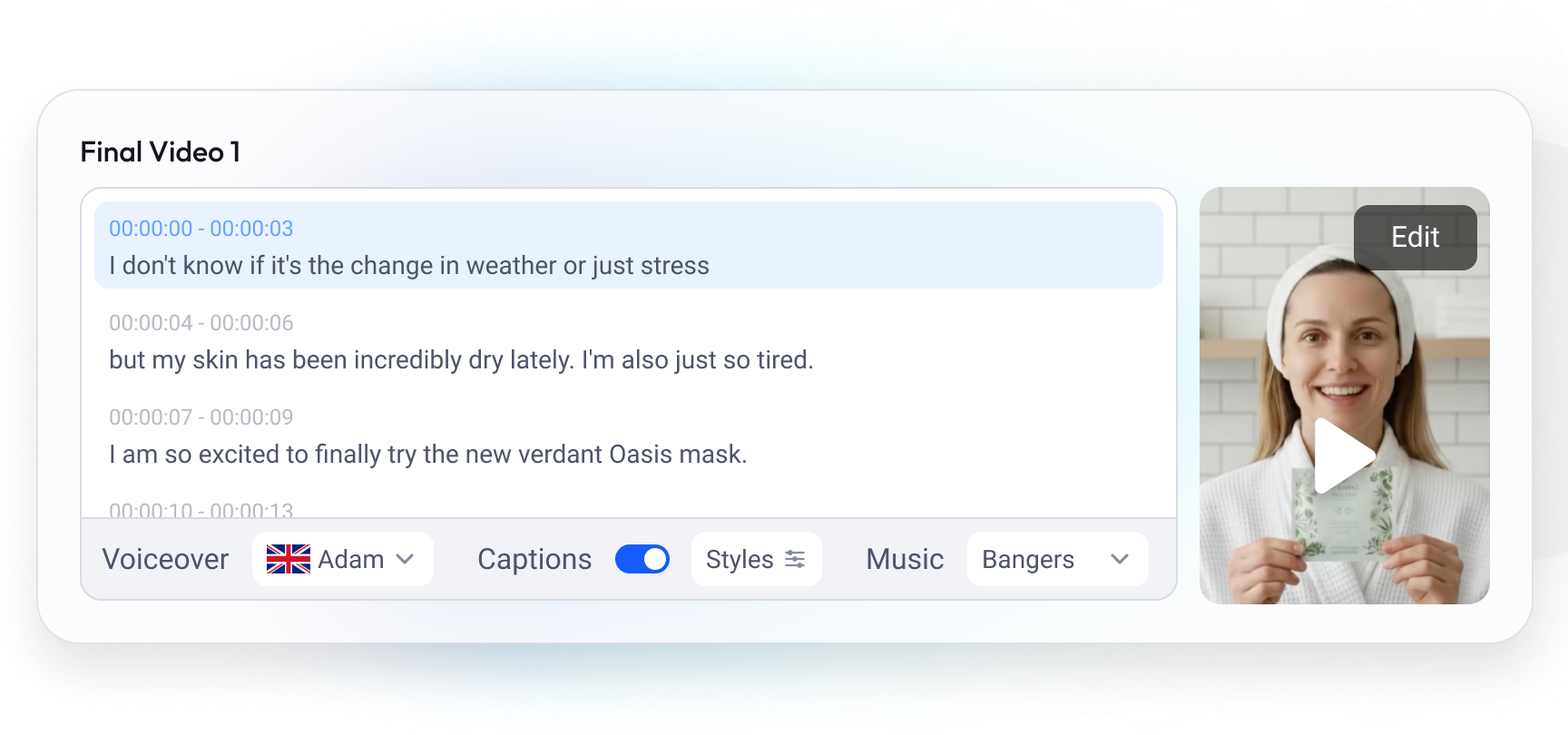
Step 4: Add captions and polish audio. SmartCaption generates word-level synced captions. Pair with SmartAudio to clean background noise and normalize volume.
Step 5: Export and distribute. Your clips are platform-ready.
How NemoVideo Handles the Full Repurposing Pipeline
I fed a 45-minute webinar recording into NemoVideo. SmartPick identified 14 clip candidates in about 3 minutes. I selected 6 clips. Platform Intelligence generated versions for TikTok (9:16), YouTube Shorts (9:16), and LinkedIn (1:1) — automatically.
SmartCaption added word-level captions to all 18 clip versions. SmartAudio normalized the inconsistent webinar audio.
Total time: 22 minutes for 18 publish-ready clips from a single source video.
If you want to go further, Viral Studio can restructure clips with proven viral hooks from the Inspiration Center.
⚡️See how NemoVideo turns one recording into 18 clips — free to start.
What Most AI Clip Generators Still Get Wrong
1. Clip detection that ignores context. Many tools clip based purely on audio energy or keyword density.
2. One-size-fits-all formatting. Reframing a 16:9 video to 9:16 by center-cropping is lazy.
3. Captions as an afterthought. 85% accuracy means roughly one error every two sentences.
4. No post-production bridge. If the AI hands you a raw clip and expects you to open DaVinci Resolve for music and transitions, the time savings evaporate.
How to Build a Video Repurposing Strategy That Scales
Repurposing one video occasionally is easy. Building a system that turns one source video into 30-50 clips per week without burning out? That takes a strategy.
Here's the weekly workflow I've built for a client producing 2 long-form videos per week, targeting 40+ short clips across 5 platforms.
-
Monday: Batch capture (2 hours). Record or finalize both long-form videos. Export at highest quality. Upload to NemoVideo and start SmartPick analysis on both videos simultaneously.
-
Tuesday: Clip selection and editing (2 hours). Review SmartPick's top-ranked clips. Select 15-20 clips per source video. Apply any manual adjustments — reordering, trimming hooks. SmartCaption processes captions for all clips in one batch.
-
Wednesday: Platform adaptation (1 hour). Platform Intelligence generates platform-specific versions. Review the 9:16, 1:1, and 16:9 variants. Quick spot-check on caption placement and safe zones across formats.
-
Thursday-Friday: Scheduling (1 hour total). Upload finalized clips to your scheduling tool — Buffer, Later, or native platform schedulers. Stagger posting times across platforms.
Total active time: ~6 hours per week for 40+ clips. That's roughly 9 minutes per finished clip, including all platform variants.
Three automation nodes that save the most time:
-
AI clip detection eliminates 60-70% of manual scrubbing through footage
-
Batch captioning** **saves 3-5 minutes per clip compared to manual subtitle creation
-
Auto-reformatting eliminates the need to manually re-edit for each aspect ratio
At scale, the tool choice matters less than the workflow discipline. But tools that batch-process multiple videos simultaneously — rather than one clip at a time — create the biggest efficiency gains.
Video Repurposing ROI: The 4 Numbers You Should Actually Track
If you can't measure it, you can't justify the budget. Here are the four metrics that matter for video repurposing ROI.
-
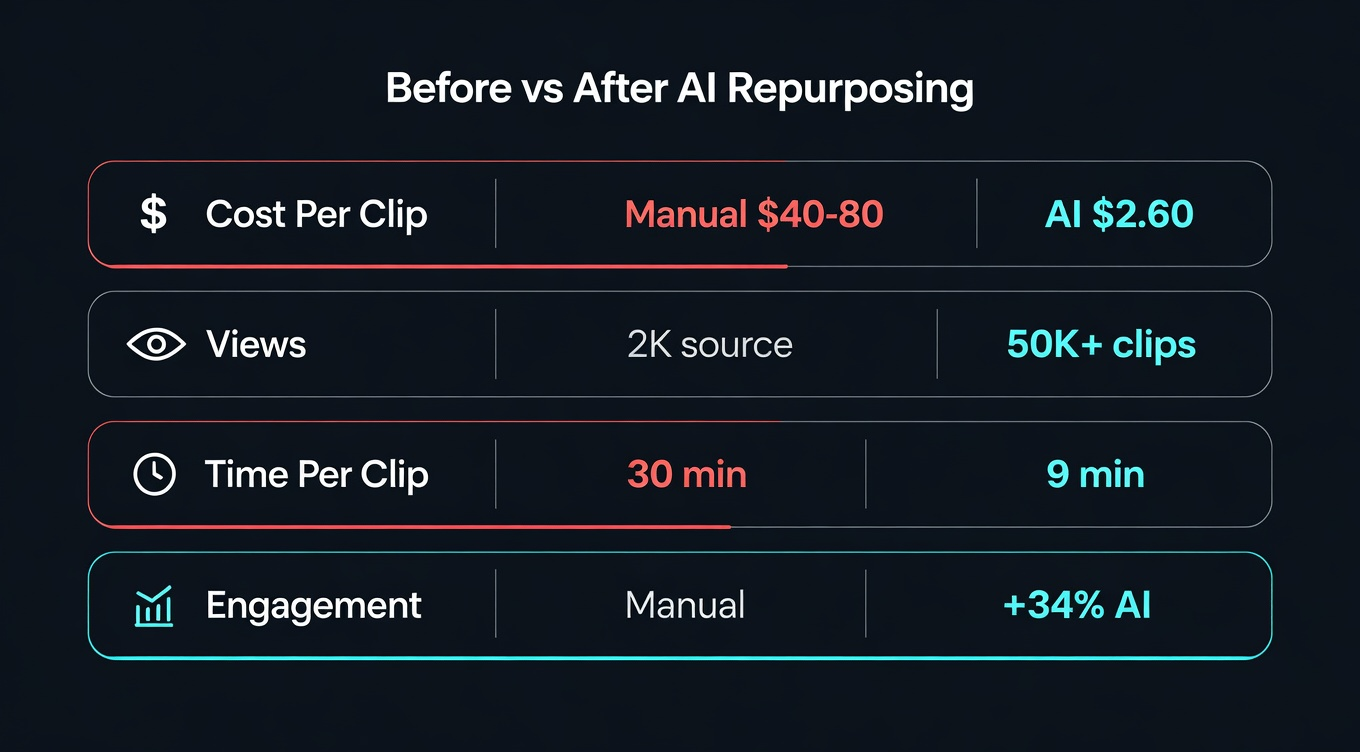
**Metric 1: **Cost per clip. Divide your total monthly spend (tools + time) by total clips produced. Without AI, a freelance editor charges $40–80 per short clip. With AI tools, I measured my average at $2.60 per clip on NemoVideo Starter, with my time valued at $50/hour. That's a 7x cost reduction.
-
Metric 2: Views per source video. Track total views across all clips derived from each source video. A 30-minute YouTube video might get 2,000 views — but 20 short clips from that same video might accumulate 50,000+ views across TikTok, Reels, and Shorts. Your source video's true reach is the sum of all derivatives.
-
Metric 3: Time saved per clip. Manual clipping, reformatting, captioning, and posting takes roughly 25–35 minutes per clip. With SmartPick + SmartCaption + Platform Intelligence, that drops to about 9 minutes. At 40 clips/week, that's 10–17 hours saved weekly.
-
Metric 4: Engagement rate delta. In my testing with Viral Studio's hook recommendations from the Inspiration Center, AI-selected clips averaged 34% higher engagement than my manual picks across a 4-week period. The AI is better at identifying what performs because it's analyzing patterns across millions of viral clips.
Monthly ROI formula:
ROI = (Value of time saved + Revenue from additional content) − Tool costs.
For a creator producing 40 clips/month: time saved ≈ 50 hours × $50/hr = $2,500, tool cost ≈ $50/month, net ROI ≈ $2,450/month.
The math works at almost any scale.
Platform-Specific Repurposing Tips That Actually Matter
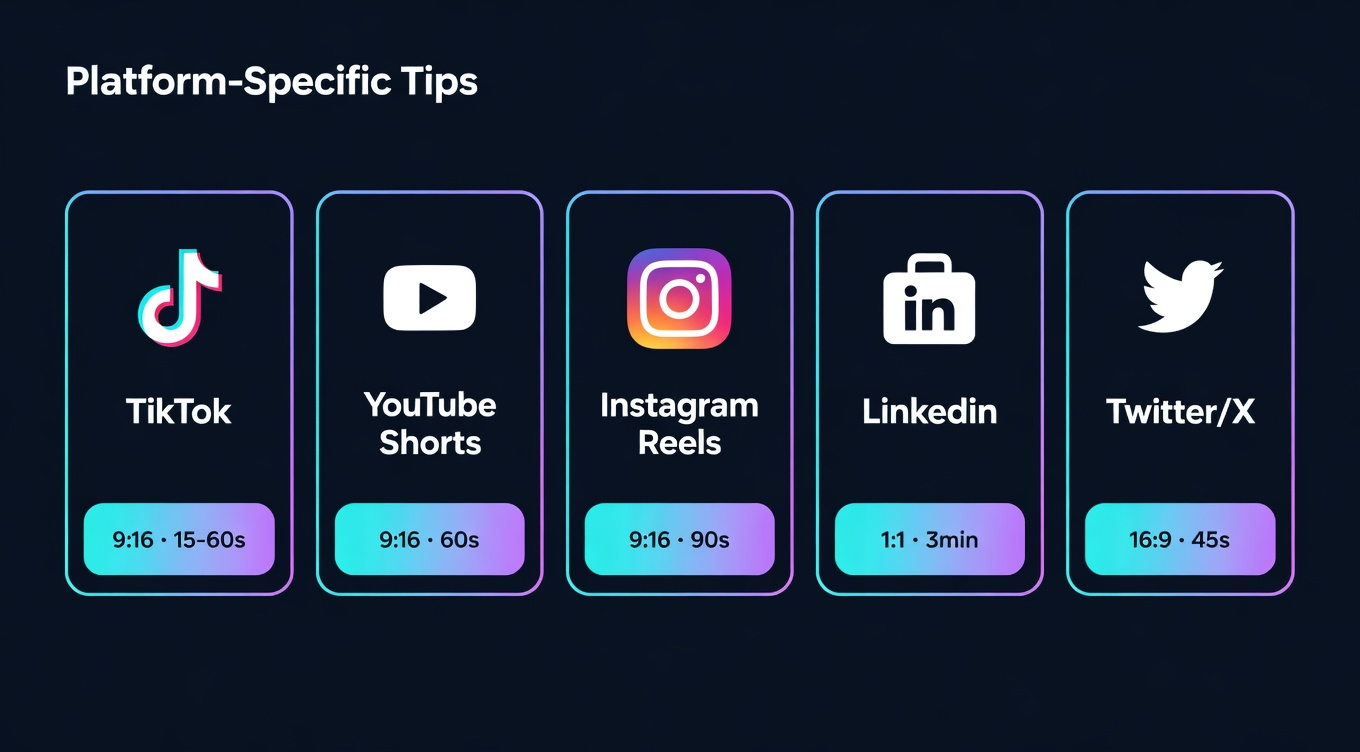
Every platform has quirks that affect how repurposed clips perform. I've tested these across 200+ clips in Q1 2026.
TikTok (9:16, 15-60 sec)
-
Hook in the first 1.5 seconds — not 3 seconds. TikTok's scroll speed is faster than any other platform.
-
Use TikTok's native text overlay tools after uploading. The algorithm reportedly favors native features.
-
Trending audio matters more than video quality. A 720p clip with trending sound outperforms a 4K clip with original audio.
-
Post 1-3 times daily. Consistency beats quality on TikTok.
YouTube Shorts (9:16, up to 60 sec)
-
Shorts loop automatically. Design your ending to flow into your beginning.
-
YouTube Shorts currently drives subscriber growth faster than long-form for most niches.
-
Captions must be large — YouTube's auto-caption positioning sometimes overlaps with UI elements.
Instagram Reels (9:16, 30-90 sec)
-
Reels favor slightly longer content (45-90 seconds) compared to TikTok.
-
Instagram's algorithm weights saves and shares more heavily than likes. Create "save-worthy" tips and tutorials.
-
Cover images matter — choose a frame that looks good as a square thumbnail in your profile grid.
LinkedIn (16:9 or 1:1, under 3 min)
-
Professional tone. Humor works but must be industry-relevant.
-
According to LinkedIn content creator Richard van der Blom's 2026 algorithm study, native video with captions gets 3-5x more reach than external links.
-
Square (1:1) takes more feed real estate. Use it when the content allows.
-
Post Monday-Thursday, 7-9 AM in your audience's timezone.
Twitter/X (16:9, under 2:20)
-
Short and punchy. Under 45 seconds performs best.
-
Quote-tweet your own clip with context or a question to drive engagement.
-
X deprioritizes content with external links — always upload natively.
NemoVideo's Platform Intelligence handles the mechanical reformatting (aspect ratios, safe zones, caption placement).
But the strategic layer — hook style, posting cadence, platform-specific captions — still requires human judgment.
The best workflow: let AI handle production, you handle distribution strategy.
Frequently Asked Questions
What is the best AI tool to turn long videos into short clips?
It depends on your workflow. OpusClip is the most widely used for podcast and interview content. Descript is stronger if you prefer text-based editing. Vizard.ai is the fastest for quick turnarounds. Tools like Munch score clips based on trend data, which suits data-driven teams. The right pick depends on whether you prioritize speed, editing control, or output volume.
How many short clips can I get from one long video?
A 10–20 minute video typically yields 6–12 viable clips. A 45–60 minute webinar can produce 12–25 clips. The actual number depends on content density — a fast-paced interview with multiple distinct points will produce more clips than a single-topic tutorial.
Can I repurpose YouTube videos for TikTok for free?
Yes. Most major tools offer free tiers — OpusClip, Vizard.ai, and Kapwing all let you get started without paying. Free plans usually have limits on export volume, video length, or include a watermark. If you're repurposing regularly, the paid tiers start to make sense at around 10+ clips per month.
Do I need to review AI-generated clips before publishing?
Yes. AI clip detection gets you about 80% of the way there. Budget 2–3 minutes per clip to check hook quality, caption accuracy, and framing. Skipping review is where most teams get burned — a clip that starts mid-sentence or cuts off a punchline undermines the whole point.
How accurate are auto-generated captions?
The best tools sit around 95–99% accuracy for clear, single-speaker audio. Accuracy drops with heavy accents, background noise, technical jargon, or multiple overlapping speakers. Always do a spot-check pass — one caption error every two sentences is noticeable and unprofessional.
What's the difference between video repurposing and just cutting clips?
Clipping gives you a shorter piece of the original. Repurposing means adapting that clip for a specific platform — different aspect ratio, pacing, caption style, and hook optimized for where it's going. The same 60-second segment needs a different treatment for LinkedIn versus TikTok versus YouTube Shorts.