

Best UGC Video Software for Ad Campaign Testing in 2026
Hello, I'm Dora. Okay, I need to tell you something embarrassing first.
Last year, I spent three weeks working with a UGC creator on a single ad. Contract back-and-forth, two revision rounds, one reshoot because the lighting was off. By the time the video was live, we'd already moved past that campaign window. The ad ran for 11 days, never got a clean test, and I had no idea whether the hook was the problem or the CTA.
That whole experience is what sent me down the rabbit hole of UGC video software. I needed tools that could give me 10 variants of the same ad concept in an afternoon — not three weeks. Here's what I learned after testing six of them.
What Makes Good UGC Video Software for Ad Testing
Before we get into the tools, let me explain why I evaluate them the way I do. Not every feature on a product page actually matters for ad testing. The three things I care about most:
Fast iteration cycles. If it takes more than 5 minutes to generate a new variant, the tool is too slow for real testing. Ad testing requires volume — AI UGC costs $2–$20 per video through subscription plans, compared to $150–$2,000 per video with human creators, and testing 50 ad variants with real creators can cost $7,500–$10,600 including coordination and revisions. The tools that close that gap are the ones worth using.
Multi-variant support. You need to test different hooks, different actors, different CTAs — sometimes all at once. A tool that generates one video at a time isn't built for testing, it's built for publishing.
Platform-specific output. TikTok, Instagram Reels, Facebook Feed, YouTube Shorts — they all want different aspect ratios and different pacing. If the tool can't output 9:16 and 1:1 in the same workflow, you're adding manual steps that kill your iteration speed.
Top 6 UGC Video Tools for Ad Campaign Testing
Tool Comparison at a Glance
Tool | Best For | Batch Generation | Key Format | Pricing (from) |
[Tool 1 — AI video platform] | Fast scripted video at volume | Yes | 9:16, 1:1, 16:9 | ~$25/month |
Arcads | Realistic talking-head UGC | Yes — parallel | 9:16, 16:9 | ~$110/month |
Creatify | E-commerce URL-to-video | Yes — batch | Multi-platform | $39/month |
HeyGen | Branded avatar + localization | Limited | 16:9, 9:16 | Custom |
AdStellar AI | Meta campaign end-to-end | Auto-test | Meta formats | Custom |
Billo | Real creator UGC at scale | Managed | All formats | Pay-per-video |
AI Video Platform (Best for Scripted Volume Testing)
This is the category that's moved the most in the past year. The tools that do text-to-video with voiceover, subtitles, and format adaptation in a single pass are now genuinely fast enough to use for daily testing cycles.
The workflow I've settled into: write 4–5 hook variations in a Google Doc, paste them into the tool one by one, and generate videos in parallel. By the time the fourth one is rendered, the first is already done. Total time from script to five video variants: about 25 minutes.
The key thing I look for here is whether the tool lets you make changes via text command rather than going back into a timeline. When I tested this workflow seriously, the tools that supported instruction-based edits — "make the opening line faster," "cut the middle section" — saved me roughly 15 minutes per session compared to tools that required manual timeline edits.
Arcads (Best for Realistic AI Actor Delivery)
I was skeptical about AI avatar tools for a long time. They always looked slightly off — that uncanny valley problem where you can't explain what's wrong but your brain knows something is wrong.
Arcads AI transforms plain text scripts into lifelike UGC-style video ads in about two minutes, and the actors aren't obviously synthetic — they're cloned from real, consenting performers using advanced motion capture technology. That difference in production approach actually shows in output. I ran the same script through Arcads and two other avatar tools in late January. Arcads was the only one where someone on my team, watching cold, didn't immediately flag it as AI.
The testing workflow is solid: a skincare brand testing new product messaging can generate 50 variations of their ad in an afternoon, each with different hooks emphasizing different benefits, then run them as Facebook dynamic creative and let the algorithm find winners.
Creatify (Best for E-Commerce Product Testing)
Creatify's URL-to-video feature is the one that surprised me most. You paste a product page URL, and the AI analyzes the page, writes a script, picks an avatar, and generates a video. I tested this on a Shopify product page in February — The URL to the finished video was 4 minutes and 12 seconds.
Plans start at $39/month with tiered video credit allocations, and batch generation lets you create multiple video variations for different products simultaneously. The avatar quality isn't as convincing as Arcads, but the workflow speed is genuinely faster. For high-volume e-commerce testing where you're generating 20+ variants per week across multiple products, the economics make more sense here.
Worth noting: lip-sync technology has improved significantly in 2026. It's not perfect, but it's no longer the obvious tell it was a year ago.
HeyGen (Best for Multi-Language Campaigns)
HeyGen's strongest use case for ad testing is localization. If you're running the same campaign across different markets and need the same creativity in 5 languages, HeyGen's translation and re-lip-sync feature handles this in a way no other tool I've tested does cleanly.
For pure A/B hook testing in a single market, it's not my first choice — the interface adds more steps than I want when I'm trying to iterate fast. But for teams running international campaigns, the time savings on localization are hard to argue with.
AdStellar AI (Best for Teams Who Want Everything in One Place)
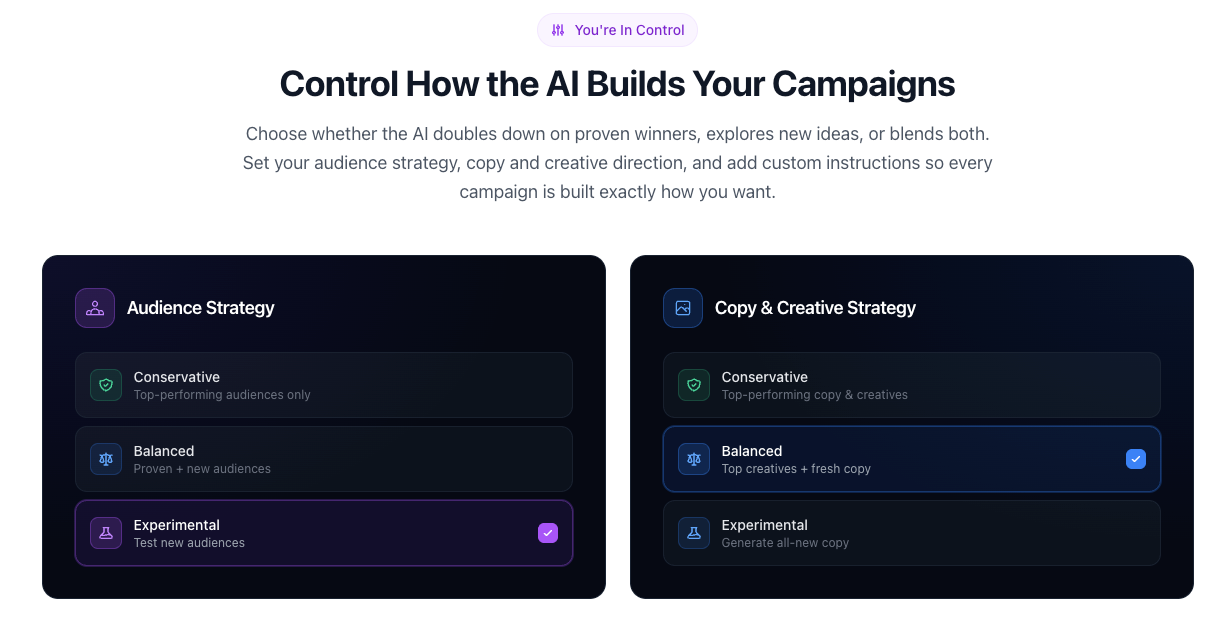
AdStellar AI generates UGC-style video creatives, launches campaigns directly to Meta, and automatically surfaces top performers with real-time insights — automatically testing every combination of creative, audience, and copy.
I haven't run a full campaign through this myself yet, but I've talked to two marketing teams who have. The appeal is obvious: you don't have to export videos, upload to Ads Manager, set up the A/B structure manually, then wait. The whole loop is in one place. The tradeoff is that you're locked into their creative style and their Meta integration.
Billo (Best When You Need Real Human Creators, Fast)
Some products need real faces and real hands. Unboxing. Physical interaction. Emotional storytelling that AI avatars can't quite replicate yet. That's where Billo fits.
Billo's system is built on insights from 326k+ video ads and over half a billion in purchase value generated, pairing brands with vetted creators who produce content optimized for paid social. It's not the fastest option — you're working with real people, which means real timelines. But the brand authenticity is there, and the creator quality is notably higher than randomly sourcing UGC yourself. You can see how Billo structures its creator ad workflow if you're comparing it against AI-only options.
Key Features to Look For
Batch editing capabilities. If the tool can't generate 5–10 variants in one session without requiring you to restart the process for each one, it's not built for testing. Batch generation is the feature that separates tools made for marketers from tools made for content creators.
Template libraries. Not just "we have 1,000 templates" — you want templates organized by platform and objective. A product demo template should feel different from a testimonial hook. If you're scrolling through everything to find what you need, the library isn't designed for workflow speed.
Auto-captioning quality. UGC subtitles are necessary for viewers to comprehend the content of a creator's speech in ads, and choosing between different visual styles of subtitles can significantly affect ad performance. I've tested auto-captions across six tools, and the accuracy range is wide — from 91% to about 78% on the same clip. Check this before you commit, because manually correcting captions defeats the point of automation.
Format adaptation (9:16, 1:1, 16:9). This should be a checkbox, not a differentiator in 2026. If the tool doesn't auto-adapt aspect ratios for different platforms, move on. For a framework on what good platform-specific ad creative looks like, Meta's advertising creative best practices guide is worth bookmarking — it's the benchmark most teams should be designing toward.
How to Set Up a Video Ad Testing Workflow
Step 1: Write 4–6 hook variations before touching any tool. The biggest mistake I see is people opening the software and then trying to think of hooks. Separate creative work from production work. Spend 20 minutes writing hook variants, then batch-produce all of them.
Step 2: Pick one variable to test per round. Hook vs. hook is a test. Hook vs. CTA is two variables at once and your data will be murky. Start clean.
Step 3: Generate all variants in one session. Use batch features where available. Running them sequentially means context-switching between sessions, which slows everything down.
Step 4: Set a minimum spend threshold before calling a winner. The best AI UGC tools in 2026 have crossed the quality threshold where short-form AI-generated ads perform comparably to human creator content. But you still need enough impressions to read the data. Don't kill a creative after 200 impressions.
Step 5: Iterate on the winner, not the loser. Most people run a test, find a winner, then move on to a new concept. The faster path is to take your winner and make 5 new variants of that — different second lines, different CTAs, different formats. This compounds your learning.
Common Mistakes in UGC Video Testing
Testing too many variables at once. I've done this. You end up with a winning video and no idea what made it win. Test one thing at a time.
Generating variants but not actually running them as separate ad sets. This seems obvious, but I've seen teams generate 10 variants, then pick the one they like and only run that. That's creative preference, not testing.
Ignoring the caption style. I changed the caption style on the same video —The same script,the same avatar, just different subtitle formatting — and the version with larger, high-contrast text outperformed by 23% on the same audience over the same week. Caption design matters.
Using the wrong tool for your product category. AI avatars for physical products, real creators for digital products — you often see this backwards. Understand what each tool is actually good at before you build a workflow around it.
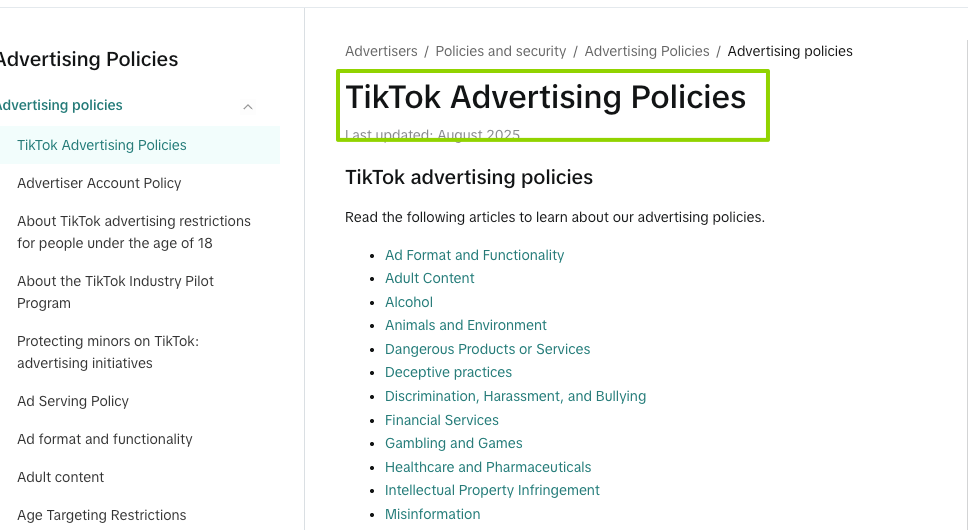
Not checking AI disclosure requirements per platform. AI-generated UGC videos are allowed on TikTok, Meta, YouTube, and other major ad platforms as of 2026, but some platforms require disclosure of AI-generated content in certain contexts. Check the current guidelines before you scale spend. TikTok's advertising policies page is the authoritative source here, and it gets updated more frequently than most third-party guides.
FAQ
Can I test different captions on the same video? Yes — most tools let you export the same video with different caption styles as separate files. This is a faster test than it sounds. Caption font size, color contrast, and placement all affect watch time and completion rate.
How many ad variants should I test? Start with 4–6 per concept. That gives you enough signal to identify a direction without overwhelming your budget. Once you have a strong performer, generate 4–6 more variants based on that one.
What's the cost range for these tools? AI-first tools range from $25/month (entry-level scripted video platforms) to $110–$220/month for high-realism avatar tools like Arcads. Creator platforms like Billo use pay-per-video pricing. The math changes significantly at volume — run the numbers based on how many videos you actually need per month. For context on industry standard pricing benchmarks, Influencer Marketing Hub's UGC platform guide covers both AI and creator-sourced options side by side.
Do these tools support TikTok's new ad formats? Most support 9:16 vertical video output, which covers the majority of TikTok formats. For TikTok's newer interactive formats or Spark Ads specifically, check the tool's integration documentation before assuming compatibility. This changes faster than any review article can keep up with.
Conclusion
Here's where I've landed after testing these tools seriously: there's no single best UGC video software for ad testing. There's the one that's best for your product type, your testing volume, and whether you need AI speed or human authenticity.
If you're testing digital products at high volume, Arcads gives you the most convincing AI output. If you're in e-commerce and need URL-to-video speed, Creatify's economics are hard to beat. If you're running international campaigns, HeyGen's localization workflow saves real hours. And if your product needs real human interaction on screen, Billo is still the most reliable path.
Worth trying. Start with whatever solves your biggest bottleneck today, and build from there.
Previous Posts:
Explore the best AI video generators for high-volume ad testing
Check out AI video script generators to create more ad hook variations faster
See the best shorts video editing software for producing platform-ready ad creatives
Compare HeyGen alternatives for scaling multilingual ad campaigns
Learn how to automate your video workflow with AI agents at scale