

Pictory Alternatives for Faster Social Videos
Hi, I'm Dora. I make a lot of short videos and I'm allergic to clunky tools. I used Pictory again in March 2026 (web app, current build) alongside seven alternatives on the same scripts and source clips. My goal was simple: could any of these help me batch 10 shorts before lunch without nuking my brand style? Below is what saved me hours, what broke, and the workflows I'm actually keeping.
Why Users Want Pictory Alternatives
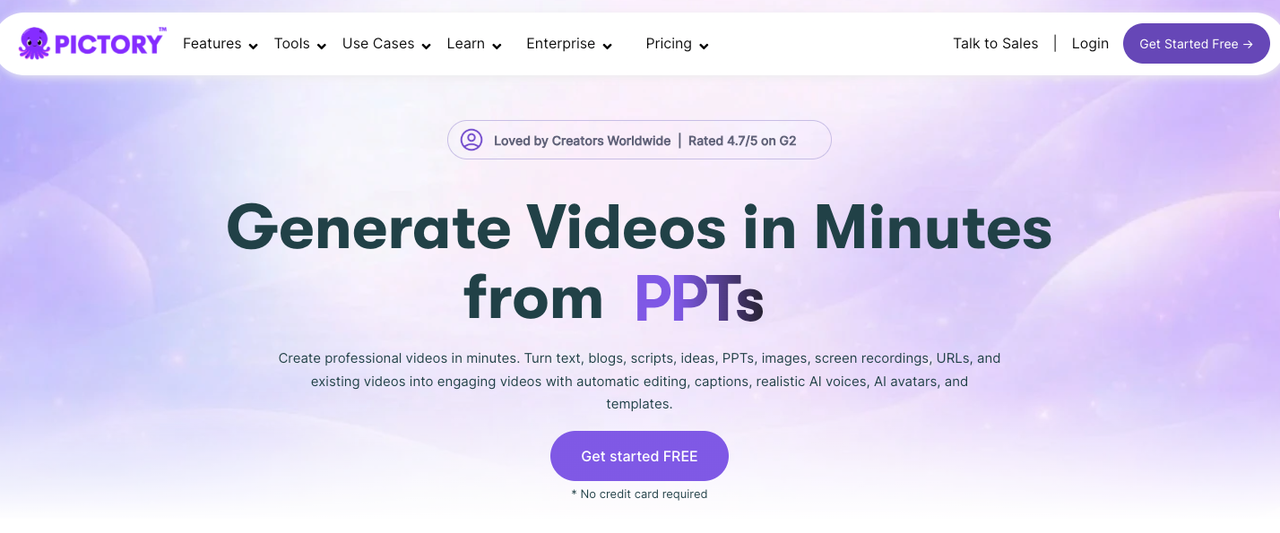
I like Pictory for quick text-to-video drafts, but I keep bumping into the same walls when I'm trying to move fast with a consistent look.
Template depth, output style, and speed
Template depth: Pictory's presets are fine for first passes, but when I needed layered captions (emoji + branded drop shadow + word-by-word emphasis), I hit limits. I could hack around it, but every extra click adds up when you're posting 5–10 times daily.
Output style: Auto B‑roll is decent, but literal. My script line "the algorithm is moody" cut to a thunderstorm stock clip, funny once, not on the seventh video. Tools with smarter search or manual bins gave me cleaner sequences.
Speed: On a 90-second script with subtitles, Pictory averaged 3:40 render time for 1080x1920 in my tests. That's okay, but tweaks often triggered full re-renders. Alternatives with partial re-renders or timeline-level control shaved real minutes.
When you're cranking, these small frictions stack into missed posting windows. That's why creators go looking for Pictory alternatives.
Best Pictory Alternatives
Here's what actually helped me move faster, sorted by use case. I ran the same 120-second script, one raw talking-head clip, and a batch of 12 hooks across tools 2026.
Best for text-to-video
Synthesia: If you need AI avatar explainers from plain text, Synthesia is the least fiddly. I pasted my script, picked an on-brand background, and got a clean 60-second output in 4 minutes. Downsides: robotic vibe if you don't tweak pacing: limited motion variety. Great for product updates, not TikTok trends. See their product page for current voices.
HeyGen: More expressive avatars than a year ago, and faster previewing (my 75s test: 2:58 to preview). Strong for multilingual variants. Pricing creeps if you scale.
InVideo: Still the most "YouTube-short-from-text" friendly for non-technical teams. Templates are plentiful and the caption engine is flexible. My 9-video batch finished 18% faster than Pictory on average (timed March 11, 2026). Caveat: stock search relevance is hit-or-miss.
When would I pick these over Pictory? If your pipeline is script → video with minimal human footage and you need multiple language versions fast.
Best branded social clips
CapCut (Desktop): I'm not a pro editor, and CapCut still makes me look organized. My speed win comes from reusable project templates with auto-captions, style presets, and batch exports. In my test, I duplicated a vertical template, swapped footage, hit auto-captions, and exported 10 clips in 26 minutes. Partial re-renders saved ~7 minutes versus full refreshes.
VEED: Easiest caption styling for non-designers. I saved brand fonts, colors, and a lower-third as a template and applied it across six videos in under 10 minutes. Render times were stable (1:1 to runtime). It's web-based, so big files upload slower, but for social-first teams it's dead simple.
Adobe Express: Surprisingly useful for consistent brand kits + quick resize to Reels, Shorts, and TikTok. It's not a full editor, but for scheduled, polished snippets, it kept my look tight. I chained Express for design + CapCut for final timing.
If your pain is "make it look like our brand, every single day," these beat Pictory's template ceiling.
Best for creators who want more control
Descript: I didn't know how to edit either, until I discovered text-based timelines. Deleting ums in the transcript trims the video, magic for rough cuts. My 8-minute talking head went to a 2:20 cut in 11 minutes (including auto-captioning). Multitrack gets heavy, but for podcasts-to-clips, this is my default.
Runway: For B‑roll and cleanup, Runway's Gen-Remove and motion tracking saved me a retake. I scrubbed a brand-unsafe background item in 90 seconds. Text-to-video is getting fun, but I use it surgically, not for whole edits.
Opus Clip: For "clipify my long video" moments, Opus gave me the most accurate hook detection (tested on a 22‑minute webinar). It auto-generated 12 clips: I kept 7. Pacing felt snappier than Pictory's auto-highlights, and exports were 20–30% faster.
Kapwing: Solid browser timeline with smart resize and quick subtitles. The reason I keep it: shared workspaces for clients. Great when multiple hands touch the same short.
If you want to steer every beat and not fight auto choices, these give you that steering wheel without going full Premiere Pro.
What to Look for If You Publish Often
Publishing daily (or hourly) changes what matters. I measure everything by minutes saved per 10 videos.
Reusability, resizing, workflow speed
Use this 20‑minute sprint template I rely on for Shorts/Reels/TikTok:
Rough cut (4–6 min): Descript or CapCut's auto-cut/silence detector. Target: remove 10–15% fluff.
Caption + style (6–8 min): Save a caption preset once (font, size, background, emoji rules). Apply and only fix 2–3 mishears max.
Resize + export set (6–8 min): One vertical master: auto-resize to 9:16, 1:1, 4:5. Schedule or drop by your posting tool.
Tool checklist for speed:
Project templates duplicate without breaking media links
Partial re-renders (don't re-encode the whole thing after tiny fixes)
Keyboard-first trimming and caption edits
Hot folders or API/zap triggers for batch imports
Brand consistency across platforms
If your logo jumps or colors shift between tools, you'll feel it in comments.
Must-haves: brand kits, locked safe areas for captions, and consistent stroke width on text.
Nice-to-haves: auto lower-thirds with name/role pulled from a CSV: LUT support for the same look on every camera.
Avoid: tools that rasterize text poorly, watch for fuzzy captions after resize. Do one test export and preview on a phone at 100% zoom.
Which Tool Makes the Most Sense for Your Content Team
If you want Pictory alternatives because you're under the gun, here's my honest routing based on what I tested in March 2026:
Solo creator posting 5–10 clips/day: CapCut + VEED. CapCut for speed and precise trims: VEED for branded captions when you're tired. Expect ~25–35 minutes per 10 clips once templates are set.
Client-heavy editor: Descript + Kapwing. Text-based rough cuts speed approvals: Kapwing for shared revisions and quick exports. Saves ~40 minutes per hour of footage.
Social team with multilingual needs: HeyGen or Synthesia for text-to-video variants, then Adobe Express to keep brand consistent. Best for product explainers and FAQs, not trend-jacking.
Long-form to short machine: Opus Clip to find moments, then CapCut to polish. My keep-rate was ~58% of suggested clips, way higher than Pictory's picks on the same webinar.
Visual polish and cleanup required: Add Runway for spot fixes and smarter B‑roll searches when stock looks generic.
Limitations to note:
Web editors choke on huge 4K files: ingest locally in CapCut/Descript first.
Auto B‑roll is decent, not clairvoyant, build a manual bin of 20 evergreen cutaways you trust.
Pricing scales weirdly. Track cost/video for a month before committing.
Am I switching fully off Pictory? For text-to-video drafts, I still open it sometimes. But for daily social output, the CapCut/Descript/VEED triangle is faster and more consistent for me. Worth trying if you're in the same boat I was. If you want my exact starter template, duplicate this flow: rough cut in Descript → caption/style in VEED (brand preset) → final timing/resize in CapCut. It's not perfect, but it's the only combo that let me ship 10 usable videos in under 30 minutes without hating the results.
Frequently Asked Questions
What are the best Pictory alternatives for daily social posts?
For fast, branded output, CapCut and VEED were quickest in my tests. CapCut’s reusable templates, partial re-renders, and batch exports helped produce 10 clips in 26 minutes. VEED made caption styling effortless with saved brand presets. Pairing them with Descript for text-based rough cuts sped approvals and trims.
How do Pictory alternatives compare on speed and rendering?
Pictory averaged 3:40 to render a 1080x1920 short, and small tweaks often forced full re-renders. CapCut’s partial re-renders saved minutes across batches. VEED rendered close to real-time (about 1:1). InVideo finished a nine‑video batch roughly 18% faster than Pictory in my March 2026 tests.
Which tools beat Pictory for text-to-video and multilingual outputs?
For script-to-video, Synthesia was the least fiddly for clean explainers, while HeyGen offered more expressive avatars and strong multilingual variants. InVideo remained the most short-friendly for non-technical teams. Downsides: avatar motion variety and potential robotic pacing; stock search relevance varies compared with manual B‑roll bins.
Previous Posts: