

Best UGC Video Software for Google Ads (2026)
Hey everyone, Dora here. Last month, I tested the same product across four tools, using the same script, target length, and goal: creating a video ready for a Google Ads campaign.
Three of the four required manual fixes before submission. One exported at 720p, another gave me a square format instead of 16:9 for YouTube in-stream, and the third used captions so large they covered the product.
That's the filter nobody talks about in these comparisons. Avatar realism, script quality, price per video — all valid. But if the output doesn't meet Google's video ad technical requirements on the first export, you're adding a manual step to every single production cycle. At 20+ videos a week, that adds up fast.
Here's what I actually found.
Why UGC Videos Work for Google Ads
Performance data: UGC vs polished ads
Skip the trend piece. Here are the numbers that matter for paid media specifically.
UGC video ads show 35% higher watch-through rates compared to polished brand ads, and watch-through rate matters on YouTube because Google's auction rewards completion — higher completion means better delivery efficiency over time, not just better vanity metrics. UGC-based ads also deliver 4× higher click-through rates and cost about 50% less per click than equivalent branded ads, based on aggregated performance data across DTC campaigns.
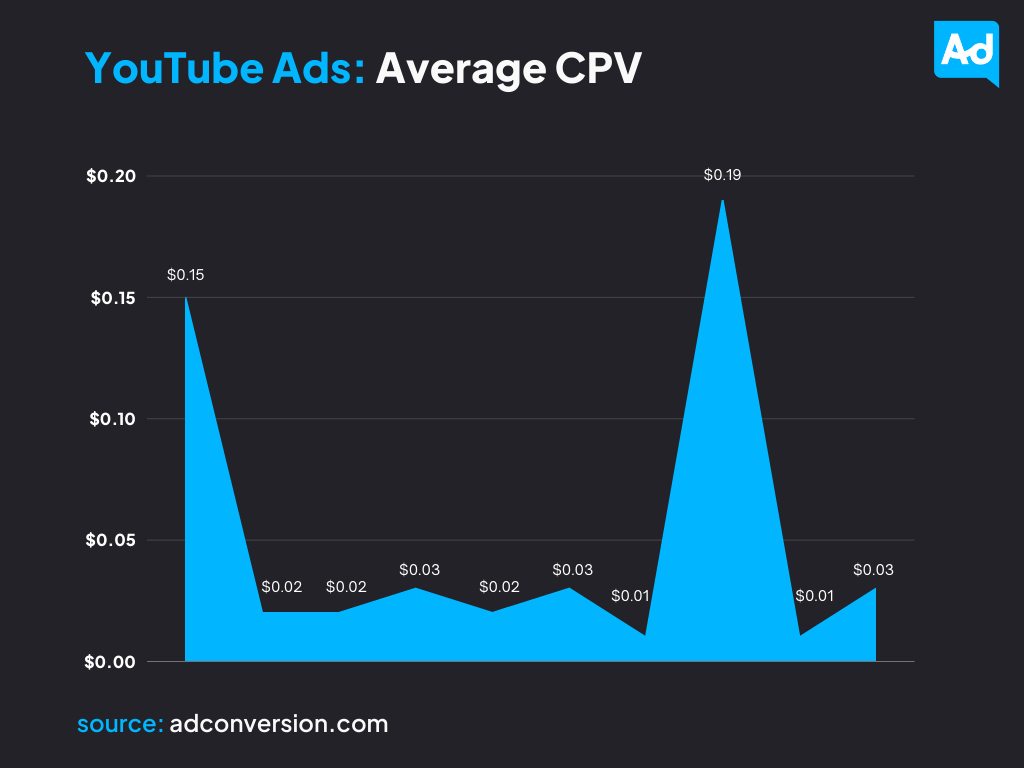
But here’s the part that actually changed how I think about creative testing. It’s not that UGC is categorically better. It’s that the format’s lower production cost makes testing volume economically viable. Testing 50 ad variants with real creators costs somewhere between $7,500–10,600 in creator fees and production. The same test with AI UGC tools runs under $200. That gap is why the format has become infrastructure for Google Ads creative, not just a creative trend.
One more thing worth knowing: the UGC format is not static. Research across subscription app campaigns shows format fatigue is real — the ring-light testimonial that worked in 2021 is now hurting unit economics for some brands. Scenario-based formats and method-first hooks are currently outperforming the classic "I can't live without this" structure. The best UGC software makes it fast to iterate on that — not just generate the same template in bulk.
Google Ads formats that support UGC
This is the practical part most comparisons skip. The formats you're most likely running UGC video in:
Skippable in-stream — plays before or during YouTube content, viewer can skip after 5 seconds. No hard length cap, but Google's own ad policy guidance notes that videos under 3 minutes typically perform better. The hook in the first 5 seconds is non-negotiable.
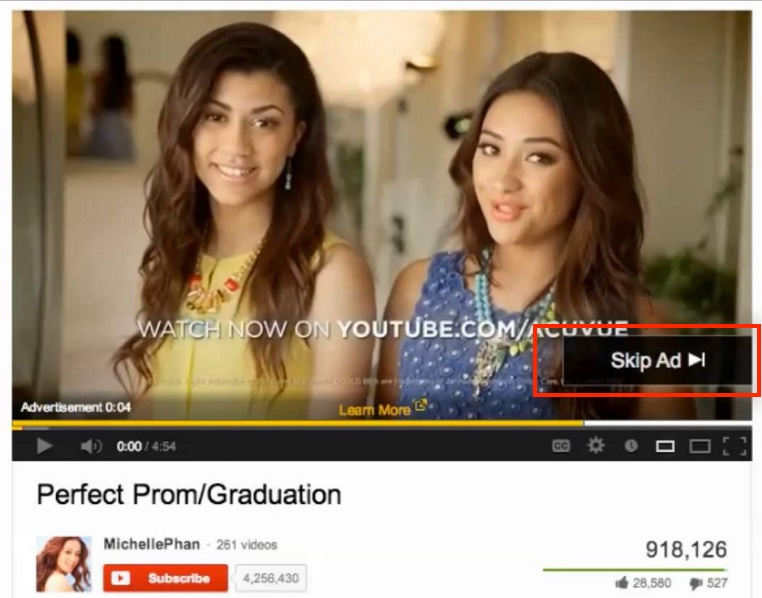
Non-skippable in-stream — capped at 30 seconds in auction campaigns. Your entire message has to land in that window without a fallback skip button.
YouTube Shorts placements — vertical 9:16, typically under 60 seconds.
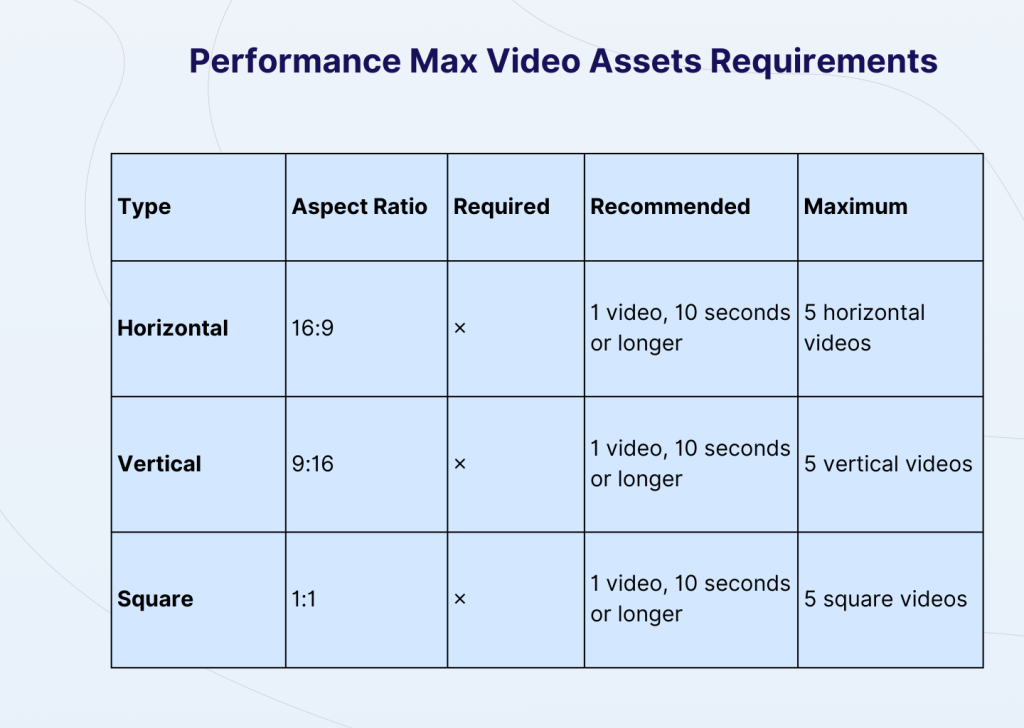
Performance Max — requires horizontal (16:9), square (1:1), and vertical (9:16) versions, each at least 10 seconds. If you're not supplying all three, Google auto-generates the missing ratios from whatever you did upload. That auto-generation is rarely what you'd choose yourself.
The format variety issue is what separates tools in this comparison more than any other single factor.
What to Look for in UGC Video Software
Template variety
Template count is mostly a marketing metric. What matters is whether a tool can export multiple aspect ratios in one session. A large template library is useless if everything exports in square.
Hook variation is equally important. The first 2–5 seconds determine performance, and tools that only generate one opening per script force unnecessary rework.
Batch creation for A/B testing
A simple starting setup is 3 hooks × 2 CTAs = 6 variations.
If a tool requires generating these sequentially, a 45-minute workflow quickly becomes a multi-hour process. Batch generation isn’t just faster—it fundamentally changes how you test and iterate.
Export specs for Google Ads
1080p MP4 should be the default. Tools that export 720p or require format conversion add friction at scale.
Aspect ratio is even more critical. For Performance Max, you need 16:9, 1:1, and 9:16. If a tool requires separate production sessions for each, the time cost outweighs any pricing advantage.
Best UGC Video Tools for Google Ads
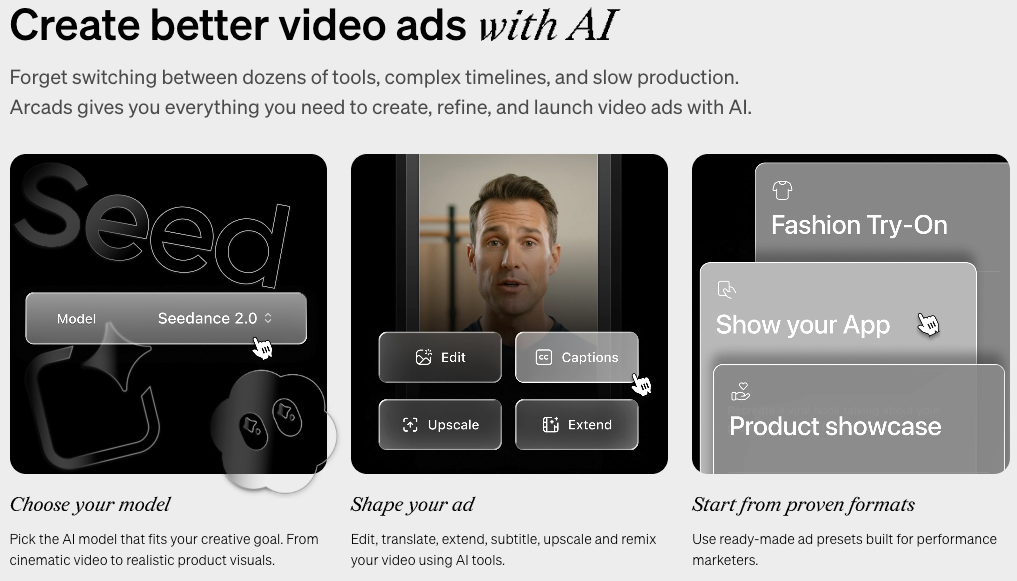
Tool 1: Arcads — highest avatar realism for performance ads
Arcads produces the most convincing AI UGC output I've tested in this category. The avatars show genuine micro-expressions, natural head movement, and hand gestures that most competitors miss. For skippable YouTube ads specifically — where viewers have a few extra seconds to evaluate whether the content looks real — that realism gap matters.
The workflow: input a product URL or paste a script, select an avatar, set tone (casual, excited, authoritative), export. The script generator produces multiple hook variations per brief, which is genuinely useful for A/B testing without writing copy manually.
Ad-specific strengths:
29+ language support with regional accents — useful if you're running the same campaign across multiple markets
Emotion and tone controls let you match avatar delivery to ad intent without re-shooting
Script generation includes multiple hooks per run
Pricing: Starts at $110/month for 10 videos (Starter plan). Higher tiers unlock more avatars and B-roll options. There are add-on fees for advanced editing features on base plans — worth reading the pricing page before assuming what’s included.
Honest limitation: $110/month for 10 videos is $11/video at the entry tier. If your monthly production volume is under 20 videos, Arcads’s per-video cost works out worse than alternatives. It’s a better fit for agencies or teams producing 50+ videos per month where the quality ceiling justifies the overhead.
Tool 2: Creatify — high-volume URL-to-video for e-commerce
Creatify's core mechanic is simple: paste a product URL, and the platform analyzes the page to pull product features, benefits, and copy, then generates a complete video ad with an AI avatar. No manual scripting is required if your product page has reasonable copy.
The batch mode is the feature that makes Creatify specifically useful for e-commerce teams. Drop 10 product URLs, generate multiple variants per product, export in bulk. For DTC brands with wide catalogs that need video assets across every SKU, there's no faster path to initial drafts.
Ad-specific strengths:
URL-to-video pipeline works reliably for structured product pages (Amazon, Shopify, standard e-commerce)
500+ AI avatars on paid plans; 1,500+ on premium tiers
Batch mode handles high-volume generation without sequential sessions
Pricing: Starts at $39/month, but the credit model has a catch worth knowing. Credits cost 2–20 per video, and quality output requires the higher end of that range. On the Starter plan, that realistically means ~5 quality videos per month. Credits also expire.
Honest limitation: The output has a recognizable visual pattern. After running 10 back-to-back, the avatar delivery starts to feel consistent enough that I’d rotate avatars aggressively between ad sets rather than running the same avatar across all variations. For A/B testing where you need variations to feel genuinely different, avatar diversity matters more than the headline avatar count suggests — and not all of Creatify’s avatars perform equally.
Tool 3: HeyGen — best for multilingual campaigns and localization
HeyGen's strongest use case for Google Ads is localization. The platform supports 175+ languages with voice cloning that maintains lip-sync across translations. One English ad becomes 20 localized versions without reshooting — that's a meaningful time saving for international campaigns.
The avatar quality is consistently solid across the library (1,100+ avatars), and the voice cloning produces natural-sounding speech that holds up across languages better than most competitors.
Ad-specific strengths:
Video translation maintains lip-sync across 175+ languages — the category leader for international campaigns
1,100+ avatars with reliable quality consistency
Voice cloning from a short sample; custom avatars available on business plans
Pricing: Free tier available. Creator plan $29/month ($24/month if paid annually). Business plans start higher and include unlimited avatar cloning.
Honest limitation: For pure hook testing in a single market — the core use case for most Google Ads A/B testing — HeyGen adds more steps than I want when I'm iterating fast. The interface prioritizes versatility over speed-to-creative. If you're not running multilingual campaigns, you're paying for a capability you may not use.
Comparison Table
Tool | Best for | Batch mode | Avatar quality | Starting price |
Arcads | Highest realism, performance ads | Yes, with hook variations | ⭐⭐⭐⭐⭐ | $110/month (10 videos) |
Creatify | E-commerce volume, URL-to-video | Yes | ⭐⭐⭐ | $39/month (credit-based) |
HeyGen | Multilingual, localization | Moderate | ⭐⭐⭐⭐ | $29/month (Creator) |
Workflow: From UGC Clip to Live Google Ad
Shooting or generating
There are two paths, depending on your situation.
If you already have footage—such as talking-head clips, unboxings, or testimonials—AI UGC tools are less useful. In this case, a dedicated editor like CapCut or VEED will handle existing footage more efficiently, since AI UGC tools are primarily built for generating content from scratch.
If you don’t have footage, that’s where tools like Arcads, Creatify, and HeyGen become valuable. The cost difference is significant: $2–20 per AI-generated video versus $150–2,000 for a human creator, with turnaround times in minutes instead of weeks. For early-stage testing, AI UGC is simply a faster way to get data.
In practice, I use Arcads when realism matters, Creatify for high-volume e-commerce content, and HeyGen for localizing proven creatives into new markets.
Editing and formatting
Before exporting, make sure the basics are correct.
The aspect ratio should match the placement, with 16:9 for YouTube in-stream, 9:16 for Shorts, and 1:1 for Performance Max. Resolution should be at least 1080p, and captions should be included, since most ads autoplay without sound. The hook also needs to land within the first 5 seconds for skippable formats.
Captions are often underestimated. Even a strong video will lose viewers if there’s no on-screen text, because most people watch without sound. It’s better to burn captions directly into the video rather than rely on a separate subtitle track.
Uploading and testing
Google Ads requires videos to be hosted on YouTube, so you can’t upload a local MP4 directly. You need to upload the video to YouTube first (public or unlisted), then use the URL in your campaign.
From there, set a minimum spend before deciding a winner. I typically use $150 per variant, since judging performance too early—like after a few hundred impressions—usually leads to noise rather than reliable data.
When you find a winning ad, don’t immediately switch to a new concept. Instead, build on it by creating new variations with different hooks in the first 5 seconds and different CTAs, while keeping the core message the same. This approach helps you scale what works instead of restarting from scratch each time.
FAQ
Q: What video specs does Google Ads require? Use MP4 format, 1080p resolution, and the correct aspect ratio (16:9, 1:1, or 9:16 depending on placement). Non-skippable ads are limited to 30 seconds. Videos must be hosted on YouTube.
Q: How many UGC variants should you test? Start with at least 3, but 6 (3 hooks × 2 CTAs) is a better baseline. Once you find a winner, create additional variations to scale performance.
Q: Can you use AI-generated UGC in Google Ads? Yes. As of 2026, AI-generated video content is allowed, though some industries may have stricter disclosure requirements.
Previous Posts: