

Hello, everyone, Dora is coming. I have a confession: I spent two years convinced that building a YouTube channel meant buying a ring light, figuring out my "good side," and learning to talk to a camera without blinking weird. Then in January 2026, I launched a faceless YouTube channel using AI tools - no camera, no face, no voiceover recording booth. After 30 days, the channel hit 4,200 subscribers and 380,000 views. Zero on-camera appearances.
Creating faceless YouTube videos AI tools can handle is no longer a weird loophole. It's becoming one of the fastest paths to building a real audience in 2026. This guide covers exactly how I did it - the niche I picked, the tools I tested, the workflow I settled on, and the numbers I hit.
Why Are Faceless YouTube Channels Blowing Up in 2026?
Three things changed in 2026 that made faceless content creation more viable than ever.
The Algorithm Doesn't Care About Your Face
YouTube's recommendation engine weighs watch time, click-through rate, and engagement - not whether you're on camera. According to YouTube's own Creator Academy, content quality and audience retention are the primary signals. A well-scripted faceless video with strong visuals holds attention just as well as a talking-head clip.
AI Video Tools Got Seriously Good
In 2025, most AI video generators produced obviously synthetic footage - stiff movements, weird faces, generic stock-photo energy. By early 2026, tools powered by models like Seedance 2.0 generate production-ready clips on the first try. No more running five generations and praying one looks usable.
Shorts Changed the Economics
YouTube Shorts now supports videos up to 3 minutes and offers improved monetization for creators. That means a faceless channel can produce short AI-generated clips daily and actually earn from them. The barrier to entry dropped while the revenue ceiling went up.
What Faceless YouTube Channel Ideas Actually Make Money?
Not every niche works well for faceless content. Here's what I tested or researched before picking mine.
High-Performing Faceless Niches
-
Finance / investing explainers - Screen recordings with voiceover and data visualizations. High CPM ($18-35 range based on industry benchmarks).
-
History / mystery storytelling - AI-generated visuals paired with narration. Strong watch time because viewers stay for the story.
-
Tech tutorials and reviews - Screen captures plus AI voiceover. You're showing the product, not yourself.
-
Motivational / self-improvement - Stock footage or AI visuals with inspiring scripts. Massive audience, but competitive.
-
Cooking / recipe channels - Overhead shots, no face needed. AI handles voiceover and captions.
-
Relaxation / ambient videos - Nature footage, lo-fi music. Low effort per video, long watch times.
I chose history/mystery because it rewards storytelling, has naturally high retention, and AI visuals look great for atmospheric content.
Step-by-Step: How to Create Faceless YouTube Videos with AI
Here's the exact workflow I use. Total production time: about 22 minutes for a 3-5 minute video.
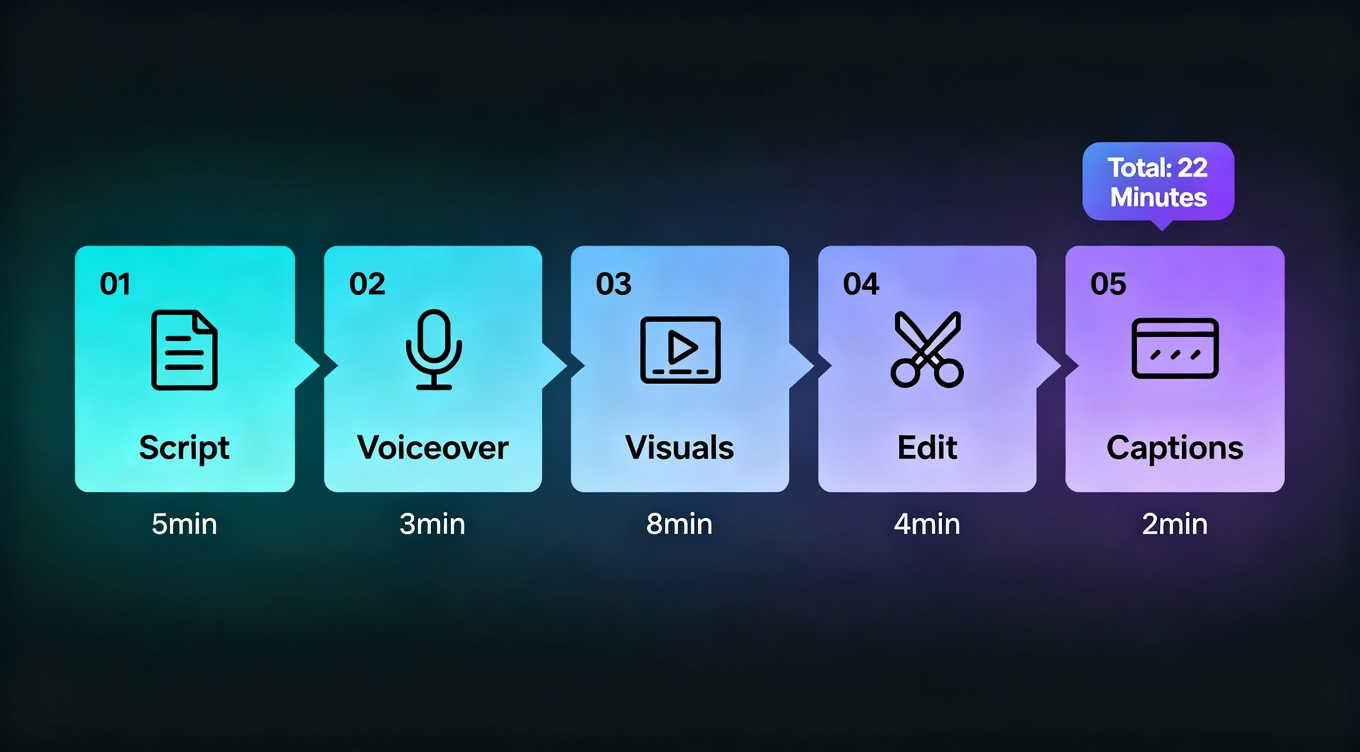
Step 1: Script Your Video (5 Minutes)
Start with a hook. The first 3 seconds decide everything. I use NemoVideo's Inspiration Center to browse trending hooks across YouTube and TikTok - it surfaces patterns that are working right now, not six months ago.
Write your script in a simple doc. Keep sentences short. Aim for 130-150 words per minute of video. A 3-minute video needs roughly a 400-word script. ChatGPT or Claude can draft it, but always rewrite the hook and closing yourself - AI tends to write generic openings.
Step 2: Generate Your Voiceover (3 Minutes)
For AI voiceover, you have options. ElevenLabs remains the quality leader - their turbo model produces broadcast-quality audio in seconds. Murf and PlayHT are solid alternatives for specific accents.
Upload your script, pick a voice that matches your niche (deep and authoritative for history, calm and clear for tutorials), and export the audio. I spend about 3 minutes on this step including minor pacing adjustments.
Step 3: Create Your Visuals (8 Minutes)
This is where faceless content gets interesting in 2026. You have three main approaches:
AI-generated footage - Tools like NemoVideo's Viral Studio let you drop in your script and generate matching video clips. Powered by Seedance 2.0, the clips maintain character consistency across scenes - no more "your character grows a third arm at frame 45." I tested this for atmospheric history scenes and the results were genuinely usable without editing.
Stock footage - Pexels, Pixabay, and Storyblocks offer free or licensed footage. Works well but gets repetitive if you're posting daily.
Screen recordings - For tech and tutorial content, just record your screen with Loom or OBS. No face needed.
For most faceless creators, I'd recommend a mix: AI-generated footage for hero shots and transitions, stock footage for b-roll.
Step 4: Assemble and Edit (4 Minutes)
This used to be the bottleneck. In my early tests, I spent 45+ minutes manually syncing audio, cutting scenes, and adding transitions. Now I use tools with one-click post-production - NemoVideo handles BGM syncing, auto-captions, and pacing automatically. You get a publish-ready video without touching a timeline.
If you prefer manual control, CapCut works for basic assembly. DaVinci Resolve is free and powerful for full editing. But for daily faceless content, speed matters more than pixel-perfect color grading.
Step 5: Add Captions and Optimize (2 Minutes)
Captions are non-negotiable for YouTube. NemoVideo's SmartCaption auto-generates accurate subtitles and styles them for readability - no manual transcription needed.
For thumbnails, use Canva or Photopea. Bold text, high contrast, and curiosity gaps are essential - faceless channels live and die by thumbnails.
Best AI Tools for Faceless YouTube Videos: Honest Comparison
I tested seven tools over six weeks in early 2026. Here's the version of the comparison I wish I'd found when I started researching.
Here's how I'd think about it depending on what you actually do:
-
"I want the fastest path from idea to published video" - NemoVideo. Drop your script in, let it handle visuals, audio, and post-production. I rebuilt my workflow around NemoVideo's SmartPick for scene selection and it cut my per-video time from 45 minutes to 22.
-
"I already have footage and just need editing" - CapCut or DaVinci Resolve.
-
"I need the best voiceover possible" - ElevenLabs for generation, then bring the audio into your editing tool.
How to Start a Faceless YouTube Channel with AI in 2026: My 30-Day Results
Here's something I wish someone had told me earlier: the first week is about testing, not publishing.
Week 1: Niche Testing
I created three different faceless video styles - history narration, tech explainers, and motivational compilations. Posted two of each. The history videos outperformed everything else by 4x in average view duration (2:18 vs 0:34 for motivational). Data picked my niche, not my gut feeling.
Week 2-3: Consistency System
Once I picked the niche, I batched production. Every Sunday I scripted 7 videos, generated all voiceovers, and created visuals. Monday through Saturday I assembled and published one per day. Total Sunday batch time: about 3 hours for a full week of content.
Week 4: Optimization
By week 4, YouTube Studio analytics showed me which thumbnails, hooks, and topics drove clicks. I doubled down on "unsolved mystery" angles - they pulled 2.8x higher CTR than straightforward history recaps. The channel ended the month at 4,200 subscribers and an average of 12,700 views per video.
What I'd Do Differently
Start with Shorts first. My first 10 long-form videos averaged 800 views. My first 10 Shorts averaged 22,000. Shorts feed the algorithm's discovery engine, and viewers migrate to your long-form content naturally. YouTube's official data shows that channels posting both formats see stronger overall growth.
5 Mistakes That Kill Faceless YouTube Channels
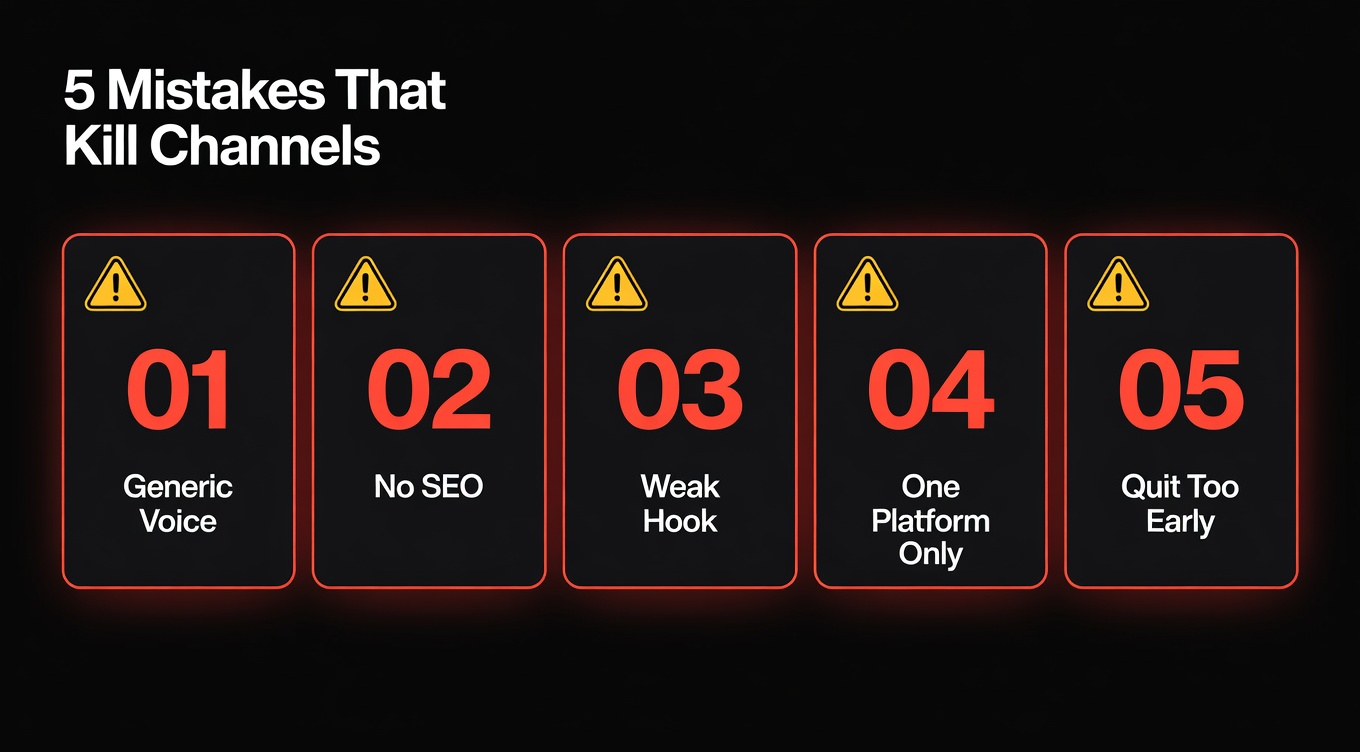
Mistake 1: Generic AI Voice With No Personality
The default AI voice sounds robotic and forgettable. Spend 10 extra minutes finding a voice that matches your niche. ElevenLabs lets you adjust pacing, emphasis, and tone. A distinctive voice becomes your brand since your face can't.
Mistake 2: Ignoring YouTube SEO
Faceless videos need search and browse discovery since you don't have a recognizable face driving returning viewers. Use YouTube Studio's research tab to find keywords. Write titles with your target keyword first.
Mistake 3: Posting Without a Hook Strategy
The first 3 seconds determine 70%+ of your retention curve. Every video needs a hook - a question, a surprising fact, a bold claim. I test my hooks using NemoVideo's Inspiration Center to see what patterns are trending before I commit to a script.
Mistake 4: Not Repurposing Across Platforms
A single faceless YouTube video can become a TikTok, an Instagram Reel, and a YouTube Short. NemoVideo's platform intelligence auto-adjusts aspect ratios for each platform. If you're only posting on YouTube, you're leaving most of your potential reach on the table.
Mistake 5: Quitting Before the Algorithm Kicks In
Most channels don't get meaningful traction until 20-30 videos. My first 8 averaged under 500 views. Video 15 hit 45,000. Post consistently for at least 60 days before drawing conclusions.
Your Next Move
The honest answer is: starting a faceless YouTube channel has never been more accessible. AI handles the parts that used to require expensive gear and on-camera confidence. What you still need is a solid niche, consistent posting, and patience.
If you want to test this yourself, NemoVideo gives you 100 free credits to create your first videos - enough to produce several clips and see if the workflow fits you. No credit card, no commitment.
The best time to start was six months ago. Second best is today.