

GPT Image 2 for E-commerce Product Videos in 2026
Hi everyone, it’s Dora. I'll be honest — when I first saw the GPT Image 2 demos, my first reaction wasn't excitement. It was skepticism. I've watched too many "revolutionary" image tools fail the moment you try to render a real product label with actual text on it. The packaging comes out looking like it was designed by someone who learned to read last week.
So I tested it. Repeatedly. On real e-commerce briefs.
Here's what I found — including the parts that will get you into trouble if you skip to the fun stuff.
What E-commerce Sellers Couldn't Do Before
Package Text, Brand Labels, Price Tags Broken in Earlier Models
If you've ever tried to generate a product image with a legible label using Midjourney, DALL-E 2, or Stable Diffusion, you know the pain. The bottle exists. The packaging looks gorgeous. The text on the label is a surrealist nightmare — letters fused together, brand names that look like they were transliterated from an alien language.
This wasn't a minor inconvenience. For e-commerce, it was a full stop. You can't use an AI-generated product image where the label reads "GLCERIN MOSITURZZR" instead of "Glycerin Moisturizer." Not for ads, not for listings, not for anything client-facing.
The underlying problem was that earlier diffusion models treated text as texture — visual patterns that look like writing rather than actual encoded characters. The model had no real understanding of letterforms.
What Changes with 99% Text Rendering
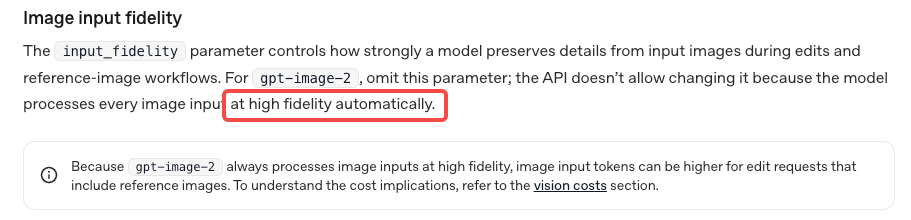
GPT Image 2 handles text rendering differently, and the gap is noticeable. OpenAI's image generation documentation confirms the model was trained with significantly improved text fidelity. In my testing: brand names on packaging rendered correctly on the first try about 85% of the time. Price tags, ingredient lists (short ones), size labels — all legible without regenerating 12 times.
That's not 99% in my experience. But it's close enough that e-commerce use cases that were previously impossible are now viable — with some conditions I'll get into.
Three Product Video Formats GPT Image 2 Unlocks
This is where things get actually useful for sellers. The workflow isn't "generate a video." GPT Image 2 generates stills. You then animate them. Here are the three formats worth your time.
Product Hero Shot → Rotating Animation
Generate a clean hero shot of your product — white background, perfect lighting, label legible. Then pass that still to an image-to-video (i2v) model to add a slow 360° rotation or a subtle float animation.
The result looks like studio product photography that moves. For TikTok Shop thumbnails and Amazon supplemental video, this is the highest ROI use of the workflow.
What breaks here: if your product has a complex 3D shape, the rotation will have artifacts on the edges. Don't use this for irregularly shaped items — stick to bottles, boxes, cans, and flat-packed products.
Lifestyle Scene with Product Placement
Generate a lifestyle scene and prompt GPT Image 2 to place your product within it. A skincare bottle on a marble bathroom shelf. A supplement tub in a home gym. A food product on a kitchen counter.
This is the format with the most creative range — and the most legal landmines (more on that below). For ads, it's genuinely useful. For Amazon listing images, proceed with caution.
Packaging Close-Up with Readable Labels
Generate extreme close-ups of your product's packaging. The key ingredient panel. The certifications. The usage instructions. For short-form video content, a 3-second animated zoom onto readable packaging is more credible than a voiceover claim.
Pair this with a caption overlay that highlights the claim you're zooming into, and you have a format that's both visually engaging and informative.
Workflow — From SKU to Shoppable Short
This is the part most guides skip. They show you the cool output and leave out the six steps between "I have a product" and "I have a usable video." My actual workflow looks like this:
Step 1: Describe the Product Accurately
Don't be lazy with your prompt. "A moisturizer bottle" gives you a moisturizer bottle that looks nothing like yours. You need: material (matte white plastic, amber glass, kraft paper), shape, label color, any visible text you need on it, and the scene context.
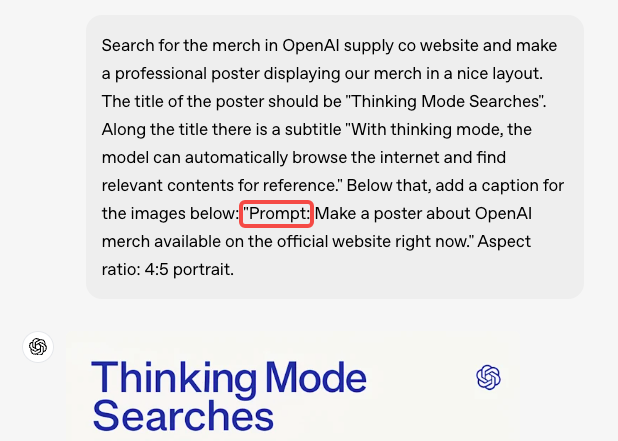
If you have a real product photo, use it as a reference image — GPT Image 2 accepts image inputs. The model will interpret, not replicate exactly (critical distinction — I'll cover this), but it gives you a dramatically better starting point.
Step 2: Generate Variants in Different Scenes
Generate 4–6 variants before you commit. Change the scene background, the lighting mood, the camera angle. At this stage you're finding which version actually sells the product — not just which one looks nice.
Step 3: Pass to I2V for Motion
Export your best still at the highest resolution available. Pass it to an image-to-video model — Runway, Kling, or Vidu are current options. Add a motion prompt: "slow rotation," "gentle float with soft lighting pulse," "camera slowly pulling back."
Keep motion subtle for product content. Dramatic camera moves make your product look like a video game asset, not something someone should buy.
Step 4: Add Captions, Price, CTA Overlay
This is where a tool like Runway earns its place in the stack. The generated video is a clean visual — it has no text overlays, no price callout, no CTA. Those need to be added as a post-production layer, timed to platform spec (TikTok Shop vs. Amazon vs. Reels have different safe zones and text size rules).
Step 5: Export for TikTok Shop / Amazon Video / Reels
Each platform has different specs. TikTok Shop product videos: 9:16, up to 60 seconds, min resolution 720p. Amazon supplemental video: 16:9 preferred, up to 90 seconds. Reels: 9:16, 15–90 seconds. Don't eyeball this — export to spec.
Using Your Own Product Photo as Reference
Uploading Reference — What GPT Image 2 Preserves vs. Reinterprets
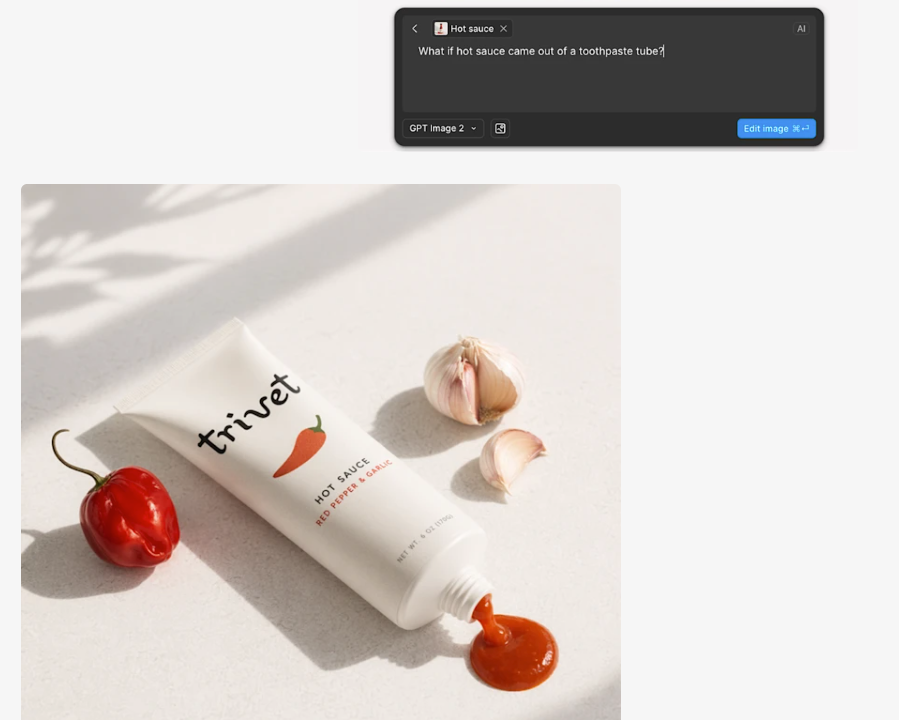
This is where sellers get tripped up. Uploading your real product photo as a reference does not mean GPT Image 2 will generate a photorealistic copy of your product. It will interpret it.
What it preserves: general form factor, color palette, rough label layout, material texture.
What it reinterprets: fine label details (text may shift), exact proportions, surface reflections, brand-specific design elements.
In my testing, the label text on a reference image came through correctly about 70% of the time. The remaining 30% needed either a regeneration or manual touch-up. This is genuinely better than generating from scratch, but it's not "upload photo, get identical product in new scene."
Keeping Brand Consistency Across a SKU Line
If you have multiple products in a line, generate your first SKU, save the prompt structure and style descriptors, and reuse them as a template. Consistency across a catalog of 20 SKUs is achievable if you treat the prompts as a system — not one-offs.
Legal and Platform Risks
I'd be doing you a disservice if I didn't slow down here.
Depicting Your Real Product vs. AI Reinterpretation
The output from GPT Image 2 is not a photo of your product. It's an AI-generated image inspired by your product. If the label text renders differently from your actual packaging — and it sometimes will — that AI-generated image is showing a product that doesn't exist exactly as depicted.
This matters more than most guides acknowledge. If someone buys based on an AI image that shows your product with a certification badge that's slightly different from the real one, or an ingredient that was garbled in rendering, you have a misrepresentation problem.
Use AI-generated images for ads and social content. For product claims, verify every piece of visible text against your actual product.
TikTok Shop and Amazon AI Content Disclosure Rules
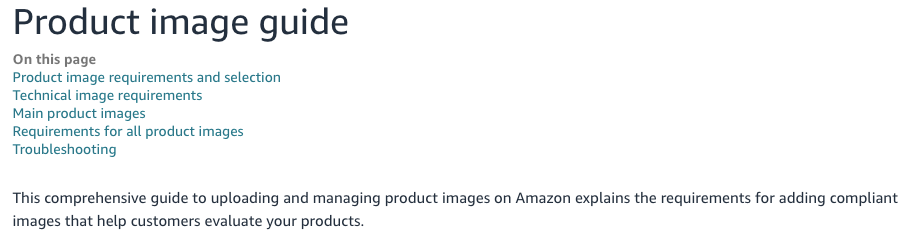
Both platforms have updated their AI content policies in 2026. Amazon's product image guidelines explicitly require that primary product images accurately represent the actual product — AI-generated or AI-enhanced images that materially differ from the real item are not compliant for main listing images.
TikTok's creator guidelines have added AI content labeling requirements for Shop content in select markets. The rule is evolving. Check current platform policy before publishing, not a blog post from six months ago.
For supplemental images and ad creative: less restricted, but still requires the product to be accurately represented.
Trademark Risk — Other Brands in Frame
This one is simple: if GPT Image 2 generates a scene with another brand's packaging visible — a competitor's product on the shelf next to yours, a recognizable logo in the background — you have a trademark problem. Review every generated image carefully. Delete and regenerate if you see any unintended brand elements.
Cost Reality for Sellers
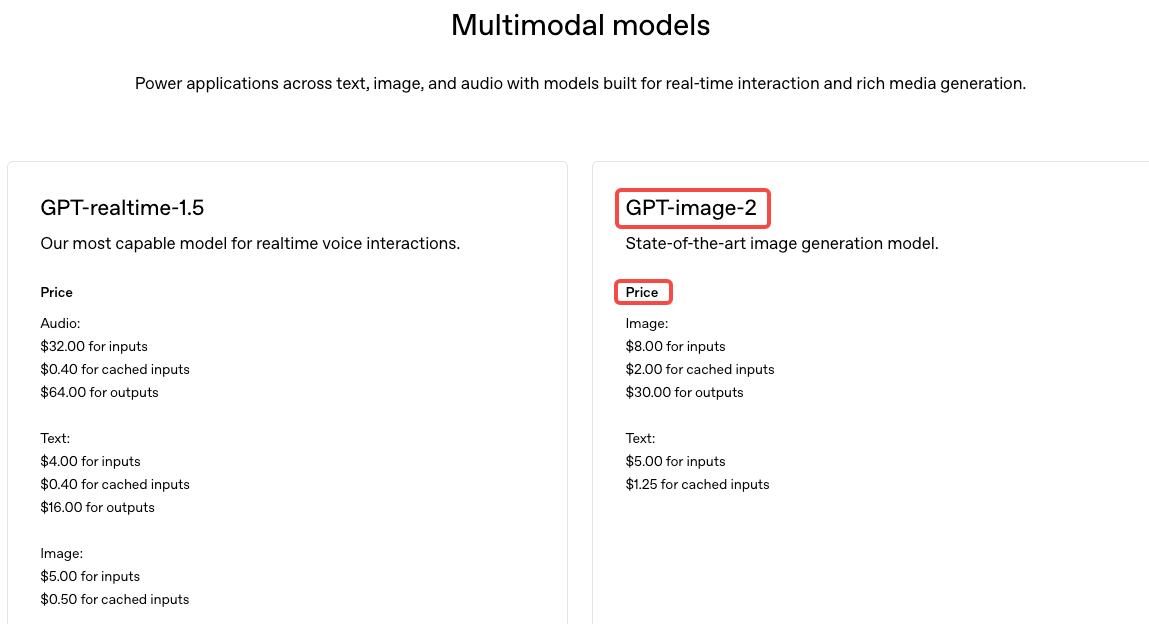
GPT Image 2 pricing varies by access method. For sellers doing high-volume content production (50+ images per week), the API route is almost always more cost-effective than a ChatGPT Plus subscription.
For current API pricing, check OpenAI's pricing page directly — I'm not going to print numbers that'll be wrong by next month. What I can tell you from testing: generating 4–6 variants per SKU, across a catalog of 30 products, stays manageable on API pricing. It's not free, but it's fractional compared to a product photography session.
The subscription route (ChatGPT Plus) is fine for testing the workflow and generating occasional one-off creatives. It hits limits fast if you're doing volume.
FAQ
Can I use GPT Image 2 outputs as product photos on Amazon?
Not for your main listing image. Amazon requires the primary image to be a real photo of the actual product on a white background. AI-generated images that don't accurately match your product fail this requirement. For supplemental images and A+ content, the rules are more flexible — but you're still responsible for accurate representation.
Does a watermark affect listings?
ChatGPT's web interface sometimes adds watermarks. The API does not. If you're doing this at any real volume, you need API access — not just for watermarks, but for batch processing and quality control.
Consistent product across multiple shots?
Achievable with systematic prompting — same style descriptors, same lighting language, same reference image. Not guaranteed on first attempt. Build a prompt template and test it across 3–4 shots before committing to a full catalog run.
Real photos or AI generated for Shop?
Both. Real photos for compliance (main listing images, anything that's a factual product claim). AI-generated for ads, lifestyle scenes, hook-testing, and format variations. Treat them as different tools for different jobs — not substitutes.
Conclusion
GPT Image 2 actually moves the needle for e-commerce content, mainly because text rendering is finally usable. That's a big deal—it removes a key blocker for this use case.
But "better" doesn't mean "reliable enough for legal use." There's still a gap between what the model generates and your actual packaging. If an image includes product claims, it still needs a human check before going live.
A practical workflow:
AI-generated images for creative testing and ads
Real product photos for compliance
i2v animation for added motion
A tool like CapCut or Runway for captions, overlays, and export
Makes sense at scale. Risky if you skip compliance and assume the text is correct.
Previous Posts: