

GPT Image 2 for AI Video Storyboarding in 2026
Hi everyone, Dora here. I tested this wrong the first time.
My first session with GPT Image 2's multi-image output — I generated eight frames of the same character across different scenes. Looked clean. Felt like a breakthrough. Then I zoomed into frame four and the character's jacket had changed color. By frame seven, the bone structure around the jaw was subtly different. Not obvious at a glance, but the second you cut between those frames in an edit, your eye catches it immediately.
That's the reality of using gpt-image-2 for storyboarding in 2026. It's much better than before, but not perfect. This article covers where it works, where it breaks, and how to work around those limits.
Why Storyboarding with AI Was Hard Before
Character Drift Across Shots
The core problem with AI image generation was always drift. Generate the same character twice — same prompt, same style — and you'd get two different people. Same vibe, different face, proportions, or even hair.
This isn't a prompt issue. It's structural. Diffusion models don't remember what they just created — every image is a fresh draw. That's fine for single images, but for storyboarding, it breaks continuity.
Workarounds existed, but they were heavy: seed-locking, ControlNet, or chaining reference images. Effective, but time-consuming — consistency became its own workflow.
Scene Continuity Problems
Character consistency was only half the issue. Scenes didn't hold either. Lighting, backgrounds, props, and color tones would shift between generations — even with identical prompts.
In editing, this shows immediately. Cuts feel off, environments don't match, and props change between shots — forcing regeneration or manual fixes that cancel out the time saved.
What GPT Image 2's Multi-Image Generation Changes
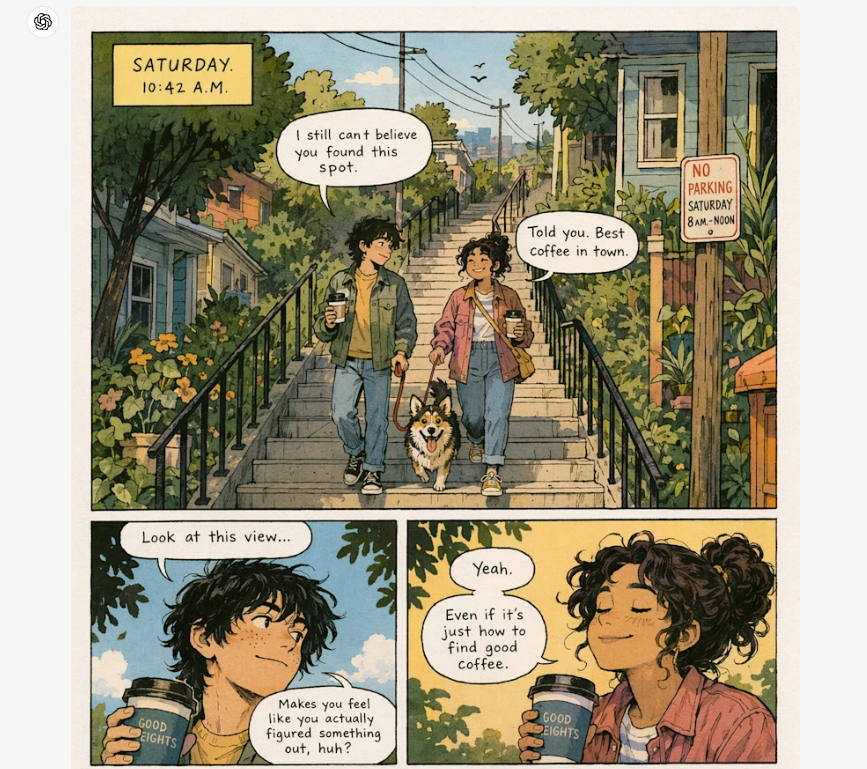
Same Prompt, Multiple Framings and Angles
Released on April 21, 2026, ChatGPT Images 2.0 introduced Thinking mode — available on paid plans — allowing up to eight consistent images from a single prompt. Free users are limited to Instant mode, which doesn't support multi-image reasoning.
The key difference is built-in reasoning. Before generating, the model plans composition, checks object placement, and maintains spatial consistency — giving it a clear edge over traditional diffusion workflows.
If you're building in production, lock to the API snapshot gpt-image-2-2026-04-21 to avoid unexpected changes.
Implications for 3–5 Shot Short-Form Narratives
For short-form creators, this is a real upgrade. What used to require reference workflows or seed-locking can now be done in one pass.
A structured prompt with a clear character and shot list can generate a usable 3–5 frame storyboard in a single run.
Not perfect — but good enough that you're refining, not rebuilding.
Workflow — From Script to Storyboard to Animated Short
Let me be real here: this workflow takes practice to get consistent results. The first two or three times through, you'll regenerate more than you want. By session five, you'll have a prompt structure that works for your character type and style.
Step 1: Break Your Script into 3–6 Beats
Before touching GPT Image 2, convert your script into visual beats. Not scenes — beats. A beat is a single visual moment: establishing location, character reaction, action, reveal, punchline. If your skit has ten beats, cut it to six. Each storyboard frame should carry weight, not fill time.
Write these out as one-sentence visual descriptions before opening the image tool. "Character looks at camera, skeptical expression, kitchen background" beats "character in kitchen scene" every time.
Step 2: Generate Character and Scene References
Before generating, build a small reference set:
One character image (front view, neutral expression, clear lighting)
One main environment image
These become your consistency anchors, especially for later I2V animation workflows. Skipping this step is where most inconsistency problems start.
Step 3: Generate Per-Shot Frames with Reference Consistency
Don't write a scene description — write a shot list. Include:
Clear character description (specific traits matter)
Frame-by-frame camera directions (wide → medium → close-up)
Locked environment description (same background across frames)
One consistent style directive (don't repeat it per frame)
More detail = better consistency. This is especially important for photoreal styles; illustration styles are more forgiving.
Step 4: Review and Regenerate Weak Shots
You will not hit on every frame in the first generation. Standard outcome in my testing: 3–4 frames are solid, 1–2 need a retry. Don't regenerate the whole set. Isolate the weak frames, upload your reference image, and generate just those frames with the reference attached.
Per OpenAI's image generation guide, the model supports high-fidelity image inputs — meaning uploaded reference images are processed at full resolution rather than downsampled. That matters for character face consistency when you're doing targeted regeneration of weak frames.
Budget for a 20–30% regeneration rate on your first few projects. That number drops as your prompt templates mature.
Step 5: Pass Each Frame to an I2V Model
Once your storyboard frames are approved, feed each one into an image-to-video (I2V) model as a reference.
Two common options:
Kling 3.0 — best for cost-efficient multi-shot animation. Its storyboard mode supports 3–12 shots with consistent characters, lighting, and camera control. (~$0.10/sec)
Veo 3.1 — better if you need built-in synchronized audio. It supports multiple reference images and maintains consistency across scenes.
Pick one model and stick with it. Mixing tools mid-project usually causes visible style drift.
Step 6: Assemble and Pace for Short-Form
Import your clips into your editing stack. For serialized skit content, 3–5 second clips per beat hit the right pace for TikTok and Reels. Faceless narrative content often works better at 4–7 seconds per beat.
Cut on character action, not on silence. If the AI clip starts with a hold frame before the movement kicks in — trim it. That hold is the most common tell that a clip is AI-generated.
What GPT Image 2 Still Can't Guarantee
Perfect Face Match Across 10+ Shots
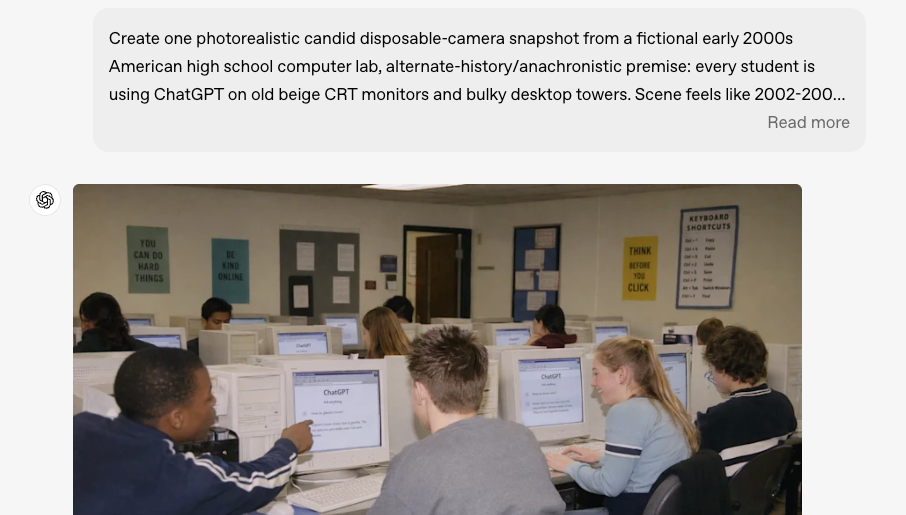
The 8-frame ceiling and the quality of consistency within those eight frames are not the same thing. In practice, consistency holds reliably across 3–5 frames in Thinking mode. By frames 6–8, subtle drift accumulates: eye spacing shifts slightly, jaw shape softens, skin tone warms or cools. The model's own release notes acknowledge that complex multi-character scenes remain a known limitation.
For a 10+ shot sequence, you're not getting one-prompt consistency. You're managing multiple generation sessions with reference images between them, then doing continuity review in post. That's closer to a traditional production pipeline than "AI does everything."
Fine Wardrobe and Prop Continuity
The character's face will be more consistent than their accessories. Earrings disappear. Belt buckles change shape. Props in hand shift position or design between frames.
Workaround: design your character without small accessories if you're relying purely on prompt-based consistency. Or treat props as an editorial element — introduce them only in the frames where they matter, not as background details across every shot.
Hybrid Tactics When Consistency Breaks
Reference Image Uploads
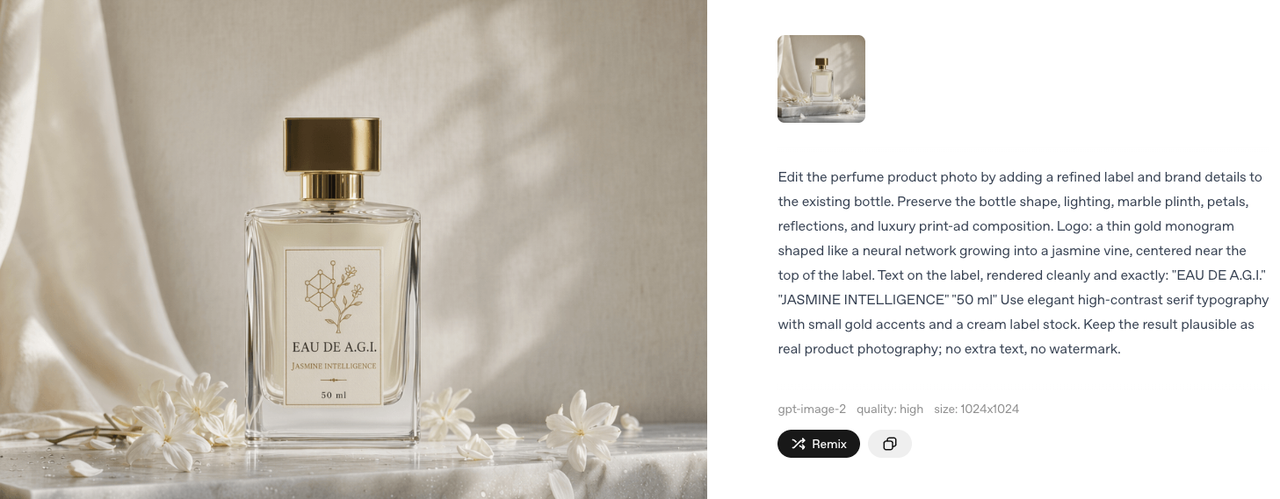
The most reliable way to maintain consistency is using reference images. When a frame drifts, attach your approved image to the new prompt — visual input anchors the model more strongly than text alone.
Before starting a project, build a small library of approved reference images per character and scene. Treat this as core setup, not post-fix work.
Using I2V Models with Character Reference
Some I2V models carry consistency further than GPT Image 2 can alone at the storyboard level. Kling 3.0's Elements feature maintains character consistency by uploading reference images that persist across generations — which means drift that slipped through at the storyboard stage can be partially corrected at the animation stage.
Think of it as a two-stage consistency system: GPT Image 2 gets you 80–90% of the way at the storyboard level, and your I2V model's reference feature closes the remaining gap at animation.
Use-Case Recipes
Daily Skit Channel: 4-beat script, one recurring character, one recurring set. Single 4-frame Thinking mode prompt per episode, one saved character reference image reused across all episodes. Kling for 3–4 second motion clips per frame. Once your prompt template is locked, production time per episode runs 4–6 minutes. The first episode takes longer.
Faceless Narrative Channel: Voiceover script, 5–8 visual beats, stylized character with flat illustration design. Consistency holds significantly better with illustration than photorealism — this isn't a workaround, it's a deliberate design choice that removes one of the hardest consistency problems from the workflow. Any I2V model with image-to-video works; subtle motion suits narrative content better than dramatic movement.
Multi-Scene Ad Variant: Product plus character, 3–4 shot ad structure (hook, product reveal, reaction, CTA frame). Generate your core 4-frame sequence once. Produce 3–4 variants by swapping the hook frame only — keeps production cost low while giving you real creative testing data across different opening moments.
FAQ
How many shots before consistency breaks?
4–5 is the reliable range in a single Thinking mode generation. After that, you're managing drift rather than preventing it. For 6+ shots, break into multiple sessions with reference images anchoring each new batch.
Best I2V model for character persistence?
Kling 3.0 for cost-effective multi-shot consistency (~$0.10/second). Veo 3.1 if you need native synchronized audio in the same pass. Both support reference image input — that feature is non-negotiable for character-based storyboard workflows.
Can GPT Image 2 replace a Midjourney + reference workflow?
For 3–5 frame sequences: mostly yes, with meaningfully less overhead. For 10+ frame sequences: no. The reference-image chaining workflow from Midjourney or Flux + ControlNet still gives you more precise control over multi-shot consistency at scale. They're different tools with different ceilings.
Is storyboard use covered by the commercial license?
Per OpenAI's usage policy, you own the output you create — images generated for storyboarding can be used commercially. However, you're responsible for avoiding copyrighted characters or real-person likeness issues.
Conclusion
GPT Image 2 is a real improvement for short-form storyboarding. The ability to generate coherent multi-frame sequences from a single prompt — with character and object continuity maintained across shots — directly addresses the hardest problem in AI-assisted sequential content production. That's new. It matters.
But "hard problem, now easier" isn't the same as "solved." You still need reference image management. You still need to budget for regeneration. You still need an I2V model to carry consistency from frame to animation. The creators who'll get the most out of this workflow are the ones who build the infrastructure first — reference folders, prompt templates, consistent I2V model selection — before starting the first real project.
I'm still testing this. My re-edit rate on AI storyboard frames is running around 25% — down from 60% when I was using chained single-image generation. I'll update when that number moves.
Previous Posts: