

GPT Image 2 vs Nano Banana Pro for Video Creators
Same week. Three separate creator accounts I follow all posted about "the most mind-blowing image model" — and two of them were talking about different tools.
Hey everyone, Dora here. GPT Image 2 dropped on April 21. Nano Banana Pro had already been sitting in my workflow since December. I ran both through my actual production stack for a week before writing this.
Here's what I found — and it's not the comparison you've probably seen elsewhere.
Most writeups on this topic treat these as competing image quality tools. They run prompt tests, paste screenshots, and crown a winner based on visual fidelity. That's fine if you're a designer. If you're producing short-form video at volume, that's the wrong question entirely. The image doesn't live by itself. It goes into Kling, Hailuo, Runway, or whatever I2V model you're running — and then into a timeline. What matters is how well it hands off, not how pretty it looks standalone.
That reframe changes the whole comparison.
Why This Comparison Matters for Video Creators, Not Just Designers
The Image Is the Start of the Pipeline, Not the End
When I'm producing 8–10 shorts in a day, an image model isn't a creative destination. It's a first step. I generate a frame — a product shot, a talking-head thumbnail, a scene reference — and then I animate it. The test isn't "does it look photorealistic?" The test is: does it survive the handoff?
A gorgeous image that falls apart in I2V is useless. An average image that generates clean motion — consistent face, stable background, no pixel crawl — is gold.
So that's how I'm framing this comparison. Not which model wins a blind test. Which one fits better into a real short-form pipeline in April 2026.
At-a-Glance Comparison Table
Dimension | GPT Image 2 | Nano Banana Pro |
Text rendering accuracy | ~99% (any language/script) | Strong, slightly behind on dense layouts |
Max resolution | 2K via API (4K in beta) | Native 4K |
Multi-image from one prompt | Up to 8 (Thinking Mode, Plus/Pro required) | Up to 14 reference images for consistency |
Multilingual support | All major scripts | All Gemini-supported languages |
API price (~1024×1024 high quality) | ~$0.211 | ~$0.134 (1K/2K) |
Subscription path | ChatGPT Plus ($20/mo) for Thinking Mode | Google AI Pro ($19.99/mo) for full Pro features |
C2PA / watermark | Metadata tagging | SynthID invisible watermark + C2PA on all outputs |
Commercial license | Full commercial rights per OpenAI Terms | Full commercial rights per Google Terms |
Generation speed | ~3 seconds | ~10–15 seconds |
API availability | Full developer API available since April 21, 2026 | Available now via Google AI Studio / Vertex AI |
One thing worth noting about GPT Image 2 right now: the full developer API launched alongside the model on April 21, 2026, and is already production-ready for Codex and direct API calls. If your workflow needs API integration today, both tools are viable, though Nano Banana Pro has had longer real-world API maturity.
Round 1 — Text Rendering in Video-Ready Frames
Which Handles Long Strings Better
This is the one dimension where GPT Image 2 has a documented lead over everything that came before it. According to the GPT Image 2 model documentation, the model integrates O-series reasoning capabilities directly into the generation process — planning composition and checking constraints before rendering. In blind test data from LM Arena, GPT Image 2 scored a +242 ELO point lead over the second-place model, with text accuracy approaching 99%.
For video creators, this matters in a specific way: lower-third labels, product callouts, price tags in ad creatives, caption overlays in still frames. If you're generating a frame that needs "LIMITED OFFER: $29.99" to land legibly, GPT Image 2 handles that without a redraw pass.
Nano Banana Pro is also strong here — meaningfully better than anything pre-2026. As highlighted in Google DeepMind's Nano Banana Pro launch announcement, the model was specifically optimized for "correctly rendered and legible text directly in the image," making it ideal for mockups, posters, and international content. But testers who ran both back-to-back consistently noted that GPT Image 2 pulls ahead on dense text layouts and fine typographic detail.
For basic text overlays in short-form — one line, clear prompt — either works. For anything more complex, GPT Image 2 is the safer bet.
Non-English Languages for Global Creators
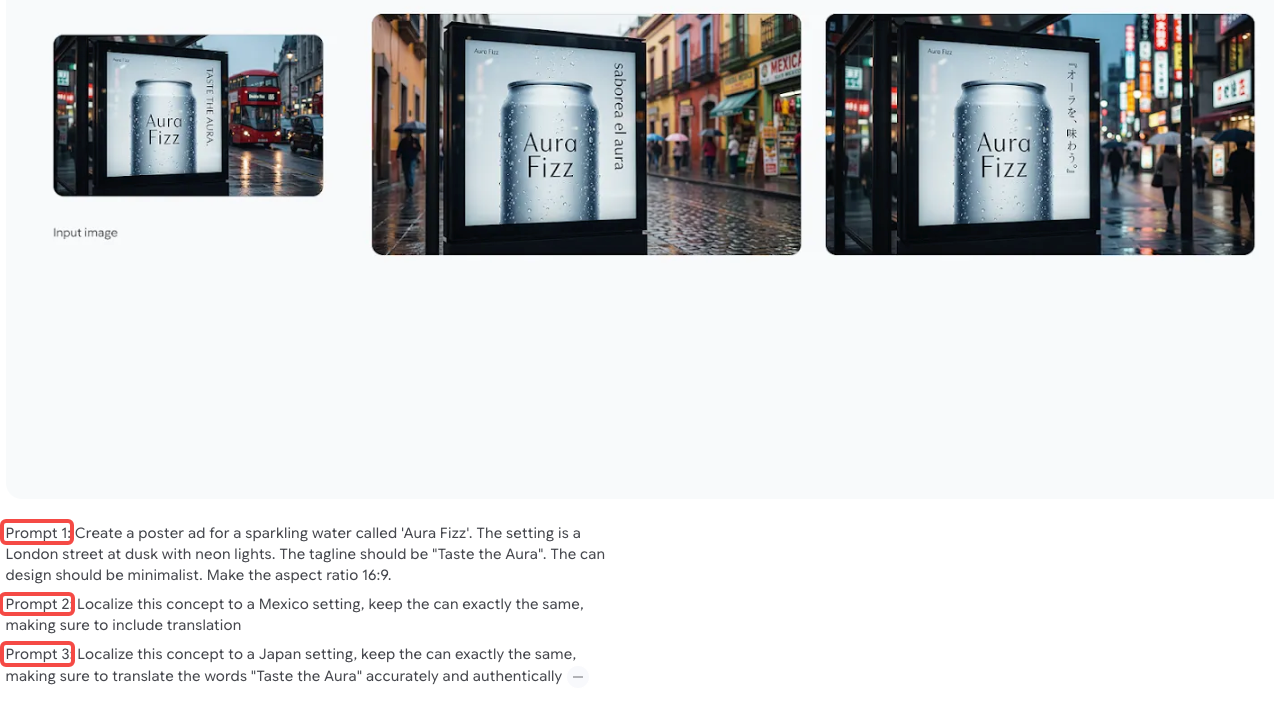
Both models support multilingual text rendering across Japanese, Korean, Chinese, Hindi, Arabic, and other non-Latin scripts. The Nano Banana Pro official launch highlighted multilingual generation as a core feature — specifically calling out localization as a target use case for scaling internationally. GPT Image 2's launch coverage also specifically named script accuracy as a solved problem.
In my testing: both handled Japanese and Korean character rendering in frame without artifacts. I tested maybe 15–20 prompts per language — not a scientific sample, but I didn't see meaningful quality differences for the non-Latin scripts I use most.
If you're producing content in a single language and that language is covered by both models: wash. If you need to localize across 10+ languages at volume, Nano Banana Pro's deeper integration with the Gemini ecosystem may give you faster iteration.
Round 2 — Consistency Across a Series
Character Consistency for Serialized Shorts
This is the dimension that actually separates them for video creators.
Nano Banana Pro's multi-reference capability supports up to 14 reference images to lock in character consistency across a series. That's not a gimmick. For e-commerce creators producing a product character across 20+ ad variants, or for serialized content where the same person needs to appear across multiple frames, that reference system is a real workflow advantage.
GPT Image 2 generates up to 8 consistent images from a single prompt — but only in Thinking Mode, which requires ChatGPT Plus or Pro. The character and style consistency across those 8 outputs is described as strong in early tests. But 8 versus 14, and a reference system versus a single-prompt batch, are architecturally different approaches.
This probably doesn't matter if you're producing one-off creatives. It matters a lot if you're running a serialized campaign.
Multi-Image-from-One-Prompt vs. Nano Banana Pro's Approach
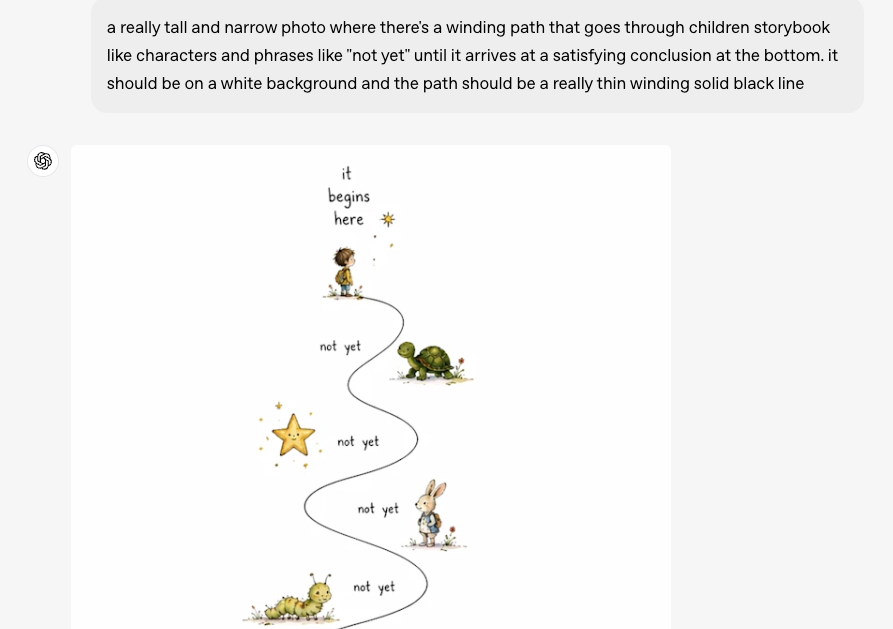
The way GPT Image 2 handles multi-image generation is interesting: feed one prompt, get up to 8 coordinated variations in one shot — different sizes, same visual language. OpenAI demonstrated this with social media asset sets: 1:1, 9:16, 16:9, and 3:4 outputs from a single brief.
Nano Banana Pro's approach leans more heavily on reference-image inputs. You're not getting 14 outputs from one prompt — you're using 14 reference images to constrain the output so it stays on-character.
Different philosophies. Both useful. Pick based on where your bottleneck actually is.
Round 3 — Handoff to I2V Models
Which Pairs Better with Kling / Hailuo / Runway
I tested both models by running their frames through Kling 3.0 using the same clips, but the results should be seen as directional due to a small sample size.
GPT Image 2 produces sharper, higher-contrast images, which can sometimes cause more edge-related motion artifacts in I2V.
Nano Banana Pro generates softer outputs that occasionally transfer more smoothly, with fewer pixel artifacts.
However, results vary depending on prompts and the I2V model, as Runway Gen-4.5 and Hailuo 2.3 handle contrast differently.
The best approach is to test both models with your own content, since handoff performance depends on your specific workflow.
Aspect Ratio and Resolution Support for 9:16 Workflows
Both models support 9:16 natively — this is non-negotiable for short-form and both cleared it.
GPT Image 2's aspect ratio range runs from 3:1 (ultra-wide) to 1:3 (ultra-tall). Resolution goes up to 2K via API, with 4K in beta. For 9:16 social content, the 1:3 ratio is the target — handled cleanly.
Nano Banana Pro supports native 4K with full aspect ratio flexibility. If your I2V pipeline is producing 4K output and you want the source image to match, Nano Banana Pro is currently ahead on that spec.
For most short-form workflows producing 1080p or 2K output, this difference doesn't move the needle.
Round 4 — Pricing Reality
Subscription Path — ChatGPT Plus vs. Google AI Pro
Both flagship subscriptions land at roughly the same monthly cost: ChatGPT Plus at $20/month, Google AI Pro at $19.99/month.
What you get at that tier differs:
ChatGPT Plus focuses on stronger model performance, better reasoning, and higher usage limits for image generation.
Google AI Pro leans more on ecosystem integration and multimodal capabilities across Google services.
If you're already subscribed to either ecosystem for other tools, this comparison is essentially free. If you're subscribing specifically for image generation, the per-image math matters more.
API Path — Per-Image Economics at Scale
At the API level, the gap is more meaningful.
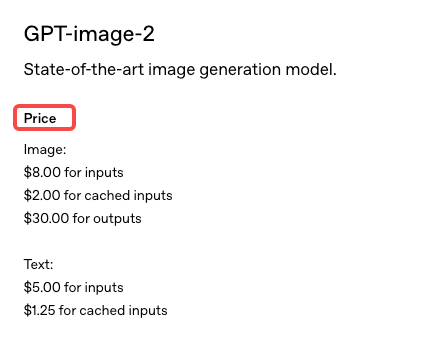
According to OpenAI's official API pricing page, GPT Image 2 uses a token-based model ($8 per million image input tokens / $30 per million output tokens), working out to approximately $0.211–$0.22 per 1024×1024 high-quality image. The Batch API offers a 50% discount for non-urgent jobs.
Nano Banana Pro via the Gemini Developer API pricing documentation prices out at roughly $0.134 per image at 1K/2K resolution and $0.24 at 4K. Google's Batch API cuts that to $0.067 and $0.12 respectively for non-time-sensitive jobs.
At 1,000 images per month — a reasonable volume for an e-commerce team running ad variants — that's a meaningful dollar difference. At 10,000 images, it compounds significantly.
The honest summary: Nano Banana Pro is cheaper at API scale, especially with batch processing. GPT Image 2 may close that gap after full API launch, but batch pricing details aren't confirmed yet.
Round 5 — Commercial Use and Provenance
Watermark and C2PA Differences
This is where the tools make genuinely different architectural choices — and it matters more than most creators realize.
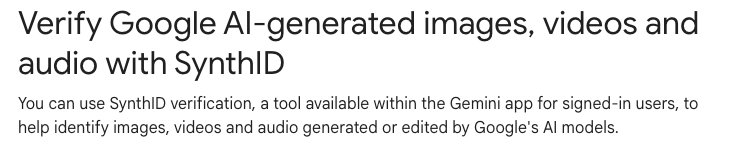
Every Nano Banana Pro output carries SynthID, Google DeepMind's invisible cryptographic watermark embedded at the pixel level. It's not a visible logo. It's a steganographic signal that survives compression, cropping, and color editing. It can be detected by SynthID-compatible tools but doesn't affect image quality. Images generated via API or AI Studio also carry C2PA metadata — the open standard for content provenance developed by the Content Authenticity Initiative, a coalition originally formed by Adobe, Arm, BBC, Intel, and Microsoft, with Google and OpenAI now both participating.
GPT Image 2 includes metadata tagging and OpenAI has committed to AI content identification. But there's no SynthID equivalent — no pixel-level invisible mark of comparable robustness as of launch.
Platform Disclosure Requirements
Starting August 2026, the EU AI Act will require machine-readable labeling on AI-generated content. SynthID directly addresses this requirement. C2PA metadata addresses it from a different angle. GPT Image 2's metadata approach is more easily stripped than SynthID — basic JPEG export can clear file metadata in seconds, while SynthID survives at the pixel level.
If you're producing content for European markets, or if you're working in a space where AI content disclosure is becoming a compliance issue, Nano Banana Pro's provenance infrastructure is currently more robust.
If you're producing content where no platform or regional disclosure requirement applies — most U.S. social content at the moment — this distinction probably doesn't affect your workflow today.
Decision Framework
Pick GPT Image 2 If…
Text rendering accuracy is your #1 need — labels, callouts, mixed-text frames
You're already on ChatGPT Plus and don't want another subscription
Your pipeline is short-form creative where speed matters more than consistency infrastructure
You need fast single-image generation (3 seconds vs. 10–15 for Nano Banana Pro)
You want multi-image batch output from a single prompt without managing reference images
Pick Nano Banana Pro If…
You're running serialized content or brand characters that need to stay consistent across a campaign
Your I2V workflow is producing 4K and you want native 4K source images
You need production-ready API access right now — GPT Image 2's full API isn't open yet
Compliance watermarking (SynthID, C2PA) is a requirement for your client or platform
You're doing e-commerce product imagery at scale and need 14-image reference consistency
Why Many Creators Will Use Both
I'll be honest: after a week of testing, I'm using both.
GPT Image 2 for text-heavy frames, ad callout stills, and fast exploratory generation — the 3-second output is genuinely useful when I'm iterating quickly. Nano Banana Pro for anything that needs to hold character consistency across multiple shots, and for client work where provenance documentation matters.
The tools aren't competing for the same job in my workflow. They're handling different parts of the pipeline.
FAQ
Which is cheaper for heavy users?
At scale, Nano Banana Pro is cheaper, costing about $0.134 per image (or ~$0.067 with batch), while GPT Image 2 is around $0.211 per image, though pricing may still change.
Which integrates better with CapCut or Dreamina?
Neither tool has native integration with CapCut or Dreamina, so the workflow is the same: generate images and import them manually. Nano Banana Pro fits better into Google’s ecosystem, while GPT Image 2 integrates with Codex.
Do commercial licenses differ?
Both models allow full commercial use of generated content. The main difference is provenance: Nano Banana Pro uses SynthID, which is harder to remove, while GPT Image 2 relies on metadata that can be stripped more easily.
Which has stricter content filters?
Both models enforce similar restrictions, but in testing, GPT Image 2 appeared slightly stricter with realistic human faces, while Nano Banana Pro was somewhat more flexible, depending on the prompt.
Bottom Line for Short-Form Creators
GPT Image 2 leads because of its strong text rendering and reasoning, making it the better choice for text-heavy frames. However, the best standalone image quality is not the same as the best fit for a video pipeline.
Nano Banana Pro offers a more complete production setup with 4K output, 14-image consistency, SynthID, and scalable API access. Most high-volume creators will end up using both tools for different tasks.
If you need to choose one, use Nano Banana Pro for consistency and compliance, and GPT Image 2 for text and speed.
In all cases, the image is only the first step, and most of the time is spent on I2V, editing, captions, and platform optimization.
Previous Posts: