

HappyHorse-1.0: Access, Output Specs, and Creator Workflow Tips
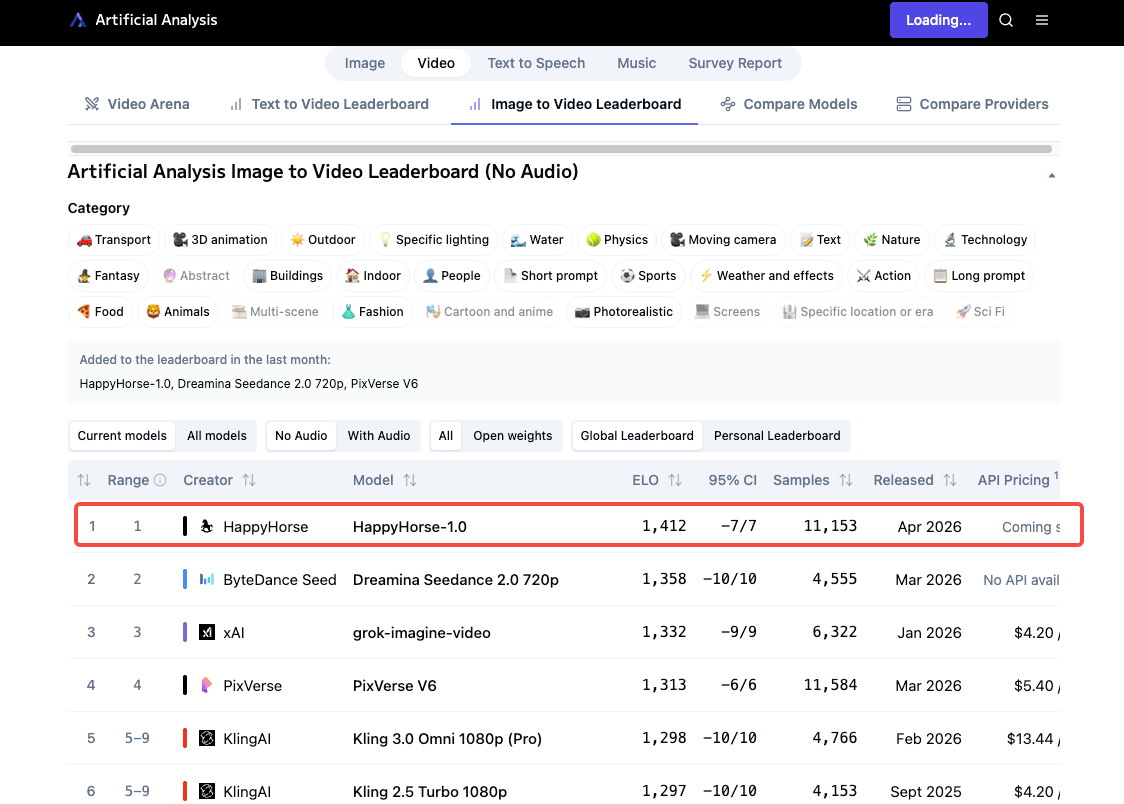
The leaderboard screenshot landed in my feed at 11pm. I stared at it for a good three seconds.
I've been tracking AI video model drops long enough that a new #1 usually doesn't stop me mid-scroll — but this one did. Someone in the comments tagged me: "Dora, isn't this exactly what you were waiting for?" Honestly? Kind of. I've been sitting on a half-finished piece about AI clip generation for three weeks because nothing felt worth publishing yet.
Three days later I've run every test I can without confirmed weights or a stable API. Here's what I know — and I'll be honest about what I don't. If you're juggling 5–10 uploads a day and trying to figure out whether HappyHorse-1.0 belongs in your stack right now, this is the guide I wish existed when I started digging.

How to Access HappyHorse-1.0 Right Now
Demo Site Status
Here's the honest situation: HappyHorse-1.0 is not yet available through a stable, creator-facing API or downloadable weights.
On April 7, 2026, Artificial Analysis posted that they had added a new "pseudonymous" model to their Video Arena. That's the entire confirmed identity. What followed was a leaderboard explosion — the model hit #1 in both text-to-video and image-to-video categories, then sparked a wave of third-party demo sites, none of which are the model developer.
As of early April 2026, the GitHub and Model Hub links on official HappyHorse sites point to "coming soon" pages. There are no downloadable weights, no public API, and no documented pricing.
Your best legitimate access point right now: the Artificial Analysis Video Arena, where you can run blind comparisons without an account. It's not a production environment, but it's the only place where you're guaranteed to be interacting with the actual model.
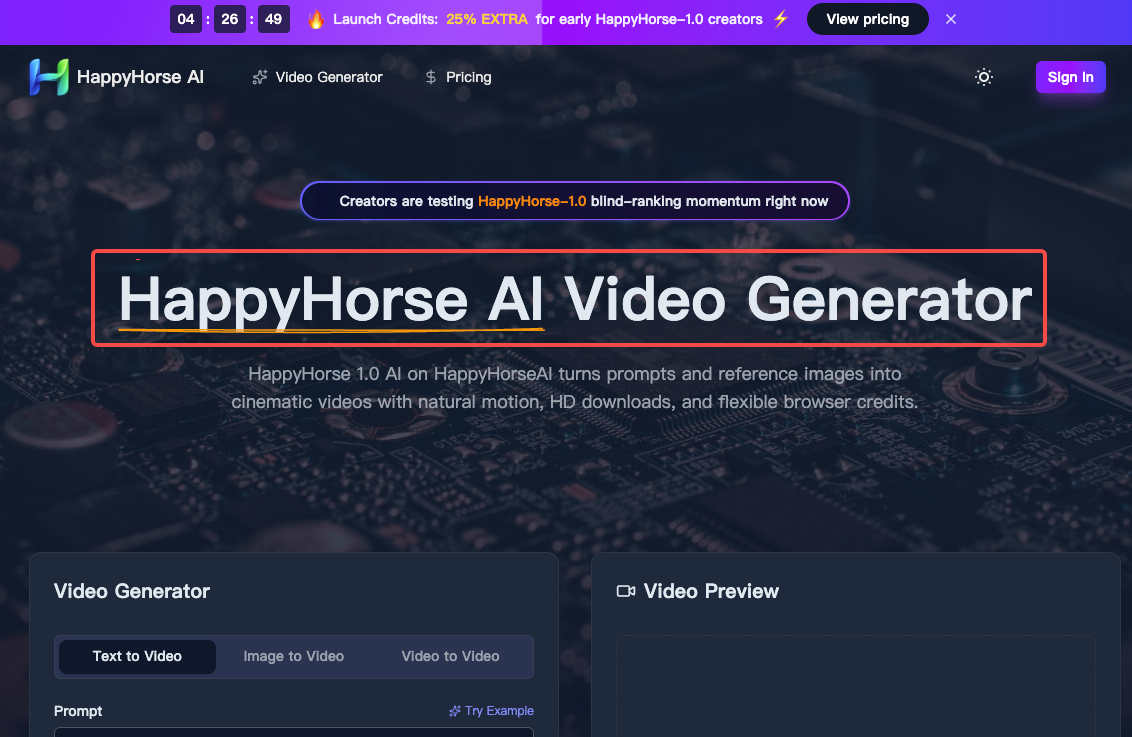
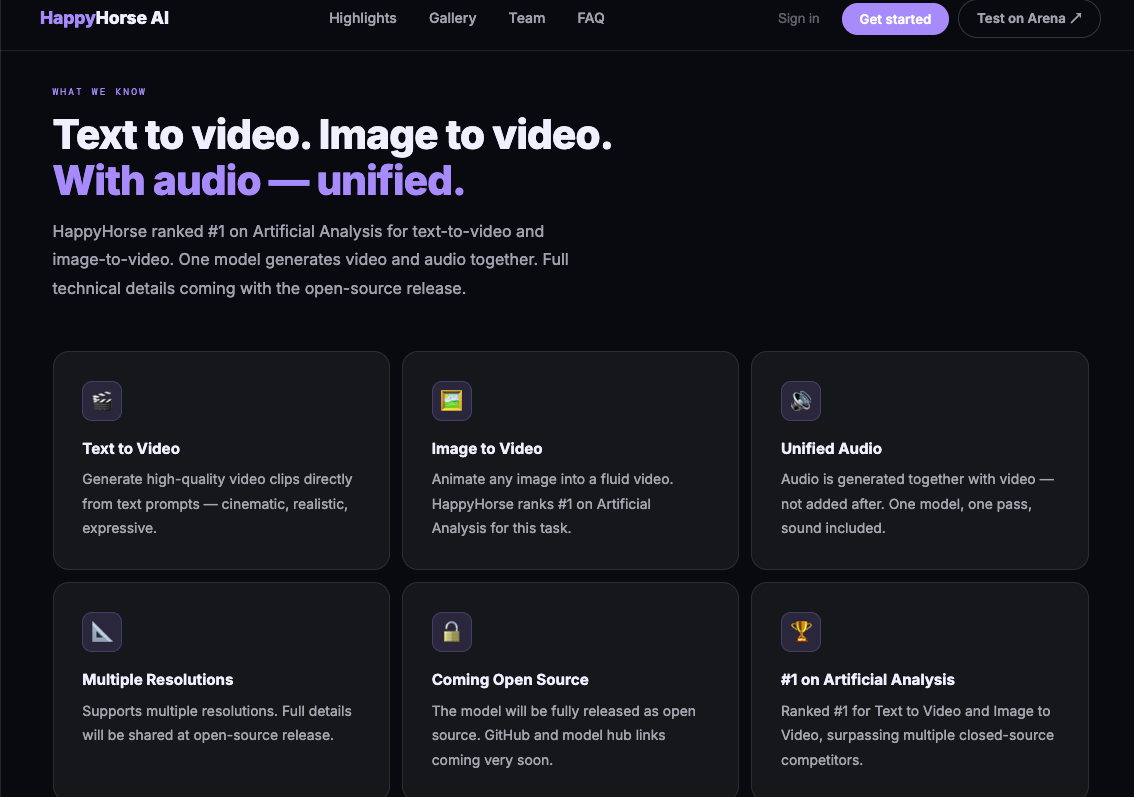
Third-party demo sites (happyhorse.video, happy-horse.ai, happyhorseai.net, and several others) offer browser-based generation with credits — but their model provenance is unconfirmed. We recommend keeping an eye on the official channels and being very cautious of any sources claiming the model is already available for download or deployment.
Pricing and Usage Limits
No confirmed pricing from the model developers as of April 9, 2026. Third-party platforms are running credit-based systems, but terms vary and I haven't verified them against stable rate cards.
The team has confirmed HappyHorse-1.0 will be fully open-sourced — GitHub and model weights are described as "coming very soon." When that drops, self-hosting becomes an option, though you'll need H100-class hardware for the full 1080p pipeline.
Output Specs: What You Get from HappyHorse
Resolution and Frame Rate
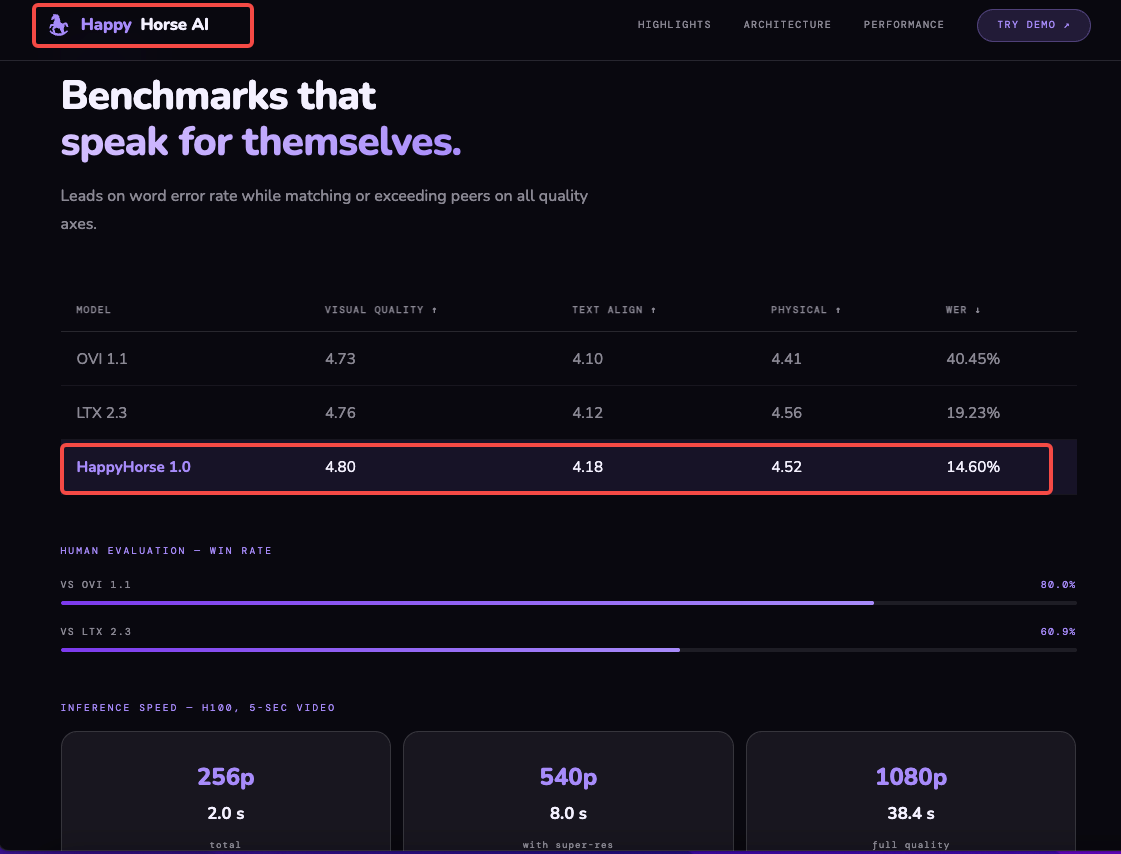
HappyHorse-1.0 features a 15-billion-parameter unified single-stream Transformer architecture that natively generates synchronized audio and video in one pass. Confirmed output: native 1080p cinematic quality. DMD-2 distillation reduces the denoising process to just 8 steps, and MagiCompiler accelerated inference delivers approximately 38 seconds for a 1080p clip on an H100 GPU. For creators not self-hosting, generation speed through demo interfaces will vary significantly.
Clip Length
HappyHorse Lite supports up to 12 seconds per generation. The paid tier (where available) supports up to 15 seconds per generation.
For short-form creators, 5–15 seconds is the sweet spot anyway. I wouldn't build a long-form strategy around this — it's clip material, not episode material.
Aspect Ratio Options
Output files are optimized for multiple platforms — vertical for TikTok and Instagram Reels, horizontal for YouTube, square for social feeds. Aspect ratio selection is built into the interface.
That matters. Tools that force you to crop after generation cost you resolution — HappyHorse apparently generates natively to your target aspect ratio, which means your 9:16 output isn't a cropped 16:9.
Audio and Watermark
Audio: HappyHorse 1.0 features integrated audio-video generation with precise lip-sync, ambient sound, and multi-language voiceover support, all in a single pass. This is genuinely unusual — most open-source video models generate silent clips and require a separate audio model stitched in post.
Watermark: Unconfirmed on third-party demo outputs. Check export settings carefully before using any clip in client or commercial work.
Fitting HappyHorse Output into a Short-Form Workflow
Let's talk about the part that actually affects your day-to-day. Generating a clip is step one. The next three steps are where most creators lose time.
Importing AI-Generated Clips into Your Editor
HappyHorse outputs MP4 at 1080p. That's a clean handoff. The workflow I've been using:
Generate in the demo environment or third-party interface
Download the file — check for watermarks before moving forward
Import directly into your editor via drag-and-drop
If you're on CapCut Desktop, the MP4 import is frictionless — CapCut auto-detects resolution, frame rate, and aspect ratio on import, with no sequence configuration required. That removes one of the small-but-annoying friction points from the AI clip → edited video pipeline.
For heavier editing environments like DaVinci Resolve, the MP4 will require a project setup step. For daily short-form output, that overhead isn't worth it unless you're doing serious color work.
Captioning and Text Overlays
HappyHorse does not automatically add captions. You'll need to bring them in from your editor.
The fastest path right now: generate your clip → import into CapCut → use CapCut's AutoCut and AI subtitle feature to add captions in one click. CapCut's AutoCut uses AI voice and scene detection to generate automatic subtitles across multiple languages, customizable with styles and templates.
If the clip has no dialogue (B-roll, product shots, atmosphere), skip captions and focus on text overlays for context.
Reformatting for TikTok / Reels / Shorts
If you generated at the correct aspect ratio, this step is minimal. The main thing to check: safe zones. Both TikTok and Reels have UI overlays (captions, CTAs, like buttons) that eat into the bottom third of the frame. If your HappyHorse clip has important visual content in that zone, you'll need to reframe or add a text bar to offset it.
What Works Well Right Now
Image-to-video is the standout. HappyHorse-1.0 currently leads the Artificial Analysis Image-to-Video Arena without audio with an Elo score of 1402, ahead of Seedance 2.0 at 1355. For e-commerce sellers who have product stills and want motion clips without a shoot, that gap is meaningful. You're uploading a clean product image and getting something that looks like directed footage.
Prompt adherence is consistently flagged as strong across blind comparisons. What you describe tends to show up in the output — composition, subject, camera movement. That matters for branded content where you need repeatability.
Joint audio generation is a real differentiator. Getting synchronized ambient sound and voice in one pass cuts a step that usually requires a separate tool and a matching session.
What Doesn't Work Yet or Needs Workarounds
No stable public access. I'll keep saying this until it changes. The model is real. The outputs are impressive. But until weights drop or an API opens, you can't build a repeatable production workflow around it. The practical leaderboard starts at position #3 for models you can actually integrate today — SkyReels V4 offers the best quality-to-price ratio among accessible options, Kling 3.0 Pro runs 1080p natively, and PixVerse V6 is the cheapest per minute in the top tier.
Watermark ambiguity on third-party demo platforms. Different platforms have different terms. Before you use anything from a third-party demo in client work, check the export carefully.
No multi-shot narrative control from a browser. The architecture supports multi-shot coherence, but the demo interfaces I've tested don't expose that parameter. You're generating one clip at a time.
Uncertainty about who built it. No organization has officially claimed HappyHorse-1.0. Speculation has pointed at WAN 2.7, DeepSeek, Tencent, and Sand.ai's daVinci-MagiHuman project — but none has been confirmed. That matters for commercial use decisions. If you're scaling a client workflow, knowing the license source is not optional.
FAQ
Is the HappyHorse demo free?
Third-party demo sites vary — some offer starter credits at no cost, others require a paid plan from the start. The Artificial Analysis Video Arena lets you submit prompts and compare outputs without an account, which is the most reliable free access point as of April 2026.
What resolution does HappyHorse output?
Native 1080p resolution. Every HappyHorse AI video uses advanced motion synthesis and the output is designed to be broadcast-ready, with no post-processing required. Lower-resolution options (480p, 720p) are available on some platforms.
Can I download HappyHorse clips without a watermark?
Depends entirely on the platform you're using. The model developer has not released a stable API, so all current access is through third parties. Check each platform's terms before downloading anything for commercial use.
Does HappyHorse support image-to-video?
Yes, and it's currently the model's strongest category by benchmark data. You can upload a still image as a reference and HappyHorse-1.0 will use it for image-to-video generation with stronger composition follow. Product images, portraits, and illustrated stills all work as input.
What if the demo is down?
It happens. If your current HappyHorse demo site goes offline, your fastest fallback options for 1080p AI video are Kling 3.0 Pro (stable API, predictable pricing) or SkyReels V4. Both have confirmed access and documented terms. For short-form content repurposing at scale, tools like Reap or CapCut's AI pipeline can fill the gap while you wait for HappyHorse access to stabilize.
Conclusion
I'm not ready to put HappyHorse-1.0 in my permanent stack — not because the output isn't impressive, but because there's no reliable way to access it consistently yet. The leaderboard results are real. The blind comparison wins are real. But a tool you can't depend on isn't a tool; it's a preview.
What I'd actually do right now: bookmark the Artificial Analysis leaderboard, join whatever waitlist the official site is running, and keep your current generation workflow intact. When the weights drop or an API opens with clear terms, that's when it's worth restructuring.
The output specs are solid. The image-to-video performance is ahead of anything else publicly available. Just don't rearrange your production pipeline around something you can't run twice in a row.
Previous posts: