

Kling vs Pika vs Luma: Which Goes Viral in 2026?
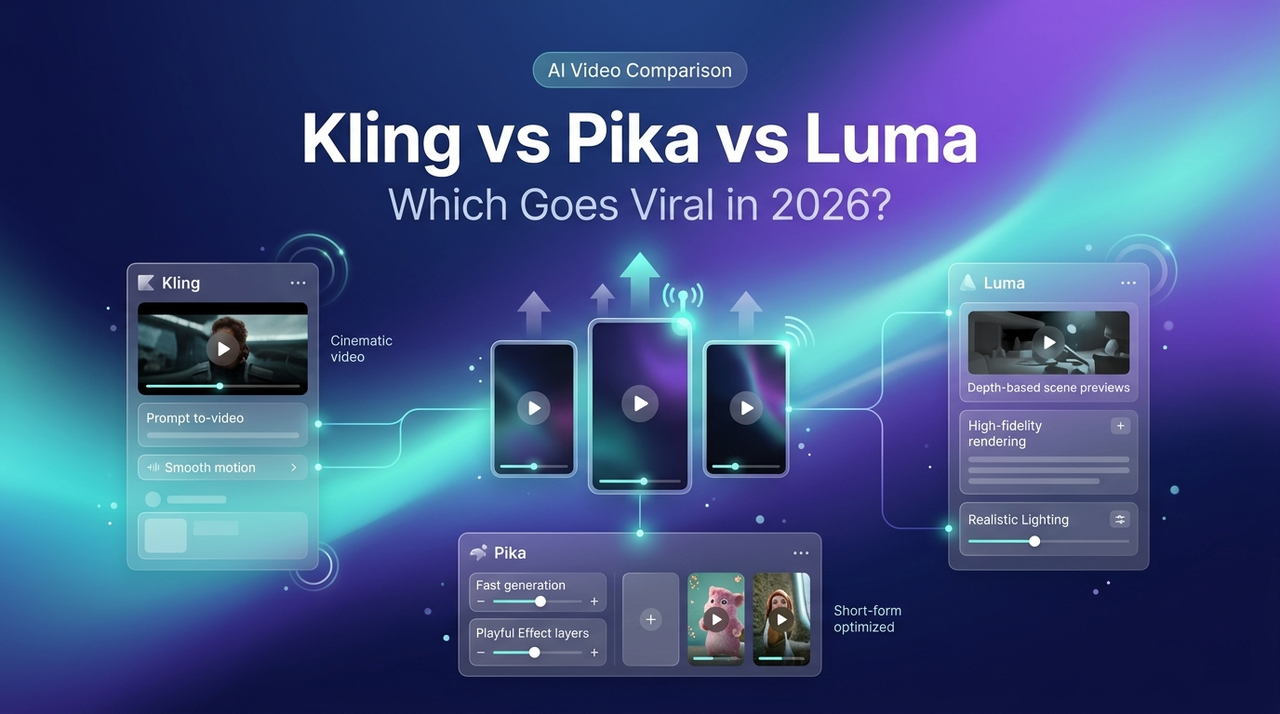
Hey there, it’s Dora. I had four tabs open. Same brief, same reference image, same 15-second target. Kling 3.0 on one. Pika 2.5 on another. Luma Ray3 on the third. A stopwatch on the fourth.
I wanted to know which one would actually go viral — not which one scored highest on a benchmark page.
By the end of that afternoon, I was pretty sure the question itself was broken.
The Real Question — Which Goes Viral, Not Which Scores Highest
Why benchmark scores don't predict viral performance
Artificial Analysis rankings, ELO scores, "the #1 video model" — none of that predicts whether your clip pops on a For You Page. I've watched clips that looked like nothing special hit 2M views, and models with the cleanest physics die at 300.
Benchmarks test prompt adherence and visual fidelity. Neither matters if your hook doesn't land in the first 3 seconds. A 4K HDR cinematic clip with weak pacing dies in Phase 1 testing. A rough-looking 720p meme with a killer hook makes it to Phase 3. I went in pretty skeptical when I first saw the leaderboards. Four weeks of testing made me more skeptical, not less.
What TikTok, Reels, and Shorts actually reward
Upfront: the figures you'll see everywhere — "40–50% algorithm weight on watch time" and "70% completion rate for viral push" — are not from TikTok. TikTok has never published specific weights. These come from industry analysts at Sprout Social, Buffer, and PostEverywhere studying creator analytics at scale. Informed estimates, not platform-confirmed facts.
What is confirmed comes from TikTok's recommendation system documentation: watch time is explicitly weighted more heavily than likes because users don't actively express preferences through likes. Finishing a longer video is a "strong indicator of interest." That's the official floor.
The most cited empirical study is Buffer's analysis of 1.1M+ TikTok videos, which found videos over 60 seconds earn roughly 43% more reach — but only when completion rate holds. A 3-minute video watched 15% through loses to a 30-second video watched fully. Reels and Shorts use similar retention-weighted models.
Takeaway: you're not picking the "best" model. You're picking the one that serves your specific content type.
Quick Verdict by Viral Content Type
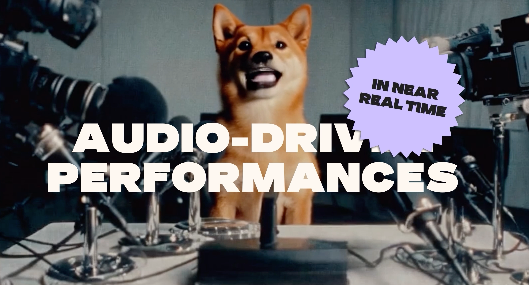
Meme-style / reaction effects → Pika 2.5
Pikaffects and Pikaframes are made for this. Surreal transformations, reaction-bait transitions, scroll-stopping visual twists. Nobody else is close.
Cinematic storytelling / multi-shot → Kling 3.0
Storyboard mode plus 15-second clips and native lip-sync audio let you build a 3-beat arc: setup → turn → payoff. Hook architecture for narrative shorts.
Smooth motion / travel-style / natural realism → Luma Ray3
Ray3 passes the "wait, is this AI?" test more consistently than anything else I've tested. Travel shots, product demos, content where AI-looking motion would drop retention.
Full Feature Comparison Table
Max clip length, resolution, vertical support, audio, free tier, pricing
Pricing verified on each platform's official pricing page, April 2026. All three platforms adjust credits and tiers quarterly — check before you buy.
Feature | Kling 3.0 | Pika 2.5 | Luma Ray3 |
Max clip length | 15 sec | 10 sec (25s via Pikaframes) | 20 sec (720p SDR) |
Max resolution | 4K (Ultra tier only) | 1080p | 1080p native, 4K upscale |
Native 9:16 vertical | Yes | Yes | Yes |
Native audio | 5 languages, lip-sync | Sound effects + lipsync | None — bring your own |
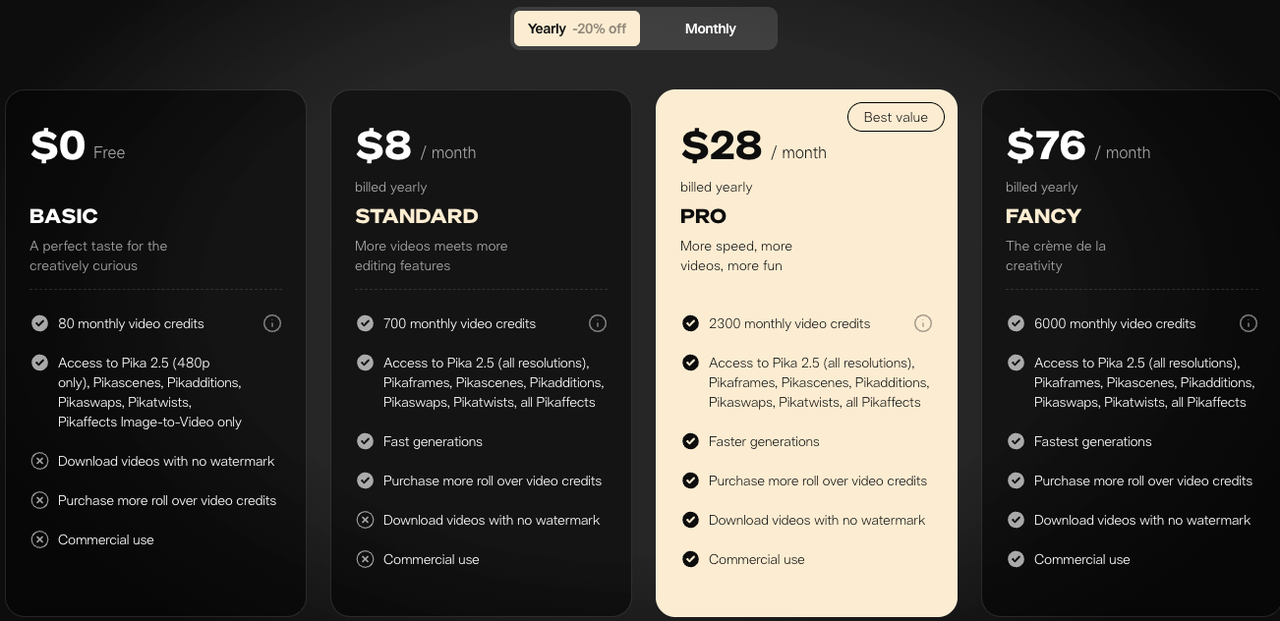
Free tier | 66 credits/day, no card | 80 credits/month, 480p, watermark | Free trial credits only |
Starter paid plan (yearly) | ~$6.99/mo (Standard) | $8/mo (Standard) | $30/mo (Plus) |
Commercial use on free tier | No | No | No |
Best at | Multi-shot narrative | Effects, memes, transformations | Realistic physics, natural motion |
Pricing moves quarterly on all three platforms. Check the Pika subscription page and Luma's Dream Machine plan list before committing — I've seen intro prices silently jump at renewal on all three.
Pika 2.5 for Viral Content
What Pikaeffects and Pikaframes enable that others can't
Pikaffects is the feature no one else has matched. Melt, explode, squish, inflate, cake-ify — preset physics effects applied to any image or clip. Three-second meme machines. I've had Pika clips hit 10x average views for no reason other than "the melt effect made people send it to their group chat."
Pikaframes is the other weapon. Set first frame and last frame; Pika interpolates a 20–25 second motion sequence between them. Faster than prompt-engineering your way to a transition.
Where Pika breaks down (complex physical interactions)
Two people throwing a ball. Someone pouring liquid into a cup. Hands manipulating a product believably. The moment your prompt involves multi-object cause and effect, the model starts guessing. I learned this on a product demo — regenerated 11 times before giving up and filming manually. Text rendering also breaks: logos warp, price tags blur, signs go illegible.
Real viral use cases
Scroll-stopping thumbnails for Shorts. Transition effects between UGC clips on TikTok. Static product photos turned into absurd physics demos for Reels. Anything where "wait, what?" is the intended reaction. If your format doesn't include that element of surprise, Pika is probably not your tool. Not broken, just not what I'd reach for.
Kling 3.0 for Viral Content
Storyboard + 15-second length = narrative shorts that hook viewers
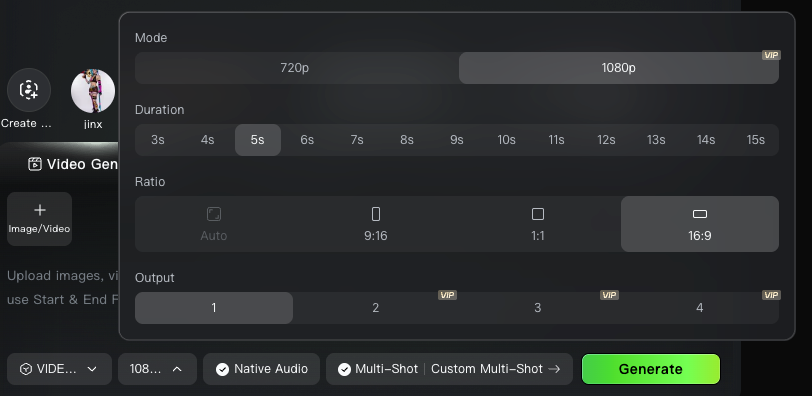
Kling 3.0 added multi-shot storyboard logic in February 2026. Write out a shot list; Kling builds coherent transitions between shots with character consistency — 3–4 mini-shots cut together. That matters because winning short-form in 2026 is often 60–90 seconds of compressed narrative, and Kling's 15-second ceiling lets you stitch clips into 45–60 second pieces with genuine structure.
Native lip-sync audio for character-driven content
The native lip-sync across five languages is better than I expected. Tested Spanish and English variants on the same character — no desync. For creators making character-driven content across language markets, this alone justifies the tool.
Where the learning curve gets steep
Kling rewards structured, verbose prompts. If you're used to one-line descriptions, your first week will be frustrating. I tested this wrong the first time — 20 clips of vague prompts that looked worse than Pika on defaults. Week three, with a refined prompt template, the ceiling was dramatically higher.
Credits don't roll over on cheaper plans. Kling 3.0 costs more credits per clip than older versions — around 180 credits per clip in Pro mode. Paid tiers start around $6.99/mo (Standard, 660 credits, commercial use) and scale to $25.99–$37/mo for Pro.
Luma Ray3 for Viral Content
Why natural physics beats AI-looking motion for retention
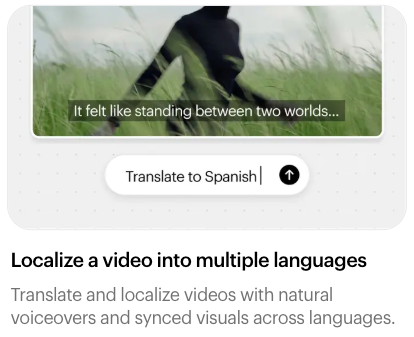
Luma Ray3 leans on reasoning-driven generation, 3D spatial awareness, and native HDR output. Motion actually makes sense. Wind moves through hair. Light bounces off water. A person walks with visible weight. Physics don't break the way older models break — which stops the reflexive "this is AI slop" swipe-away that kills retention.
Best for fast-scroll, slow-feel content
Travel clips. Aspirational product shots. "Day in the life" b-roll. Anything where the viewer should feel like a camera operator was physically present. Ray3's Draft mode lets you iterate fast without burning high-cost credits.
Where stylized effects fall flat
Anime aesthetics. Cartoon physics. Meme transformations. Ray3 is a realism engine. Ask it to make a building puff up like a balloon and you'll get a refusal or a weirdly grounded version. I tested this wrong the first time — 60-minute lesson in tool-job mismatch.
Audio is missing entirely. Bring your own. Pricing starts at Plus $30/month yearly — first tier with commercial rights.
Free Tier Showdown
Who can do the most without paying
Kling wins clearly — 66 credits daily, no credit card, no monthly cap. Enough for 2–3 usable Standard-mode clips per day, watermarked at 720p. Over a month, you can test meaningfully. Pika Basic gives 80 credits monthly, 480p, watermarks — a handful of clips and done. Luma's free access is trial-framed, not a sustainable free path.
Which free tier has the biggest catch
None of the three permit commercial use. Monetizing content — affiliate, paid ads, brand work — requires paid tiers to remove watermarks and unlock rights. Non-obvious catch: Kling free credits don't roll over day to day. Pika Basic doesn't roll over month to month. Luma trial credits expire. Use them or lose them.
The Post-Generation Decision That Actually Matters
Same model, different edit — why post-production changes everything
Here's what I want you to hear.
I ran the same prompt, same reference image, same target across all three tools. Exported the "best" clip from each. Posted them identically on a test account.
The Luma clip got 4x the views of the other two.
Not because Ray3 is magic. Because the post-production on that clip was different — I'd been testing a new hook structure and tighter caption pacing, and that clip got the better treatment. When I re-edited Kling and Pika clips with the same pass, the gap closed completely.
Getting captions, hooks, and 9:16 right for each platform
The model gives raw material. The hook, the first-3-second visual, the caption rhythm, the 9:16 crop, the on-screen text timing — all of that decides virality. Buffer's analysis of over one million TikTok videos makes the same point from the data side: retention signals dominate distribution, and none are decided by the generator upstream.
Platform-native framing matters more than most creators act on. A clip generated at 16:9 and cropped loses compositional intent — generate at 9:16 from the start. Same for captions: burned-in captions outperform uploaded caption files because they read faster on mute, and most short-form views happen on muted devices.
Decision Framework — Pick Your Starter Tool
Solo creator testing viral formats
Start on Kling's free tier. 66 daily credits is enough to actually learn the tool. Add Pika Basic for effects content. Move to Kling Standard once you've identified what your format needs.
Brand team producing at scale
Kling Pro ($25.99–$37/mo) for consistent multi-shot output with commercial rights. Add Luma Plus ($30/mo) if your brand leans cinematic. Pika works for meme-voice brands only. Most serious brand teams run two tools.
E-commerce sellers making product videos
Luma Ray3 for product shots where realism matters. Pika for scroll-stopping thumbnail effects. Kling for demo narratives over 10 seconds. For TikTok Shop at volume, Kling Standard is the floor.
FAQ
Q: Which is best for TikTok in 2026? There isn't one. Pick by content type: Pika for effects, Kling for narrative, Luma for realism.
Q: Which has the best free tier right now? Kling, by a wide margin — 66 credits daily, no card required. Pika's 80-credit one-time grant runs out fast.
Q: Can I use two or all three together? Yes, and most serious creators do. Generate in the tool that fits the scene, then edit the clips together in post.
Q: Which produces the most "human-feeling" video? Luma Ray3, hands down. The physics and motion read as real more consistently.
Conclusion
The model doesn't go viral. The edit does.
Kling, Pika, and Luma are three tools solving three different problems. Pick the one that matches your content type and stop hunting for a universal "best." Your mileage may vary, but after four weeks of side-by-side testing, I'll say this plainly: creators who treat generation as the finish line lose to creators who treat it as the starting line.
Generate in the tool that fits. Edit like the algorithm is watching. Because it is.
Previous Posts: