

Best Opus Clip Alternatives for Short Videos (2026)
Hey there, Dora here. I'll be honest with you — I didn't start looking for Opus Clip alternatives because I was bored. I started looking because I burned through an entire month's credits on a single 60-minute podcast upload and got back four clips that weren't usable. That's it. That was the moment.
If you've hit the same wall — the credit math not adding up, the AI clip selection feeling random, or just wanting more control over what gets extracted — you're in the right place. I've been producing 40–60 short-form clips per week across multiple accounts, and I've tested enough of these tools under real conditions (with data pulled directly from official sources) to tell you what actually holds up.
This isn't a feature list. It's what I found when I pushed these alternatives past demo videos into actual work — backed by verified pricing, language support, and documentation from each platform's official site.
What Opus Clip Does (and Doesn't Do Well)
Core strengths
Opus Clip is genuinely good at one thing: taking a talking-head video and quickly identifying moments that feel "clip-worthy" based on speech dynamics. Its virality scoring is a useful signal — not gospel, but a decent starting filter. For podcasters and interviewers who need to ship clips fast without much customization, it's a reasonable starting point.
The auto-captions work well for standard English content. The reframe engine keeps speakers centered. For one-off use cases at low volume, it does what it says.
Known limitations
Here's the thing nobody tells you about Opus Clip's credit system: it charges 1 credit per minute of source video. A 60-minute podcast uses 40% of the Starter plan ($15/mo, 150 credits) in a single upload. The Pro plan ($29/mo, 300 credits) offers more headroom but still scales quickly for batch workflows.
The free plan exports with a watermark, clips expire after three days, and there's no access to the editing tools. For 5–10 videos per day, the cost adds up fast. The AI clip detection also gets inconsistent outside of standard talking-head content — gaming videos, event footage, and anything with heavy visual action tend to produce weaker results. No API access on lower tiers. Language support covers ~25 languages for transcription . And if you want to edit beyond basic trimming, you're exporting and switching tools.
Best Opus Clip Alternatives in 2026
Tool 1 — Descript
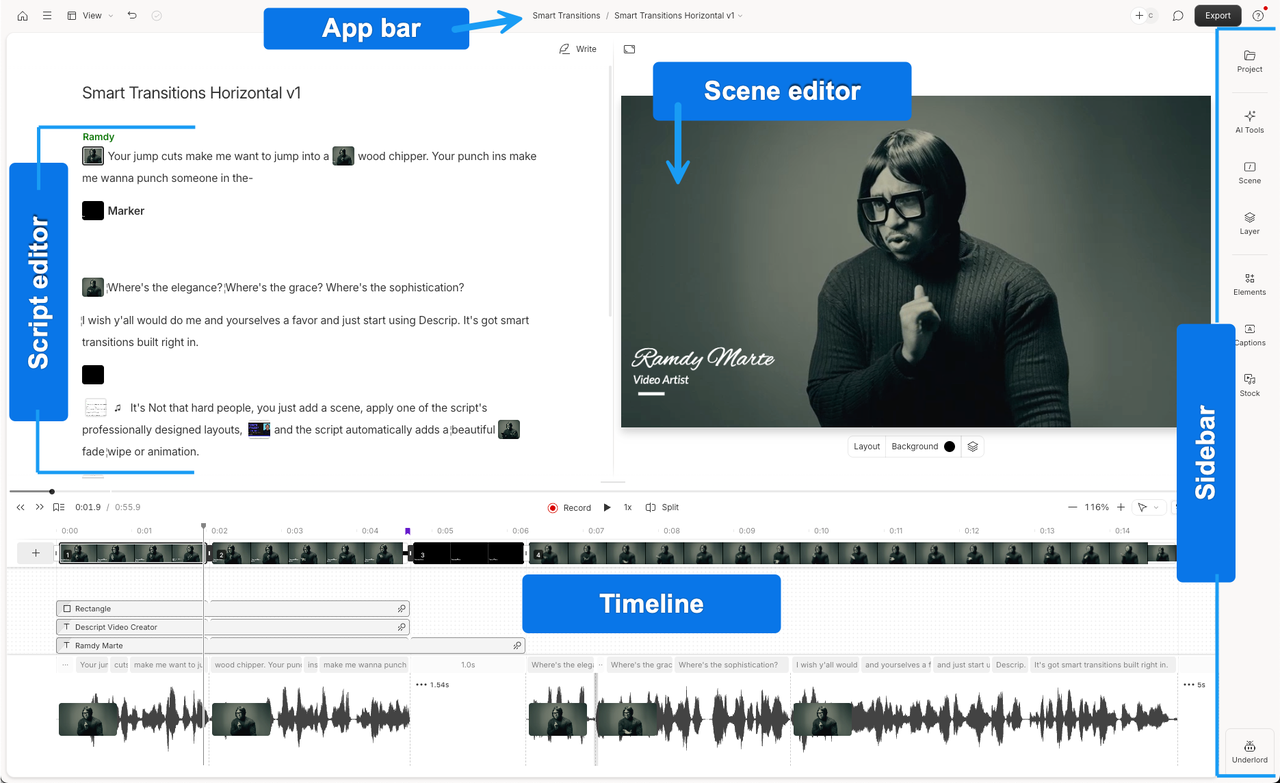
Descript takes a fundamentally different approach to clipping. Instead of AI scanning your video for "highlights," you edit by working directly with the transcript. Delete a word, the corresponding audio and video disappears. Find a strong moment in the text, highlight it, export it as a clip.
For anyone producing podcast or interview content, this is genuinely faster than timeline scrubbing. The transcript search alone changes how you navigate long recordings. Its Underlord AI feature can identify clip candidates, remove filler words automatically, and generate social-ready shorts — but the real differentiator is editorial control. You decide what's clip-worthy, not an algorithm.
The Studio Sound feature cleans up background noise and echo in a way that actually holds up. I've used it on recordings from clients shooting on iPhones in bad lighting conditions — it doesn't fix the video, but the audio comes out clean.
Limitations worth knowing: Descript isn't optimized for TikTok-style short-form at high volume. Its text-based video editing workflow is designed for audio-first creators — podcasters, educators, people who think in words rather than timelines. If you're producing 8+ clips per day from visually-driven footage, it's not the right fit.
Pricing: Free plan (60 media minutes/month); paid plans start at Hobbyist (~$12–24/month depending on annual billing) or Creator at $24/month .
Tool 2 — Klap
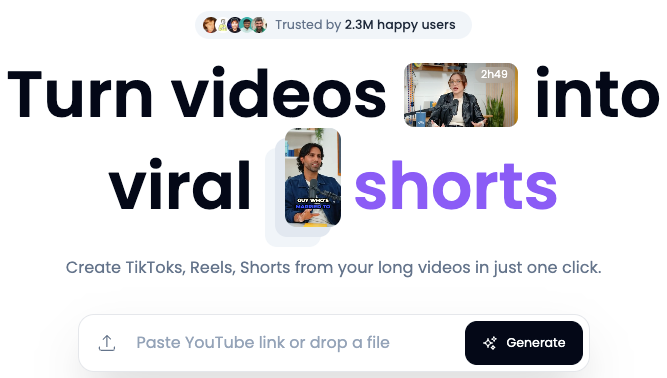
Klap is the closest thing to a direct Opus Clip replacement for creators who want to stay in a "paste a URL, get clips" workflow. You drop in a YouTube link or upload, and its Reframe 2.0 engine handles vertical conversion, auto-framing, and caption generation .
What makes Klap different isn't just the AI scoring — it's the multilingual capabilities. It transcribes in 52 languages and offers AI dubbing/translation in 29 languages (not just captions). If you're producing content for multiple markets, that's a meaningful capability.
Batch processing works at volume. 4K exports. The customization options on fonts, framing, and branding are deeper than Opus Clip. I ran the same 45-minute interview through both tools — Klap produced 8 clips, Opus Clip produced 7. The Klap clips were slightly longer on average and required less re-editing on the hooks.
The honest trade-off: The free trial is limited to a single video. The Pro plan is $29/month .
Best for: creators doing high-volume talking-head or interview content who need multilingual distribution. Klap's official documentation covers its AI clipping capabilities and platform support in detail.
Tool 3 — Vizard
Vizard is a solid middle ground for teams. It does the AI clipping workflow well — drop in a video, get vertical clips with auto-captions and speaker tracking — but its real advantage is collaboration. Team workspaces, multiple users on the same project, role-based access. Opus Clip doesn't offer this at most plan levels .
The transcript-based editing layer is useful. You can make clip-level adjustments without leaving the platform. The caption quality across its 100+ language options is consistent.
Pricing is competitive: Free plan (60 minutes/month with watermark); Creator plan $29/month (600+ credits, 1 credit = 1 minute) or $14.50/month annually; Business $39/month . The math scales better for high-volume workflows than Opus Clip's credit model.
Where it gets inconsistent: the AI clip selection quality varies based on content type. For talking-head and podcast content, it performs well. For event footage or anything with complex visual action, it struggles to identify genuinely strong moments. The AI highlights what it can parse from audio, not what's visually interesting. Short-form video statistics for 2026 suggest under-60-second content now represents the majority of AI-generated video — and for that format, Vizard holds up.
Best for: marketing teams or small agencies producing consistent short-form at scale who need multiple users in one workspace.
Feature Comparison Table (updated with 2026 official data)
Descript | Klap | Vizard | |
Clip detection method | Transcript-based (manual selection) | AI highlight + Reframe 2.0 | AI highlight + speaker tracking |
Caption languages | 25 (transcription); 61 (translate) | 52 (transcription); 29 (dubbing) | 100+ |
Batch processing | Limited | Yes | Yes |
Team collaboration | Yes (real-time co-edit) | No | Yes |
API access | Yes | No (usage-based API separate) | Yes |
Free plan | Yes (60 media min/month) | 1 video trial | 60 min/month (watermark) |
Base paid price | ~$12–24/month (Hobbyist/Creator) | $29/month (Pro) | $29/month (Creator, 600+ credits) |
Best content type | Podcasts, interviews | Talking-head, multi-market | High-volume team workflows |
Filler word removal | Yes (1-click) | No | No |
How to Choose the Right Clipping Tool
Volume needs
If you're producing under 10 clips per week, Opus Clip's Starter plan might actually work. The credit math only becomes painful at volume. Once you're at 5+ clips per day from long-form source videos, the per-minute credit model gets expensive fast. Vizard's per-video pricing model scales better for high-frequency production.
Caption and hook quality
AI-generated hooks are often flat — they identify where energy exists in the audio, not whether the actual content will land with a specific audience. In my testing (cross-checked against official capabilities), Descript's manual selection approach produces the strongest hooks because you're choosing them. Klap's hook detection is better than average for its price range. Vizards are solid for standard content.
Caption accuracy matters. Most claim 97%+ — in practice, specialized vocabulary and accents require review. Real-world accuracy for creator content with industry jargon is closer to 85-90% across tools.
Platform export options
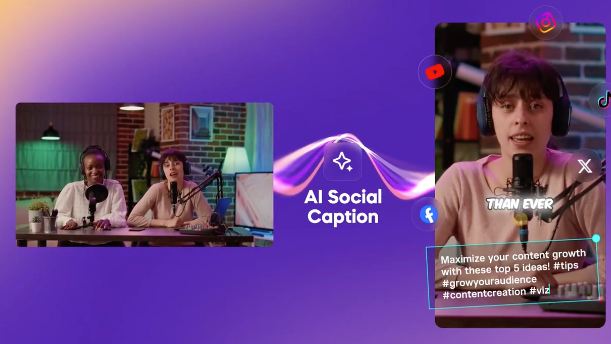
All three tools handle TikTok, Instagram Reels, and YouTube Shorts. Vizard and Klap offer direct social publishing. Descript focuses on export flexibility.
The short-form video production market in 2026 is moving toward integrated workflow tools — clipping, captioning, and distribution in one place.
What I'd Actually Use
Here's what the decision looks like in practice, based on my testing and official specs:
Podcast or interview-based content where you want control — Descript. The transcript editing approach produces higher output quality.
True Opus Clip replacement with better multilingual capability — Klap. The $29/month Pro plan, dubbing features, and AI highlight detection perform competitively.
Team workflows with collaboration — Vizard. The shared workspaces and per-credit pricing make more sense at scale.
What I can't tell you is which tool's AI will identify the moments that matter for your specific content and audience. That part still requires your judgment. The tools save mechanical work. The editorial decisions are still yours.
FAQ
Q: Can these tools clip from YouTube videos? Klap accepts YouTube URLs directly — paste a link and it processes the video without requiring a download. Vizard and Descript require you to upload a video file. If your source material is already on YouTube and you want to avoid the download step, Klap is the most frictionless option here.
Q: Which alternative has the best auto-captions? Vizard wins on language breadth — 100+ languages, consistent accuracy for standard content. Klap wins on audio dubbing — it actually generates translated voiceovers, not just caption overlays. Descript wins on accuracy for English content because its transcript engine has the strongest track record for multiple speakers and challenging audio conditions.
Q: Is there a free Opus Clip alternative? Descript has a genuinely usable free plan — 1 hour of transcription monthly, which is enough to evaluate the transcript-editing workflow properly. Vizard gives 60 minutes of processing per month on the free tier, with a watermark on exports. Klap limits you to one free video. None of them are fully free for ongoing production, but Descript's free plan goes deepest for evaluation purposes.
Previous Posts: