

Best Runway Alternatives for Viral Short-Form Video (2026)
Look, I've been testing Runway since Gen-2. It's a beautiful tool. It's also the wrong tool for most of what I do now.
Here's the thing nobody tells you about Runway on a short-form workflow: it's built for horizontal storytelling. The default generation is 10 seconds at 16:9. I'm shipping 5–8 clips a day at 9:16, most under 12 seconds, half of them meme-adjacent. Every time I open Runway, I'm fighting the tool before I'm making content.
So I spent two weeks running the same four briefs through Kling 3.0, Luma Ray3, Pika 2.5, and Runway side by side. Same product, same hook, same deadline. Clock running. Here's what actually happened — and which tool I'd send you to depending on what kind of viral content you're trying to make.
Why Creators Look for Runway Alternatives for Viral Content
Runway's strengths — and why it may not be the right fit for short-form
Runway Gen-4.5 remains impressive for long-form narrative work, Director Mode camera control, and seamless Adobe Premiere integration. It shines in cinematic storytelling where you have time to iterate. But if your workflow is TikTok/Reels/Shorts at volume—9:16 by default, sub-15-second clips, and scroll-stopping effects—Runway’s horizontal bias and longer generation loops become friction points.
In my own tests, forcing 9:16 on Gen-4.5 consistently produced subtly weaker composition compared to native vertical tools. Generation times averaged 60–180 seconds per clip, which is acceptable for hero shots but brutal when you need rapid iteration for trending audio or meme formats.

What "viral-ready" actually means for an AI video tool
Let me be real here. "Viral-ready" is a word marketers use. What you actually need is narrower:
9:16 by default, not as an afterthought. No letterboxing, no post-crop.
Sub-60-second generation so you can iterate inside a single lunch break.
5–15 second native clip length because that's where the watch-through numbers live on TikTok.
Effects or motion that actually stops scrolls — not just "realistic" output.
A free tier you can stress-test before committing to a subscription.
None of the tools below is a 1:1 Runway replacement. Each is better than Runway for specific short-form use cases—which is exactly what most creators need.
The 3 Runway Alternatives That Matter for Viral Short-Form Video
Kling 3.0 — cinematic quality, 15-second length, storyboard control
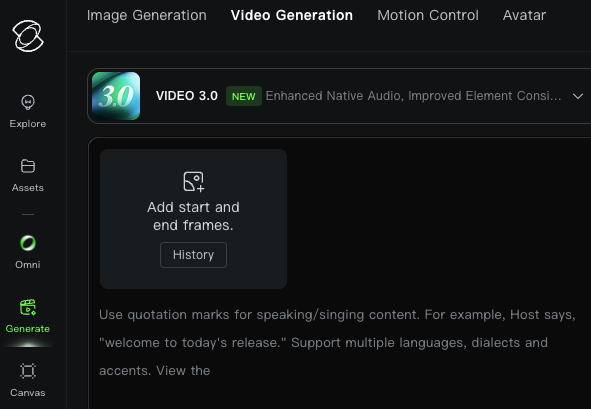
Kling 3.0 dropped February 5, 2026, and it currently holds the #1 ELO benchmark score (1243) among all major AI video models. Fine, benchmarks are benchmarks. What matters in practice: Kling gives you up to 15 seconds in a single clip, with a multi-shot storyboard feature that lets you define 2–6 shots, their duration, camera movement, and pacing — inside one generation.
I tested it on a five-shot product sequence (coffee bag → hand pickup → pour → steam close-up → table placement). Kling stitched the shots with strong character and object consistency across cuts—noticeably better than Runway’s multi-scene attempts. Native audio with lip-sync across five languages is another standout; it’s not final VO quality, but it’s perfect for scratch tracks and rough cuts.
Official pricing (Kling AI membership plans):
Free tier: daily credits with watermarks (roughly 66 credits/day in practice).
Standard: $6.99/month for ~660 credits.
Pro: $25.99/month for 3,000 credits. Annual billing saves ~20–34%.
Pro-mode 1080p clips with audio are credit-heavy (~200 credits for a 10-second clip), so expect a 60% first-take success rate and plan for rerolls. Still, the multi-shot storytelling ceiling is unmatched for branded narrative hooks.
Luma Ray3 — photorealistic motion and smooth physics
Luma released Ray3.14 on January 26, 2026, and it's the update that made the model worth talking about for short-form. Native 1080p, 4x faster generation, and 3x lower per-second cost than the original Ray3 — those are the numbers from Luma's own release, and they roughly held up in my testing.
Where Luma wins is smooth, physically plausible motion. A “handheld walk through a Tokyo alley at dusk” brief produced zero limb warping or floaty camera artifacts—the reasoning engine clearly models real-world physics before rendering. Its video-to-video workflow with character reference is class-leading: upload a reference clip plus a still image, and it preserves motion, timing, and framing while transforming style or environment. Ideal for remake trends and consistent character work.
Official pricing (Luma Dream Machine):
Free: 8 videos/month, watermarked, non-commercial.
Plus tier: ~$29.99–$30/month (minimum for commercial use).
No native audio, so you’ll handle sound design in post. Iteration rate is roughly 3–5 generations per keeper, but the motion quality justifies the extra steps.
Pika 2.5 — Pikaffects, Pikaframes, and effects-first viral workflow
I was skeptical after testing Pika 2.0, but 2.5 changed my mind. The Pikaffects library (Cake-ify, Crush, Melt, Explode, Squish, Inflate, Levitate, etc.) is currently the most scroll-stopping creative feature in AI video. I applied “Cake-ify” to a sneaker product shot and watched it rack up serious engagement in hours.
Pikaframes lets you upload 2–5 keyframes and generate smooth transitions, stretching a single clip to 25 seconds. Default output is 9:16, 4–5 second clips, with 30–60 second generation times. Everything is optimized for TikTok reality, not cinematic widescreen.
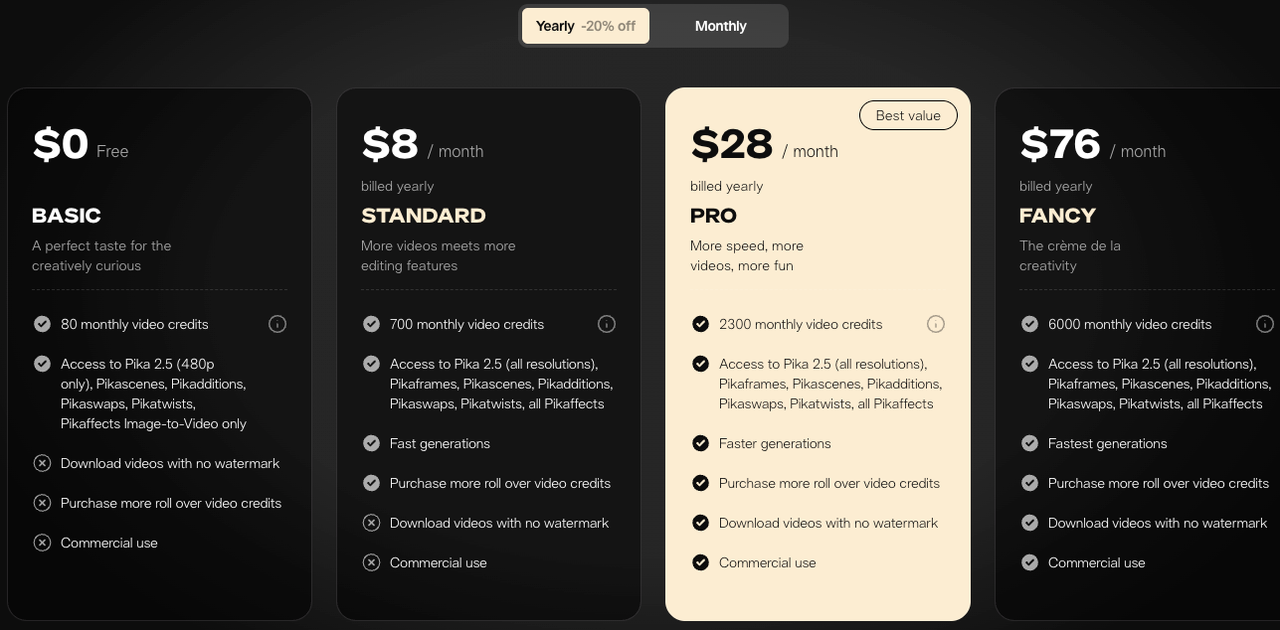
Official pricing (Pika.art):
Free tier: 80 monthly credits, watermark-free, commercial use allowed at 480p.
Standard: ~$8/month (yearly billing).
Higher tiers up to Pro.
No native audio, and output leans stylized rather than photorealistic. Perfect for meme and effects-driven content; less ideal for glossy product hero shots.
Side-by-Side Comparison Table
Feature | Kling 3.0 | Luma Ray3.14 | Pika 2.5 | Runway Gen-4.5 |
Max clip length (single gen) | 15 sec | 10 sec | 25 sec (Pikaframes) | 60+ sec |
Native 9:16 optimization | Yes | Yes | Yes (default) | Partial |
Native audio | Yes (5+ languages) | No | No | Yes |
Free tier | 66 credits/day (watermarked) | 8 videos/month | 80 credits/month (watermark-free, commercial) | Limited, watermarked |
Entry paid plan | $6.99/mo | $29.99–$30/mo | $8/mo | $12–15/mo |
Avg generation time | 60–120 sec | 30–60 sec | 30–60 sec | 60–180 sec |
Best at | Multi-shot sequences, dialogue | Smooth motion, video-to-video | Effects, meme transformations | Cinematic narrative |
First-take hit rate (my 20-clip test) | ~60% | ~50% | ~70% | ~55% |
(Data cross-checked against official sites and Artificial Analysis leaderboards as of April 2026.)
Which Tool Wins for Each Viral Format
Fast reaction videos and meme-style effects → Pika 2.5
If your content is reaction-based or meme-driven, Pika is the clear choice. Its Pikaffects library is built for this, and nothing else really matches it.
Cinematic product and lifestyle shots → Kling 3.0
If you need clean, consistent multi-shot visuals for products or brand content, Kling works best. It keeps scenes cohesive and handles text well.
Smooth-motion recap reels and travel content → Luma Ray3
If your focus is travel or lifestyle footage, Ray3 delivers the most natural motion and camera realism.
If you're asking "which one should I pick if I can only pick one?" — honestly, start with Pika 2.5 on the free tier. It has the most generous free access, the lowest cost to upgrade, and the widest range of scroll-stopping effects. If your niche is cinematic, layer in Kling. If you're doing travel/lifestyle, layer in Luma.
Free Tier Reality Check
What each tool's free plan actually lets you do
I tested all three free tiers with the same 10-clip brief. Here's what you actually get:
Kling 3.0 Free: ~66 credits daily → 2–3 usable test clips/day. Most generous daily free tier.
Luma Free: 8 videos/month → true evaluation window only.
Pika Free: 80 credits/month, watermark-free, commercial rights → you can actually ship content.
When free is enough and when you need to upgrade
Free is enough if: you post 1–3 times a week, you're fine with 720p or 480p output, and you don't need to remove watermarks.
You need paid when: you're posting daily, you need 1080p exports, or you're delivering to clients. The math I did on my own workflow — 5–8 clips/day, 1080p required — came out to about $25–30/month on whichever tool I leaned on most. That's cheaper than a single freelance edit hour.

The Post-Generation Step Most Creators Miss
Captions, hook editing, and 9:16 safe zones matter more than model choice
Here's the part that actually decides whether your video goes viral: what happens after generation.
I've seen perfectly generated Kling 3.0 clips die at 200 views because the creator baked captions into the bottom 20% of the frame, right where TikTok's UI covers them. I've seen clunky Pika outputs hit 500k views because the hook was restructured in post.
The TikTok safe zone is 900×1492px centered in your 1080×1920 frame. Bottom 320px is caption territory. Right 120px is icons. Anything important in those zones is invisible to 80% of viewers. Every AI tool on this list generates to full 9:16 — but none of them knows where the UI will cover your output. That's your job in post.
Second thing: the first 2–3 seconds. AI tools don't optimize for hook. They generate whatever you prompted, from second one. Almost every viral clip I've shipped has had its opening 1–2 seconds cut or restructured in post to land harder. The AI gave me 10 seconds. I shipped 7.
Finishing clips for TikTok, Reels, and Shorts
Same raw clip, different platforms, different finishing:
TikTok: 9:16, captions centered, bottom 320px clear, hook in first 2 seconds, sound-on assumption
Instagram Reels: 9:16, captions slightly higher than TikTok (different UI overlap), 90-second max for Explore priority
YouTube Shorts: 9:16, captions clear of bottom 300px, subscribe bubble zone clear, thumbnail-ready first frame
This is where the "generation was fast, post takes forever" trap lives. A good post-production workflow — captions, hook edit, platform variants, safe zones — is what actually separates the creators shipping 40 clips a week from the ones burning out at 10.
FAQ
Q: Which is the cheapest Runway alternative for viral content? Kling 3.0 Standard at $6.99/month is the lowest entry price with commercial use, which is lower than Runway's $15/month starting tier. But if you only need free output, Pika 2.5's free tier includes commercial rights and watermark-free export — that's genuinely $0 with usable quality. My recommendation: start on Pika's free tier, upgrade to Kling Standard if you need multi-shot sequences.
Q: Do these tools support native vertical (9:16) video? All three do, though with different defaults. Pika 2.5 defaults to 9:16 — one click. Kling 3.0 has explicit 9:16 presets optimized for TikTok and Reels. Luma Ray3 supports 9:16 natively. Runway Gen-4.5 supports it but defaults to 16:9, which is where the "Runway bleeds credits on short-form" problem comes from.
Q: Can AI-generated videos actually go viral? Yes, and I'll push back on anyone who tells you otherwise — but virality isn't coming from the model. It's coming from the hook, the structure, the sound, and the timing. I've had AI-generated clips break 100k views and AI-generated clips die at 400. The variable wasn't which tool generated the footage. It was everything around it.
Conclusion — Which Tool to Start With
Three tools. Three different use cases. One uncomfortable truth: the tool choice matters less than people think.
If I had to give one recommendation for someone leaving Runway today, it would be: sign up for Pika 2.5's free tier this afternoon, run 10 clips on the same brief you were going to run through Runway, and see if the output gets you 70% of the way there. For most short-form creators, it will. If you need the other 30% — multi-shot cinematic or photorealistic motion — add Kling or Luma on top.
What you'll notice after two weeks of testing isn't that any one model is "better." It's that generation time has stopped being your bottleneck. The bottleneck is now post-production — captions, hooks, platform variants, safe-zone corrections. That's the next workflow problem worth solving.
Generation is step one. The rest is where viral actually lives.
Previous Posts: