

Seedance 2.0 vs Traditional Editing: When AI Is the Better Choice
The creator economy runs on a brutal reality: you need more content, faster, without sacrificing quality.
Traditional video editing delivers control. AI video generation promises speed. But where's the actual line between the two?
Seedance 2.0 has triggered a breakout search trend because creators are finally asking the right question: not whether AI replaces editing, but when it becomes the smarter choice.
This isn't about hype. It's about production reality.
If you're deciding between Seedance 2.0 and traditional editing for your next project, this guide breaks down the exact scenarios where each approach wins — and how hybrid workflows are reshaping creator pipelines entirely.
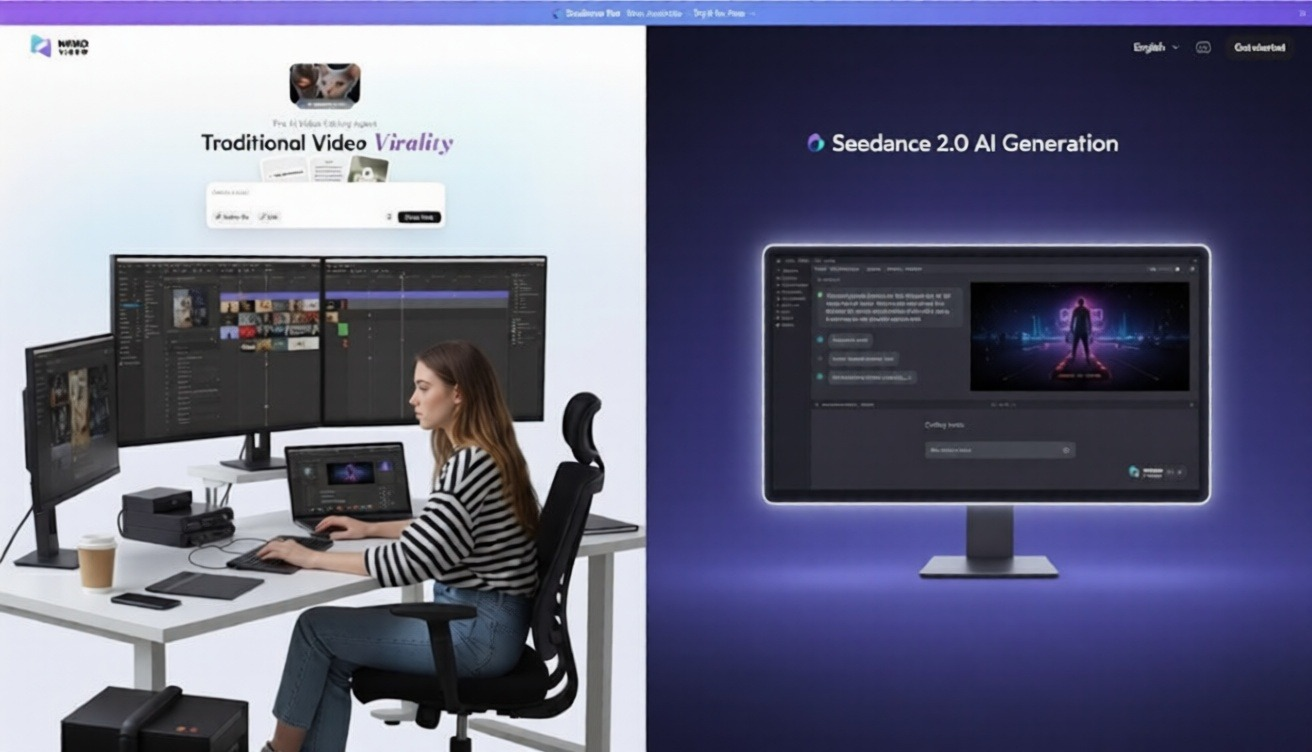
What Seedance 2.0 vs Video Editing Actually Means
Seedance 2.0 is an AI-powered video generation model that creates video content from text prompts, reference images, or rough concepts—automating scene composition, motion, transitions, and visual coherence without manual timeline editing.
Traditional video editing involves manually assembling, cutting, color grading, adding effects, and structuring footage using tools like Premiere Pro, Final Cut Pro, or DaVinci Resolve.
The comparison isn't AI versus editing. It's autonomous generation versus manual assembly.
Seedance 2.0 operates upstream—it creates visual sequences. Traditional editing operates downstream—it refines existing footage.
The shift: Creators are now choosing generation for speed, editing for precision, and increasingly—combining both.
Tasks AI Video Handles Well in Practice
Seedance 2.0 excels when the creative bottleneck is conceptualization and production speed, not shot-level control.
Social Media Content at Scale
Short-form content for TikTok, Instagram Reels, and YouTube Shorts benefits massively from AI generation.
Why it works:
Consistent visual style across batches
Rapid iteration on hooks and formats
No need for B-roll sourcing or stock footage licensing
Instant adaptation to trending templates
A creator publishing 5 Reels per week can generate base sequences in minutes, then refine selectively. Tools like Viral+ Studio take this further by reverse-engineering proven viral patterns and automatically applying that pacing to your content.
Explainer and Educational Videos
Seedance 2.0 shines when translating abstract concepts into visual storytelling.
Common use cases:
SaaS product demos
Tutorial sequences
Process visualizations
Concept breakdowns
The advantage: You describe the scene logic, and the AI handles visual metaphor, motion design, and transitions—tasks that traditionally require motion graphics expertise.
Rapid Prototyping and Storyboarding
Before committing to expensive shoots or long editing sessions, AI generation acts as a visual sketch.
Directors and brand teams use Seedance 2.0 to:
Test narrative pacing
Experiment with visual tone
Preview scenes before production
Share client concepts faster
Time savings: Hours of storyboarding compressed into minutes.
Content Repurposing and Adaptation
Turning blogs, podcasts, or LinkedIn posts into video used to require full production cycles.
Now, AI video generation:
Converts written content into visual sequences
Adapts one core idea into multiple platform formats
Generates chapter-based video series from long-form articles
This is where NemoVideo becomes essential. It doesn't just generate—it strategizes, scripts, and distributes autonomously. The Inspiration Center eliminates creative block by generating data-backed viral hooks and optimized scripts designed to capture attention in the first three seconds.
Scenarios Where Manual Editing Is Still Faster
AI isn't always the shortcut. Manual editing wins when control, existing assets, or creative nuance matter more than generation speed.
You Already Have Footage
If you've shot interviews, product demos, or event coverage, editing is faster than regenerating scenes with AI.
Traditional editing wins when:
Raw footage exists and just needs assembly
You need specific shots from actual locations or people
Brand authenticity requires real capture, not synthetic generation
Why AI doesn't help here: Seedance 2.0 generates—it doesn't cut existing clips. However, if you have raw talking-head footage, the Talking-Head Editor automatically removes filler words and syncs AI-matched B-roll to your speech beats—bridging the gap between raw footage and polished output.
Precision Timing and Cuts Matter
Music videos, comedy sketches, and performance content rely on frame-accurate timing.
Manual editing offers:
Beat-synced cuts
Comedic timing control
Exact audio-visual sync
Nuanced pacing adjustments
AI generation struggles with: Millisecond-level timing that makes or breaks comedic delivery or musical rhythm.
Complex Color Grading and Visual Continuity
High-end commercials, narrative films, and brand content requiring cinematic color science still need manual grading.
When to stick with traditional tools:
Multi-camera shoots requiring color matching
Specific LUT application and skin tone preservation
Client-mandated brand color accuracy
Cinematic look development
Seedance 2.0 generates visually coherent scenes, but doesn't replace a colorist's eye.
Client-Driven Revisions on Specific Frames
Agency work and client projects often require hyper-specific changes: "Make the logo 10% larger in frame 47."
Manual editing wins because:
Direct frame control
Precise asset replacement
Granular adjustment layers
Faster iteration on micro-changes
AI regeneration for minor tweaks is overkill. Timeline editing is surgical.
Hybrid Workflows Creators Actually Use
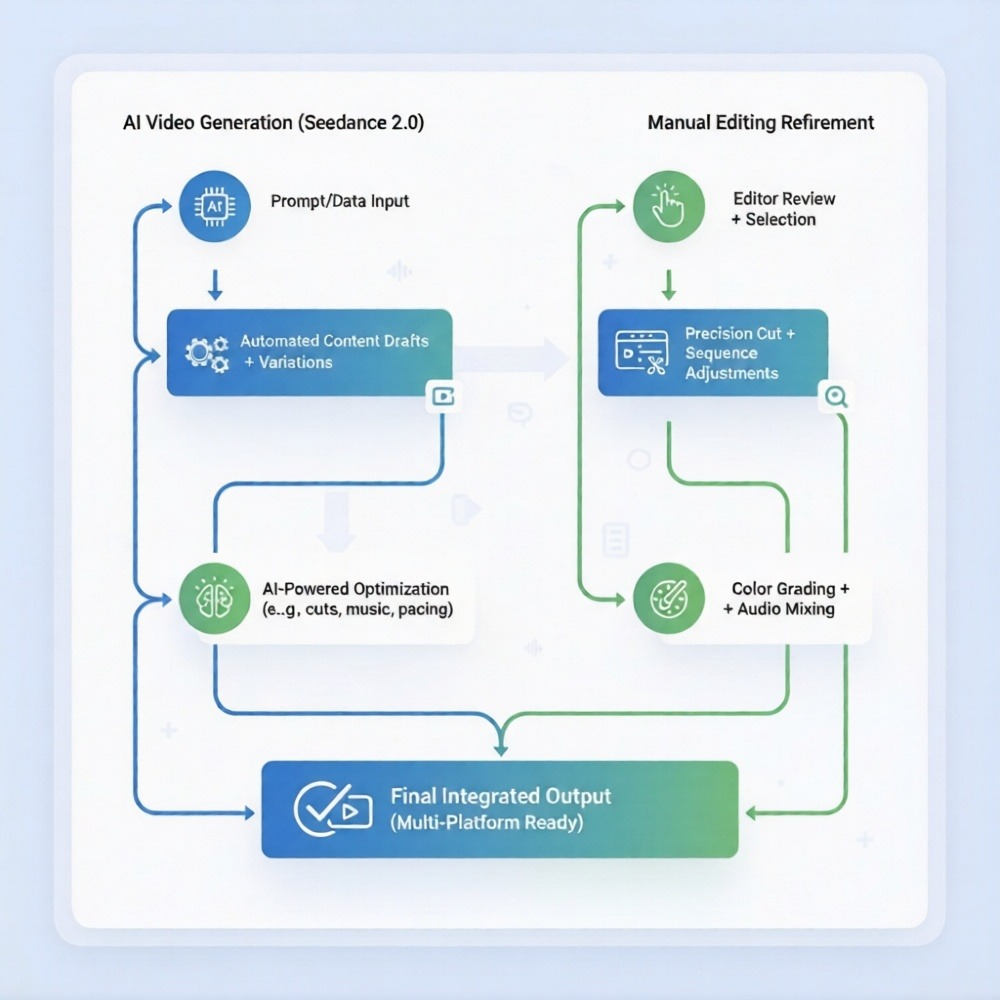
The smartest creators aren't choosing AI or editing. They're combining both strategically.
Workflow 1: AI Base + Manual Polish
Process:
Generate core video structure with Seedance 2.0
Export as base timeline
Refine cuts, add text overlays, adjust pacing manually
Final color grade and audio mix in traditional editor
Best for: Tutorial videos, explainers, product demos
Time savings: 60–70% reduction in production time while maintaining final quality control
Workflow 2: Manual Footage + AI B-Roll
Process:
Shoot primary interview or talking-head footage
Use Seedance 2.0 to generate contextual B-roll sequences
Edit together in Premiere or Final Cut
Add transitions and effects manually
Best for: YouTube essays, documentary-style content, podcasts-to-video
Why it works: Real human presence + AI-generated supporting visuals = authentic yet scalable. The Talking-Head Editor can handle step 1 automatically by cleaning your footage and syncing B-roll to speech patterns.
Workflow 3: AI Prototyping → Full Production
Process:
Generate concept video with Seedance 2.0
Client or team reviews and approves direction
Shoot or edit full production based on approved AI prototype
Deliver final manual edit
Best for: Agency pitches, brand campaigns, high-budget projects
The edge: Faster client alignment before expensive production starts
Workflow 4: Autonomous AI Agent → Distribution (NemoVideo Approach)
Process:
Input idea, blog, or brief into NemoVideo
AI plans video strategy, writes script, generates scenes with Seedance 2.0
Optimizes hooks, retention structure, platform formatting
Outputs distribution-ready videos across platforms
Best for: Content teams scaling multi-platform presence without expanding headcount
This is the future workflow. Not manual generation. Not manual editing. Autonomous video production.
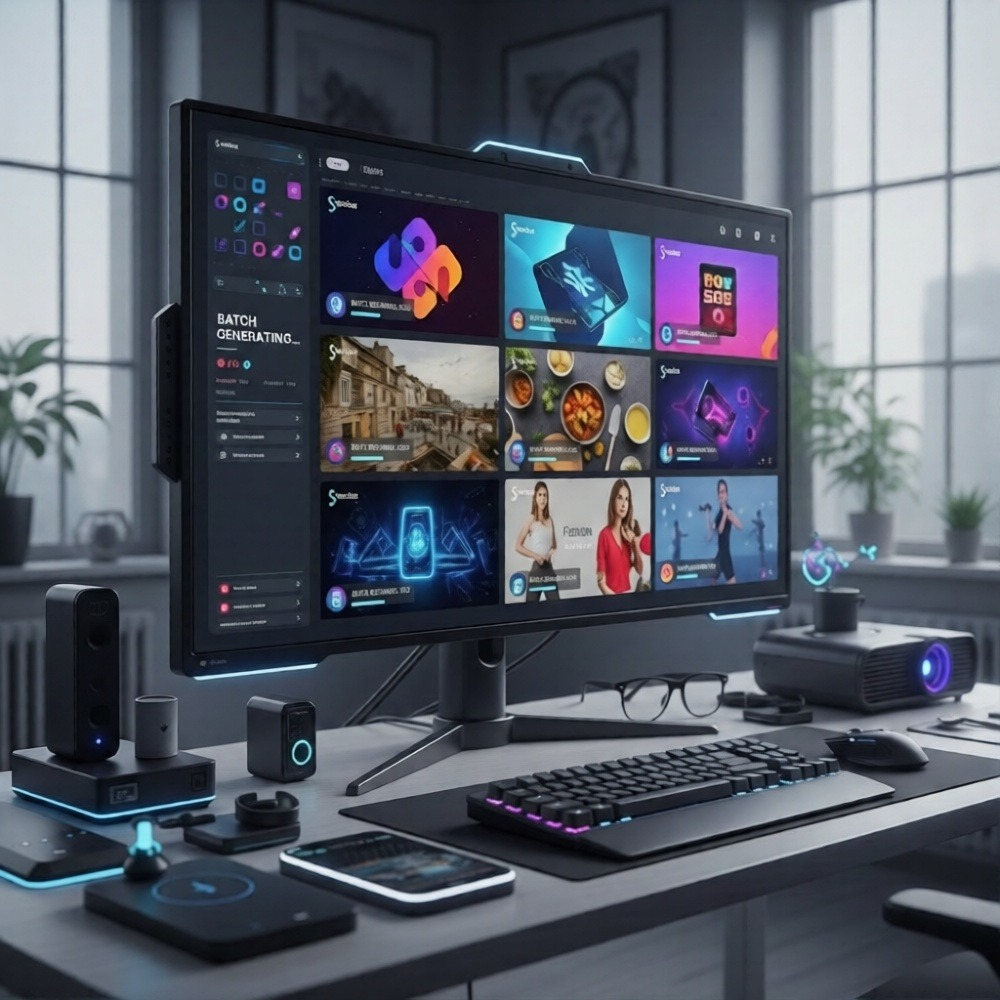
For creators managing multiple content streams, Nemo Workspace serves as your central hub to upload clips and manage bulk versioning projects in one place—eliminating the chaos of juggling AI generation and manual refinement across scattered tools.
A Decision Checklist Before Choosing AI
Use this framework to determine whether Seedance 2.0 or traditional editing is the right choice for your project.
Question | Choose Seedance 2.0 If: | Choose Manual Editing If: |
Do you have existing footage? | No — you're starting from concept | Yes—you've already shot content |
Is speed more critical than frame-level control? | Yes — need output in hours, not days | No—quality nuance is priority |
Are you producing high-volume content? | Yes — 5+ videos per week | No—one-off or premium projects |
Does the content require real people/locations? | No — concepts, ideas, or abstract visuals | Yes—interviews, events, testimonials |
Do you need platform-specific formatting? | Yes — multi-platform adaptation needed | No—single deliverable format |
Is creative experimentation part of the process? | Yes — testing multiple visual directions | No—vision is already locked |
Are you working within tight budget constraints? | Yes—can't afford shoots or long edits | No—budget allows for full production |
The hybrid answer: Most professional workflows now use both — AI for base generation, manual editing for refinement.
The breakthrough answer: Tools like NemoVideo eliminate the decision entirely by handling strategy, generation, and optimization autonomously.
How NemoVideo Integrates Seedance 2.0 (And Why It Matters)
Seedance 2.0 is powerful. But generation without strategy is just faster random output.
NemoVideo is the official integration partner for Seedance 2.0—and it operates as an AI video agent, not just a generator.
What Makes NemoVideo Different
Chat-based interface: Describe your goal, not technical parameters
Autonomous scripting: Plans narrative structure before generating
Hook optimization: Tests and refines openings for retention
Multi-platform adaptation: Generates YouTube, TikTok, LinkedIn versions from one input
Brand templates: Maintains visual consistency across content
Voice cloning: Adds narration without recording studios
Performance-aware optimization: Learns from engagement data
This is production thinking, not just generation.
The NemoVideo x Seedance 2.0 Workflow
Input: Paste a blog URL, idea, or brief
Planning: AI analyzes content, structures video strategy
Generation: Uses Seedance 2.0 to create scenes autonomously
Optimization: Refines hooks, pacing, transitions for platform
Distribution: Outputs ready-to-publish videos
No prompt engineering. No manual assembly. No guesswork.
If you're dealing with hours of raw footage, SmartPick automatically scrubs through to remove outtakes and filler words while identifying the most compelling highlights—creating a polished rough cut in minutes instead of hours.
For finishing touches, Smart Caption transcribes audio with high accuracy and applies trending, platform-native subtitle styles in one click to boost engagement and watch time.
Free Access for Early Users
NemoVideo offers free access to Seedance 2.0 integration for early adopters.
This isn't a trial. It's production-ready AI video creation designed for creators, agencies, and brands scaling content without scaling teams.
👉 Get free access to NemoVideo x Seedance 2.0
For agencies and high-volume teams, explore transparent pricing tiers including custom Business Plan features built for scale.
FAQ: Seedance 2.0 vs Traditional Editing
Q: Is Seedance 2.0 better than traditional video editing?
A: Seedance 2.0 excels at rapid content generation and visual creation from concepts, while traditional editing is better for refining existing footage, precise timing, and client-specific revisions. Most professional workflows now use both—AI for base generation, manual editing for final polish.
Q: Can Seedance 2.0 replace video editors entirely?
A: No. Seedance 2.0 automates scene generation and concept visualization, but editors provide creative judgment, narrative pacing, brand consistency, and frame-level precision that AI cannot replicate. However, it can reduce editing workload by 60–70% when used strategically.
Q: What types of videos should I use Seedance 2.0 for?
A: Use Seedance 2.0 for social media content, explainer videos, rapid prototyping, educational sequences, content repurposing, and high-volume production where speed and scalability matter more than frame-perfect control.
Q: How do hybrid workflows combine AI and manual editing?
A: Common hybrid workflows include: (1) AI-generated base structure + manual refinement, (2) Real footage + AI-generated B-roll, (3) AI prototyping for client approval before full production, and (4) Autonomous AI agents like NemoVideo handling end-to-end strategy and generation.
Q: Do I need technical skills to use Seedance 2.0 with NemoVideo?
A: No. NemoVideo uses a chat-based interface where you describe your goal in plain language. The AI handles scripting, scene generation via Seedance 2.0, optimization, and platform formatting autonomously—no prompt engineering or technical expertise required.
Q: When should I stick with traditional editing instead of AI?
A: Choose traditional editing when you have existing footage, need frame-accurate timing, require specific color grading, are producing high-end cinematic content, or need granular client-driven revisions on specific shots. Manual editing still wins for precision and creative nuance.
The Real Question Isn't AI vs Editing — It's Strategy vs Execution
Seedance 2.0 vs traditional editing is the wrong framing.
The right question: What outcome are you optimizing for?
If you need control, precision, and creative refinement—edit manually.
If you need speed, scale, and conceptual iteration — use AI generation.
If you need strategic video production that thinks before it creates—use an AI agent like NemoVideo.
The breakout demand for Seedance 2.0 isn't about replacing editors. It's about eliminating the blank-page problem, accelerating iteration, and making video production accessible at scale.
Traditional editing refines what exists. AI generation creates what doesn't.
NemoVideo does both — autonomously.
👉 Start creating with NemoVideo x Seedance 2.0 for free
The future of video production isn't choosing between AI and editing. It's using tools that handle both intelligently.