

Best Social Media Video Editor for 2026
Hi, it’s Dora. I got this completely wrong for about four months straight.
My old workflow was: finish the edit in one tool, export it, open a second app to crop for Reels, open a third to tweak the safe zones for Shorts. That’s three tools, two re-imports, and roughly 40 minutes of mechanical overhead per video — after the actual editing was already done.
At five videos a day, that’s over three hours a week spent on nothing except reformatting boxes. Not editing. Not thinking. Just shuffling pixels between apps.
That’s the part nobody covers in these comparisons. Everyone benchmarks feature lists. Nobody clocks the platform adaptation tax — the time that disappears between “edit done” and “video actually ready to post anywhere.” This piece is specifically about that: which social media video editors handle multi-platform output inside the tool, and which ones quietly hand that problem back to you.
I tested the main contenders for over six weeks at the real production volume — not demo clips, not one-off uploads. Client work and personal account queues ran at five to ten videos daily.
Here’s what the numbers showed.
What Makes a Good Social Media Video Editor
Before the tool list: the criteria matter, because most comparisons rank by feature count and feature count is a weak proxy for actual workflow time.
Multi-Platform Export (TikTok, Reels, Shorts)
The minimum bar is handling 9:16, 1:1, and 16:9 in the same project without re-importing footage. The higher bar is smart cropping — keeping faces and subjects in frame rather than center-cropping and hoping for the best.
But here's the thing nobody talks about: safe zones differ across every platform, and those differences are not trivial at volume.
YouTube Shorts uses 1080×1920 at 9:16, with the platform’s UI eating roughly the top ~180–380 px and bottom ~380–390 px depending on device and UI state.
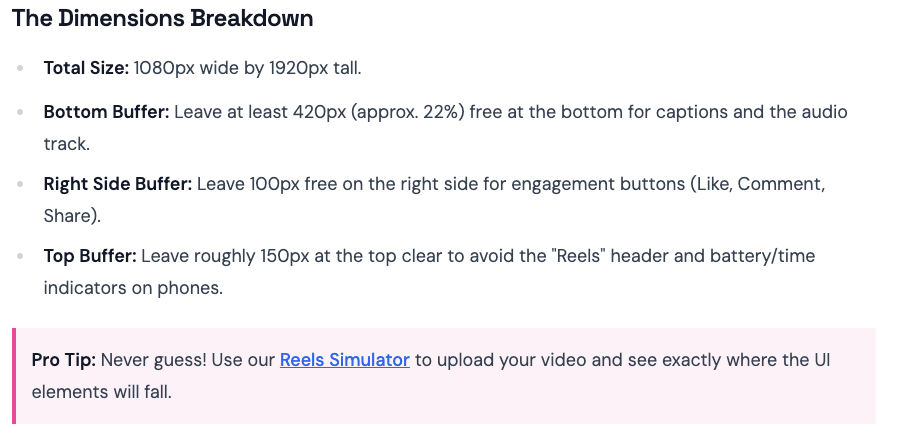
Instagram Reels uses the same canvas but shifts the danger zones: the bottom ~320–450 px gets covered by captions, audio info, and engagement buttons, and the right edge loses about 100 px to the like/comment column. TikTok’s layout differs again.
Three platforms. Same aspect ratio. Three different overlay configurations. A tool that handles aspect ratio but ignores safe zones is solving 60% of the problem. The remaining 40% shows up after you post.
Speed and Batch Workflow
My hard rule: if a tool takes more than 20 minutes to go from raw footage to three exported platform-ready versions, it fails the batch test. That’s the baseline you need to run five-plus videos a day without the afternoon disappearing into export queues.
Captioning and Safe Areas
Captions are not optional anymore. Research consistently shows around 85% of social media videos are watched without sound, auto-captioning that ignores safe areas is almost worse than no auto-captioning.
Best Social Media Video Editors in 2026
VEED.io — Best for Caption Accuracy and Browser-Based Workflows
VEED runs entirely in the browser, no software installed, and its auto-captioning is consistently more accurate than most native desktop editors I tested.
What works: Caption accuracy is the standout. I tested it against five other tools on the same clips — VEED handled speaker differentiation and background noise better across the board. Safe zone customization is manual but straightforward. Multi-platform export is clean once the project is set up correctly.
The browser-first architecture is also genuinely useful for client work — no install requirements, accessible from any machine, and VEED holds SOC 2 certification and GDPR compliance, which matters when you're handling client footage under NDAs.
Where it falls short: Speed. VEED is not a batch workflow tool. Processing time for clips runs noticeably slower than local-first editors. For a queue of fifteen clips on a Tuesday afternoon, that friction adds up. I ran a timed test — 10 clips at roughly 90 seconds each — and VEED came in last on total turnaround.
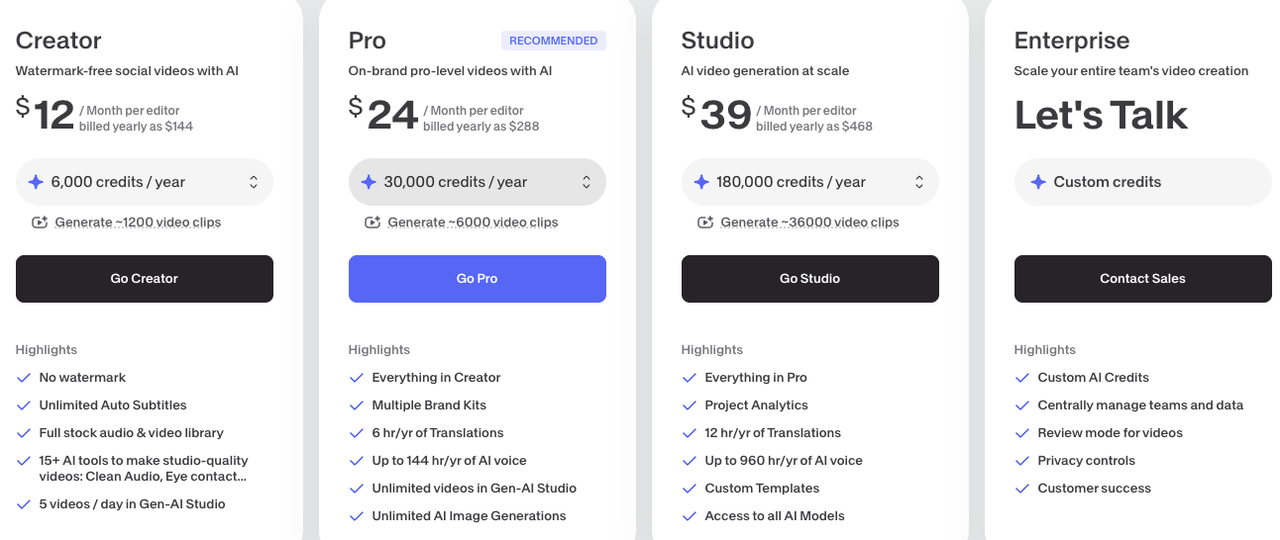
Pricing (as of April 2026): Free tier caps at 720p exports with a watermark. Paid plans start at ~$12–18/month (Creator/Basic, billed annually) and ~$24–30/month (Pro). Verify current pricing at veed.io before committing.
Verdict: Strong for creators who prioritize caption quality and do lower daily volume (under three videos a day). Less suitable for high-frequency batch production.
CapCut — Situation Has Changed Significantly
CapCut faced temporary removal from US app stores in January 2025 under the Protecting Americans from Foreign Adversary Controlled Applications Act (alongside TikTok). As of April 2026 it is available again in the US, but the long-term regulatory picture remains uncertain and new US-specific versions are rolling out.
Beyond availability: CapCut’s June 2025 Terms of Service update grants ByteDance a broad, perpetual, irrevocable, royalty-free license to user-uploaded content (including private drafts) for use in connection with their services. For personal social content many creators continue using it; for professional or client work the data-privacy implications are real.
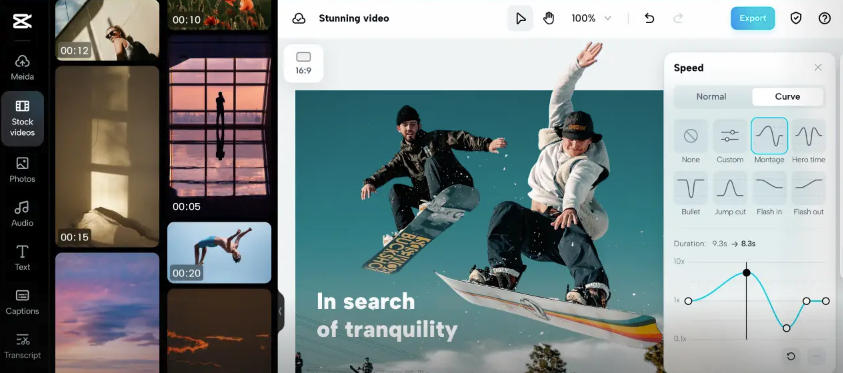
If you're outside the US and don't have data privacy constraints: CapCut's template library and TikTok-native integration are still genuinely strong for high-volume TikTok content. For anything involving client confidentiality, or if you're US-based, it's worth factoring in the uncertainty before building a workflow around it.
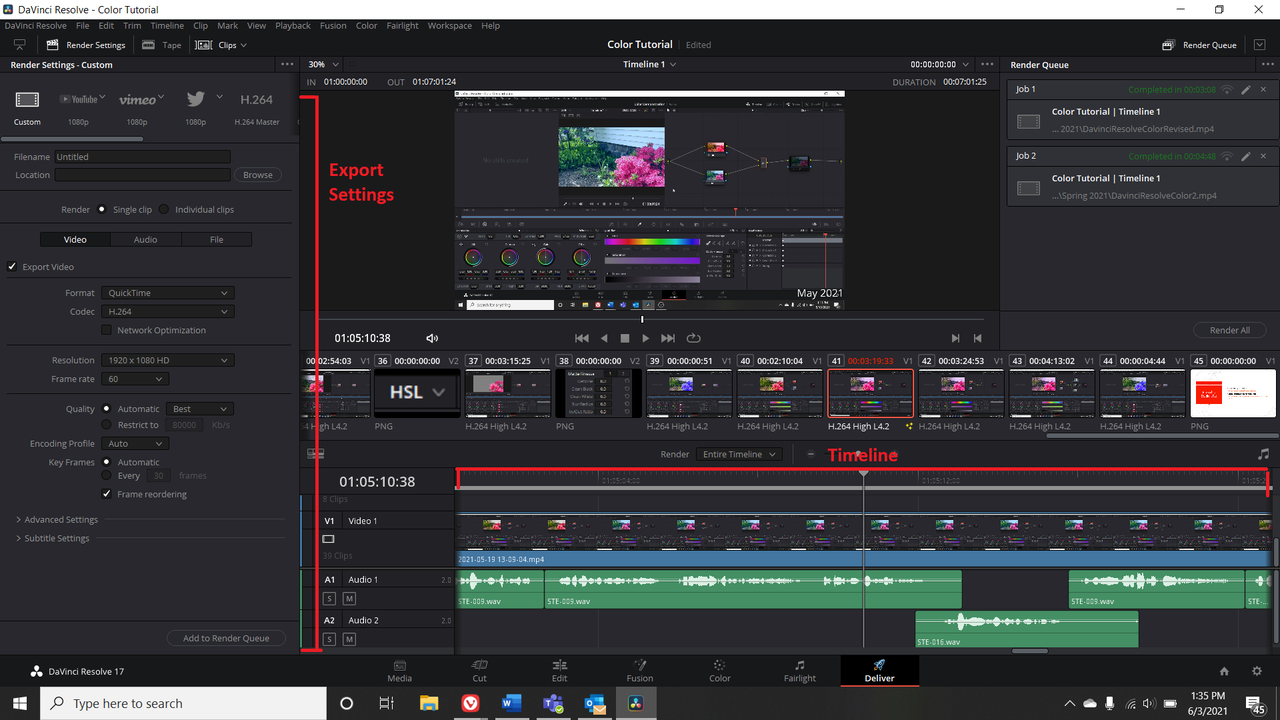
DaVinci Resolve — Best for Creators Who Need Precision Control
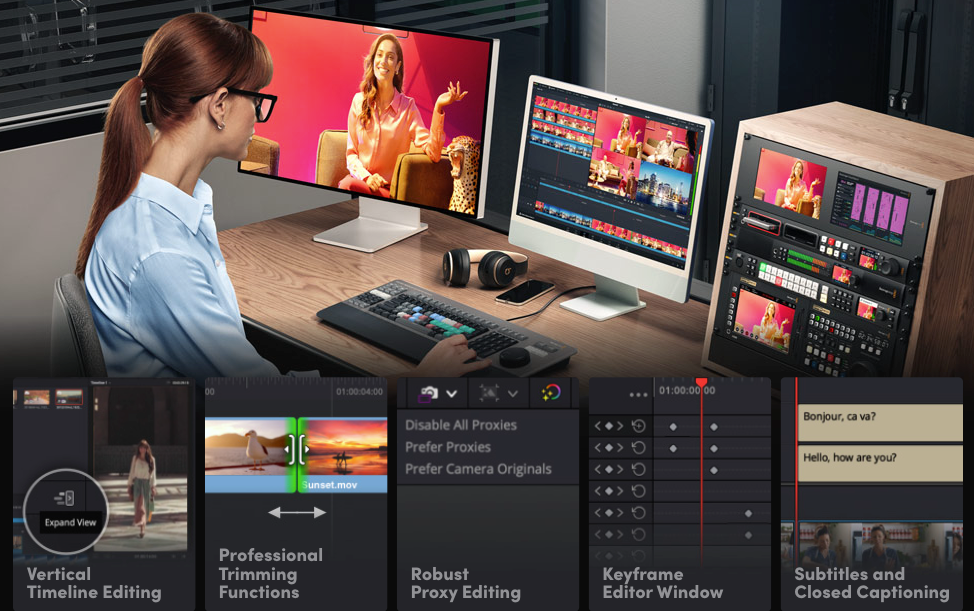
DaVinci Resolve is the tool you use when you need granular control over color, audio, and timeline — and you're willing to trade some speed for that control.
What works: Free version is remarkably capable. Professional-grade color grading, multi-track editing, and Fusion for visual effects — all at $0. The Studio version ($295 one-time) adds AI-powered features including noise reduction and speed warp. For creators doing talking-head content who care about color consistency across clips, nothing in the free tier comes close.
Where it falls short: Multi-platform export requires manual project setup per format. No built-in “export for TikTok/Reels/Shorts” automation. Auto-captioning is less developed than VEED’s. Steep learning curve.
Pricing: Free (DaVinci Resolve) or $295 one-time (Studio). No subscription.
Verdict: Right tool if color accuracy and audio control are your priority, or if you're producing less than five videos a day and want professional-grade output. Wrong tool if batch speed and platform adaptation automation are what you need.
Comparison Table
Tool | Multi-Platform Export | Safe Zone Handling | Batch Speed | Caption Accuracy | US Availability | Best For |
VEED.io | ✅ Manual setup, clean output | ⚠️ Manual adjustment needed | ❌ Slower processing | ✅ Best in test | ✅ Fully available | Caption-first, lower volume |
CapCut | ✅ One-click switch | ⚠️ Good for TikTok, patchy elsewhere | ✅ Fast | ✅ Good, TikTok-optimized | ⚠️ Banned from US stores | Non-US creators, TikTok-first |
DaVinci Resolve | ⚠️ Manual per-format setup | ⚠️ Manual only | ❌ Slowest | ❌ Limited | ✅ Fully available | Precision editing, color work |
Workflow: One Video → Three Platforms
This is where most tools fall apart. Here's how I currently run one raw clip to three platform-ready exports, using VEED as the primary editor for caption-sensitive content and DaVinci for anything requiring color work.
Format Adaptation
Start with 9:16 at 1080×1920 as your master canvas — this is the universal spec across TikTok, Reels, and Shorts. From that master, generate your 1:1 and 16:9 variants. In VEED, this requires manually duplicating the project and adjusting crop — no automation. In DaVinci, same story. Neither handles this as efficiently as I'd like.
The time spent here is real. For three platform versions of one video, expect 8–15 minutes of format adaptation work per clip in either tool, depending on how much subject repositioning the crop requires.
Caption and Text Adjustments
Captions go on in the first pass. The critical step is checking safe zones per platform before export — not after publishing. For Reels specifically, keep all text and key visuals above the 420px bottom danger zone to stay clear of captions and audio info overlays. For Shorts, the safe content area sits approximately 900×1350px centered in the frame, with the bottom 390px eaten by channel info and the subscribe button.
One manual step I still do: font style per client. Default caption styling varies and rarely matches brand voice out of the box. I keep presets saved per client and apply in one step at export.
Thumbnail and Cover Frame
Three platforms, three cover frame conventions. TikTok auto-selects. Reels allows a custom thumbnail upload. Shorts recommends keeping your main subject centered because YouTube crops the thumbnail to a 1:1 center square on the channel page.
Flag your cover frame during editing, export it as a still, then apply platform-specific crops. If it's built into your export workflow, this takes about 3 minutes total. If it's an afterthought, double or triple that.
The Bottom Line
The best social media video editor for 2026 is the one that handles platform adaptation — safe zones, aspect ratios, captions — without requiring you to rebuild anything after the edit is done. None of the three tools tested fully automates this. You're choosing your trade-off.
For caption accuracy and professional data compliance, VEED is the most reliable option available to US creators right now. For precision color and audio control at lower daily volume, DaVinci Resolve's free tier is genuinely hard to argue with. CapCut remains strong for TikTok-focused creators outside the US, but its current status in the US market makes it an unreliable foundation for a professional workflow.
My actual workflow looks like this: VEED for caption-sensitive client content and talking-head editing, DaVinci when a client asks for color-matched footage across a series. Neither is a complete one-tool solution for cross-platform batch work — and I'd be skeptical of any tool that claims to be.
Test at your actual production volume. Demo conditions are not production conditions.
FAQ
Q: Which editor has the best templates? CapCut, by volume and by TikTok-trend currency. If template speed is your primary variable, CapCut wins. If you need templates that don't look like templates — differentiated brand output, ad creative variation — you'll want a tool with more flexibility in the editing layer.
Q: Do I need separate tools for each platform? No — and if your current workflow requires it, that's worth fixing. The platform adaptation step should be handled inside your primary editor, not outsourced to a second or third tool. The time cost of switching between tools is real and it compounds across a week of production.
Q: Can one editor work for all social platforms? Technically yes, practically it depends on your volume and whether you need automation or can tolerate manual adaptation steps. VEED handles all three platforms but requires manual project setup per format. DaVinci gives you the most control but the least automation. Neither replaces the platform adaptation step — they just put it in different places in your workflow.
Previous Posts: