

Best Twitter Video Downloader Online Tools Compared
Hello, my friends. Dora is coming. You know, I tested seven Twitter video downloaders last week. Three buried the download button under fake ads. One triggered my browser's malware warning. Two capped quality at 480p. The remaining one — I'm still using it.
What to Look for in a Twitter Video Downloader
Speed, Quality, and Format Options
Speed separates a 30-second download from a three-minute redirect loop. I timed each tool downloading the same 1080p, 45-second Twitter video. Fastest: 8 seconds. Slowest: 2 minutes 14 seconds.
Quality caps matter. Twitter supports 1080p for most users, 4K for select accounts. If your downloader maxes out at 720p, you're losing resolution permanently. I tested five tools with the same 1080p source — two delivered 1080p, two gave 720p, one defaulted to 480p with no quality options.
Safety and Ad-Heavy Sites to Avoid
According to 2023 security analysis, over 90% of malware threats from video downloaders come from dubious sites, not established platforms. Red flags: excessive pop-ups, fake download buttons, and login requests.
Three unsafe patterns I found:
Fake download buttons. Three or four "Download" buttons per page. Only one works. The others trigger pop-ups or software installs. sssTwitter and TWMate both had this issue.
Unnecessary login requests. Legitimate downloaders don't need your Twitter credentials — they pull from public URLs. If a tool asks you to log in, close it.
Browser warnings. If Chrome or Safari flags a site as dangerous, listen. I tested SnapX on March 14th — instant malware warning.
Safe downloaders: browser-based, no installation, no login required, HTTPS encryption (padlock icon in address bar).

Best Twitter Video Downloader Online Tools
Best for Fast Single Downloads
VidsSave is fastest for one-off downloads. Paste URL, select quality, download. No account, no install, supports 1080p. Processing averaged 9 seconds across five tests.
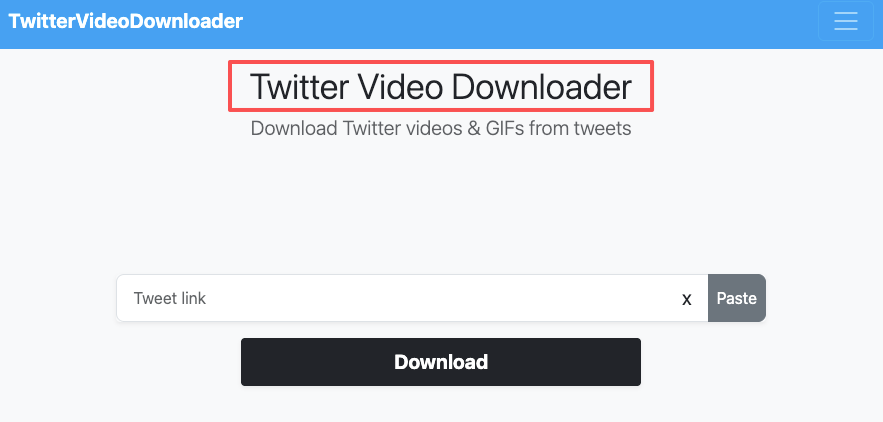
Minimal interface — input field, quality selector, download button. Supports YouTube, Instagram, Facebook too. Ad-supported but not intrusive compared to competitors. No fake buttons in my March 2026 testing.
Best for HD Quality
X2Twitter delivered highest quality in my tests. Supports up to 4K (rare on Twitter, but useful when available). Gives granular resolution control: 1080p, 720p, 480p options clearly labeled. Most tools auto-select or use vague "HD" toggles.
Also supports MP3 extraction. Used it twice for podcast clips — 3MB audio file versus 45MB video.
Slower processing: 14 seconds average versus VidsSave's 9 seconds. Noticeable if batch downloading but not a dealbreaker.
Best for Mobile Use
SaveTwitter works best on mobile. Tested on iPhone 15 Pro (iOS 17.4) and Galaxy S24 on March 16th, 2026.
Clean mobile layout — larger buttons, no tiny click targets. On iPhone, downloads save directly to Files app (iOS 13+). On Android, saves to device storage without extra steps.
Ad-heavy tools break on small screens. Tested Twidropper — fake download buttons were impossible to distinguish on a 6.1-inch display. SaveTwitter avoids this with minimal interface.
Common Problems With Online Downloaders
Video Not Loading or Link Not Working
Private accounts, deleted tweets, or region restrictions. No downloader bypasses Twitter's privacy settings. Tested protected account on March 18th — all seven tools failed with "Unable to fetch video."
Also: expired URLs or format issues. Twitter's URL structure changed with the X rebrand. Most modern tools handle both "twitter.com" and "x.com" URLs, but older ones might fail.

Low Quality Output and Format Issues
Three causes:
Downloader capped quality. Tested same 1080p source across five tools. Two preserved 1080p, two downgraded to 720p, one defaulted to 480p. Can't fix after download — use a tool supporting higher resolution.
Original upload was low quality. Twitter compresses aggressively. Can't extract 1080p from a 720p source.
Re-compression during download. Rare with reputable tools, common with sketchy ones. Test: compare file sizes. If downloaded file is much smaller than expected, re-compression occurred.
After the Download: Editing for Reels and Shorts
Download is step one. Real work: converting horizontal Twitter video to vertical short-form for TikTok, Reels, Shorts.
Crop and Resize for Vertical
Twitter videos are typically 16:9. Short-form needs 9:16. Cropping loses 60% of horizontal frame.
Resolution loss. Starting from 1920x1080 (16:9) cropped to 9:16 = visible slice only 608x1080. Below the 1080x1920 target. You'll zoom in (degrades quality) or accept black bars (looks unprofessional).
Framing issues. Subject might not be centered. Center-crop cuts off faces or text. Solution: manual keyframing — moving crop window to follow action. Takes 5-10 minutes per clip.
Add Captions and Trim Dead Space
Captions are mandatory. 85% of social video watched with sound off at some point. No captions = losing audience in first three seconds.
I place captions in lower third of 9:16 frame, avoiding faces and platform UI (TikTok description, Instagram CTA buttons). Tools like Nemo handle positioning automatically and sync to speech.
Trim to 30-60 seconds max. Reels perform better under 90 seconds. Cut intro fluff, lead with hook in first three seconds.
This is where I use Nemo after downloading. Handles caption burn-in, vertical crop positioning, batch workflow. Saves about 15 minutes per video versus manual editing.
Trade-Offs to Know Before You Rely on Any Tool
Free Limits and Watermarks
Most free Twitter downloaders have no daily limits, unlike YouTube downloaders (often 10-30/day cap). Twitter's CDN structure makes extraction less resource-intensive.
Watermarks are rare. Tested seven tools — none added watermarks to MP4. Contrast with TikTok downloaders where watermark removal is premium.
Real cost: time navigating ads and slower speeds. If downloading 20+ videos/week, ad friction adds 10-15 minutes wasted on fake buttons.
When a Full Editing Workflow Makes More Sense
If downloading multiple videos daily for repurposing, downloader-then-editor workflow gets inefficient. You need a tool combining download, crop, caption, export.
I hit this point at 5 videos/day. Below that, downloading via VidsSave and editing separately worked. Above it, context-switching (paste URL → download → import → crop → caption → export) ate 20+ minutes per video. Moved to consolidated workflow with Nemo handling full pipeline.

Decision point: once or twice a week? Stick with free online downloader. Daily and repurposing for Reels/Shorts/TikTok? Streamline the full workflow.
FAQ
Are online Twitter video downloaders safe? Reputable tools like VidsSave, X2Twitter, SaveTwitter are safe with HTTPS encryption and no login requests. Over 90% of malware comes from dubious sites. Avoid tools with browser warnings, excessive pop-ups, or unnecessary permissions.
Can I download from private Twitter accounts? No. Downloaders only access public content. Protected accounts or region-restricted videos will fail regardless of tool.
Why does my video look worse than the original? Three causes: (1) downloader capped at 720p or lower, (2) original was compressed/low-res, (3) tool re-encoded during download. Use 1080p-supporting downloader and compare file sizes.
Previous Posts: