

I'm Dora. Last week I ran the same character — a woman in a red jacket — through six AI video tools, back to back, using the exact same prompt each time.
By frame 45, most of them had already changed her face. Some changed her hair. One gave her a completely different jacket.
That's the character consistency problem. And it's the thing that separates a tool that's fun to play with from one you can actually use to produce anything — ads, brand content, short-form series.
I tested Vidu Q3, Runway Gen-4, Kling 3.0, Luma Ray, Pika 2.0, and Sora 2 on the same character, same scenes, same lighting conditions. Here's what I actually found — no fluff, no sponsored rankings.
How I Tested (So You Know This Isn't Guesswork)
Every tool in this comparison was tested with the same base prompt:
"A woman in her early 30s, red jacket, dark hair pulled back, walking through a modern office lobby. Medium shot, natural lighting, slight camera push forward."
I generated three clips per tool — one at the start of a session, one mid-session, and one with a scene change to a different environment (an outdoor café). The goal: see how each tool handles the character not just within a single clip, but across multiple generations.
The five things I was scoring:
-
Facial consistency — does the face stay the same from frame 1 to the end of the clip?
-
Outfit consistency — does the red jacket stay red, same cut, same details?
-
Cross-scene consistency — does she look like the same person when you change the setting?
-
Motion quality — does she move like a real person?
-
Practical usability — how many regenerations did it take to get something usable?
The Short Answer: Where Each Tool Stands
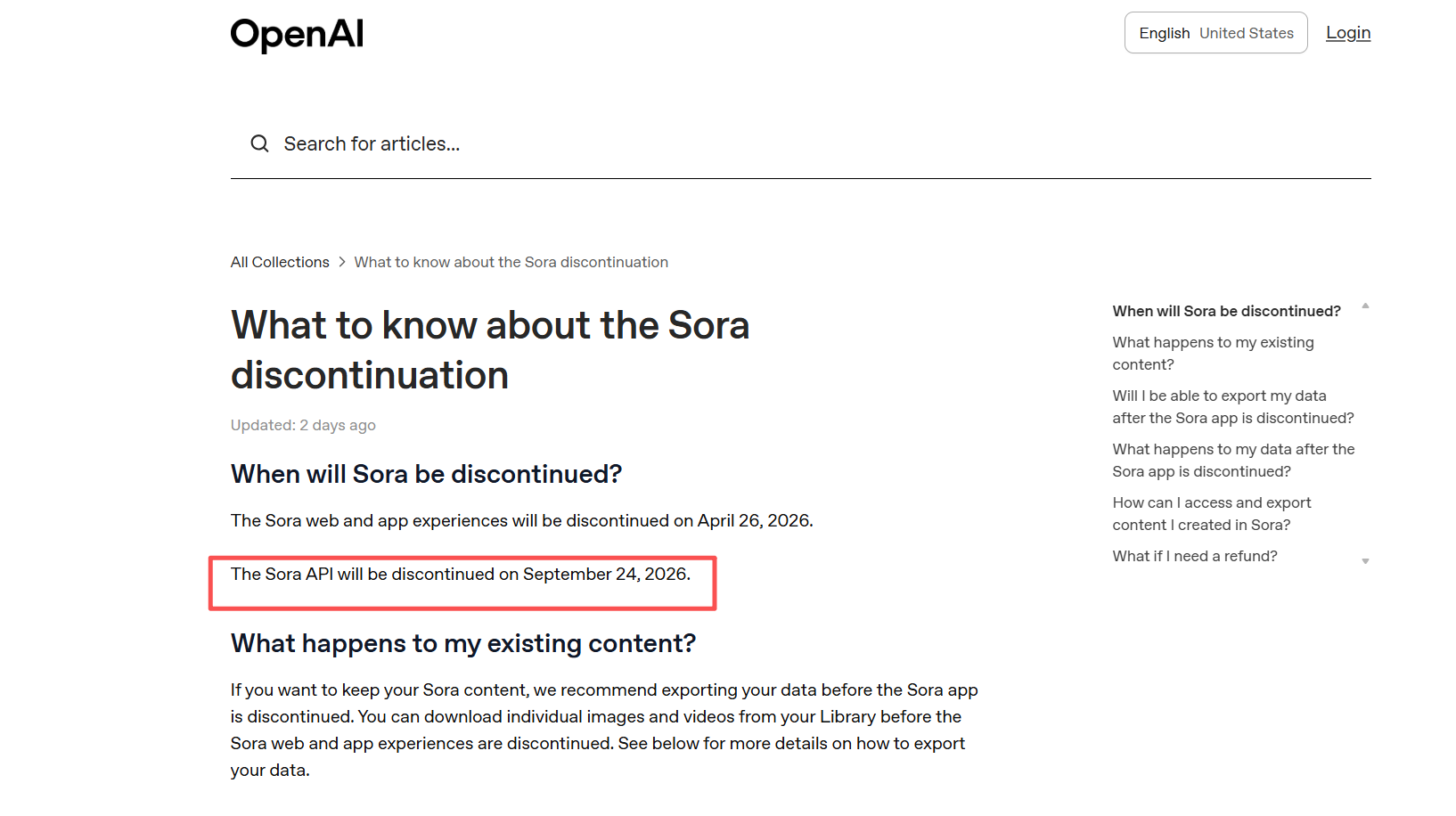
Note on Sora 2: OpenAI announced in April 2026 that the Sora web and app experience will be discontinued. API access follows in September 2026. If you're building a workflow, plan accordingly.
Vidu Q3: Best AI Video Tool for Character Consistency
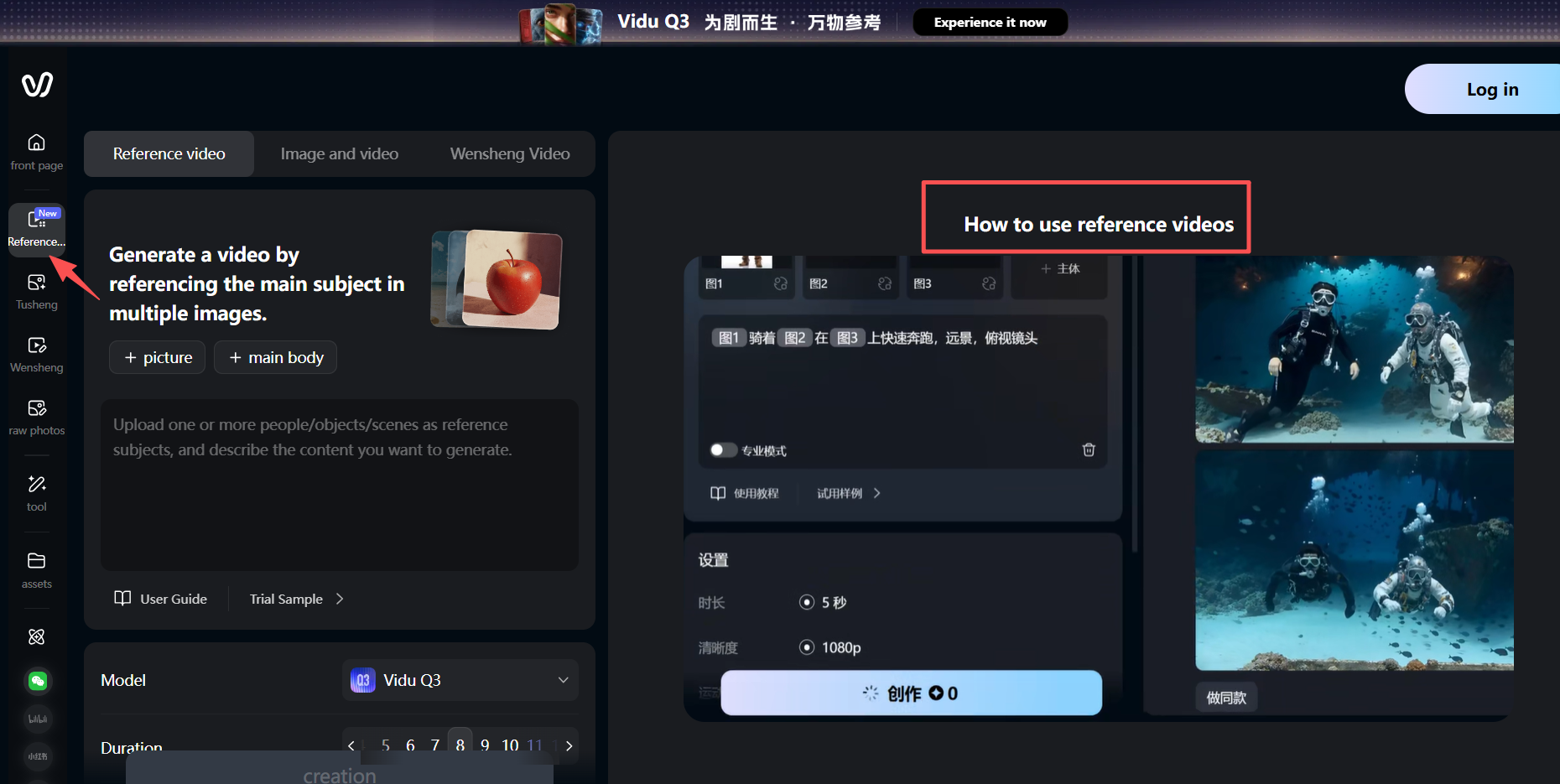
Vidu Q3 is the tool I'd recommend if your main goal is keeping one character looking the same across a full production — multiple scenes, different environments, different times of day.
The reason is Reference-to-Video. Instead of just describing your character in text, you upload reference images. Vidu uses them as visual anchors throughout every generation. I uploaded three reference shots of my test character — front-facing, 3/4 angle, and a full-body shot — and ran her through six different scene variations.
She looked like herself in five of the six. That's a much better hit rate than any other tool in this comparison.
Where Vidu Q3 falls short:
-
The 16-second clip limit is real. For anything longer, you're chaining scenes in post.
-
Motion quality is good, but not in the same league as Kling when your character needs to do anything physically dynamic — running, gesturing expressively, interacting with objects.
-
Vidu's style tends to feel slightly processed compared to the more cinematic output of Runway.
Best for: Brand content, explainer series, product storytelling — anything where the same person needs to appear across multiple scenes and be recognizably the same person every time.
Kling 3.0: Best AI Video Tool for Motion and Consistency
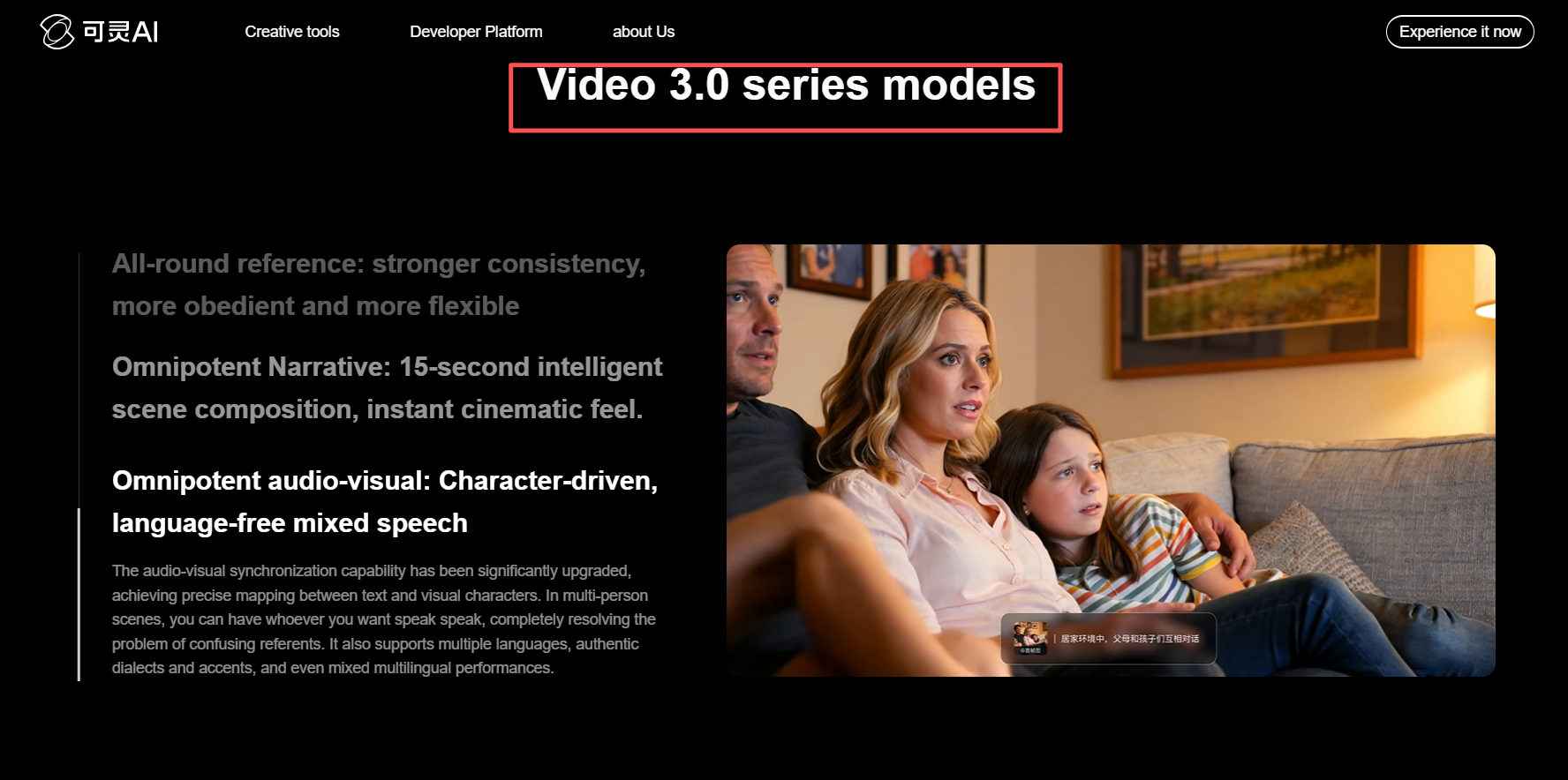
Kling 3.0 released in February 2026 with a meaningful upgrade to character consistency — specifically the Kling O3 (Omni) variant, which is designed specifically for multi-shot sequences.
Kling's O3 variant lets you feed it a 3–8 second reference video clip, and it extracts facial and body features from that clip to maintain them across separate generations. This is architecturally different from still-image anchoring — it gives the model motion context, not just appearance context.
In my testing, Kling O3 was the best tool for scenes where the character is physically active. Walking naturally, turning around, picking things up. The motion physics are noticeably better than Vidu Q3, and the facial consistency in the O3 variant held up well across my three-scene test.
Where Kling 3.0 falls short:
-
The reference video requirement is a higher setup bar than Vidu's still-image system. If you're building a character from scratch (no real footage to reference), you need to generate a reference clip first.
-
The standard Kling variants (not O3) still show drift in clips over 10 seconds.
-
Generation cost per second is higher than Vidu Q3 at comparable quality tiers.
Best for: Short films, ads with action sequences, any content where character motion quality matters as much as facial consistency.
Runway Gen-4: High-Quality AI Video but Weak Consistency
Runway Gen-4 makes the most visually polished footage in this comparison. The cinematic quality is genuinely in a different league — lighting feels more natural, colors are richer, camera movement is smoother and more controlled.
The character consistency story is more mixed. Runway accepts a single reference image and uses it as an anchor, which works well for clips up to about 8–10 seconds. Past that, facial features start to drift. Outfit colors shift. In my cross-scene test (office lobby to outdoor café), she looked noticeably different in a way that would be unusable for series content.
Runway's Director Mode gives you more shot control than any other tool here — you can specify exact camera paths, keyframe positions, and frame timing in a way that feels closer to actual directing than prompting. That's a real advantage for high-production-value single clips.
Where Runway Gen-4 falls short:
-
10-second clip limit is the shortest of the main tools.
-
No native audio generation — you're adding audio in post.
-
Character consistency is solid within a clip, weaker across clips.
Best for: Standalone cinematic clips, hero shots, visual identity work where a single perfect-looking moment matters more than cross-scene consistency.
Why AI Video Prompts Fail for Character Consistency
Most people trying to solve character consistency are trying to solve it with better prompting. They write more detailed descriptions. They get more specific about hair color, eye shape, clothing cut. And it still doesn't hold.
Here's why: AI video models don't "remember" who they generated in the last clip. Every generation is statistically independent. "Dark hair pulled back, red jacket" is a description that matches thousands of different possible people — and the model will pick a slightly different one every time it renders.
The tools that solve this well — Vidu Q3 and Kling O3 — do it by giving the model a visual anchor that overrides the ambiguity of text. You're not asking it to re-imagine the character each time. You're constraining it to rebuild from a specific visual reference.
This is also why reference image quality matters so much. A front-facing, evenly lit, neutral-expression photo on a plain background gives the model clean information to anchor to. A stylized, dramatically lit, or angled reference introduces ambiguity that compounds across scenes.
AI Video Character Drift: 4 Common Problems and Fixes
Even with reference images, things can still go wrong. Here's what I ran into most often and how to deal with each one.
- Drift that builds up across multiple clips
Small variations stack up. By clip 6, your character looks noticeably different from clip 1 even though each individual clip looks fine.
Fix: Re-anchor to your original reference image every 3–4 generations. Never use the output of the previous clip as the reference for the next one — you're photocopying a photocopy.
- Environment bleed
Your character looks darker in night scenes, or softer in foggy outdoor shots — even when the description hasn't changed.
Fix: Re-state your character's full description in every prompt. The reference image alone isn't enough to override environmental influence in tools that weight text and image inputs differently.
- Lip sync and audio mismatch
You add voiceover after generation and the mouth movements are close but never right.
Fix: If you need on-screen dialogue, generate the audio first with ElevenLabs or a similar tool, then use audio-to-video generation to create visuals that match the audio — not the other way around.
- Reference photo quality killing downstream consistency
You do everything right, but the character still changes. Most of the time, the problem is the reference photo — harsh lighting, strong expression, angled pose, or busy background.
**Fix: **Test with 5 quick generations before committing to a full production. If consistency is already failing on the test, fix the reference photo before you go further.
Which Tool Should You Actually Use?
-
If consistent characters across multiple scenes is your top priority: Start with Vidu Q3. The multi-reference image system gives you more control over character identity than any other tool at this price tier.
-
If motion quality matters as much as consistency: Use Kling 3.0 O3. The reference-video extraction is architecturally stronger for physically active characters, and the motion realism is the best in this comparison.
-
If you need cinematic-quality single shots: Runway Gen-4 is the right call. Nothing else matches the visual polish for standalone clips. Just don't expect perfect consistency when you chain scenes.
-
If you're producing short social content with a lower consistency bar: Pika 2.0 is the fastest and most cost-effective for 5–8 second clips.
Frequently Asked Questions
Which AI video tool is best for character consistency in 2026?
For most creators, Vidu Q3 is the strongest option for maintaining a consistent character across multiple scenes, thanks to its multi-reference image system. For motion-heavy content, Kling 3.0 O3 is competitive or better. The right answer depends on whether consistency or motion quality is your bigger priority.
How do I stop my AI video character from changing between clips?
The core fix is switching from text-only prompts to reference-image-based generation. Provide 3–4 reference photos from different angles, re-anchor to your original reference every 3–4 clips, and describe your character explicitly in every prompt — don't assume the reference image alone will hold across scene changes.
Is Runway Gen-4 good for character consistency?
Within a single 10-second clip, Runway Gen-4 holds character features reasonably well with a reference image. Across multiple separate generations (different scenes, different sessions), consistency is noticeably weaker than Vidu Q3 or Kling 3.0 O3. It's best used for cinematic single shots rather than multi-scene productions.
Does Kling 3.0 have better character consistency than Kling 2.0?
Yes, significantly. The Kling O3 (Omni) variant in 3.0 was specifically built for cross-scene character consistency, accepting 3–8 second reference video clips to extract and maintain facial and body features. This is a substantial improvement over Kling 2.0's single-image reference approach.
What happened to Sora?
OpenAI announced in April 2026 that the Sora web and app experiences would be discontinued, with the API following in September 2026. If you're building workflows around Sora, tools like Vidu Q3, Kling 3.0, and Veo 3.1 have reached comparable or superior quality in most categories.
What is the best free AI video tool for consistent characters?
Kling 3.0 has a free tier with daily credits, making it the most practical free option for testing character consistency without an upfront cost. Pika 2.0 also offers free credits but is better suited for short clips where consistency is less critical.